
1. Увод
This manual provides detailed instructions for the installation, operation, and maintenance of your UHPPOTE 2-Channel Color Quad System Video Splitter. This device is designed to process and display video feeds from up to two analog security cameras, offering various display modes and image adjustments. Please read this manual thoroughly before using the product to ensure proper functionality and safety.
Напомена: This device is only compatible with AHD/TVI analog cameras.
2. Безбедносне информације
- Уверите се да је напајање волtage matches the device's requirements (DC 12V).
- Не излажите уређај влази или екстремним температурама.
- Избегавајте постављање уређаја на директну сунчеву светлост или близу извора топлоте.
- Не покушавајте сами да отворите или поправите уређај. Све сервисирање препустите квалификованом особљу.
- Држите уређај даље од јаких магнетних поља.
3. Садржај пакета
Проверите да ли су све ставке наведене у наставку укључене у ваш пакет:
- 1 x UHPPOTE 2-Channel Video Splitter/Processor
- 1 к даљински управљач
- 1 к упутство за употребу на енглеском
- 1 к адаптер за напајање
- 3 x BNC Adapters
4. Производ је готовview
Предња плоча
The front panel features control buttons and indicators for managing video inputs and display modes.

Слика 4.1: Фронт view of the video splitter. It displays buttons for MENU, ENTER, A/B, PB, directional arrows, ZOOM, FREEZE, MODE, AUTO, and a POWER switch.
Реар Панел
The rear panel provides all necessary connection ports for video input, video output, and power.

Слика 4.2: Позади view of the video splitter. It shows two BNC video input ports labeled VIDEO1 and VIDEO2, one BNC monitor output port, and a DC 12V power input jack.
Дно View
The bottom of the device features rubber feet for stability and ventilation holes.
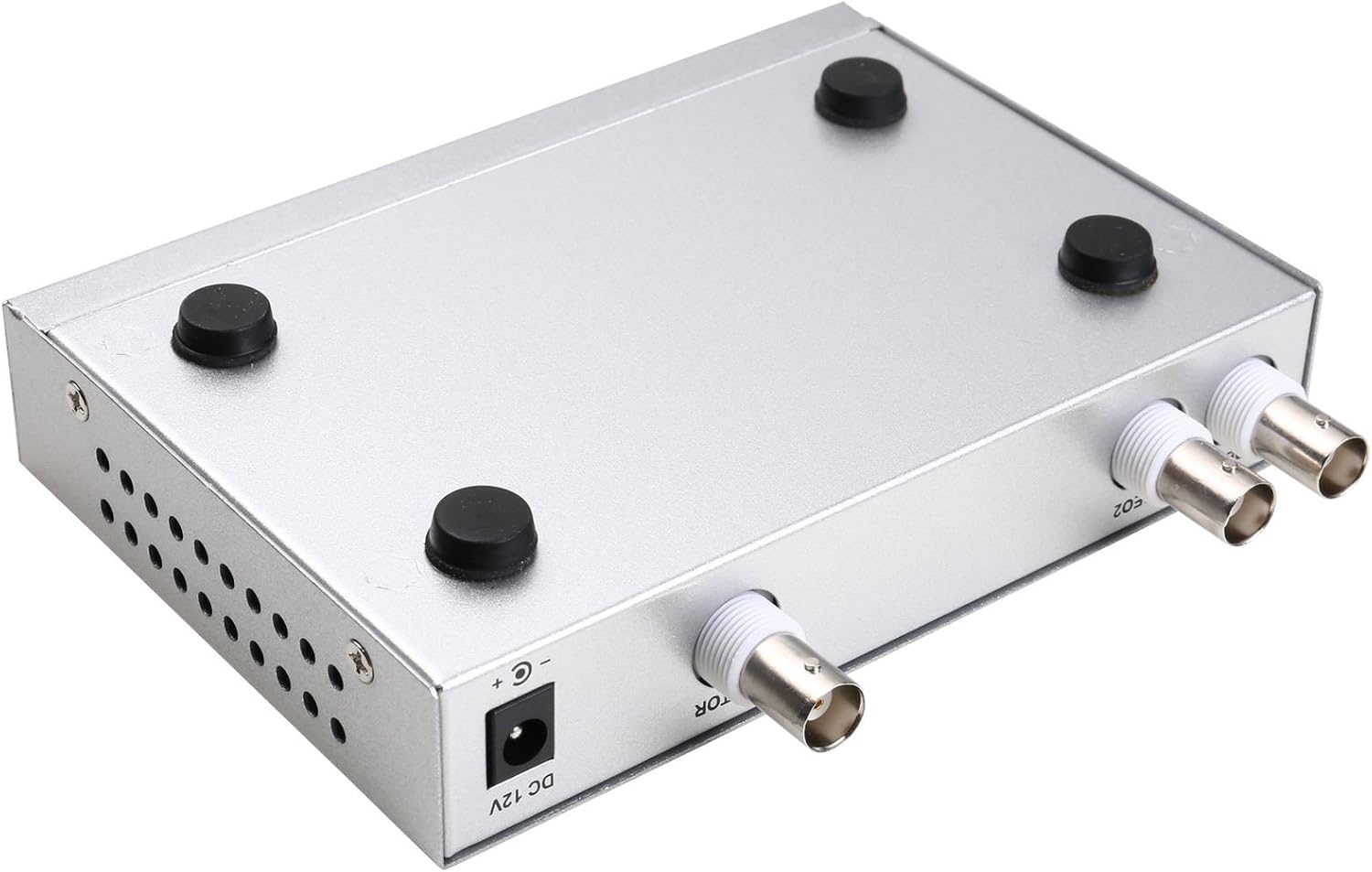
Слика 4.3: Дно view of the video splitter, highlighting the four rubber feet for stable placement.
Повер Адаптер
The included power adapter supplies the necessary DC 12V power to the unit.

Слика 4.4: The power adapter provided with the unit, rated for DC 12V output.
5. Подешавање
Follow these steps to connect your video splitter:
- Повежите камере: Connect your AHD/TVI analog cameras to the VIDEO1 and VIDEO2 BNC input ports on the rear panel of the splitter. Use the provided BNC adapters if necessary.
- Повежи монитор: Connect your display monitor to the MONITOR OUT BNC port on the rear panel.
- Прикључите напајање: Plug the DC 12V power adapter into the DC 12V input jack on the rear panel, then plug the adapter into a power outlet.
- Укључено: Flip the POWER switch on the front panel to the 'ON' position.

Слика 5.1: Connection schematic. (1) Video input from cameras (CAM1, CAM2) to VIDEO1, VIDEO2. (2) Video output from MONITOR OUT to a display monitor. (3) Power input to DC 12V.
6. Упутство за употребу
The video splitter offers various display modes and image adjustment features. Use the front panel buttons or the remote control to operate the device.
6.1. Режими приказа
Притисните тастер МОДЕ button to cycle through different display layouts:
- Single Channel Display: View one camera feed in full screen (Full 1, Full 2).
- Dual Panoramic Display: View two camera feeds side-by-side (left/right split) or top/bottom split.
- Слика у слици (ПИП): View one main camera feed with a smaller inset window of the second camera. PIP positions are switchable (top-left, top-right, bottom-left, bottom-right).
6.2. Image Adjustments
You can adjust image parameters for each camera channel:
- Притисните тастер МЕНУ button to access the on-screen display (OSD) menu.
- Use the directional arrow buttons (▲ / ▼ / ◀ / ▶) to navigate through menu options.
- Притисните ЕНТЕР да бисте изабрали опцију или потврдили подешавање.
- Adjust parameters such as Brightness, Contrast, Saturation, Hue, и Оштрина for each camera channel individually.
- Притисните МЕНУ поново да бисте изашли из менија на екрану.
6.3. Посебне функције
- ЗАМРЗНУТИ: Притисните тастер ФРЕЕЗЕ button to pause the current video frame. Press again to resume live video.
- ЗООМ: Притисните тастер ЗООМ button to activate electronic zoom. Use the directional arrows to select the enlarged area. Press ЗООМ поново за излаз.
- АУТО: Притисните тастер АУТО button to enable auto-cruise mode, which cycles through different camera views or display modes automatically. Each channel can be set for auto-cruise.
- А/Б: Switch between camera inputs.
- ПБ: Playback function (if supported by connected DVR/NVR, otherwise may not be active).
7. Одржавање
- Чишћење: Користите меку, суву крпу за чишћење спољашњости уређаја. Не користите течна средства за чишћење или аеросоле.
- вентилација: Уверите се да отвори за вентилацију нису блокирани како бисте спречили прегревање.
- Складиштење: When not in use for extended periods, store the device in a cool, dry place, away from direct sunlight and dust.
КСНУМКС. Решавање проблема
If you encounter issues with your video splitter, refer to the following common problems and solutions:
- Нема напајања:
- Проверите да ли је адаптер за напајање безбедно повезан са уређајем и утичницом.
- Ensure the power switch on the front panel is in the 'ON' position.
- Проверите да ли је утичница функционална.
- Нема видео излаза:
- Confirm that cameras are properly connected to the VIDEO IN ports.
- Ensure the monitor is correctly connected to the MONITOR OUT port and is powered on.
- Check the video cables for damage or loose connections.
- Verify that the cameras are AHD/TVI analog cameras, as other types are not supported.
- Try cycling through display modes using the MODE button.
- Лош квалитет слике:
- Adjust Brightness, Contrast, Saturation, Hue, and Sharpness settings via the OSD menu.
- Ensure video cables are of good quality and not excessively long.
- Check the camera's own settings and lens focus.
- Даљински управљач не ради:
- Проверите и замените батерије даљинског управљача.
- Ensure there are no obstructions between the remote control and the device's IR receiver.
9. Спецификације
| Феатуре | Спецификација |
|---|---|
| Бранд | УХППОТЕ |
| Број модела | 402 |
| Материјал | Метал Схелл |
| Боја | Сребро |
| Видео улаз | 2-way (BNC) |
| Видео Оутпут | 1-way (BNC) |
| PAL Resolution | 720 к 576 на 50 Хз |
| NTSC Resolution | 720 к 480 на 60 Хз |
| Тежина артикла | 0.88 фунти |
| Компатибилност | AHD/TVI Analog Cameras Only |
10. Гаранција и подршка
For warranty information or technical support, please refer to the contact details provided with your purchase or visit the official UHPPOTE webсајт. Сачувајте рачун као доказ о куповини за евентуалне рекламације по гаранцији.