
1. Увод и крајview
The Quanta QTLBC95BT is a versatile wireless barcode reader designed for efficient data capture. It offers dual connectivity options: USB wireless and Bluetooth, providing flexibility for various scanning environments. This manual provides essential information for setting up, operating, and maintaining your device.
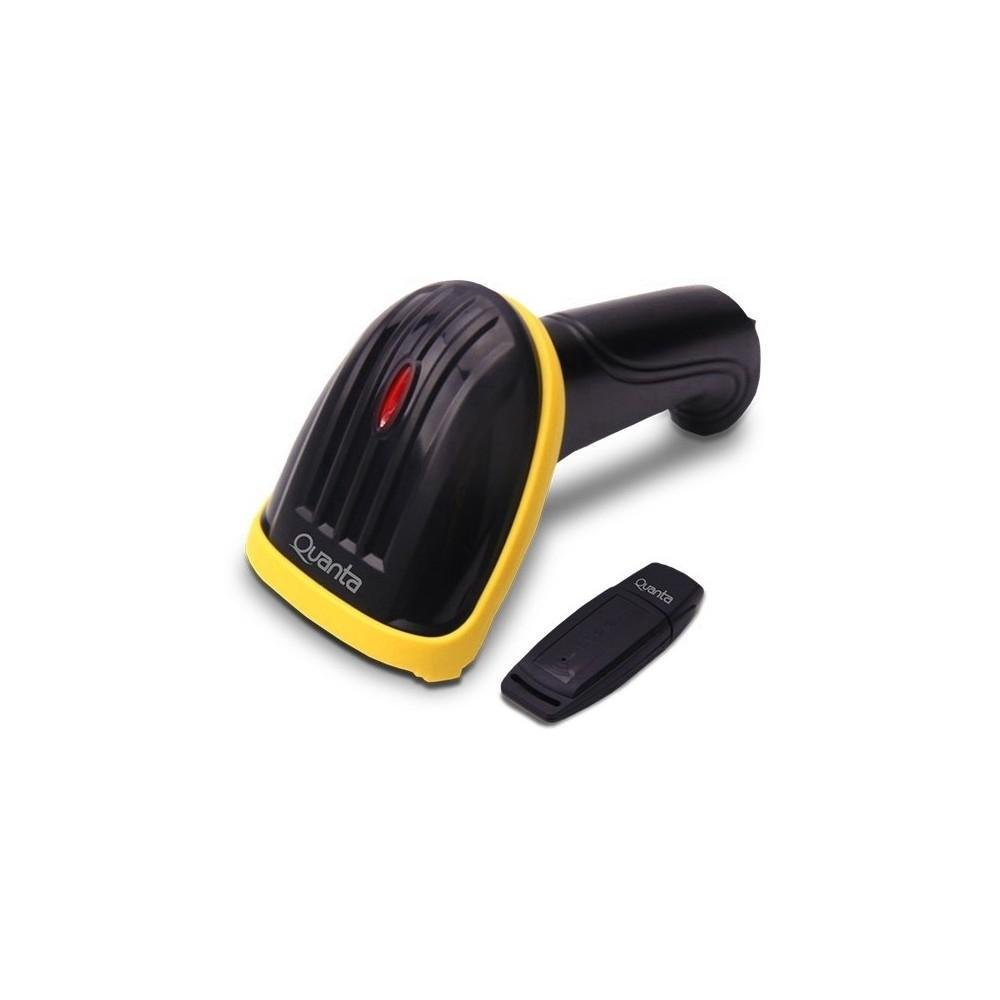
Image showing the black and yellow Quanta QTLBC95BT barcode reader and its compact black USB wireless adapter.
2. Садржај пакета
Молимо вас да проверите да ли су све ставке присутне у пакету:
- 1 x Quanta QTLBC95BT Barcode Reader
- 1 x USB Wireless Adapter
- 1 x Charger (Bivolt 110V/220V)
- 1 x USB кабл (за пуњење и жичану везу)
3. Подешавање
3.1. Пуњење уређаја
- Connect the charger to the barcode reader's charging port.
- Plug the charger into a standard electrical outlet (110V/220V, 50Hz/60Hz).
- The device features a 3.7V Li-Ion 750 mAh rechargeable battery. Allow sufficient time for a full charge before first use.
3.2. Connecting via USB Wireless Adapter
- Insert the USB wireless adapter into an available USB port on your computer or host device.
- Turn on the barcode reader. It should automatically pair with the adapter.
- A successful connection is typically indicated by an audible beep or a change in the indicator light status on the scanner.
- The wireless transmission range for the USB adapter is approximately 30 meters.
3.3. Повезивање преко Блуетоотх-а
- Ensure your host device (computer, tablet, smartphone) has Bluetooth enabled.
- Turn on the barcode reader.
- Initiate the pairing mode on the barcode reader (refer to specific instructions if a dedicated pairing button or sequence exists, otherwise it may automatically enter pairing mode).
- On your host device, search for new Bluetooth devices and select "Quanta QTLBC95BT" (or similar name) from the list.
- Потврдите упаривање.
- The Bluetooth transmission range is approximately 10 meters.
4. Упутство за употребу
4.1. Скенирање бар кодова
- Ensure the device is powered on and successfully connected to your host device.
- Point the scanner's window at the barcode you wish to read.
- Press the trigger button. A red scanning line will emit from the device.
- Position the scanner approximately 25 cm (10 inches) from the barcode for optimal reading.
- The scanner is bidirectional and has a decoding speed of 200 scans per second.
- Upon successful scan, the device will typically emit an audible beep, and the data will be transmitted to your connected device.
4.2. Auto-Sensor Mode
The scanner features an auto-sensor mode with an interval time of 0.3 seconds. In this mode, the scanner can automatically detect and read barcodes without requiring a trigger press, which is useful for hands-free operation.
5. Одржавање
5.1. Чишћење
- Use a soft, dry cloth to clean the exterior of the barcode reader.
- За прозор за скенирање користите крпу која не оставља влакна и лагано је обришитеampОчистите благим, неабразивним средством за чишћење. Избегавајте јаке хемикалије.
- Уверите се да је уређај искључен пре чишћења.
5.2. Брига о батерији
- Да бисте продужили век трајања батерије, избегавајте често потпуно пражњење батерије.
- Чувајте уређај на хладном и сувом месту када се не користи дуже време.
КСНУМКС. Решавање проблема
6.1. Device Not Scanning
- Уверите се да је уређај укључен и потпуно напуњен.
- Verify that the scanner is properly connected to your host device (USB adapter or Bluetooth).
- Check if the barcode is damaged or unreadable.
- Подесите растојање и угао између скенера и баркода.
6.2. No Data Transmission
- Confirm the connection status (USB or Bluetooth). Re-pair if necessary.
- Ensure the host device's input method is active and ready to receive data.
- Check the operating range (30m for USB wireless, 10m for Bluetooth).
6.3. Батерија се не пуни
- Verify that the charger is correctly connected to both the scanner and the power outlet.
- Уверите се да је утичница функционална.
- Try using a different USB cable or charger if available.
7. Спецификације
| Феатуре | Детаљ |
|---|---|
| Бранд | Куанта |
| Број модела | QTLBC95BT |
| Технологија повезивања | Bluetooth, USB Wireless, USB Cable |
| Извор напајања | Напаја се батеријама, електричним каблом |
| Тип батерије | DC 3.7V Li-Ion 750 mAh Rechargeable |
| Улазни волtage | 110V/220V - 60Hz/50Hz (Bivolt) |
| Тип скенера | Бидирецтионал |
| Auto-Sensor Interval | 0.3 секунди |
| Брзина декодирања | 200 скенирања у секунди |
| Optimal Scanning Distance | 25 цм |
| USB Wireless Transmission Range | До 30 метара |
| Домет Блуетоотх преноса | До 10 метара |
| Боја | Црно |
| Димензије пакета | 18 к 11 к 8 цм |
| Тежина пакета | 350 г |
8. Гаранција и подршка
For warranty information or technical support, please refer to the documentation provided with your purchase or contact Quanta customer service directly. Contact details can typically be found on the manufacturer's official webсајту.