
Увод
Thank you for choosing the AGPTEK M16SB 16GB Bluetooth MP3 Player. This manual provides detailed instructions for setting up, operating, and maintaining your device. Please read it carefully to ensure proper use and to maximize your listening experience.
Производ је завршенview
Familiarize yourself with the device's components and controls.

слика: Предња и бочна view of the AGPTEK M16SB MP3 player with numbered labels indicating each button and port function.
Дефиниције дугмади:
- Повратак: Navigates back to the previous menu.
- Bluetooth/FM Radio: Short press for Bluetooth, long press for FM Radio.
- Submenu/Screen-lock: Accesses submenus or locks/unlocks the screen.
- Помери нагоре: Navigates up in menus.
- Previous/Fast rewind: Skips to the previous track or fast rewinds during playback.
- Помери доле: Navigates down in menus.
- Next/Fast forward: Прескаче на следећу нумеру или брзо премотава унапред током репродукције.
- Унеси/Пусти/Паузирај: Confirms selection or plays/pauses media.
- Волуме +: Повећава јачину звука.
- Запремина -: Смањује јачину звука.
- Power on/off; Screen on/off: Powers the device on/off or turns the screen on/off.
Ports and Features:
- Card slot (TF): For Micro SD card expansion up to 128GB.
- Утичница за слушалице: 3.5mm audio output for wired headphones.
- Микро УСБ прикључак: За пуњење и пренос података.
- Уграђени звучник: За репродукцију звука без слушалица.
- Микрофон (MIC): За снимање гласа.
Сетуп
1. Пуњење уређаја
Before first use, fully charge the MP3 player. A full charge takes approximately 2 hours using a 5V/500mA charger or a computer USB port.

слика: A person relaxing while listening to the MP3 player, with text indicating "2 HOURS for full charge" and "28-30 hours playtime".
- Connect the Micro USB cable to the player's Micro USB port and the other end to a USB power source.
- Индикатор батерије на екрану ће приказивати статус пуњења.
- Once fully charged, the device offers up to 28 hours of music playback (screen off, medium volume) or 5 hours via Bluetooth headphones.
2. Укључивање/искључивање
- Да бисте укључили, притисните и држите Дугме за напајање (11) док се екран не упали.
- За искључивање притисните и држите тастер Дугме за напајање (11) док се уређај не искључи.
- Кратак притисак на Дугме за напајање (11) will turn the screen on or off.
3. Уметање микро СД картице
The device has 16GB of internal memory and supports external Micro SD cards up to 128GB (not included).

слика: Детаљно view of the MP3 player's side, highlighting the TF card slot with a Micro SD card partially inserted, indicating 16GB internal memory and support for up to 128GB external storage.
- Лоцирајте Card slot (TF) (12) on the side of the player.
- Нежно уметните Мицро СД картицу у отвор док не кликне на своје место.
- Да бисте је уклонили, благо гурните картицу унутра док не искочи.
Упутство за употребу
1. Основна навигација
- Користите Move up (4) и Move down (6) buttons to navigate through menus.
- Притисните тастер Enter/Play/Pause button (8) да бисте изабрали опцију.
- Притисните тастер Return button (1) да бисте се вратили на претходни екран.
- Подесите јачину звука помоћу Volume + (9) и Volume - (10) buttons on the side.
2. Репродукција музике
The player supports MP3, WMA, OGG, APE, FLAC, WAV, AAC-LC, and ACELP audio formats.

слика: A person holding the AGPTEK MP3 player, displaying the music playback interface with track information and a Bluetooth connection indicator.
- У главном менију изаберите „Музика“.
- Browse by Artist, Album, Songs, Playlists, or Folder.
- Притисните Enter/Play/Pause (8) да бисте покренули или паузирали репродукцију.
- Користите Previous/Fast rewind (5) и Next/Fast forward (7) to change tracks or fast forward/rewind.
- Access submenus (e.g., Equalizer, Repeat Mode) by pressing the Submenu button (3) током репродукције.
3. Блуетоотх упаривање
Connect your MP3 player to Bluetooth headphones or speakers for wireless audio.

слика: An illustration demonstrating three audio output options for the MP3 player: wired headphones for private listening, the built-in speaker for sharing, and a Bluetooth speaker for party settings.
- У главном менију изаберите „Блутут“.
- Алтернативно, кратко притисните тастер Bluetooth/FM Radio button (2) to quickly enable Bluetooth.
- Ensure your Bluetooth device (headphones/speaker) is in pairing mode.
- The player will scan for available devices. Select your device from the list to pair.
- The player supports automatic reconnection to previously paired devices.
4. ФМ радио
Listen to FM radio stations. Wired headphones must be connected as they act as the antenna.
- Connect wired headphones to the Earphone jack (13).
- У главном менију изаберите „ФМ радио“.
- Alternatively, long press the Bluetooth/FM Radio button (2) to quickly enter FM Radio mode.
- Use the navigation buttons to scan for stations or select from presets.
- The radio function allows saving up to 30 preset stations and supports FM recording.
5. Остале функције
- Диктафон: Select "Record" from the main menu to use the built-in microphone for voice recording.
- Е-књига: Read TXT format e-books by selecting "E-book".
- видео: Play AMV format videos by selecting "Video".
- Слика Viewер: Browse JPG, GIF, and BMP images by selecting "Pictures".
- Подешавања: Access various device settings, including equalizer, volume limit, display brightness, and timed shutdown.
Одржавање
1. Ажурирање фирмвера
Free firmware updates are available to improve device performance and add new features.
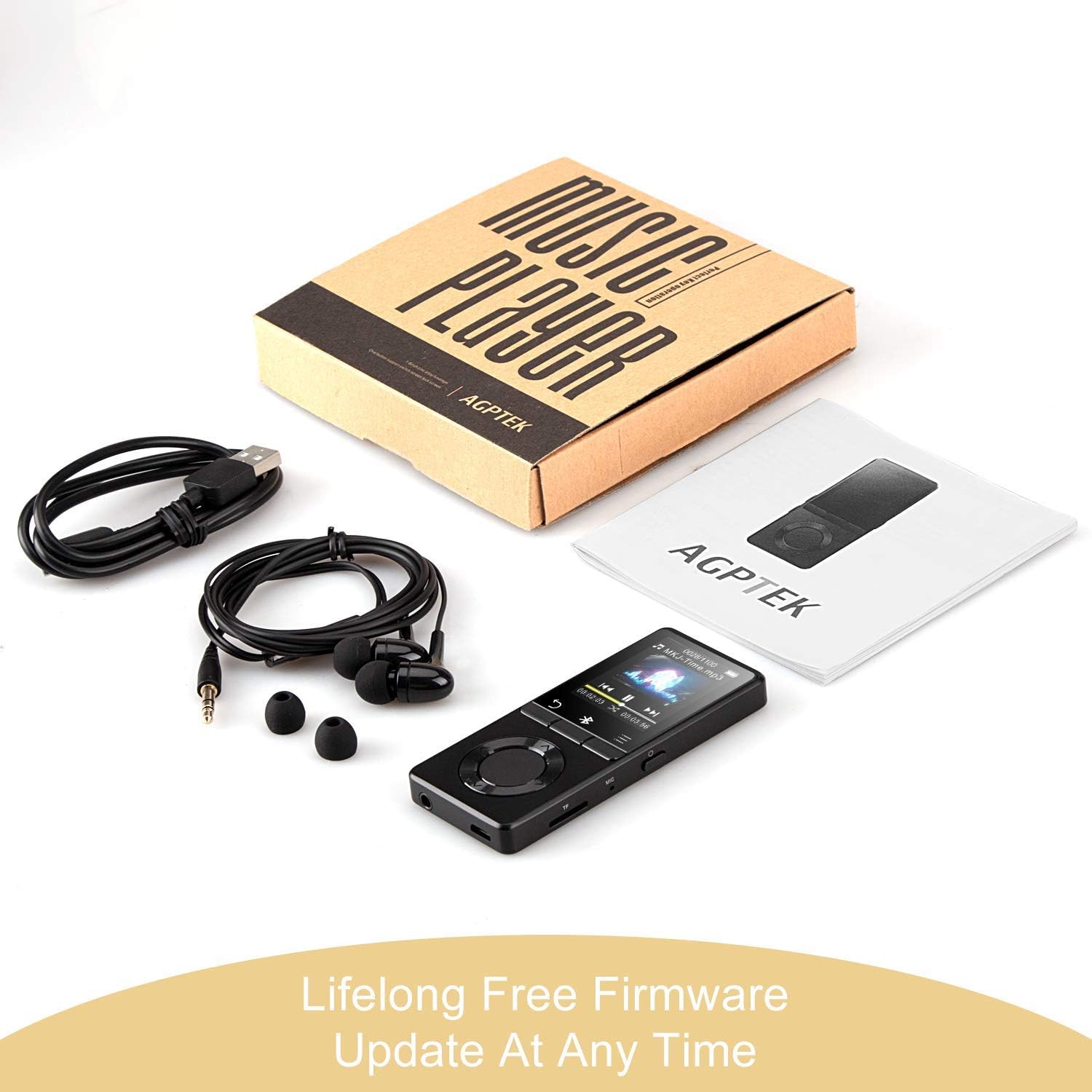
слика: The AGPTEK MP3 player, its packaging, and included accessories (earphones, USB cable), emphasizing the availability of lifelong free firmware updates.
- Посетите званични сајт AGPTEK-а webсајт за најновији фирмвер и упутства.
- Follow the provided instructions carefully to update your device.
2. Чишћење
- Use a soft, dry cloth to clean the device's exterior.
- Избегавајте употребу течних средстава за чишћење или абразивних материјала.
Решавање проблема
- Уређај се не укључује: Уверите се да је батерија напуњена. Прикључите пуњач и покушајте поново.
- Нема звука: Check volume levels. Ensure headphones are properly connected or Bluetooth device is paired and connected. If using the built-in speaker, ensure it is enabled in settings.
- Проблеми са Bluetooth везом: Ensure the Bluetooth device is in pairing mode and within range. Disconnect the MP3 player from other Bluetooth devices if it was previously paired elsewhere.
- Fileне игра: Verify that the audio/video file format is supported (MP3, WMA, OGG, APE, FLAC, WAV, AAC-LC, ACELP for audio; AMV for video).
- Уређај не реагује: Притисните и држите дугме за напајање 10-15 секунди да бисте присилно ресетовали.
- Micro SD card not detected: Ensure the card is inserted correctly. Try reinserting or using a different card to rule out card issues.
- Issues during PC sync: Avoid altering files directly in the player's window while synced. Make changes on the PC, then re-upload. If the player crashes, perform a long press on the power button to reset.
Спецификације
| Бранд | АГПТЕК |
| Назив модела | AGPTEK 16GB Bluetooth 4.0 MP3 Player with Touch Buttons |
| Број модела | M16SB-EU |
| Технологија повезивања | Блуетоотх |
| Капацитет меморије | 16 GB (expandable up to 128 GB with Micro SD card) |
| Боја | Црно |
| Величина екрана | 1.8 инча |
| Компатибилни уређаји | Headphones, Personal Computer |
| Медиа Типе | МП3 |
| Supported Audio Standards | AAC, ACELP, APE, FLAC, MP3, OGG, WAV, WMA |
| Подржани видео стандарди | АМВ |
| Supported Image Standards | JPG, GIF, BMP |
| Трајање батерије (репродукција музике) | Up to 28 hours (screen off, medium volume) |
| Трајање батерије (репродукција преко Bluetooth-а) | До 5 сати |
| Време пуњења | Прибл. 2 сата |
Гаранција и подршка
AGPTEK is committed to providing reliable and high-quality products. While specific warranty details are not provided in this manual, AGPTEK offers free firmware updates and customer support.
- For any product issues or inquiries, please contact AGPTEK customer service.
- Refer to the official AGPTEK website for support contact information and the latest firmware updates.