
TSL LTCMIP7342W-28M
LTS LTCMIP7342W-28M Platinum Network Vandal Dome IP Camera User Manual
Model: LTCMIP7342W-28M
Увод
This manual provides comprehensive instructions for the installation, operation, and maintenance of your LTS LTCMIP7342W-28M Platinum Network Vandal Dome IP Camera. Please read this manual thoroughly before using the product to ensure proper setup and functionality. Keep this manual for future reference.
The LTS LTCMIP7342W-28M is a 4MP high-definition network vandal dome IP camera designed for robust surveillance applications. It features a 2.8mm fixed lens, True WDR (120dB), Matrix IR 2.0 with up to 100 feet range, and supports H.265/H.265+/H.264/H.264+ video compression. It is rated IP67 for weather resistance and IK10 for vandal resistance, making it suitable for outdoor use. The camera also includes a MicroSD slot supporting up to 128GB for local storage and can be powered by DC 12V or Power over Ethernet (PoE).
Садржај пакета
Пре него што наставите са инсталацијом, проверите да ли су све ставке присутне у пакету.
- LTS LTCMIP7342W-28M Platinum Network Vandal Dome IP Camera
- Дрилл Темплате
- Монтажни вијци и зидни типлови
- Хек кључ
- Комплет водоотпорних конектора
- Кратки водич (погледајте овај приручник за детаљна упутства)
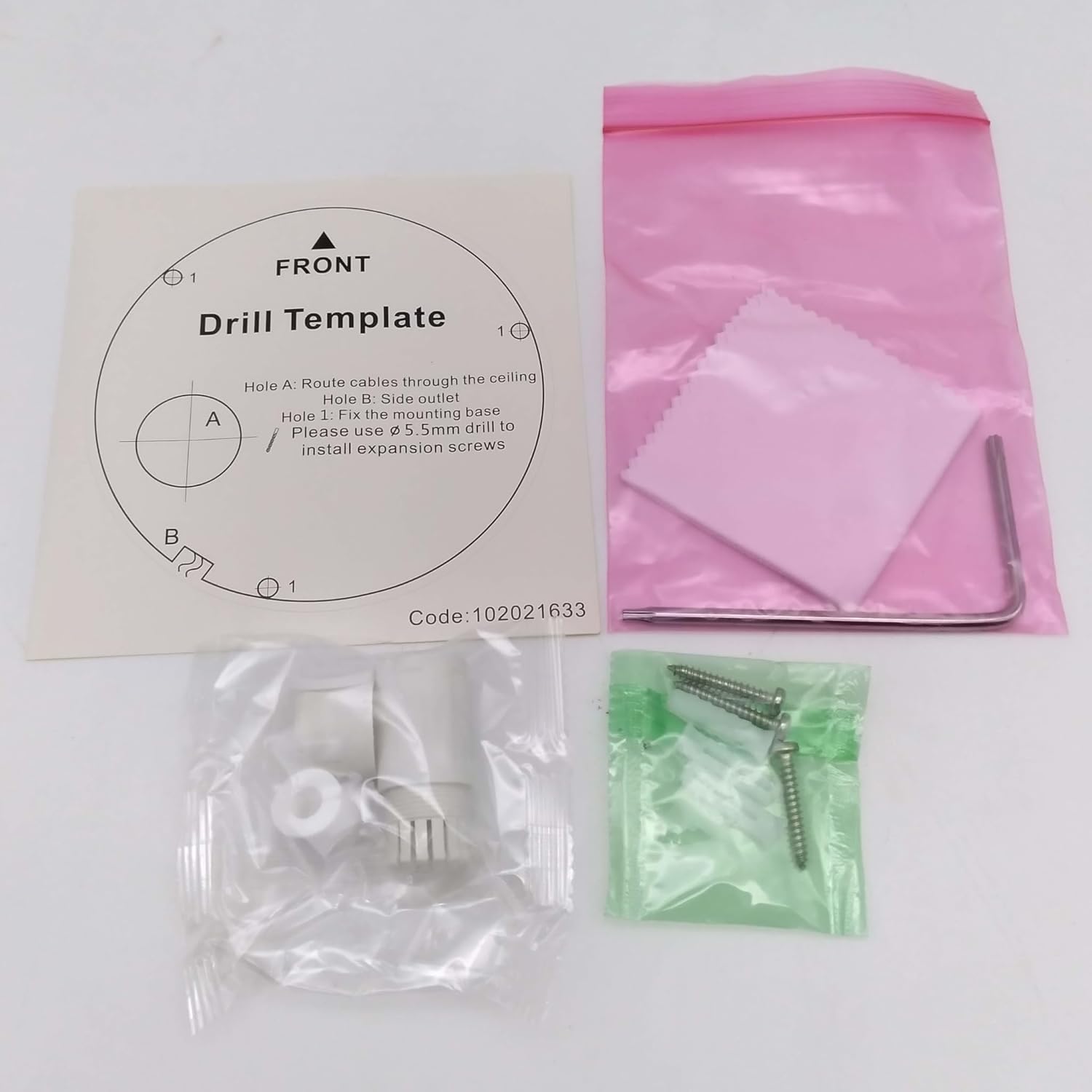
слика: Contents of the camera package. This includes a drill template, mounting hardware (screws and wall plugs), a hex wrench for adjustments, and a waterproof connector kit for network cables. These components are essential for proper installation.
Сетуп
1. Мере предострожности
- Уверите се да је напајање искључено пре инсталације или одржавања.
- Use only specified power adapters (DC 12V) or PoE (Power over Ethernet) compliant equipment.
- Avoid exposing the camera to extreme temperatures, humidity, or corrosive environments.
- Do not attempt to disassemble the camera. Refer all servicing to qualified personnel.
2. Цамера Оверview
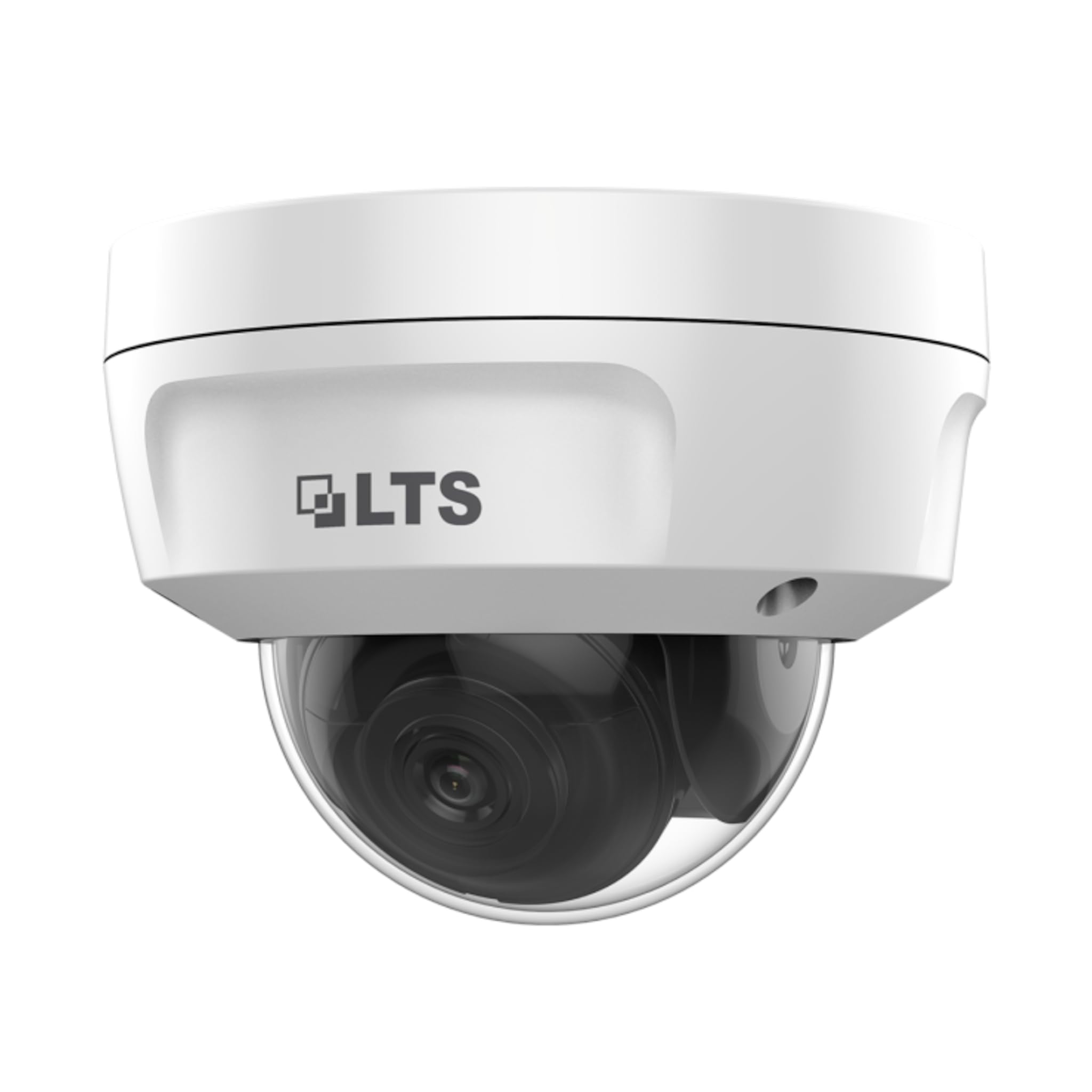
слика: Фронт view of the LTS LTCMIP7342W-28M dome camera. This image shows the main body of the camera with its dome cover, indicating its compact and discreet design.

слика: Сиде view of the LTS LTCMIP7342W-28M dome camera, showing the attached cables for power and network connectivity. This view highlights the integrated cable management for installation.
3. Wiring and Connectivity
The LTCMIP7342W-28M camera primarily uses a network cable for both data and power (PoE). It is not compatible with traditional DC power and BNC video connections.

слика: This diagram illustrates the correct and incorrect wiring methods. On the left, a network cable (RJ45) is circled in green, indicating compatibility for both video and Power over Ethernet (PoE). On the right, DC power and BNC video connectors are circled in red, indicating they are not compatible with this camera model.
- Мрежна конекција: Connect a standard Ethernet cable (Cat5e or Cat6) from the camera's RJ45 port to a PoE-enabled switch or NVR. If not using PoE, connect to a standard network switch and provide 12V DC power separately.
- Снага: The camera supports Power over Ethernet (PoE) or a 12V DC power supply. Ensure the power source meets the camera's requirements.
- Водоотпорни конектор: Use the provided waterproof connector kit for outdoor installations to protect the RJ45 connection from moisture.
4. Монтажа камере
- Припремите монтажну површину: Choose a suitable location, typically a ceiling or wall, ensuring it can support the camera's weight.
- Користите шаблон за бушење: Place the provided drill template on the desired mounting surface. Mark the positions for the mounting screws and cable routing hole.
- Избушене рупе: Drill pilot holes for the mounting screws (typically 5.5mm diameter for expansion screws) and a larger hole for cable routing, if necessary.
- Путни каблови: Pass the network cable through the cable routing hole.
- Secure the Camera Base: Align the camera base with the drilled holes and secure it using the provided mounting screws and wall plugs.
- Подесите угао камере: Loosen the adjustment screws (if applicable) to position the camera lens for the desired viewУгао нагиба. Затегните завртње након подешавања.
Оперативни
1. Initial Power-Up and Network Configuration
- After connecting the camera to power and the network, it will boot up. This may take a few minutes.
- Use the manufacturer's IP search tool (e.g., SADP Tool) to discover the camera's IP address on your network.
- Приступите камери web интерфејс уношењем његове ИП адресе у а web претраживач.
- Follow the on-screen prompts to set a strong password for the camera (if it's a new installation or reset).
- Configure network settings (IP address, subnet mask, gateway, DNS) as required by your network infrastructure.
2. Видео Сеттингс
- Резолуција: The camera supports up to 4MP (2560x1440) resolution at 30 frames per second. Adjust as needed for bandwidth and storage considerations.
- Компресија: Utilize H.265+ or H.265 for efficient video storage and bandwidth usage. H.264+ and H.264 are also supported.
- ВДР (широки динамички опсег): Enable True WDR (120dB) in challenging lighting conditions to balance bright and dark areas in the image.
- Ноћни вид: The camera features Matrix IR 2.0 with a range up to 100 feet. IR LEDs automatically activate in low light.
3. Снимање и складиштење
- Снимање на НВР-у: Connect the camera to a compatible Network Video Recorder (NVR) for continuous or event-based recording.
- МицроСД картица: Insert a MicroSD card (up to 128GB) into the camera's slot for local storage. Configure recording schedules and event triggers via the web интерфејс.
- Детекција покрета: Set up motion detection zones and sensitivity to trigger recordings or alerts.
4. Даљински приступ
За даљински viewing, configure port forwarding on your router or use a P2P/Cloud service provided by the manufacturer (if available) to access the camera feed via a mobile app or client software.
Одржавање
- Чишћење сочива: Периодично чистите сочиво камере и поклопац куполе меком крпомamp крпом. Избегавајте абразивна средства за чишћење која би могла да огребу површину.
- Ажурирања фирмвера: Проверите произвођача website for firmware updates to ensure optimal performance and security. Follow update instructions carefully.
- Инспекција каблова: Regularly inspect all cables and connections for signs of wear or damage, especially in outdoor installations.
- Провере животне средине: Уверите се да окружење камере остаје у оквиру наведених опсега радне температуре и влажности.
- Управљање лозинкама: Change passwords regularly and use strong, unique passwords for enhanced security.
Решавање проблема
| Проблем | Могући узрок | Решење |
|---|---|---|
| Нема слике/видеа | No power; Network cable disconnected; Incorrect IP address; Camera malfunction. | Check power supply/PoE connection; Verify network cable is securely connected; Use IP search tool to find camera; Contact technical support if malfunction suspected. |
| Лош квалитет слике | Dirty lens/dome; Low light conditions; Incorrect video settings; Network bandwidth issues. | Clean lens/dome; Ensure IR is active in low light; Adjust resolution, WDR, and other image settings; Check network connection speed. |
| Cannot access camera remotely | Incorrect port forwarding; Firewall blocking access; Dynamic IP address changed; P2P/Cloud service offline. | Verify router port forwarding rules; Check firewall settings on router/NVR; Use DDNS service for dynamic IPs; Check status of P2P/Cloud service. |
| SD картица не снима | SD card full or faulty; Incorrect recording schedule; SD card not formatted. | Check SD card status and remaining space; Format SD card via camera interface; Verify recording schedule and event triggers. |
Спецификације
| Феатуре | Детаљ |
|---|---|
| Модел | LTCMIP7342W-28M |
| Резолуција снимања видео записа | 4 МП (2560x1440) |
| Фраме Рате | 30 фпс |
| Ленс | 2.8 мм фиксни објектив |
| ВДР | Прави ВДР 120дБ |
| ИР опсег | Up to 100 feet (Matrix IR 2.0) |
| Минимално осветљење | 0.018 лук @ Ф1.6 |
| Видео Цомпрессион | Х.265, Х.265+, Х.264, Х.264+ |
| Складиштење | MicroSD Slot (up to 128GB) |
| Повер Суппли | DC 12V, PoE (802.3af) |
| Ингресс Протецтион | ИП67 |
| Отпор против вандализма | ИК10 |
| Технологија повезивања | Жичани (Етернет) |
| Тип монтаже | Плафонски носач |
| Радна температура | (Refer to manufacturer's full datasheet for exact range) |
| Димензије | Приближно 7 x 7 x 7 цм (димензије паковања) |
| Тежина | Приближно 2.5 фунте |
Гаранција и подршка
For warranty information, technical support, and service inquiries, please contact your authorized TSL dealer or visit the official TSL webсајт. Сачувајте рачун као доказ о куповини за потребе гаранције.
Произвођач: ЛТС
Бренд: ТСЛ
Ask a question about this manual
Ask about setup, troubleshooting, compatibility, parts, safety, or missing instructions. Manuals+ will review the question and use this page’s manual context to help answer it.