
1. Увод
This manual provides comprehensive instructions for the setup, operation, maintenance, and troubleshooting of your Macally QKEY Full-Size USB Wired Keyboard. Please read this manual thoroughly to ensure proper use and to maximize the lifespan of your device. Keep this manual for future reference.

Image 1.1: The Macally QKEY Full-Size USB Wired Keyboard, showcasing its layout and attached USB cable.
2. Карактеристике производа
The Macally QKEY keyboard is designed for seamless integration with Apple Mac computers, offering a comfortable and efficient typing experience. Key features include:
- Изглед у пуној величини: 104 keys including a dedicated numeric keypad for data entry.
- Apple-Specific Shortcuts: 16 pre-programmed shortcut keys for quick access to macOS functions such as brightness, volume, media control, and more.
- Лов-Проfile Кључеви: Designed for comfortable and quiet typing with responsive feedback.
- Ергономски дизајн: Features a naturally sloped profile and a foldable kickstand for adjustable typing angles, reducing wrist strain.
- Durable and Spill-Resistant: Constructed for longevity with keycaps rated for 10 million keystrokes and integrated drainage holes to protect against accidental spills.
- Повезивање „укључи и користи“: Simple USB-A wired connection requires no software or drivers for immediate use.
- Компатибилност: Fully compatible with Apple desktops and laptops running macOS X 10.6 and later.

Image 2.1: The keyboard layout, highlighting the 16 Apple-specific shortcut keys (F1-F16) located at the top row.
Слика 2.2: Бочна страна view of the keyboard showing the adjustable kickstand in an extended position for ergonomic typing.
3. Садржај пакета
Проверите да ли су све ставке присутне у пакету:
- Macally QKEY Full-Size USB Wired Keyboard
- Кориснички приручник (овај документ)
4. Подешавање
Setting up your Macally QKEY keyboard is a straightforward process:
- Locate an available USB-A port on your Mac computer (Mac Mini/Pro, iMac, MacBook Pro/Air).
- Plug the USB-A connector of the keyboard cable into the USB-A port on your computer.
- The keyboard is plug-and-play; no additional drivers or software installation is required. Your Mac will automatically recognize the device.
- Adjust the keyboard's tilt using the foldable kickstand located on the underside for your preferred typing angle.
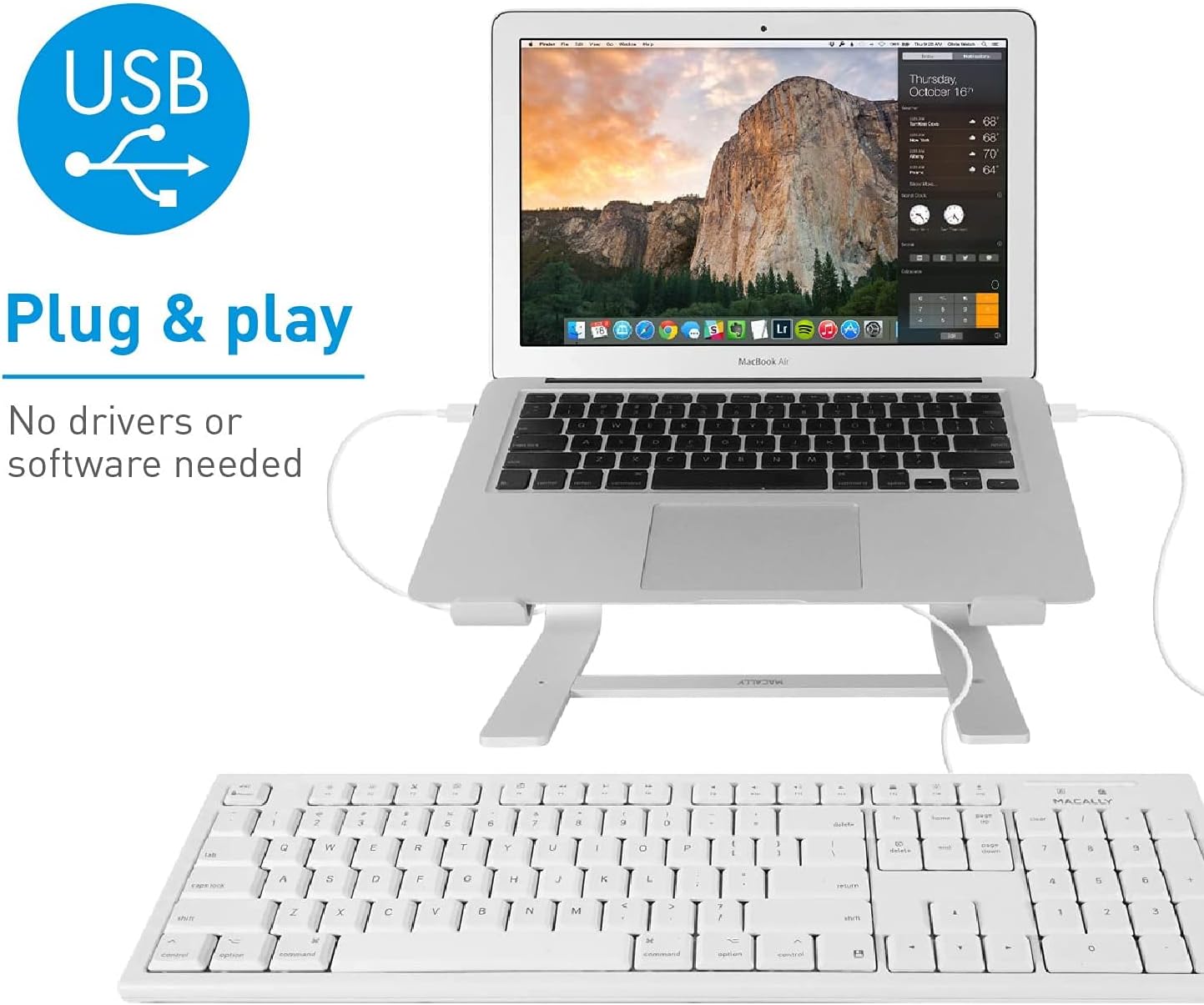
Image 4.1: The Macally QKEY keyboard connected via its USB cable to a MacBook Air, demonstrating the simple plug-and-play setup.
5. Упутство за употребу
The Macally QKEY keyboard offers standard typing functionality along with convenient macOS-specific features:
5.1 Standard Typing
Use the alphanumeric keys for text input. The layout is consistent with standard Mac keyboards, ensuring a familiar typing experience.
5.2 Нумеричка тастатура
The dedicated numeric keypad on the right side allows for efficient entry of numbers and calculations. Ensure the 'Clear' key (Num Lock equivalent) is active if numbers are not registering.

Слика 5.1: Детаљан view of the numeric keypad, including the 'Clear' key and mathematical operators.
5.3 Apple-Specific Shortcut Keys
The top row of the keyboard features 16 function keys (F1-F16) pre-configured for macOS shortcuts. These allow direct control over various system functions without needing to press the 'Fn' key (if present on your Mac's internal keyboard) or navigate menus.
| Кључ | Функција |
|---|---|
| F1 | Смањите осветљеност екрана |
| F2 | Повећајте осветљеност екрана |
| F3 | Контрола мисије |
| F4 | Лаунцхпад |
| F5 | Превиоус Трацк |
| F6 | Пусти/Паузирај |
| F7 | Нект Трацк |
| F8 | Искључи звук |
| F9 | Смањите јачину звука |
| Ф10 | Повећајте јачину звука |
| Ф11 | Ејецт |
| Ф12 | Print Screen (Screenshot) |
| Ф13 | Цут |
| Ф14 | Копирај |
| Ф15 | Залепите |
| Ф16 | Force Quit Application |
5.4 Индикаторска светла
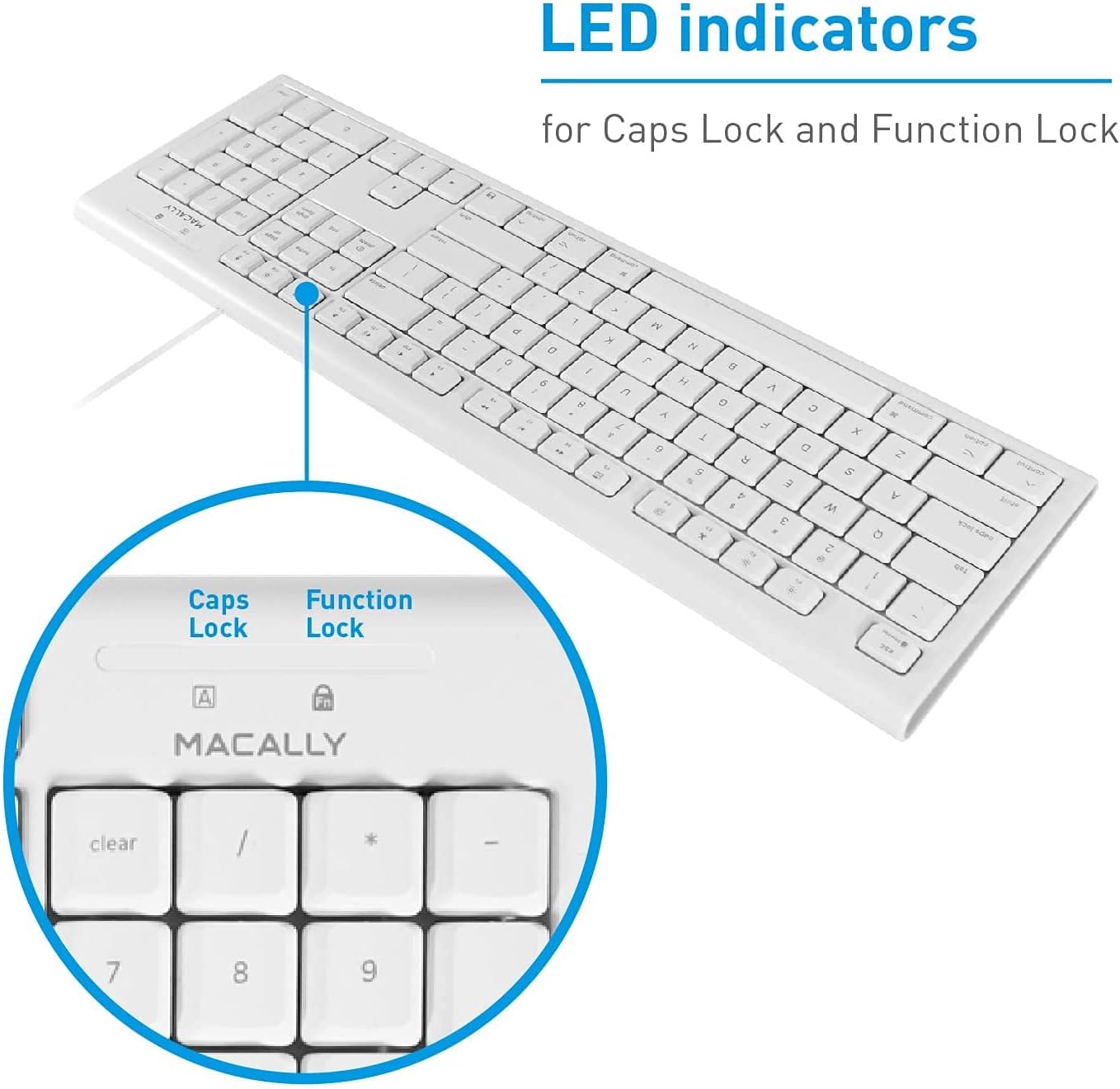
The keyboard features LED indicators for Caps Lock and Function Lock (if applicable). These lights illuminate when the respective function is active.

Слика 5.2: Крупни план view of the LED indicators for Caps Lock (A) and Function Lock (Fn) located above the numeric keypad.
6. Одржавање
Proper care will help maintain the performance and appearance of your keyboard.
- Чишћење: Користите меку крпу која не оставља длачицеampОпрати водом или благим средством за чишћење да бисте обрисали површину тастатуре. Избегавајте јаке хемикалије или абразивне материјале.
- Отпорност на просипање: The keyboard is designed with drainage holes to mitigate damage from accidental spills. In case of a spill, immediately disconnect the keyboard from your computer, invert it to allow liquid to drain, and let it dry completely before reconnecting. Do not immerse the keyboard in liquid.
- Складиштење: Када се не користи, чувајте тастатуру на чистом и сувом месту, даље од екстремних температура.
КСНУМКС. Решавање проблема
If you encounter issues with your Macally QKEY keyboard, refer to the following common solutions:
- Тастатура не реагује:
- Ensure the USB cable is securely plugged into a functioning USB-A port on your Mac.
- Try plugging the keyboard into a different USB-A port.
- Restart your Mac computer.
- Test the keyboard on another computer if possible, to determine if the issue is with the keyboard or the computer's port.
- Одређени тастери не раде:
- Check for any debris or obstructions under the non-functioning key.
- If the numeric keypad is not working, ensure the 'Clear' key (Num Lock) is active.
- Indicator Lights Malfunctioning:
- If the Caps Lock or Function Lock indicator lights behave erratically (e.g., stuck on, not illuminating), try disconnecting and reconnecting the keyboard.
- A system restart may also resolve temporary software glitches affecting indicator lights.
- Keys Fading:
- Keycap legends may show wear over extended periods of heavy use. This is cosmetic and does not affect keyboard functionality.
8. Спецификације
Detailed technical specifications for the Macally QKEY keyboard:
| Феатуре | Детаљ |
|---|---|
| Број модела | ККЕИ |
| Повезивање | УСБ-А жичани |
| Број кључева | 104 (Full-Size) |
| Пречице | 16 Apple-specific |
| Нумеричка тастатура | Укључено |
| Компатибилност оперативног система | macOS X 10.6 and later |
| Цабле Ленгтх | 5 стопе (приближно 1.5 метра) |
| Димензије (ДкШкВ) | 17.5 к 5.4 к 0.78 инча (44.45 к 13.72 к 1.98 цм) |
| Тежина | 1.02 фунте (0.46 кг) |
| Боја | Бела |
| Keycap Durability | Up to 10,000,000 keystrokes |
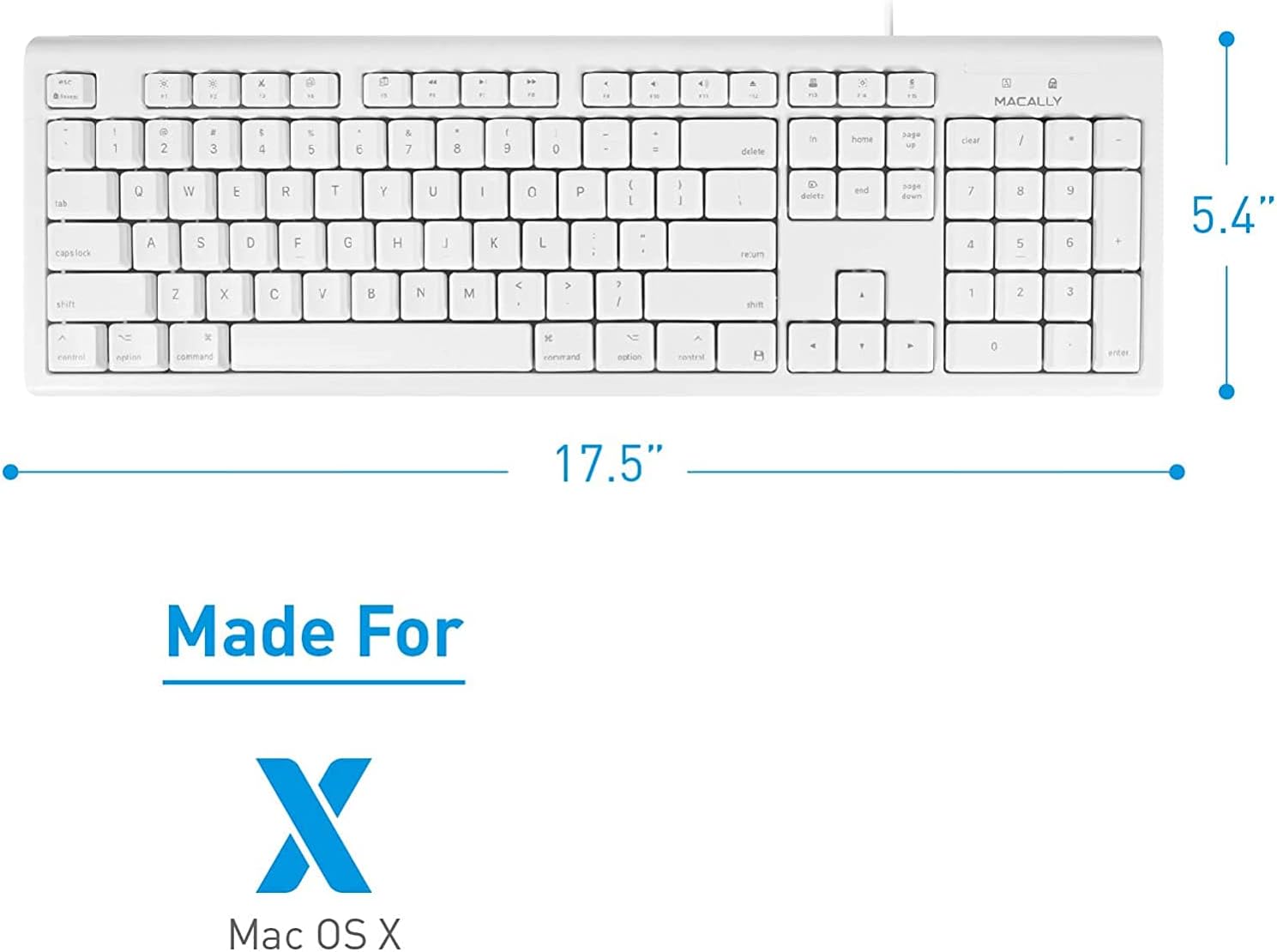
Слика 8.1: Одозго надоле view of the keyboard with its length (17.5 inches) and width (5.4 inches) indicated.

Слика 8.2: Бочни професионалацfile of the keyboard showing its thin design (0.78 inches height).
9. Гаранција и подршка
The Macally QKEY keyboard comes with a one-year warranty, guaranteeing its functionality under normal use. For warranty claims, technical support, or further assistance, please visit the official Macally webсајту или контактирајте њихову службу за кориснике. Више информација и контакт податке можете пронаћи на Macally Store on Amazon.
10. Безбедносне информације
Молимо придржавајте се следећих безбедносних смерница:
- Do not attempt to disassemble or modify the keyboard. This may void the warranty and could result in damage or injury.
- Keep the keyboard away from excessive moisture, heat, and direct sunlight.
- Dispose of the product responsibly according to local electronic waste regulations.