
Дивоом 90100058091
Divoom TimeBox Evo Instruction Manual
Pixel Art Bluetooth Speaker with 16x16 LED Display
1. Увод
The Divoom TimeBox Evo is a versatile and compact Bluetooth speaker featuring a vibrant 16x16 pixel LED display. It combines high-quality audio with customizable pixel art, offering a unique blend of entertainment and utility. This manual provides essential information for setting up, operating, and maintaining your TimeBox Evo.

Figure 1.1: Divoom TimeBox Evo displaying a pixel art image.
2. Шта је у кутији
Please ensure all items are present in the packaging:
- 1 × Timebox-Evo
- 1 к УСБ кабл за пуњење
- 1 к 3.5 мм аудио кабл
- 1 × Упутство за употребу
3. Подешавање
3.1 Укључивање и пуњење
To power on the TimeBox Evo, press and hold the power button located on the side of the device. The device comes with a USB-C charging cable. Connect the cable to the USB-C charging port on the device and a compatible USB power source to charge. A full charge provides approximately 6 hours of playback.

Figure 3.1: Product dimensions and charging information.
3.2 Инсталација апликације и Bluetooth веза
The Divoom TimeBox Evo is primarily controlled via the Divoom mobile application. Download the 'Divoom' app from your device's app store:
Once installed, open the app and follow the on-screen instructions to pair your TimeBox Evo via Bluetooth. Ensure Bluetooth is enabled on your smartphone or tablet.
Video 3.1: Official Divoom guide on connecting the TimeBox Evo via Bluetooth.
4. Руковање уређајем
4.1 Основне контроле
The TimeBox Evo features intuitive buttons on its top panel for quick control:
- Дугме за репродукцију/паузу: Press to play or pause music. Hold to answer/end calls or reject incoming calls.
- Дугме за смањивање јачине звука: Press to decrease volume. Hold for previous song.
- Clock/Timer Button: Press for auto power OFF timer. Hold to enter manual alarm.
- Дугме за појачавање звука: Press to increase volume. Hold for next song.
- Дугме канала: Press to change display channel. Hold to change effects.
- Power Button (Side): Press to check battery status. Hold to power ON/OFF.

Слика 4.1: Завршеноview of the TimeBox Evo's physical buttons and their functions.
4.2 Pixel Art Display
The 16x16 pixel LED screen is the centerpiece of the TimeBox Evo. Through the Divoom app, you can:
- Create Your Own Art: Design custom pixel art and animations using the app's intuitive editor.
- Explore the Community Gallery: Browse and download thousands of pixel art designs created by other users worldwide.
- Display Functional Information: Show the time, date, weather, or other useful data on the screen.
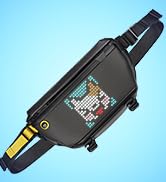
Figure 4.2: The Divoom app allows for pixel art creation, browsing a clock gallery, and more.
4.3 Функције сата и аларма
The TimeBox Evo functions as a smart alarm clock with various features:
- Прилагодљиви аларми: Set multiple alarms with personalized pixel art animations and 12 different wake-up sounds.
- Бели шум: Utilize 24 soothing sounds to aid sleep, including campfire, frog, seashore, and more.

Figure 4.3: TimeBox Evo showing time, with features for white noise and alarm clock.
4.4 Репродукција музике
Enjoy high-quality audio with the TimeBox Evo's 6W DSP speaker. Connect your device via Bluetooth to stream music. The display can also show real-time music visualizers, adding a dynamic element to your listening experience.

Слика 4.4: Унутрашњи view highlighting the 6W powerful speaker.
4.5 Додатне функције
The Divoom app unlocks a variety of additional functionalities for your TimeBox Evo:
- Гласовна порука: Record and play voice messages.
- Обавештење о поруци: Receive notifications from your phone on the display.
- Timer & Countdown: Set timers and countdowns for various activities.
- Семафор: Use the display as a digital scoreboard for games.
- игре: Play simple pixel games directly on the device.
Видео 4.1: Званична видео презентацијаasing various functions and ornaments of the Divoom TimeBox Evo.
5. Спецификације
| Феатуре | Детаљ |
|---|---|
| Назив модела | Тимебок-Ево |
| Димензије производа | 3.88"Д к 3.88"Ш к 1.5"В |
| Тежина артикла | 316 грама (11.1 унци) |
| Максимална излазна снага звучника | 6 Ваттс |
| Капацитет батерије | 2500 мАх |
| Трајање батерије | 6 сата |
| Време пуњења | 3 сата |
| Бежична комуникациона технологија | Блуетоотх (верзија 5.0) |
| Контролни метод | Апликација, додир |
| Боја | Црно |
КСНУМКС. Решавање проблема
If you encounter any issues with your Divoom TimeBox Evo, please try the following common troubleshooting steps:
- Уређај се не укључује: Ensure the device is fully charged. Connect it to a power source and try again.
- Проблеми са Блуетоотх везом: Make sure Bluetooth is enabled on your phone/tablet and the TimeBox Evo is in pairing mode. Try restarting both devices.
- Функционалност апликације: Ensure your Divoom app is updated to the latest version. If issues persist, try reinstalling the app.
- Нема звука: Check the volume levels on both the TimeBox Evo and your connected device. Ensure the device is properly paired.
7. Гаранција и подршка
For detailed warranty information and further support, please refer to the official user manual or visit the Divoom brand store.
- Упутство за употребу (PDF): Преузмите ПДФ
- Divoom Official Store: Посетите продавницу
Ask a question about this manual
Ask about setup, troubleshooting, compatibility, parts, safety, or missing instructions. Manuals+ will review the question and use this page’s manual context to help answer it.