
Zerone H980
Zerone Mini Portable LED Projector User Manual
Модел: Х980
Увод
Хвала вам на куповиниasing the Zerone Mini Portable LED Projector. This compact and versatile projector is designed to provide an immersive home theater experience, allowing you to enjoy movies, videos, and games in a dark environment, whether at home or outdoors. With its multiple input interfaces and long-life LED light source, it offers a convenient and environmentally friendly solution for your entertainment needs.
This manual provides essential information on setting up, operating, and maintaining your projector to ensure optimal performance and longevity. Please read it thoroughly before use and keep it for future reference.
Садржај пакета
Након отварања пакета, молимо вас да проверите да ли су све доле наведене ставке присутне и у добром стању:
- 1 x Zerone Mini Portable LED Projector
- 1 x Даљински управљач (batteries not included)
- 1 к адаптер за напајање (утикач за САД)
- КСНУМКС к АВ кабл
- 1 x Упутство за употребу (овај документ)

Figure 1: Zerone Mini Portable LED Projector and its accessories. The image shows the compact white and yellow projector, a black remote control, a black power adapter with a US plug, and a black AV cable with red, white, and yellow connectors.
Производ је завршенview
The Zerone Mini Portable LED Projector is designed for ease of use and portability. It features a compact form factor, making it suitable for various environments. Below is an overview његових кључних компоненти и карактеристика.

Слика 2: Одозго надоле view of the projector's input and control panel. Visible ports include MicroSD, AV, and a 3.5mm earphone port. Control buttons are also visible on the top surface.
Кључне карактеристике:
- 1500lm High Brightness: Пружа јасне и живописне слике.
- Изворна резолуција: 320 x 240P, supporting up to 1080P HD input.
- Long-Life LED Light Source: 30,000 hours of operation, environmentally friendly.
- Multiple Input Interfaces: HDMI, USB, AV, VGA, Micro Secure Digital, 3.5mm Earphone Port.
- Преносиви дизајн: Small and lightweight for easy transport.

Figure 3: Connectivity options for the projector. This diagram illustrates how various devices such as laptops, desktop PCs, U disks/TF cards, DVD/VCD players, game consoles, TV boxes, and HDMI players can connect to the projector via its HDMI, AV, USB, VGA, and Micro SD inputs.
Сетуп
1. Прикључак за напајање:
- Connect the provided power adapter to the "DC IN" port on the projector.
- Укључите адаптер за напајање у стандардну електричну утичницу.
- Индикаторска лампица напајања на пројектору ће се упалити.
2. Positioning the Projector:
Place the projector on a stable, flat surface. Ensure there is adequate ventilation around the unit to prevent overheating. The ideal projection distance ranges from 1.0 to 2.8 meters (approximately 3.3 to 9.2 feet) to achieve a screen size of 24 to 60 inches.
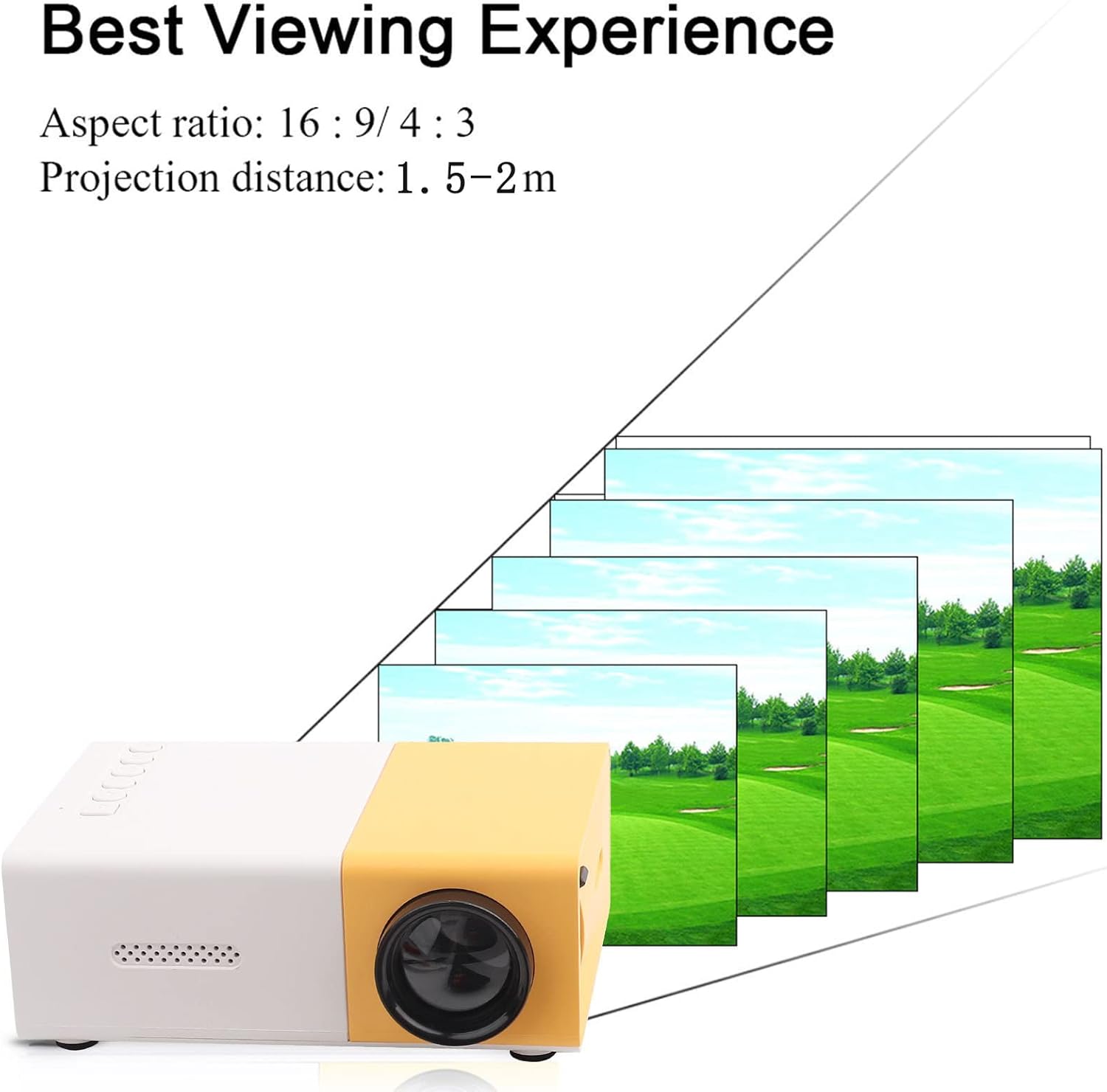
Слика 4: Најбољи Viewing Experience. This image shows the projector projecting onto a screen, with text indicating an aspect ratio of 16:9/4:3 and a projection distance of 1.0-2.8m. It visually represents how the image size changes with distance.
3. Повезивање улазних уређаја:
Connect your desired media device (e.g., laptop, TV box, game console, USB drive) to the appropriate port on the projector:
- ДВИ: За видео и аудио високе дефиниције.
- УСБ: За репродукцију медија fileс директно са УСБ флеш диска.
- АВ: For connecting devices using the included AV cable (e.g., older DVD players).
- ВГА: For connecting computers.
- Micro Secure Digital (MicroSD): За репродукцију медија files directly from a MicroSD card.
- 3.5 мм прикључак за слушалице: За повезивање екстерних слушалица или звучника.
Упутство за употребу
1. Укључивање/искључивање:
Притисните дугме за напајање на пројектору или даљинском управљачу да бисте укључили или искључили уређај.
2. Focusing the Image:
The projector features manual focusing. Rotate the focus ring on the lens until the projected image appears clear and sharp on the screen.
3. Selecting Input Source:
Use the "Source" button on the projector or remote control to cycle through the available input sources (HDMI, USB, AV, VGA, MicroSD) until your connected device's content is displayed.
4. Adjusting Aspect Ratio:
The projector supports aspect ratios of 16:9 and 4:3. You can adjust this setting via the projector's menu or remote control to best suit your content.
5. Репродукција медија:
When playing media from USB or MicroSD, navigate through files using the remote control's directional buttons and "OK" button. The projector supports a wide range of formats:
- Аудио Files: MP3, WMA, OGG, AAG, FLAC, APE, WAV
- Слика Files: ЈПЕГ, БМП, ПНГ
- Видео Files: Supports Full Format Files
- Текст Files: ТКСТ
Одржавање
1. Чишћење сочива:
Користите меку крпу без влакана, посебно дизајнирану за оптичка сочива, да бисте нежно обрисали сочиво пројектора. Избегавајте употребу абразивних средстава за чишћење или прекомерну силу, јер то може огребати сочиво.
2. Cleaning the Projector Body:
Wipe the exterior of the projector with a soft, dry cloth. Do not use liquid cleaners or solvents.
3. Вентилација:
Ensure that the ventilation vents on the projector are not blocked. Proper airflow is crucial to prevent overheating and maintain the lifespan of the LED light source.
4. Складиштење:
When not in use for extended periods, store the projector in a cool, dry place, away from direct sunlight and excessive dust. It is recommended to use the original packaging or a protective case.
Решавање проблема
| Проблем | Могући узрок | Решење |
|---|---|---|
| Није пројектована слика. |
|
|
| Слика је мутна. |
|
|
| Нема звука. |
|
|
| Projector overheats or shuts down. |
|
|
Спецификације
| Феатуре | Детаљ |
|---|---|
| Извор светлости | LED, 30,000 hours lifespan |
| Нативе Ресолутион | 320 к 240п |
| Осветљеност | 1500лм |
| Однос контраста | 800:1 |
| Режим фокусирања | Ручно фокусирање |
| Дисплаиабле Цолорс | 1.67М |
| Аспецт Ратио | 16:9 / 4:3 |
| Удаљеност пројекције | 1.0 - 2.8 м |
| Величина пројекцијског екрана | 24 - 60 инча |
| Инпут Повер | ДЦ12В-2А |
| Димензије | Приближно 127 x 81.5 x 48.5 мм (5 x 3.2 x 1.9 инча) |
| Тежина | Приближно 500 г (1.1 фунте) |
| Интерфејси | 1 x HDMI, 1 x USB, 1 x AV, 1 x VGA, 1 x Micro Secure Digital, 1 x 3.5mm Earphone Port |
Гаранција и подршка
For warranty information and technical support, please refer to the purchase documentation or contact your retailer. Keep your proof of purchase for any warranty claims.
For further assistance, you may also visit the official Zerone store on Amazon: Zerone Store.
Ask a question about this manual
Ask about setup, troubleshooting, compatibility, parts, safety, or missing instructions. Manuals+ will review the question and use this page’s manual context to help answer it.