
1. Увод
Thank you for choosing the Leitz 5549 Collet Type Stapler. This manual provides essential information for the safe and efficient use of your stapler. Please read these instructions carefully before use and retain them for future reference.
2. Безбедносна упутства
- Keep fingers clear of the stapling mechanism to prevent injury.
- Do not attempt to staple more sheets than the stapler's maximum capacity.
- Use only staples recommended for this model to ensure proper function and avoid damage.
- Држите хефталицу ван домашаја деце.
- Do not use the stapler for purposes other than its intended use.
3. Садржај пакета
The Leitz 5549 Collet Type Stapler package typically includes:
- 1 x Leitz 5549 Collet Type Stapler
- (Staples may be included depending on the specific retail package)
4. Подешавање
4.1 Убацивање спајалица
- Отворите хефталицу: Press the release button or pull the top cover upwards to open the stapler. The staple channel will be exposed.
- Уметните спајалице: Place a strip of Leitz staples (e.g., 24/6 or 26/6, refer to specifications for compatible types) into the staple channel with the staple points facing downwards.
- Затворите хефталицу: Gently push the top cover back down until it clicks securely into place. Ensure the staple channel is fully closed.

Слика 1: The Leitz 5549 Collet Type Stapler. This image displays the stapler's robust metal housing and the general area where staples are loaded, typically by opening the top mechanism.
5. Operating the Stapler
5.1 Stapling Documents
- Припремите документа: Align the sheets of paper you wish to staple.
- Position Paper: Insert the aligned paper into the stapler's throat, ensuring the stapling point is where you desire the staple to be placed. The stapler has a 65 mm maximum paper punch depth.
- Притисните доле: Firmly press down on the top of the stapler until the staple penetrates the paper and clinches underneath.
- Издање: Release the pressure and remove the stapled documents.
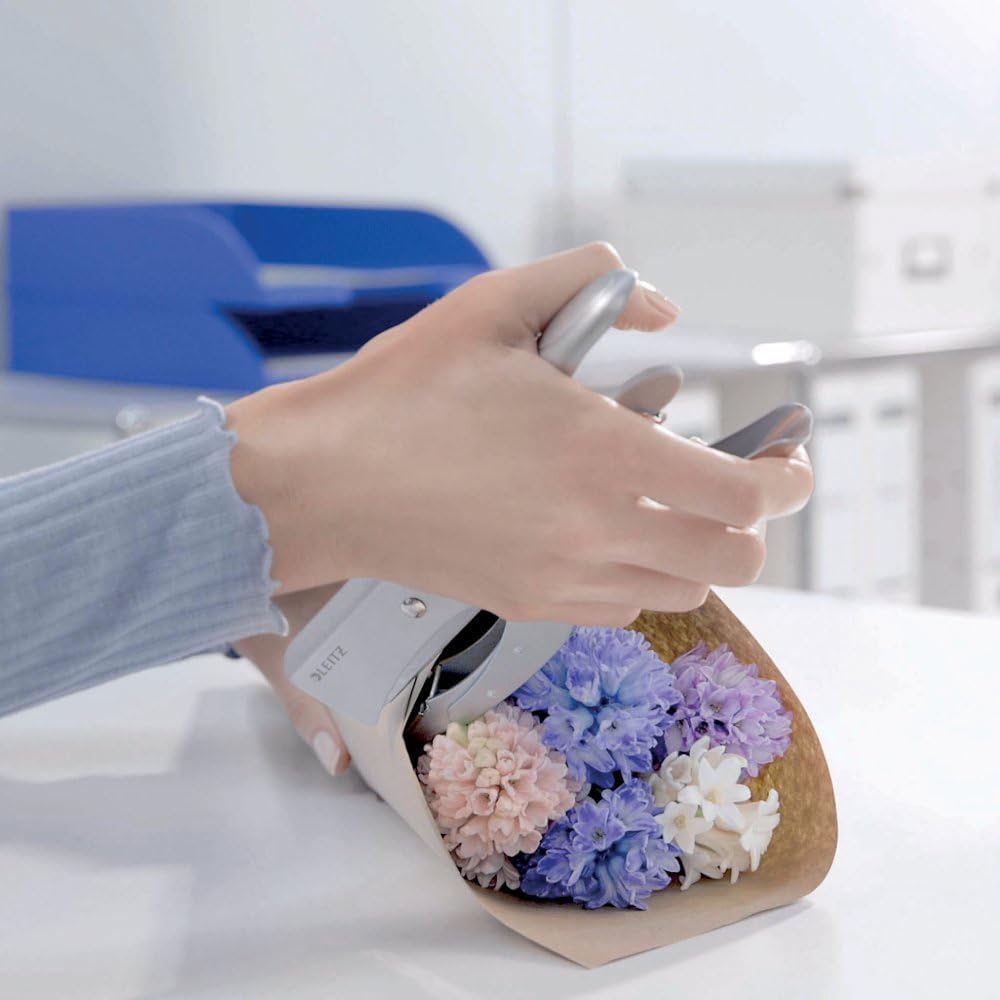
Слика 2: Demonstrating the stapler in use. While shown with decorative items, the principle of pressing down to secure materials applies to paper documents. Ensure proper alignment for effective stapling.
6. Одржавање
6.1 Чишћење
To maintain the performance and appearance of your Leitz 5549 stapler:
- Обришите спољашњост меком, сувом крпом.
- Не користите абразивна средства за чишћење или раствараче, јер могу оштетити завршну обраду.
- Periodically check the staple channel for any dust or debris and remove it carefully.
КСНУМКС. Решавање проблема
| Проблем | Могући узрок | Решење |
|---|---|---|
| Спајалице се не убацују | Empty staple channel, incorrect staple size, or staple jam. | Reload staples, ensure correct staple size is used, or clear any jammed staples. |
| Staples not clinching properly | Too many sheets, incorrect staple size, or worn clincher. | Reduce number of sheets, use correct staple size, or contact support if clincher is worn. |
| Stapler feels stiff | Accumulation of dust or debris. | Clean the staple channel and moving parts. |
8. Спецификације
- Бренд: Лајц
- Модел: 5549
- Материјал: Метал
- Режим рада: Мануал
- Тежина артикла: 320 г
- Maximum Paper Punch Depth: 65 мм
- Compatible Staples: Typically 24/6 or 26/6 (verify with staple packaging)
9. Гаранција и подршка
За информације о гаранцији и корисничкој подршци, погледајте документацију коју сте добили уз куповину или посетите званичну Leitz веб страницу. webсајт. Сачувајте доказ о куповини за евентуалне рекламације по гаранцији.
Leitz Official Webсајт: ввв.леитз.цом