
1. Производ је готовview
The Elecom M-FBL01DBXSBK is a 5-button wireless mouse designed for comfortable and quiet operation. It features a Blue LED sensor for versatile surface compatibility and a compact USB receiver.

Image 1.1: Elecom M-FBL01DBXSBK Wireless Mouse with its compact USB receiver.
2. Садржај пакета
- Elecom M-FBL01DBXSBK Wireless Mouse
- УСБ бежични пријемник
- AA Alkaline Battery (for operation confirmation)
- Кориснички приручник (овај документ)
3. Упутства за подешавање
3.1. Инсталација батерије
- Пронађите поклопац одељка за батерију на доњој страни миша.
- Померите или подигните поклопац да бисте отворили одељак.
- Insert one AA alkaline battery, ensuring the positive (+) and negative (-) terminals align correctly with the markings inside the compartment.
- Добро затворите поклопац одељка за батерије.

Image 3.1: The underside of the mouse, indicating the battery compartment and power switch.
3.2. Повезивање USB пријемника
- Remove the compact USB receiver from its storage slot on the underside of the mouse.
- Прикључите УСБ пријемник у слободан УСБ-А порт на рачунару.
- Ваш рачунар би требало аутоматски да детектује и инсталира потребне драјвере. Ово може потрајати неколико тренутака.
3.3. Укључивање миша
After installing the battery and connecting the receiver, locate the power switch on the underside of the mouse and slide it to the 'ON' position. The mouse is now ready for use.
3.4. OS Compatibility
The Elecom M-FBL01DBXSBK Wireless Mouse is compatible with:
- Windows 11, Windows 10, Windows RT8.1, Windows 8.1, Windows 7, Windows Vista
- мацОС Хигх Сиерра 10.13 и новије верзије
Ensure your operating system is updated to the latest version and any service packs are installed for optimal performance.
4. Управљање мишем
4.1. Основне функције
The mouse features five buttons and a scroll wheel:
- Лево дугме: Примарна функција клика.
- Десно дугме: Функција секундарног клика (контекстни мени).
- Точак за померање: Скролује документе и web pages vertically. Can also be pressed for a middle-click function.
- Дугме за напред: Навигација напред у web претраживачи или file истраживачи.
- Дугме за назад: Навигација уназад web претраживачи или file истраживачи.

Image 4.1: The five buttons of the Elecom M-FBL01DBXSBK mouse, including the scroll wheel.
4.2. Quiet Click Feature
All five buttons incorporate a silent switch mechanism, significantly reducing clicking noise. This allows for quiet operation in various environments.

Image 4.2: The silent switch design minimizes operational noise.
4.3. Blue LED Sensor
The mouse is equipped with a Blue LED optical sensor, which provides accurate tracking on a variety of surfaces, including those with slight unevenness or dust. This enhances usability in diverse settings.

Image 4.3: The Blue LED sensor allows for comfortable use on various surfaces.
4.4. Бежично повезивање
The mouse utilizes a 2.4 GHz wireless band for stable communication. The effective radio distance is approximately 3 meters (9.8 feet) on magnetic surfaces (e.g., steel desks) and up to 10 meters (32.8 feet) on non-magnetic surfaces (e.g., wooden desks).
4.5. Индикатор батерије
An integrated battery indicator light notifies you when the battery level is low, signaling that a replacement is needed.
4.6. Elecom Mouse Assistant Software
Button functions can be customized using the free downloadable Elecom Mouse Assistant software. This allows users to reassign functions to the mouse buttons for improved workflow efficiency.
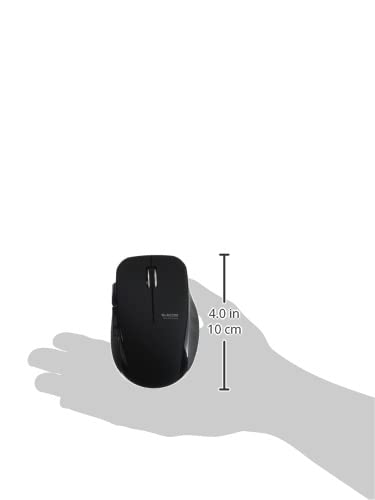
Image 4.4: The Elecom Mouse Assistant software enables button customization.
5. Одржавање
5.1. Замена батерије
When the battery indicator signals low power, replace the AA battery with a new AA alkaline, manganese, or NiMH battery. Follow the battery installation steps outlined in Section 3.1.
5.2. Чишћење
To clean the mouse, gently wipe its surface with a soft, dry cloth. Avoid using harsh chemicals or abrasive materials, as these can damage the finish. Ensure no liquid enters the mouse.
5.3. Receiver Storage
The USB receiver can be stored inside the mouse body when not in use or during transport. This helps prevent loss of the receiver.
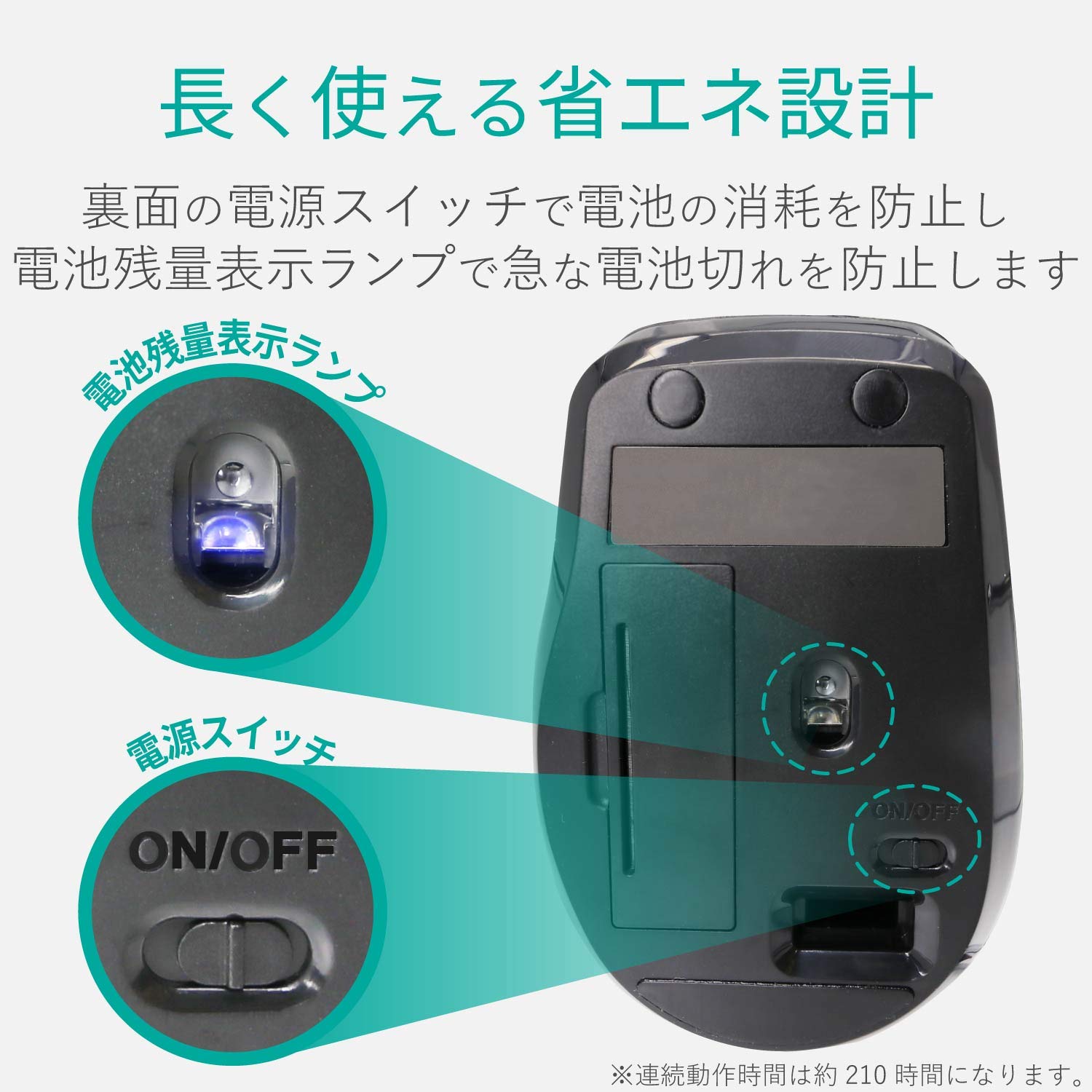
Image 5.1: The compact receiver can be stored within the mouse for convenience.
КСНУМКС. Решавање проблема
- Миш не реагује:
- Check if the mouse is powered on (power switch on the underside).
- Уверите се да је батерија правилно инсталирана и да није истрошена. Замените је ако је потребно.
- Проверите да ли је USB пријемник безбедно прикључен на исправан USB порт на рачунару. Покушајте са другим USB портом.
- Поново покрените рачунар.
- Неправилно кретање курсора:
- Clean the optical sensor area on the underside of the mouse.
- Уверите се да користите миш на одговарајућој површини. Избегавајте јако рефлектујуће или провидне површине.
- Check for interference from other wireless devices. Move the mouse closer to the receiver.
- Buttons not functioning correctly:
- If using Elecom Mouse Assistant, ensure button assignments are correct.
- Reinstall the Elecom Mouse Assistant software if issues persist.
7. Спецификације
| Интерфејс | УСБ |
| Облик конектора | УСБ-А мушки |
| Компатибилан ОС | Windows 11, 10, RT8.1, 8.1, 7, Vista; macOS High Sierra 10.13+ |
| Резолуција | 1600 цоунт |
| Цоммуницатион Метход | ГФСК метода |
| Радио фреквенција | Опсег од 2.4 ГХз |
| Radio Distance | Magnetic objects: 3m (9.8 ft); Non-magnetic objects: 10m (32.8 ft) |
| Реадинг Метход | Систем оптичких сензора (плави ЛЕД) |
| Број дугмади | 5 (including wheel button) |
| Број точкова | 1 |
| Рецеивер Стораге | Да |
| Континуирано време рада | Прибл. 210 сата |
| Време приправности | Приближно 1666 дана |
| Estimated Battery Usage Time | Приближно 478 дана |
| Напајање (главна јединица) | 1 AA alkaline, manganese, or NiMH battery |
| Ратед Волtage (Body) | 1.5В |
| Боја | Црно |
| Тежина (миш) | Прибл. 62 г (без батерије) |
| External Dimensions (Receiver) | 14.5 к 18.0 к 6.3 мм |
| Тежина (пријемник) | Прибл. 2г |
8. Гаранција и подршка
8.1. Гаранцијски период
Овај производ долази са гаранцијом од 6 месеци од датума куповине.
8.2. Product Inquiries
For product inquiries or technical support, please contact the Elecom General Information Center:
- ТЕЛ: 0570-084-465
- ФАКС: 0570-050-012
- Време пријема: 10:00 - 19:00 (24/7)