
Увод
This manual provides detailed instructions for the operation and maintenance of your BOBLOV BT-S3 Helmet Headset. The BT-S3 is designed for motorcycle communication, offering hands-free calling, music playback, FM radio, and intercom functionality for riders. Please read this manual thoroughly before using the device to ensure proper function and safety.
Садржај пакета
Проверите да ли су све ставке наведене у наставку укључене у ваш пакет:
- 1 x BOBLOV BT-S3 Helmet Intercom Unit
- 1 x Stereo Headphones (with microphone)
- 1 x Mounting Clip & Screws
- 1 к одвијач
- 1 к УСБ кабл за пуњење
- 1 к Упутство за употребу
- 1 x Velcro Pad (for mounting)
- 1 x Audio Line

Слика 1: All components included in the BOBLOV BT-S3 package.
Производ је завршенview
Контролна дугмад и портови

Слика 2: BOBLOV BT-S3 control buttons and connection ports.
- Дугме за телефон: Used for answering/ending calls, redialing, and activating voice assistant.
- Јачина звука + дугме: Increases volume, navigates forward in music/FM.
- Дугме за јачину звука: Decreases volume, navigates backward in music/FM.
- Power/Intercom Button: Powers the device on/off, initiates/ends intercom, plays/pauses music, activates FM radio.
- Charger and Headset Socket: Multi-purpose port for charging and connecting the headset.
- Cable Input Interface: For connecting the headset cable.
Сетуп
1. Пуњење уређаја
Before initial use, fully charge the BT-S3 unit. Connect the provided USB cable to the charging port on the device and to a standard USB power adapter (not included). The LED indicator will show charging status. A full charge typically takes approximately 2-3 hours.
2. Installing the Headset in Your Helmet
The BT-S3 can be installed in various helmet types, including full-face, half-face, and open-face helmets.
- Attach the mounting clip to the side of your helmet using the provided screws and screwdriver, or use the adhesive Velcro pad for a tool-free installation. Ensure the clip is securely fastened.
- Slide the BT-S3 intercom unit onto the mounting clip until it clicks into place.
- Open the helmet's inner lining. Position the stereo headphones inside the helmet, ensuring they are aligned with your ears for optimal sound.
- Route the microphone to a position near your mouth, ensuring it is not obstructed.
- Connect the headset cable to the designated port on the BT-S3 unit.

Слика 3: Helmet mounting clip and unit attachment.
Упутство за употребу
Укључивање/искључивање
- Укључено: Притисните и држите Дугме за напајање/интерфон for approximately 3 seconds until you hear an audible prompt and the LED indicator lights up.
- Искључивање: Притисните и држите Дугме за напајање/интерфон for approximately 3 seconds until you hear an audible prompt and the LED indicator turns off.
Bluetooth упаривање са мобилним телефоном
- Ensure the BT-S3 is powered off.
- Притисните и држите Дугме за напајање/интерфон for approximately 5-7 seconds until the LED indicator flashes red and blue alternately, indicating pairing mode.
- На мобилном телефону омогућите Bluetooth и потражите доступне уређаје.
- Select "BT-S3" from the list of devices. If prompted for a password, enter "0000".
- Once paired, the LED indicator will flash blue slowly, and you will hear a confirmation tone.
Функционалност интерфона
The BT-S3 supports full-duplex wireless communication. It allows for 2 riders to intercom simultaneously, with a maximum talking range of 1000 meters. Up to 3 riders can be connected, but only two can actively communicate at any given time. If a third rider wishes to join, one of the active intercom participants must end their conversation.

Слика 4: Intercom connection scenarios.
- Упаривање интерфонских јединица:
- Ensure both BT-S3 units are powered off.
- On both units, press and hold the Дугме за напајање/интерфон for approximately 5-7 seconds until the LED indicators flash red and blue alternately.
- Кратко притисните Дугме за напајање/интерфон on one of the units. The units will search and pair with each other.
- Once paired, the LED indicators will flash blue slowly, and you will hear a confirmation tone.
- Покретање интерфона: After pairing, a short press of the Дугме за напајање/интерфон on either unit will initiate an intercom conversation.
- Завршетак интерфона: Кратак притисак на Дугме за напајање/интерфон will end the intercom conversation.
Телефонски позиви
- Одговори на позив: When a call comes in, the device will automatically answer after a few rings (auto-receiving phone calls feature). Alternatively, short press the Дугме за телефон одговарати.
- Заврши позив: Кратко притисните на Дугме за телефон to end an active call.
- Одбиј позив: Притисните и држите Дугме за телефон на 2 секунде да одбијете долазни позив.
- Поновно бирање последњег броја: Двапут притисните на Дугме за телефон да поново позовете последњи бирани број.
Репродукција музике
After pairing with your mobile phone, you can stream music to the BT-S3.
- Пусти/паузирај: Кратко притисните на Дугме за напајање/интерфон за пуштање или паузирање музике.
- Следећа нумера: Кратко притисните на Јачина звука + дугме.
- Претходни запис: Кратко притисните на Јачина звука - Дугме.
ФМ Радио
The BT-S3 includes an FM radio function.
- Укључивање/искључивање ФМ-а: Двапут притисните на Дугме за напајање/интерфон to activate or deactivate FM radio.
- Скенирајуће станице: While FM is active, short press the Волуме + or Волуме - buttons to change stations.
GPS Voice Instructions
When paired with a smartphone running a GPS application, the BT-S3 can receive voice instructions directly to your headset.
Одржавање
- Keep the device dry. Do not expose it to extreme temperatures.
- Очистите јединицу меком, дamp тканина. Избегавајте употребу јаких хемикалија или абразивних средстава за чишћење.
- Уверите се да је поклопац порта за пуњење добро затворен када се не пуни како би се одржала водоотпорност.
- Чувајте уређај на хладном и сувом месту када се не користи дуже време.
Решавање проблема
| Проблем | Могући узрок | Решење |
|---|---|---|
| Уређај се не укључује. | Ниска батерија. | У потпуности напуните уређај. |
| Не може се упарити са телефоном. | Уређај није у режиму упаривања; Блутут је искључен на телефону. | Ensure BT-S3 is flashing red/blue. Enable Bluetooth on phone and search again. |
| Интерфон се не повезује. | Units not paired or out of range. | Re-pair intercom units. Ensure units are within 1000m range. |
| Poor audio quality / Wind noise. | Microphone placement; environmental factors. | Adjust microphone closer to mouth. The device features DSP cancellation for wind noise. |
| Battery life shorter than expected. | Frequent use of high volume or intercom. | Battery life varies with usage. Ensure full charge before use. |
Спецификације
- Модел: БТ-С3
- Повезивање: бежични (Блуетоотх)
- Домет интерфона: Up to 1000 meters (between 2 riders)
- Радна брзина: Up to 100 Km/h
- Време разговора: До 8 сати
- Време приправности: До 300 сати
- Време телефонског позива: До 10 сати
- Време репродукције музике: До 6 сати
- Отпорност на воду: Water-resistant (fully weather protection)
- Уклањање буке: Wind noise DSP cancellation
- Карактеристике: Auto-receiving phone calls, FM Radio, Stereo music (A2DP), GPS voice instructions
- Компатибилност са кацигом: Fits all kinds of helmets (full/half/open face)
- Метод контроле: Додирна дугмад
- Слушалице: 3.5 mm Jack (for headset connection)
- УПЦ: 889251631535

Слика 5: Estimated battery performance for various functions.
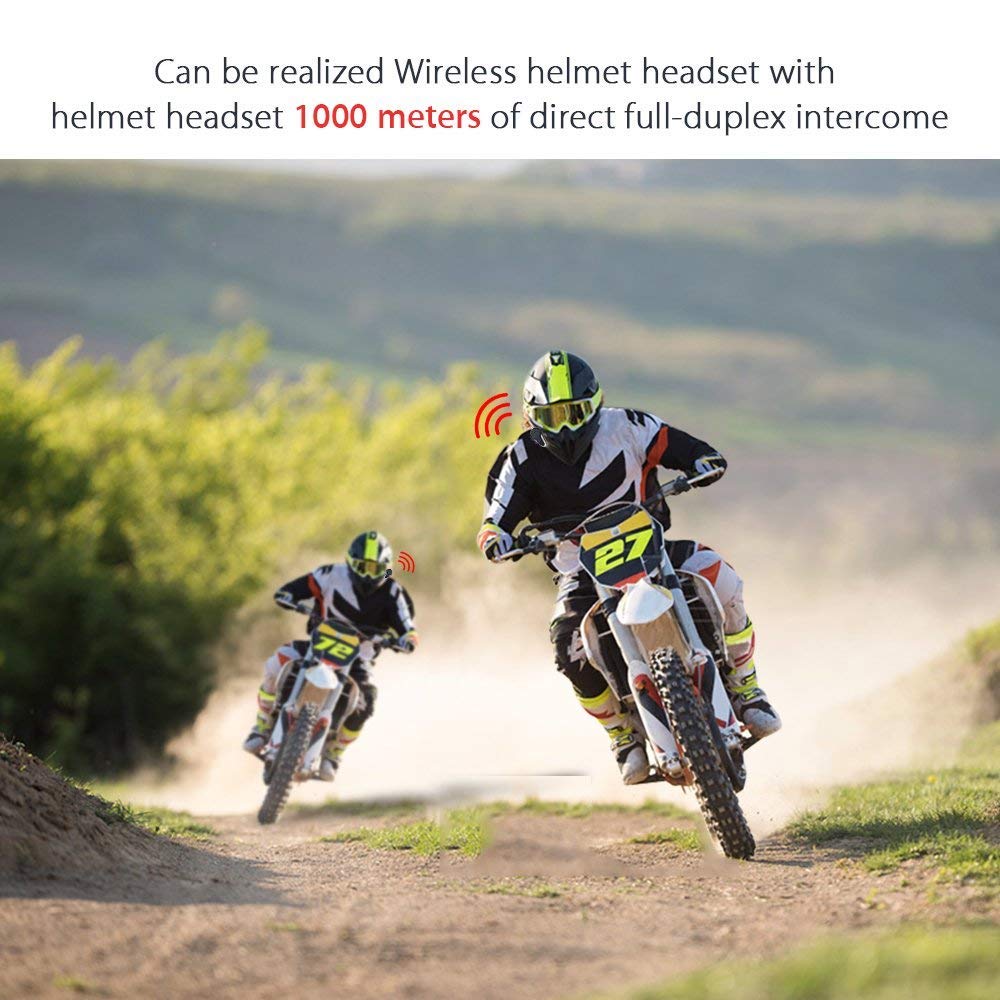
Слика 6: Wireless helmet headset with 1000 meters direct full-duplex intercom.

Слика 7: Versatile applications for the BT-S3 headset, including motorcycling and skiing.
Гаранција и подршка
Specific warranty information is not provided in the product details. For warranty claims, technical support, or further assistance, please contact your retailer or the manufacturer directly. Retain your proof of purchase for any warranty-related inquiries.
Manufacturer: BOBLOV