
1. Увод
This manual provides detailed instructions for the installation, operation, and maintenance of your TooQ TQE-2528B 2.5-inch SATA USB 3.1 Gen1 HDD Enclosure. This device allows you to convert a 2.5-inch SATA I/II/III hard disk drive or solid-state drive into an external storage solution, connecting via USB 3.1 Gen1 for high-speed data transfer.
2. Садржај пакета
Молимо вас да проверите да ли су све ставке присутне у пакету:
- TooQ TQE-2528B 2.5-inch SATA USB 3.1 Gen1 HDD Enclosure
- USB 3.0 кабл типа А на микро Б
- Кориснички приручник (овај документ)

Image 2.1: The TooQ TQE-2528B enclosure shown with its included USB 3.0 cable.
3. Производ је готовview
The TooQ TQE-2528B is designed for ease of use and portability. Key features include:
- Compatible with 2.5-inch SATA I/II/III HDDs and SSDs up to 9.5mm height.
- USB 3.1 Gen1 (USB 3.0) interface for data transfer speeds up to 5.0 Gbps.
- Tool-free installation for quick setup.
- LED indicator for connection status and data access.
- Powered directly via USB port.
3.1. Идентификација компоненте
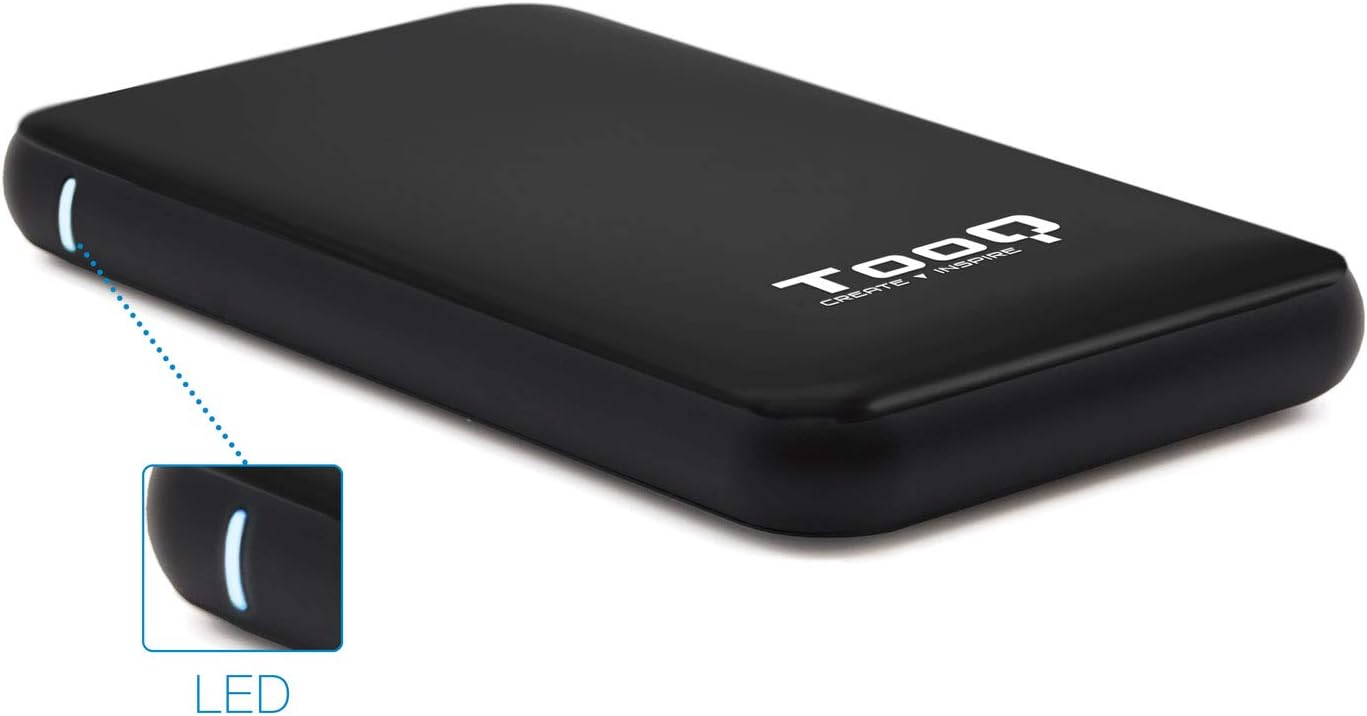
Image 3.1: The enclosure features an LED indicator on the side, which illuminates to show power and data activity.

Image 3.2: The rear of the enclosure includes a power button and a Micro-USB port for connection.
4. Setup: Hard Drive Installation
Follow these steps to install a 2.5-inch SATA HDD or SSD into the enclosure:
- Отворите кућиште: Пажљиво померите горњи поклопац кућишта да бисте га отворили. Дизајн омогућава приступ без алата.
- Повежите диск: Align your 2.5-inch SATA HDD/SSD with the SATA connector inside the enclosure. Carefully push the drive into the connector until it is firmly seated. Ensure the drive is flush with the internal tray.
- Затворите кућиште: Slide the top cover back into place until it clicks securely.
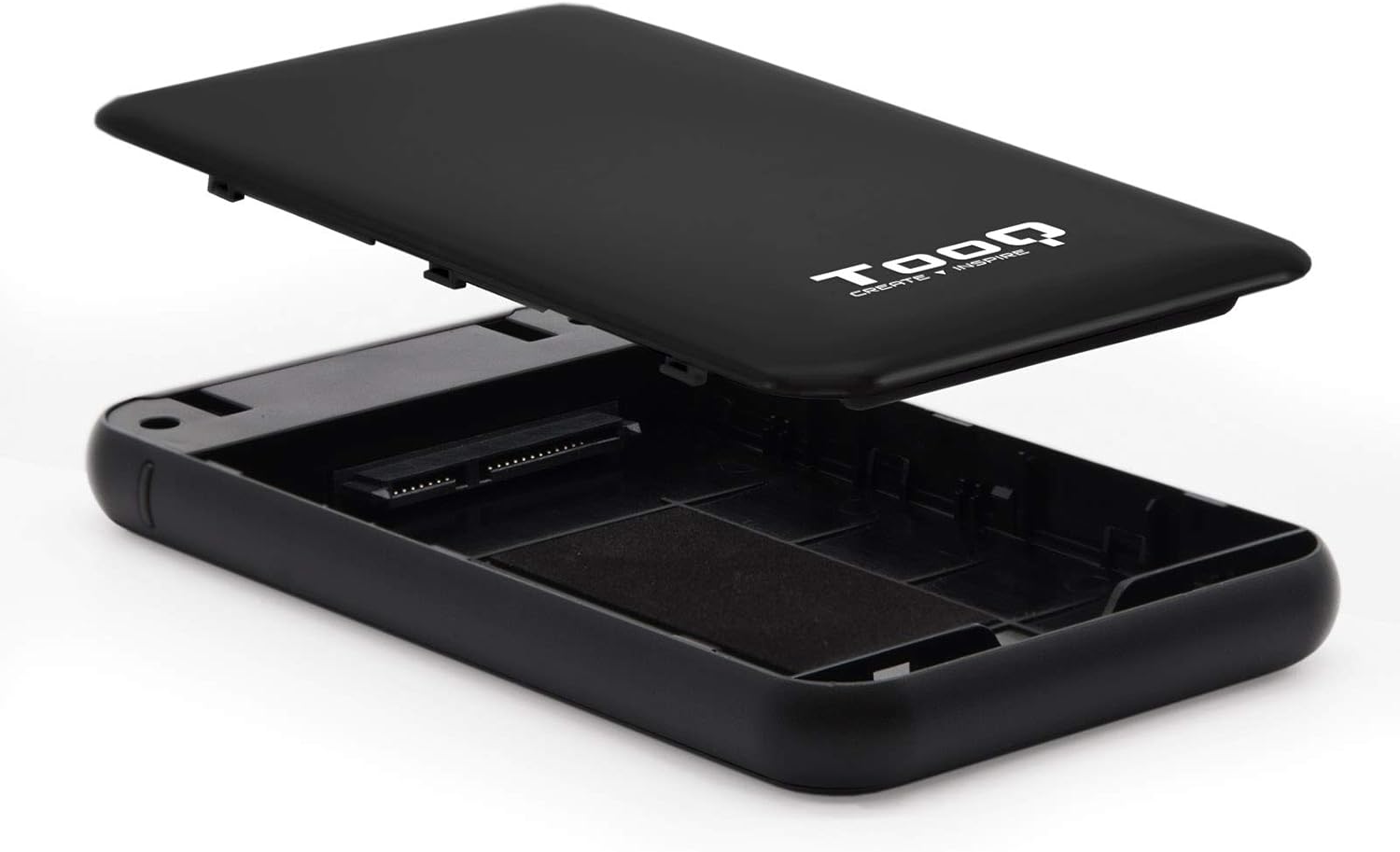
Image 4.1: The enclosure opened, revealing the internal SATA data and power connector for a 2.5-inch drive.
5. Упутство за употребу
After installing your hard drive, connect the enclosure to your computer:
- Повежите УСБ кабл: Plug the Micro-B end of the included USB 3.0 cable into the enclosure's Micro-USB port.
- Повежите се са рачунаром: Plug the Type-A end of the USB cable into an available USB port on your computer. For optimal performance, use a USB 3.0 or USB 3.1 Gen1 port.
- Укључено: If the enclosure has a power button (refer to Image 3.2), press it to turn on the device. The LED indicator (Image 3.1) will illuminate, indicating power and connection status.
- Приступ диску: Your operating system should automatically detect the new storage device.
- Нови дискови: If you are using a brand new hard drive, it may need to be initialized and formatted before use. Refer to your operating system's disk management tools for this process.
- Постојећи дискови: If the drive contains data, it should appear as a removable drive in 'My Computer' (Windows) or on the desktop (macOS).

Image 5.1: The TooQ TQE-2528B enclosure connected to a laptop, demonstrating a typical usage scenario.
6. Одржавање
To ensure the longevity and optimal performance of your enclosure:
- Одржавајте кућиште чистим и без прашине. Користите меку, суву крпу за чишћење.
- Избегавајте излагање уређаја екстремним температурама, влажности или директној сунчевој светлости.
- Do not drop or subject the enclosure to strong impacts.
- Always safely eject the drive from your operating system before disconnecting the USB cable to prevent data corruption.
КСНУМКС. Решавање проблема
If you encounter issues with your TooQ TQE-2528B enclosure, refer to the following common solutions:
- Диск није откривен:
- Уверите се да је УСБ кабл безбедно повезан и са кућиштем и са рачунаром.
- Покушајте да се повежете на други УСБ порт на рачунару.
- Verify that the hard drive is correctly seated within the enclosure's SATA connector.
- Check your computer's Disk Management (Windows) or Disk Utility (macOS) to see if the drive is recognized but uninitialized or unformatted.
- Test the enclosure with a different 2.5-inch SATA drive, if available, to rule out a drive issue.
- Спори пренос података:
- Ensure you are connected to a USB 3.0 or USB 3.1 Gen1 port on your computer. Connecting to a USB 2.0 port will result in slower speeds.
- Verify that your operating system and drivers are up to date.
- Enclosure Does Not Power On:
- Ensure the USB cable is properly connected and providing power. The enclosure is bus-powered.
- Покушајте са другим УСБ портом на рачунару.
8. Спецификације
| Број модела | ТКЕ-2528Б |
| Compatible Drives | 2.5-inch SATA I/II/III HDD/SSD (up to 9.5mm height) |
| Интерфејс | USB 3.1 Gen1 (USB 3.0) |
| Брзина преноса података | До 5.0 Гбпс |
| Повер Суппли | USB Bus-powered (5 Volts) |
| Материјал | АБС пластика |
| Димензије (Д к Ш к В) | 13.5 цм x 8 цм x 1.6 цм (приближно 5.3 x 3.1 x 0.6 инча) |
| Тежина | 50 г (приближно 0.11 фунти) |
| Компатибилност оперативног система | Universal (Windows, macOS, Linux) |

Image 8.1: Technical drawing illustrating the dimensions of the TooQ TQE-2528B enclosure.
9. Гаранција и подршка
TooQ products are designed for reliability and performance. This product comes with a standard manufacturer's warranty. For specific warranty terms and conditions, please refer to the warranty card included with your product or visit the official TooQ webсајту.
For technical support, frequently asked questions, or to download the latest drivers (if applicable), please visit the official TooQ support webсајт или контактирајте њихову службу за кориснике. Контакт информације се обично могу наћи на паковању производа или на званичном webсајту.
Произвођач: TOOQ
Global Trade Item Number (GTIN): 08433281008304