
Увод
The iGPSPORT iGS50E is a high-sensitivity GPS bike computer designed to track your cycling data with precision. It supports ANT+ sensors for additional data like cadence and heart rate, and features a large, anti-glare screen for clear visibility in various conditions. This manual provides detailed instructions for setting up, operating, and maintaining your iGS50E device.
Садржај пакета
- iGS50E GPS Bike Computer x 1
- Микро УСБ кабл к 1
- Стандардни носач за бицикл к 1
- Упутство за употребу к 1
Сетуп
1. Монтажа уређаја
Attach the standard bike mount to your bicycle's handlebars. Ensure it is securely fastened. The iGS50E device can then be twisted onto the mount until it clicks into place.
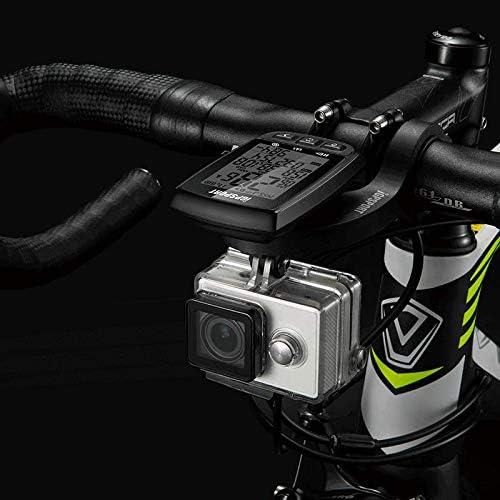
Слика 1: iGS50E GPS Bike Computer mounted on a bicycle handlebar. The device is positioned centrally on the handlebars, providing a clear view for the rider. A small action camera is also visible below the computer.
2. Initial Power On and GPS Acquisition
Press and hold the power button (usually the leftmost button) to turn on the device. Upon first use or after a long period of inactivity, the device will search for GPS satellites. This process may take a few moments. Ensure you are in an open area for faster satellite acquisition.
Упутство за употребу
Функције дугмета
The iGS50E features three primary buttons at the bottom of the device. Their functions vary based on the device's state (e.g., powered on, recording, settings menu).
- Left Button (Power/Record/Pause):
- Short press: Power on iGS50E.
- Short press (during ride): Record/Pause.
- Long press (2 seconds): Power off.
- Long press (10 seconds): Forced shutdown.
- Middle Button (Switch Pages/Enter Settings):
- Short press: Switch display pages.
- Long press (2 seconds): Enter the setting mode.
- Right Button (Lap/Save):
- Short press (under record mode): Lap, short press again to lap+1.
- Long press (under record mode): Save current ride data.

Слика 2: Детаљно view of the iGS50E screen showing various real-time data fields and the functions of the three control buttons at the bottom.
Motion Detection and Auto Wake-up
The iGS50E features a millisecond motion detection system. When the device detects no motion for a period, it automatically enters a static sleep mode to conserve power. It will automatically wake up and resume operation upon detecting movement.

Слика 3: Illustration of the motion detection feature, showing the device transitioning between static sleep and active mode based on movement.
Data Display and ANT+ Sensor Connection
Real-time Data Display
The iGS50E displays up to 13 types of real-time data on its 2.2-inch anti-glare LCD screen. This screen is designed for high brightness and contrast, ensuring readability even in direct sunlight.
- Брзина (СПД)
- Average Speed (AV SPD)
- Maximum Speed (SPD MX)
- Riding Time (TIME)
- Distance Traveled (DST)
- Укупна удаљеност (ОДО)
- Altitude (ALT)
- Gradient (GRA)
- Temperature (TEM)
- Current Time (TIME)
- Date (DATE)
- Калорије (ЦАЛ)
- Lap (LAP)

Слика 4: The iGS50E's 2.2-inch anti-glare screen showing clear data display in an outdoor, sunny environment.
ANT+ Sensor Compatibility
The iGS50E supports ANT+ sensors from various brands, allowing you to expand your data tracking capabilities. To connect an ANT+ sensor, ensure the sensor is active and within range, then long-press the middle button on the iGS50E to enter settings and initiate the pairing process.
Supported ANT+ data includes:
- Current Cadence
- Просечна каденца
- Maximum Cadence
- Тренутни пулс
- Просечан број откуцаја срца
- Максимални број откуцаја срца

Слика 5: The iGS50E device illustrating its connectivity with GPS satellites and various ANT+ sensors such as heart rate monitors, speed sensors, and cadence sensors.
Application Connection and Data Synchronization
The iGS50E connects to the iGPSPORT smartphone application via Bluetooth 4.0 for data synchronization and analysis. Note that the device does not directly support Bluetooth connection to other sensors; Bluetooth is solely for app communication.
Downloading the iGPSPORT App
- За Андроид: Тражи "iGPSPORT" in the Google Play Store.
- За иПхоне: Тражи "iGPSPORT" in the Apple App Store.
Синхронизација података
Once the app is installed and your iGS50E is paired (follow in-app instructions for pairing), you can synchronize your ride data from the bike computer to your smartphone. The app allows for detailed analysis of your rides and supports uploading data to platforms like Strava and MapMyRide.
Одржавање
Отпорност на воду (ИПКС7)
The iGS50E has an IPX7 waterproof rating, meaning it can withstand immersion in water up to 1 meter for 30 minutes. It is suitable for use in rainy conditions. If the USB plug is exposed to water, ensure it is dried immediately after use to prevent damage.
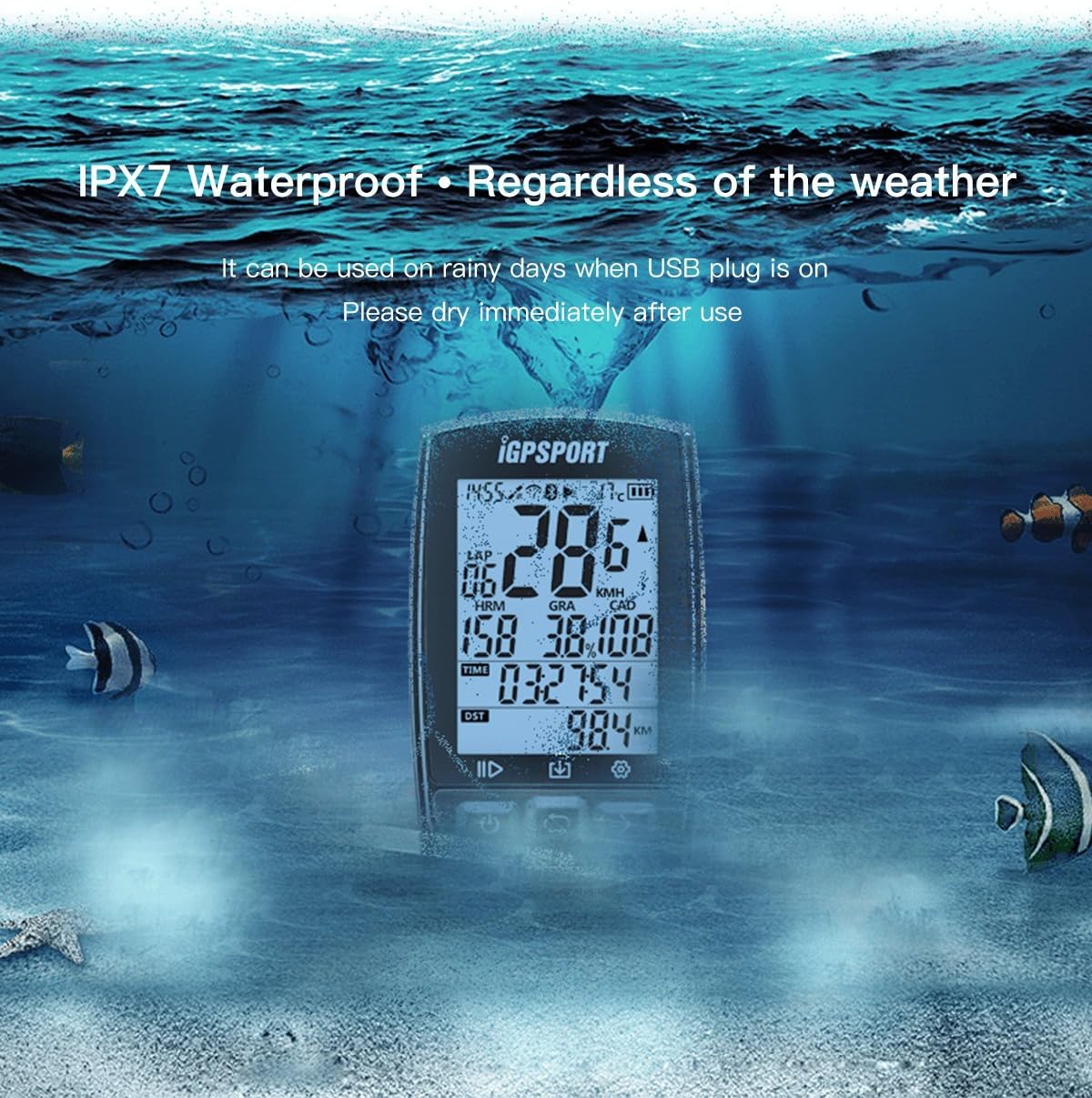
Слика 6: The iGS50E device shown underwater, highlighting its IPX7 waterproof capability, suitable for all weather conditions.
Пуњење
Charge the device using the provided Micro USB cable. The battery capacity is 1200mAH, offering approximately 40 hours of endurance on a full charge. A battery indicator on the screen will show the current charge level.
Чишћење
Обришите уређај меком, дamp крпу. Избегавајте употребу јаких хемикалија или абразивних материјала који би могли оштетити екран или цasing.
Решавање проблема
- Slow GPS Acquisition: Уверите се да сте на отвореном простору са чистим view of the sky. Initial GPS lock may take longer. If acquisition remains slow, try restarting the device.
- Проблеми са везом апликације:
- Уверите се да је Блуетоотх омогућен на вашем паметном телефону.
- Verify the iGPSPORT app is installed and updated.
- Try restarting both the iGS50E and your smartphone.
- If data synchronization fails, try removing and re-pairing the device within the app.
- Inaccurate Data Readings (Altitude/Gradient): GPS-based altitude and gradient can sometimes be affected by environmental factors like dense tree cover or tall buildings. For optimal accuracy, ensure clear line of sight to satellites.
- Уређај не реагује: If the device becomes unresponsive, perform a forced shutdown by pressing and holding the power button for 10 seconds. Then, restart the device.
Спецификације
| Број модела | iGS50E |
| Пхисицал Дименсион | 86 к 54 к 18 мм |
| Величина екрана | 2.2 инча (36 x 49 мм) |
| Дисплаи Типе | High brightness, high contrast, anti-glare LCD |
| Водоотпорна оцена | ИПКС7 |
| Меморија | Approximately 200 hours of riding data |
| Тип батерије | Литијум-јонски |
| Издржљивост батерије | До 40 сати |
| Бежични пренос | Bluetooth 4.0 (for APP connection), ANT+ (for sensors) |
| Подржани сензори | ANT+ Heart Rate Sensor, ANT+ Speed Sensor, ANT+ Cadence Sensor |
| Тип монтаже | Хандлебар Моунт |
Гаранција и подршка
The iGPSPORT iGS50E comes with a 2 година гаранције and lifetime support from iGPSPORT. For any technical assistance, warranty claims, or product inquiries, please refer to the official iGPSPORT webсајт или директно контактирајте њихову корисничку службу.
Official iGPSPORT webсајт: ввв.игпспорт.цом