
1. Увод
About the Deco M4 System
The TP-Link Deco M4 is a Whole Home Mesh Wi-Fi System designed to provide seamless wireless coverage throughout your home. It eliminates Wi-Fi dead zones by using multiple units that work together to form a unified network. This system ensures a stable and fast internet connection for all your devices.
Key features of the Deco M4 system include:
- Wi-Fi Dead-zone Killer: Units work together to provide comprehensive Wi-Fi coverage.
- Беспрекорни роминг: Devices automatically connect to the fastest Deco unit as you move, maintaining an uninterrupted connection.
- High-Speed AC1200: Provides fast and stable connections up to 1167 Mbps.
- Connects up to 100 Devices: Capable of handling traffic from numerous devices without lag.
- Лако подешавање: Guided setup process via the Deco app.
- Родитељски надзор: Manage online time and block inappropriate webсајтовима.
- Мултифункционални: Can operate as a router, access point, or range extender.
- Компатибилно са Алексом: Control your Deco M4 with voice commands.

Image: Two TP-Link Deco M4 mesh Wi-Fi units, illustrating the product design and available ports.
2. Водич за подешавање
Шта је у кутији
The TP-Link Deco M4 (2-pack) package typically includes the following items:
- 2 Deco M4 Units
- 2 исправљача напајања
- 1 РЈ45 Етхернет кабл

Image: The retail packaging for the TP-Link Deco M4 system, indicating a 2-pack.
Кораци инсталације
Setting up your Deco M4 system is primarily done through the Deco mobile application. Follow these general steps:
- Преузмите апликацију Deco: Тражи 'TP-Link Deco' in your device's app store (iOS or Android) and install it.
- Sign Up or Log In: Open the Deco app and either create a new TP-Link ID or log in with an existing one.
- Повежите главни Деко: Power off your modem. Connect one Deco unit to your modem using the provided Ethernet cable. Power on your modem, then power on the Deco unit.
- Пратите упутства у апликацији: The Deco app will guide you through configuring the main Deco unit, including setting up your Wi-Fi network name and password.
- Додајте додатне деко јединице: Once the main Deco is set up, the app will prompt you to add other Deco units. Place them in desired locations within your home and power them on. The app will automatically detect and integrate them into your mesh network.
- Оптимално постављање: For best coverage, place Deco units strategically to cover your entire home, avoiding obstructions and sources of interference.
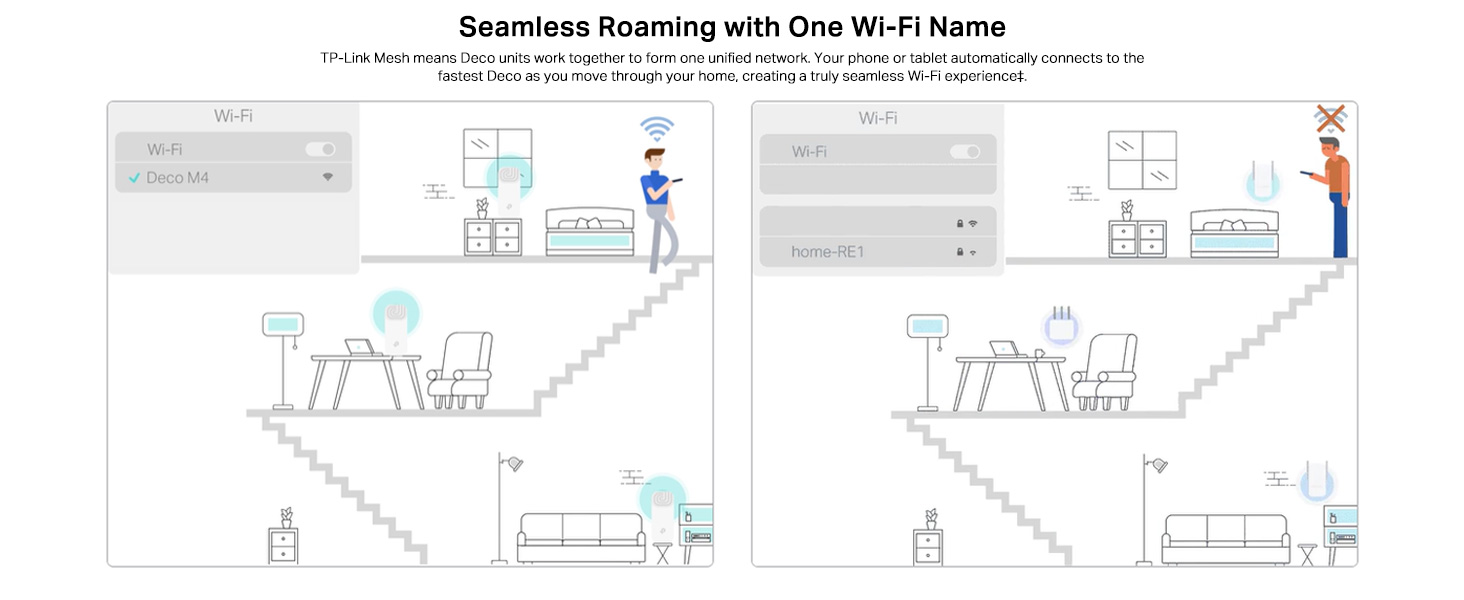
Image: A visual representation of the app-based setup process, management features, and voice control compatibility.
3. Руковање вашим Deco M4 системом
Беспрекорни роминг
The Deco M4 system creates a single, unified Wi-Fi network with one network name (SSID). As you move through your home, your devices (phones, laptops, tablets) will automatically switch to the Deco unit with the strongest signal, ensuring a continuous and stable connection without manual intervention.
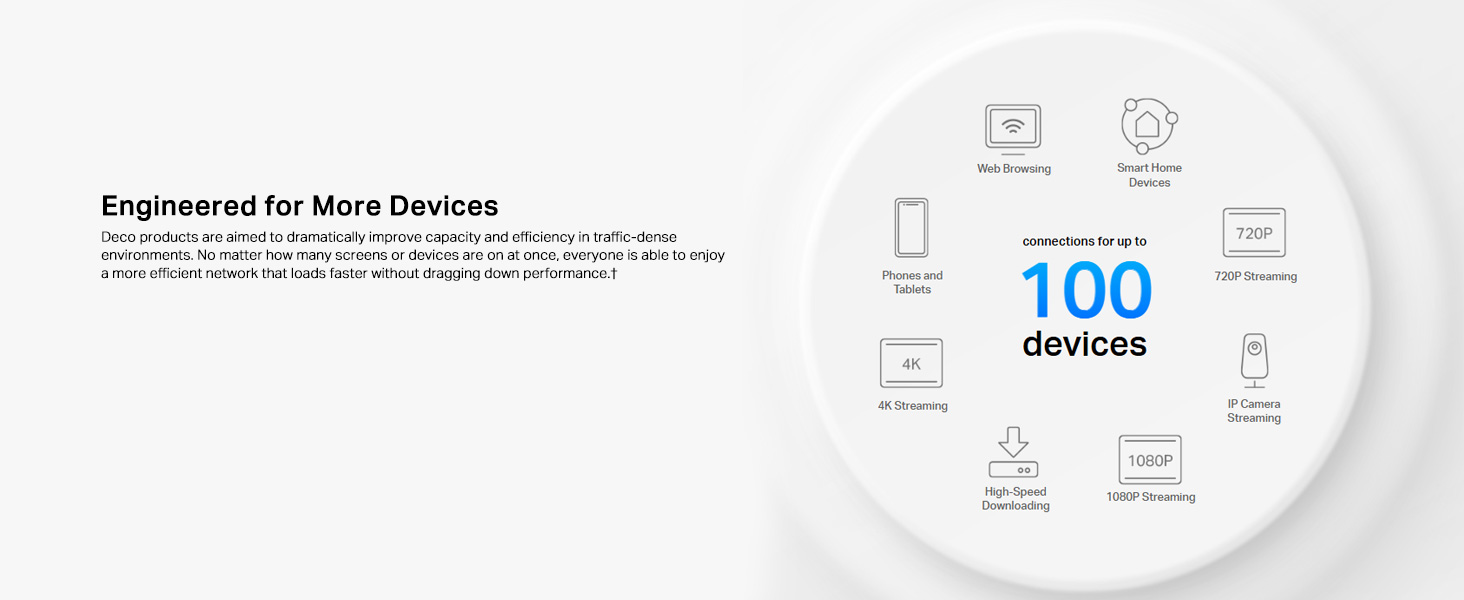
Image: Illustration of seamless roaming, where a device maintains connection by automatically switching between Deco units.
Родитељски надзор
The Deco app provides robust parental control features to manage internet access for family members. You can create individual profiles, set time limits for internet usage, filter website content, and pause internet access for specific devices or profiles.
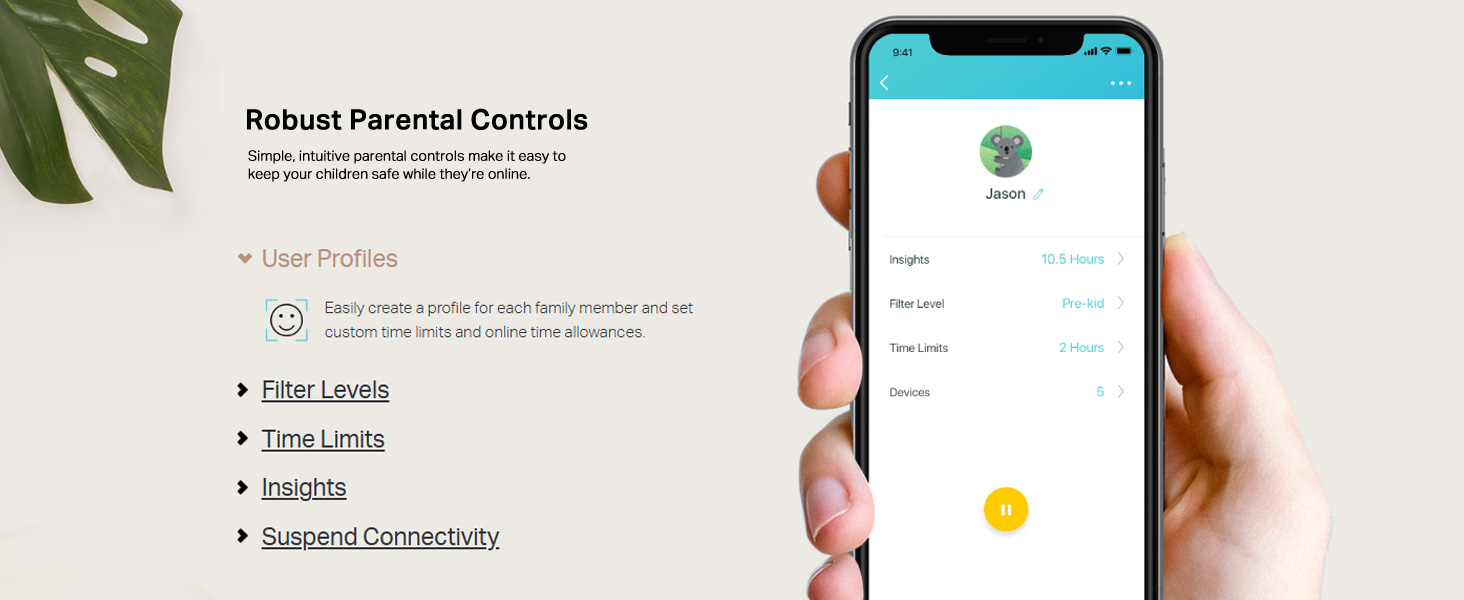
Image: A mobile phone screen displaying the parental control interface within the Deco app, showing user profileс и подешавања.
App Control and Voice Control
Manage your Deco M4 system conveniently through the Deco app. This includes viewing connected devices, prioritizing bandwidth for certain devices, setting up a guest network, and monitoring network status. The Deco M4 is also compatible with Amazon Alexa, allowing you to control certain functions using simple voice commands.

Image: A Deco M4 unit discreetly placed on a table, demonstrating its compact design in a home environment.
Router and Access Point Modes
The Deco M4 offers flexible operating modes to suit your network needs:
- Режим рутера (подразумевано): In this mode, the Deco system acts as your primary router, creating a new private wireless network and managing all connected devices.
- Режим приступне тачке: If you already have a router, you can set the Deco M4 to Access Point mode. It will extend your existing wired network's Wi-Fi coverage without creating a separate network.

Image: A diagram illustrating the two operational modes: Router mode (creating a new network) and Access Point mode (extending an existing network).
4. Одржавање
Да бисте осигурали оптималне перформансе и дуговечност вашег TP-Link Deco M4 система, размотрите следеће праксе одржавања:
- Ажурирања фирмвера: Редовно проверавајте и инсталирајте ажурирања фирмвера путем апликације Deco. Ажурирања често укључују побољшања перформанси, безбедносне закрпе и нове функције.
- Физичко чишћење: Keep the Deco units clean and free from dust. Use a soft, dry cloth to wipe the exterior. Ensure ventilation holes are not obstructed to prevent overheating.
- Оптимално постављање: Периодично реview the placement of your Deco units. Ensure they are in open areas, away from large metal objects, thick walls, and other electronic devices that could cause interference.
- Рестартовање: If you experience minor network issues, a simple reboot of your Deco units (and modem) can often resolve them. Unplug the power, wait 10 seconds, then plug them back in.
КСНУМКС. Решавање проблема
Ако наиђете на проблеме са вашим Deco M4 системом, погледајте следеће уобичајене кораке за решавање проблема:
- Нема интернет везе:
- Проверите да ли ваш модем исправно ради.
- Уверите се да је Етернет кабл који повезује главни Деко са модемом чврсто прикључен.
- Reboot your modem and all Deco units.
- Проверите статус везе вашег интернет провајдера (ISP).
- Слаб Wi-Fi сигнал или мртве зоне:
- Reposition Deco units closer to each other or to areas with weak signals.
- Ensure Deco units are not placed near large metal objects, concrete walls, or appliances like microwaves and cordless phones that can cause interference.
- Check the Deco app for signal strength indicators between units.
- Уређај не може да се повеже са Wi-Fi мрежом:
- Проверите да ли уносите исправну лозинку за Wi-Fi.
- Restart the device attempting to connect.
- Check parental control settings in the Deco app to ensure the device is not blocked or paused.
- Ensure the device's Wi-Fi adapter is enabled and functioning.
- Deco App Not Working:
- Ensure your smartphone has an active internet connection (either via mobile data or another Wi-Fi network).
- Update the Deco app to the latest version.
- Поново покрените паметни телефон.
6. Техничке спецификације
| Феатуре | Спецификација |
|---|---|
| Бранд | ТП-Линк |
| Назив модела | Децо М4 |
| Брзина преноса података | 1200 мегабита у секунди (Mbps) |
| Класа фреквенцијског опсега | Двопојасни (2.4 ГХз и 5 ГХз) |
| Стандард бежичне комуникације | 802.11ac, 802.11g, 802.11n |
| Ви-Фи генерација | Ви-Фи 5 |
| Број портова | 4 (2 per Deco unit) |
| Покривеност | Up to 3,800 square feet (for 2-pack) |
| Сигурносни протокол | ВПА-ПСК/ВПА2-ПСК |
| Компатибилни уређаји | Alexa, Amazon Echo |
| Антенна Типе | Унутрашње |
| Контролни метод | Глас, апликација |
| Тежина артикла | 699 грама |
| Димензије артикла (Д к Ш к В) | 10Д к 9.1В к 10Х центиметара |
| Боја | Бела |
7. Информације о гаранцији
The TP-Link Deco M4 Whole Home Mesh Wi-Fi System comes with a 3 година гаранције from the date of purchase. Please retain your proof of purchase for warranty claims. For detailed terms and conditions, refer to the official TP-Link webсајту или контактирајте корисничку подршку.
8. Корисничка подршка
For technical assistance, product inquiries, or warranty support, please contact TP-Link customer service:
- Бесплатан број: 1800-209-4168
- Подршка путем е-поште: support.in@tp-link.com
- Адреса произвођача: TP-Link Systems Inc. 10 Mauchly, Irvine, CA 92618, USA or TP-Link India Private Limited Office No.1, Tower 2, Level 2, Raiaskaran Tech Park, Andheri Kurla Road, M.V Road, Andheri East-400072
Additional resources and FAQs can be found on the official TP-Link webсајту.