
Увод
This manual provides detailed instructions for the installation, operation, and maintenance of your NEC SL2100 IP7WW-12TXH-B1 12-Button Display Speaker Telephone. Please read this manual thoroughly before using the telephone to ensure proper functionality and to prevent damage.
Безбедносне информације
Увек се придржавајте основних мера безбедности када користите овај производ како бисте смањили ризик од пожара, струјног удара и повреда особа.
- Не користите овај производ у близини воде, нпрampу близини каде, посуде за прање веша, судопере или каде за веш, у влажном подруму или близу базена.
- Avoid using the telephone during an electrical storm. There may be a remote risk of electric shock from lightning.
- Немојте користити телефон да пријавите цурење гаса у близини места цурења.
- Use only the power source specified in this manual or marked on the product. This telephone is powered by the phone system.
- Искључите овај производ из зидне утичнице пре чишћења. Немојте користити течна средства за чишћење или средства за чишћење у облику аеросола. Користите огласamp крпа за чишћење.
Садржај пакета
Проверите да ли су све ставке присутне у пакету:
- NEC SL2100 IP7WW-12TXH-B1 12-Button Display Speaker Telephone (Black)
- Слушалица
- Кабл слушалице
- Base Stand (for desk or wall mounting)
- Ethernet Cable (if applicable for IP connection)
Производ је завршенview
The NEC SL2100 IP7WW-12TXH-B1 is a corded 12-button display speaker telephone designed for use with NEC SL2100 systems. It features a clear display for call information and menu navigation, a built-in speakerphone for hands-free communication, and 12 programmable function keys.
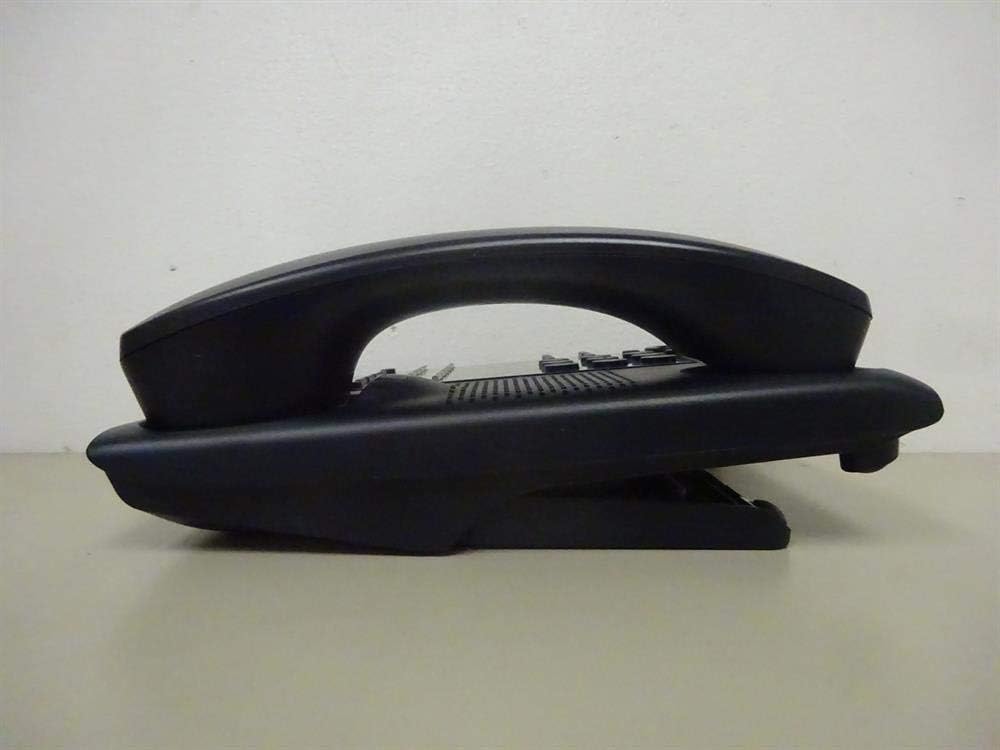
Слика 1: Сиде view of the NEC SL2100 IP7WW-12TXH-B1 telephone, showing the ergonomic design of the handset and base unit.

Слика 2: Позади view of the telephone, illustrating the various connection ports for the handset and network, as well as the integrated wall-mounting slots.
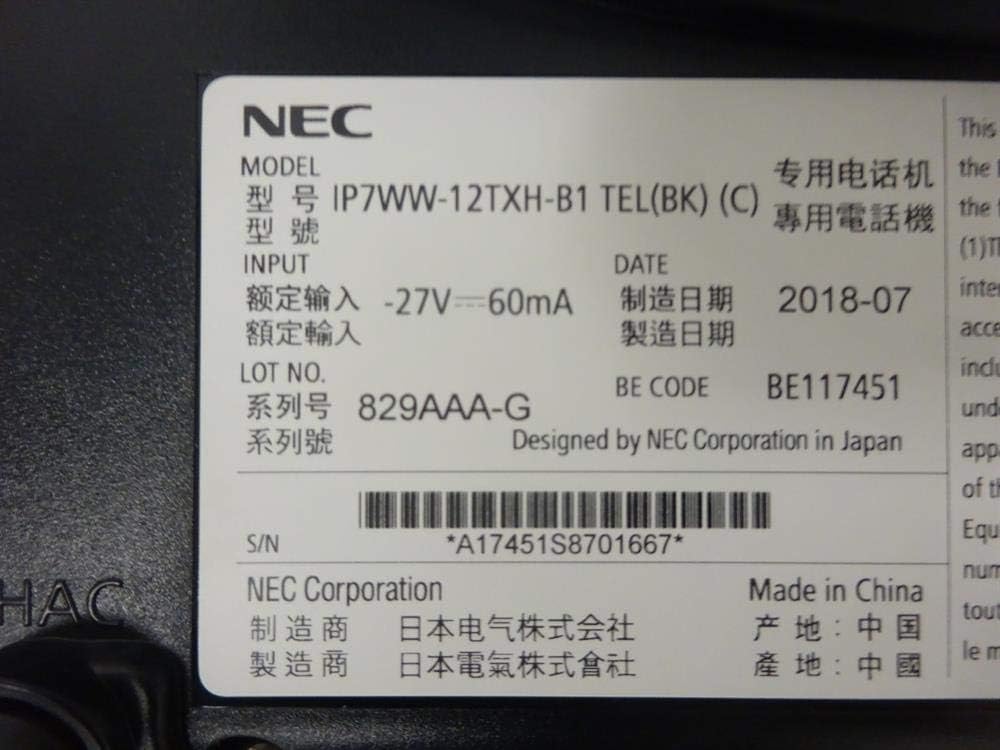
Слика 3: Close-up of the product label, displaying model number IP7WW-12TXH-B1, input specifications, and manufacturer details.
Сетуп
1. Assembling the Telephone
- Причврстите постоље основе: Align the base stand with the slots on the bottom of the telephone. Slide it into place until it clicks securely. The stand can be adjusted for different viewing angles or reversed for wall mounting.
- Повежите слушалицу: Укључите један крај спиралног кабла слушалице у слушалицу, а други крај у предвиђени порт са стране телефонске базе.
2. Повезивање са системом
This telephone is designed to connect to an NEC SL2100 system. Ensure your SL2100 system is properly installed and configured.
- Повежите мрежни кабл: Plug one end of an Ethernet cable into the LAN port on the back of the telephone. Plug the other end into an available port on your NEC SL2100 system or a network switch connected to the system.
- Укључено: The telephone receives power directly from the NEC SL2100 system (Power over Ethernet - PoE) or via a separate power adapter (not included, if PoE is not available). Once connected, the telephone should power on automatically.
- Почетна конфигурација: The telephone will typically register with the SL2100 system automatically. If prompted, follow the on-screen instructions or consult your system administrator for specific extension number assignment or network settings.
Упутство за употребу
Упућивање позива
- Подигните слушалицу: Подигните слушалицу и послушајте тон за бирање.
- Позовите број: Позовите жељени телефонски број помоћу тастатуре.
- спикерфон: Притисните тастер СПЕАКЕР button to activate the speakerphone, then dial the number.
Примање позива
- Подигните слушалицу: When the telephone rings, lift the handset to answer.
- спикерфон: Притисните тастер СПЕАКЕР button to answer the call hands-free.
Коришћење екрана
The display shows call information, menu options, and system status. Use the navigation buttons (usually arrow keys) to scroll through menus and the ЕНТЕР or СЕЛЕЦТ дугме за потврду избора.
Programmable Function Keys (12 Buttons)
The 12 buttons on the telephone can be programmed for various functions such as speed dial, line access, feature activation, or direct station selection. Consult your system administrator for the specific programming of these keys.
Конференцијски позиви
The telephone supports 3-way conference calls. To initiate a conference call:
- Establish a call with the first party.
- Притисните тастер ЦОНФ (Conference) button or the designated programmable key. The first party will be put on hold.
- Позовите број друге стране.
- Када се повежете са другом страном, притисните ЦОНФ поново притисните дугме да бисте се придружили свим трима групама.
ИД позиваоца
When an incoming call is received, the caller's information (name and number, if available) will be displayed on the screen.
Вишелинијски рад
This telephone supports multi-line operation, allowing you to manage multiple calls simultaneously. Use the designated line keys or programmable keys to switch between active lines or place calls on hold.
Одржавање
Чишћење
To clean the telephone, unplug it from the network connection. Use a soft, slightly damp cloth. Do not use harsh chemicals, abrasive cleaners, or excessive moisture. Avoid spraying cleaners directly onto the telephone.
Складиштење
If storing the telephone for an extended period, ensure it is clean and dry. Store it in a cool, dry place away from direct sunlight and extreme temperatures.
Решавање проблема
- Нема тона за бирање:
- Check all cable connections, especially the network cable to the SL2100 system.
- Ensure the SL2100 system is powered on and functioning correctly.
- If using a separate power adapter (not PoE), ensure it is properly connected and receiving power.
- Дисплеј не ради:
- Verify the telephone is receiving power.
- Try disconnecting and reconnecting the network cable.
- Не могу да упућујем/примам позиве:
- Проверите тон бирања.
- Ensure the telephone is properly registered with the SL2100 system.
- Contact your system administrator to verify line assignments and system status.
- Лош квалитет звука:
- Check handset and network cable connections.
- Уверите се да нема сметњи од других електронских уређаја.
- Test with another telephone if possible to isolate the issue.
Спецификације
| Феатуре | Спецификација |
|---|---|
| Бранд | НЕЦ |
| Број модела | IP7WW-12TXH-B1 (Mfr Part Number: BE117451) |
| Боја | Црно |
| Тип телефона | Цордед |
| Материјал | Пластика |
| Извор напајања | Phone System (PoE compatible) |
| Диалер Типе | Једна тастатура |
| Димензије артикла (Д к Ш к В) | 15 к 12 к 6 инча |
| Тип система за одговор | Digital (System Dependent) |
| Компатибилни уређаји | NEC SL2100 Systems, NEC SL2100 IP7WW-082U-B1 8 Port Digital Station Card |
| Могућност конференцијског позива | 3-ваи |
| Вишелинијски рад | Да |
| ИД позиваоца | Да |
Гаранција и подршка
For warranty information, please refer to the documentation provided with your NEC SL2100 system or contact your NEC authorized dealer. For technical support, please contact your system administrator or NEC customer service.
NEC корпорација
For further assistance, please visit the official NEC website or contact your local support representative.