
1. Увод
This manual provides instructions for the EEEkit OBD1 to OBD2 Adapter cable, designed to connect vehicles with a Toyota 22-pin diagnostic port to standard 16-pin OBD2 diagnostic scanners. This adapter facilitates communication between older Toyota vehicles and modern diagnostic tools, enabling vehicle fault diagnosis.

Image 1: EEEkit OBD1 to OBD2 Adapter cable, showing the 22-pin male connector and 16-pin female connector.
2. Карактеристике производа
- Компатибилност: Specifically designed for Toyota vehicles equipped with a 22-pin diagnostic socket, allowing connection to standard 16-pin OBD2 diagnostic tools.
- Једноставност употребе: Features a plug-and-play design for straightforward connection, converting the Toyota 22-pin interface to a standard OBD2 16-pin interface.
- Стабилан пренос: Engineered for stable data transmission and effective anti-jamming, ensuring reliable communication with scanning software.
- Издржљива конструкција: Manufactured with high-quality metal and PVC materials for long-lasting performance and durability.
- Усклађеност са стандардима: Adheres to strict quality control standards and original specifications for consistent and reliable operation.

Image 2: Illustration of the adapter's compatibility with various Toyota vehicle models.

Слика 3: Детаљно view of the adapter highlighting its durable cable and anti-slip connector design.
3. Спецификације
| Атрибут | Детаљ |
|---|---|
| Бранд | ЕЕЕКит |
| Број модела | 124855 |
| Конектор 1 | Toyota 22-Pin Male (OBD1) |
| Конектор 2 | Standard 16-Pin Female (OBD2) |
| Цабле Ленгтх | Приближно 30 цм (11.81 инча) |
| Цоре Материал | High-quality copper |
| Спољашњи материјал | ПВЦ |
| Боја | Црно |
| Тежина артикла | 3.2 унци |
| Димензије производа | 1 x 1 x 6 инча (паковање/укупно) |
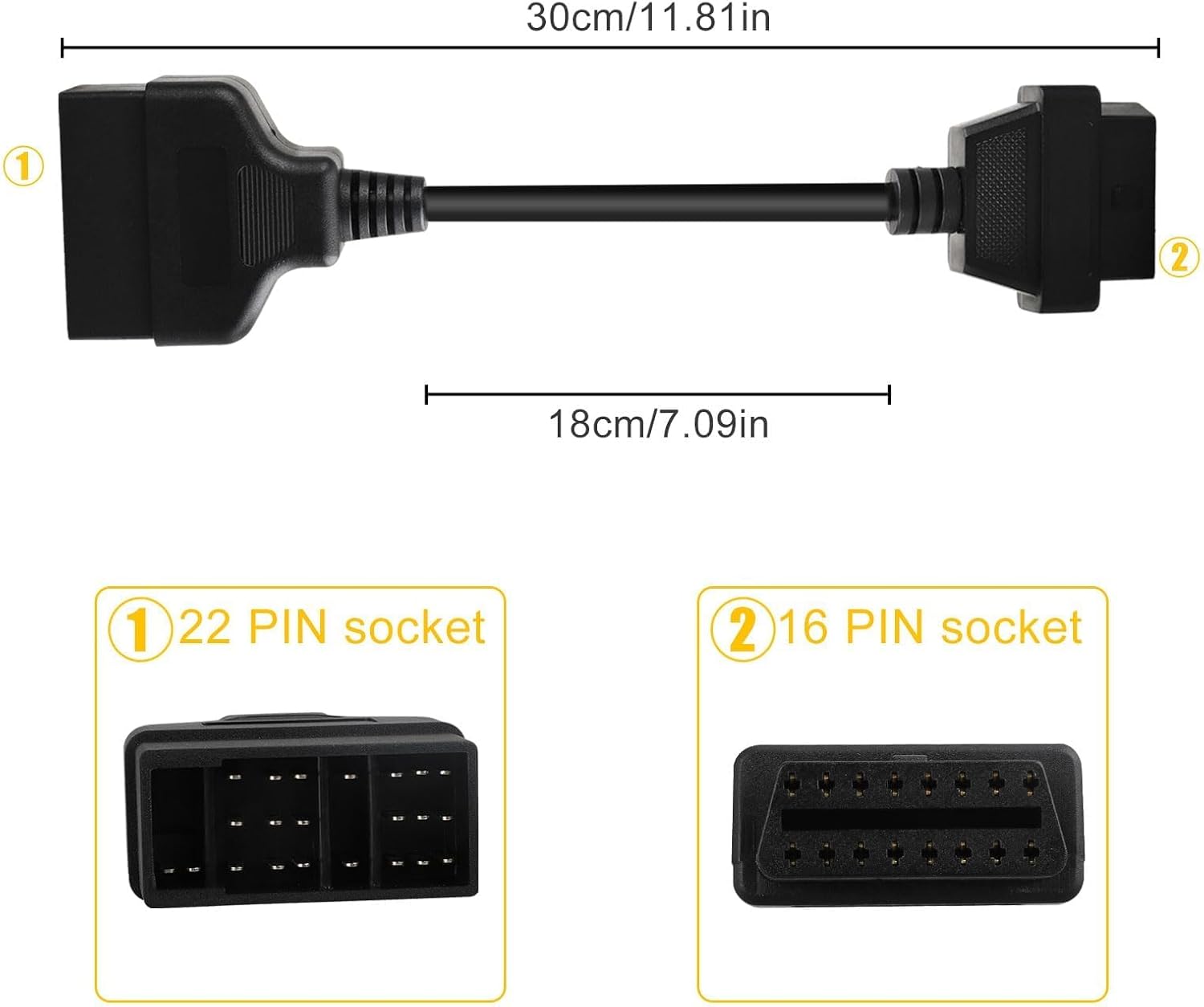
Image 4: Diagram illustrating the adapter's dimensions and connector types.
4. Подешавање и инсталација
The EEEkit OBD1 to OBD2 Adapter is designed for simple, non-destructive installation. Follow these steps to connect your diagnostic scanner to a compatible Toyota vehicle:
- Locate the Vehicle's Diagnostic Port: Identify the 22-pin diagnostic port in your Toyota vehicle. This port is typically located under the dashboard, near the steering column, or in the engine bay, depending on the vehicle model and year. Consult your vehicle's service manual if you have difficulty locating it.
- Connect the Adapter to the Vehicle: Plug the 22-pin male connector of the EEEkit adapter into the vehicle's 22-pin diagnostic port. Ensure a firm and secure connection.
- Connect the Diagnostic Scanner: Plug your standard 16-pin OBD2 diagnostic scanner into the 16-pin female connector of the EEEkit adapter.
- Power On and Initiate Scan: Turn on your diagnostic scanner. The scanner should now be able to establish communication with the vehicle's onboard computer system. Follow the instructions provided with your diagnostic scanner to perform scans, read codes, or access live data.
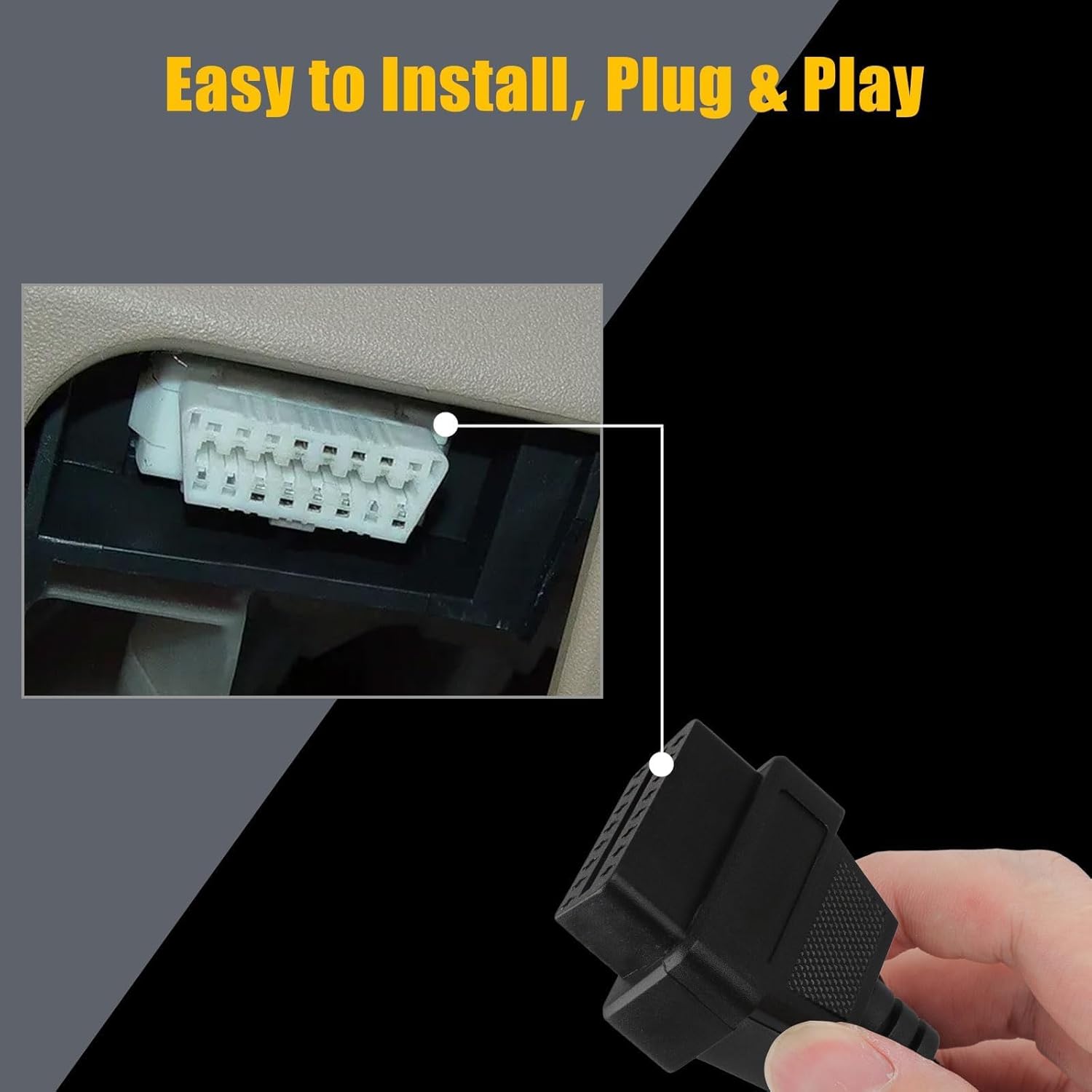
Image 5: Illustration of connecting the 16-pin end of the adapter to a diagnostic tool, demonstrating the plug-and-play installation.
Video 1: A seller-provided video demonstrating the physical connection of a Toyota 22-pin to 16-pin OBD2 diagnostic cable adapter. This video shows the physical appearance and connection points of the cable.
5. Упутство за употребу
Once the adapter is securely connected to both your vehicle and the diagnostic scanner, operate your scanner as you normally would for an OBD2-compatible vehicle. The adapter acts as a pass-through, translating the older OBD1 Toyota protocol to the modern OBD2 standard for your scanner.
- Паљење возила: Ensure the vehicle's ignition is in the "ON" position (engine off or running, as required by your specific diagnostic procedure).
- Scanner Functions: Use your diagnostic scanner to perform functions such as:
- Читање дијагностичких кодова грешака (DTC)
- Брисање DTC-ова
- Viewing Live Data Streams
- Performing Readiness Monitor Tests
- Тумачење података: Refer to your diagnostic scanner's manual for interpreting codes and data. The adapter ensures the physical and electrical compatibility; the scanner handles the data interpretation.
6. Нега и одржавање
To ensure the longevity and reliable performance of your EEEkit OBD1 to OBD2 Adapter, follow these maintenance guidelines:
- Складиштење: Store the adapter in a clean, dry place away from direct sunlight and extreme temperatures.
- Чишћење: If necessary, gently wipe the cable and connectors with a soft, dry cloth. Avoid using harsh chemicals or abrasive materials.
- Руковање: Always grasp the connectors when plugging or unplugging the cable. Avoid pulling directly on the cable itself to prevent damage to the internal wiring.
- инспекција: Periodically inspect the connectors and cable for any signs of wear, damage, or corrosion. Do not use the adapter if any damage is observed.
КСНУМКС. Решавање проблема
If you encounter issues while using the EEEkit OBD1 to OBD2 Adapter, consider the following troubleshooting steps:
- No Communication with Scanner:
- Проверите везе: Ensure both the 22-pin and 16-pin connectors are fully and securely seated.
- Компатибилност возила: Verify that your vehicle indeed uses a Toyota 22-pin diagnostic port. This adapter is not universal for all OBD1 vehicles.
- Функционалност скенера: Test your OBD2 scanner with a known OBD2-compatible vehicle to ensure it is functioning correctly.
- Паљење возила: Confirm the vehicle's ignition is in the correct position (usually "ON" or "ACC" for diagnostics).
- Интермитентна веза:
- Прегледајте конекторе: Look for bent pins or debris in either the adapter's connectors or the vehicle's diagnostic port.
- Интегритет кабла: Check the cable for any visible damage, kinks, or cuts.
- Нетачна очитавања/подаци:
- Подешавања скенера: Ensure your diagnostic scanner is configured correctly for the vehicle type and year, if applicable.
- Ажурирања софтвера: Verify that your diagnostic scanner's software is up to date.
If problems persist after attempting these steps, consult the user manual for your diagnostic scanner or contact EEEkit customer support for further assistance.
8. Гаранција и подршка
For information regarding product warranty, returns, or technical support, please refer to the EEEkit official website or contact their customer service directly. Details are typically available on the product packaging or the seller's online store page.
You can visit the EEEkit Store for more products and support: EEEkit Store on Amazon.