
1. Важна безбедносна упутства
Please read all instructions carefully before using this projector and retain them for future reference. Improper operation may result in electric shock, fire, or other hazards.
- Извор напајања: Use only the power adapter supplied with the projector. Ensure the voltagе одговара локалном напајању.
- вентилација: Do not block any ventilation openings. Ensure adequate airflow around the projector to prevent overheating.
- Пласман: Place the projector on a stable, flat surface. Avoid placing it in direct sunlight, near heat sources, or in environments with high humidity or dust.
- Вода и влага: Do not expose the projector to rain, moisture, or immerse it in water. If liquid enters the device, disconnect power immediately and contact support.
- Чишћење: Искључите пројектор из утичнице пре чишћења. Користите меку, суву крпу. Не користите течна или аеросолна средства за чишћење.
- Сервисирање: Do not attempt to service this product yourself. Refer all servicing to qualified service personnel. Opening the casinможе вас изложити опасној количини волумatagе или друге опасности.
- Заштита очију: Не гледајте директно у сочиво пројектора када је укљученоamp је укључено, јер јако светло може изазвати оштећење ока.
2. Садржај пакета
Проверите да ли су све ставке наведене у наставку укључене у ваш пакет. Ако неке ставке недостају или су оштећене, обратите се корисничкој подршци.
- DBPOWER T22 Portable Video Projector
- Ремоте Цонтрол
- ХДМИ кабл
- АВ кабл
- Повер Цабле
- Упутство за употребу
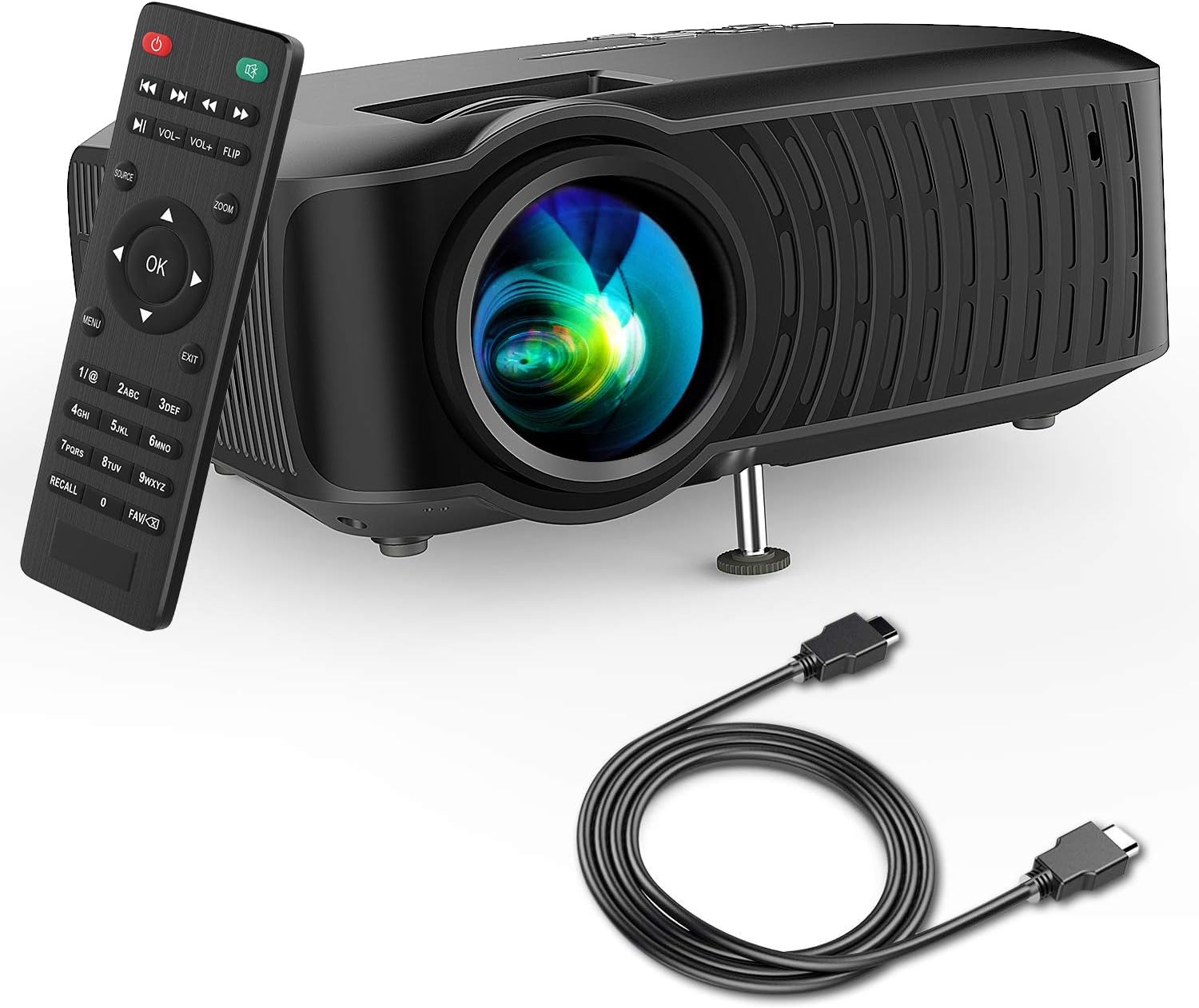
Image: The DBPOWER T22 Portable Video Projector, its remote control, and an HDMI cable, representing the typical package contents.
3. Производ је готовview
Familiarize yourself with the various parts of your DBPOWER T22 projector.
3.1 Предња и бочна страна View

Слика: Страна А view of the DBPOWER T22 projector with dimensions indicating its compact and portable design (21.8cm length, 17.2cm width, 9.16cm height).
- Пројекционо сочиво: Емитује слику на екран.
- Прстен за фокусирање: Подешава јасноћу слике.
- Keystone Correction Ring: Исправља трапезоидно изобличење слике.
- Вентилациони отвори: For heat dissipation. Do not block.
- Подесива нога: Raises or lowers the front of the projector.
3.2 Rear Panel and Connectivity
The rear panel provides various input and output ports for connecting external devices.
- ХДМИ порт: Connects to devices like laptops, Blu-ray players, game consoles, and TV sticks.
- УСБ порт: Connects to USB flash drives for media playback.
- AV порт: Connects to older devices using the included AV cable.
- Слот за СД картицу: For playing media directly from an SD card.
- Аудио излаз (3.5 мм прикључак): Повезује се са екстерним звучницима или слушалицама.
- Улазна снага: Повезује се на адаптер за напајање.
3.3 Даљински управљач
The remote control allows convenient operation of the projector from a distance.
- Дугме за напајање: Укључује/искључује пројектор.
- Дугме извора: Selects input source (HDMI, AV, USB, SD).
- Навигациона дугмад (горе/доле/лево/десно): Навигација кроз меније.
- Дугме ОК: Потврђује изборе.
- Дугме менија: Accesses projector settings.
- Дугме за излаз: Излази из тренутног менија или функције.
- Волуме +/-: Подешава јачину звука.
- Дугме за окретање: Rotates the projected image.
- Дугме за зумирање: Adjusts image zoom (digital zoom).
4. Подешавање
4.1 Укључивање/искључивање
- Connect the power cable to the projector's power input, then plug the other end into a power outlet.
- Press the power button on the projector or the remote control to turn it on. The indicator light will change.
- Да бисте искључили, поново притисните дугме за напајање.
4.2 Adjusting Image Focus and Keystone
Achieve a clear and rectangular image by adjusting the focus and keystone correction.

Image: Diagram showing the manual keystone correction and focus rings on the side of the projector, with examples of de-focused and focused images, and trapezoidal correction.
- Фокус: Ротирајте Фокусни прстен until the projected image appears sharp and clear.
- Кеистоне Цоррецтион: If the image appears trapezoidal (wider at the top or bottom), rotate the Keystone Correction Ring to make the image rectangular. The projector supports ±15° manual keystone correction.
4.3 Повезивање екстерних уређаја
The DBPOWER T22 supports multiple input sources.
- ДВИ: Connect an HDMI cable from your device (e.g., laptop, game console, Amazon Fire TV Stick) to the projector's HDMI port.
- УСБ: Уметните УСБ флеш диск у УСБ порт.
- АВ: Use the provided AV cable to connect to devices with AV output.
- СД картица: Insert an SD card into the SD card slot.
- паметни телефони: For iOS devices, an external Lightning to HDMI adapter is required. For Android devices, an external Micro USB/Type-C to HDMI adapter is required. (Adapters not included).
5. Руковање пројектором
5.1 Избор улазног извора
After connecting your device, you need to select the correct input source.
- Притисните тастер Извор button on the remote control or the projector.
- Use the navigation buttons to select the desired input source (e.g., HDMI, USB, AV, SD).
- Притисните OK потврдити.
5.2 Media Playback (USB/SD)
When a USB drive or SD card is inserted, the projector will display a media browser.
- Крећите се кроз фасцикле и files using the remote control's navigation buttons.
- Изаберите а file (e.g., video, photo, music, text) and press OK играти се.
5.3 Аудио излаз
The projector features an improved built-in speaker system. For enhanced audio, you can connect external speakers.

Image: An illustration of the DBPOWER T22 projector highlighting its stereo speakers, indicating that external speakers are not always necessary for an enjoyable audio experience.
- Уграђени звучник: The projector's internal speaker provides audio. Adjust volume using the ВОЛ +/- дугмад на даљинском.
- External Speakers/Headphones: Connect a 3.5mm audio cable from your external audio device to the projector's Audio Out port.
5.4 Projector Settings (Menu)
Притисните тастер Мени button on the remote to access settings such as Picture Mode, Aspect Ratio, Sound Mode, and other system preferences.
6. Одржавање
6.1 Чишћење сочива
Use a professional lens cleaning cloth or lens paper to clean the projector lens. Avoid touching the lens directly with your hands.

Слика: Експлодирана view of the projector lens assembly, highlighting the tempered glass lens and the importance of a dust cover to protect it from scratches and dust.
6.2 Чишћење кућишта пројектора
Wipe the projector body with a soft, dry cloth. Do not use abrasive cleaners or solvents.
6.3 Heat Dispersion System
The projector features an advanced cooling system to ensure stable operation and extend lamp life. Ensure ventilation ports are clear.

Слика: Интерна view of the DBPOWER T22 projector, illustrating the advanced heat dispersion system with air flowing through cooling fins to maintain optimal operating temperature.
6.4 Лamp Живот
ЛЕД лamp in your DBPOWER T22 projector has an extended lifespan of over 50,000 hours, significantly reducing the need for lamp замена.
КСНУМКС. Решавање проблема
Ако наиђете на проблеме, погледајте следеће уобичајене проблеме и решења.
| Проблем | Могући узрок | Решење |
|---|---|---|
| No image or "No Signal" message | Изабран је погрешан улазни извор; лабава кабловска веза; уређај није укључен. |
|
| Замућена слика | Фокус није подешен; пројектор је преблизу/предалеко од платна. |
|
| Trapezoidal image | Пројектор није нормалан у односу на платно. |
|
| Нема звука или је тиха | Volume too low; mute enabled; external audio device issues. |
|
| Даљински управљач не ради | Dead batteries; obstruction; remote not pointed at IR receiver. |
|
8. Спецификације
Detailed technical specifications for the DBPOWER T22 Portable Video Projector.
| Феатуре | Детаљ |
|---|---|
| Бранд | ДБПОВЕР |
| Број модела | Т22 |
| Осветљеност | 120 ANSI Lumens (80% brighter than most market projectors) |
| Однос контраста | 2000:1 |
| Подржана резолуција | 1080П (Фулл ХД) |
| Изворна резолуција екрана | 800 к 480 |
| Дисплаи Типе | ЛЦД |
| Lamp Живот | 50,000 сата |
| Величина пројекције | 32-176 инча |
| Удаљеност пројекције | 1-5.2 метара |
| Кеистоне Цоррецтион | Ручно ±15° |
| Технологија повезивања | HDMI, USB, AV, SD Card |
| Уграђени звучник | Yes (Improved system) |
| Димензије производа | 21.59 к 17.02 к 9.14 цм |
| Тежина артикла | 1.9 кг |
| Ватtage | 24 вати |
9. Гаранција и подршка
DBPOWER products are designed and manufactured to the highest quality standards. For warranty information, technical support, or customer service inquiries, please refer to the contact information provided with your purchase or visit the official DBPOWER webсајту.
Службено Webсајт: ввв.дбповер.цо (Молим обратите пажњу: URL may vary by region. Refer to product packaging for specific regional support details.)