
1. Важна безбедносна упутства
Пажљиво прочитајте сва упутства пре употребе уређаја. Сачувајте ово упутство за будуће потребе.
- Не потапајте уређај, кабл за напајање или утикач у воду или друге течности.
- Уверите се да је волtagНапонска снага уређаја одговара вашем локалном напајању.
- Увек надгледајте децу када је уређај у употреби.
- Не користите уређај ако је кабл за напајање или утикач оштећен, или ако уређај не ради исправно или је на било који начин оштећен.
- Place the induction cooker on a stable, heat-resistant, and level surface.
- Maintain adequate ventilation around the appliance. Do not block air vents.
- Do not place the appliance near hot gas or electric burners, or in a heated oven.
- Do not touch the hot surface immediately after use. The surface remains hot after use.
- Turn off the unit to avoid electric leakage if the surface is broken.
- Користите само посуђе за кување компатибилно са индукцијом.
- Do not place metallic objects such as knives, forks, spoons, lids, cans, or aluminum foil on the induction cooktop as they can become hot.
- Искључите уређај из утичнице када га не користите и пре чишћења.
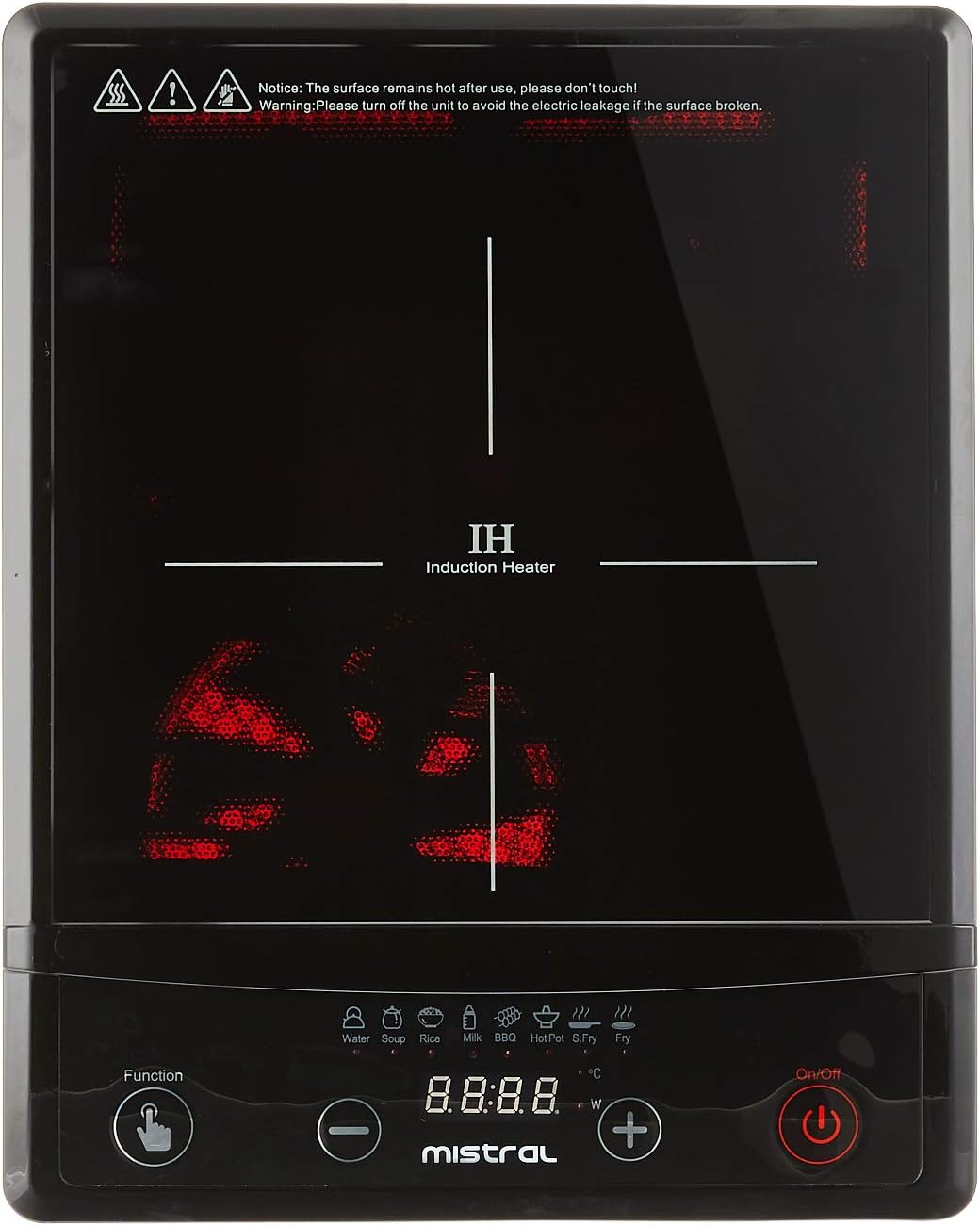
Слика: Врх view of the Mistral Induction Cooker MIC2001, highlighting the glass cooktop, control panel with function buttons, and the induction heating zone. Note the safety warning printed on the glass surface.
2. Компоненте производа
The Mistral Induction Cooker MIC2001 package includes the following items:
- Mistral Induction Cooker Unit
- Повер Цорд
- Кориснички приручник (овај документ)
- Compatible Cooking Pot (may vary by package)

Слика: Са стране view of the Mistral Induction Cooker MIC2001, illustrating the integrated power cord and the ventilation grilles on the side and bottom of the unit.

Image: A stainless steel cooking pot with a glass lid, designed for induction cooking, which may be included with the Mistral Induction Cooker MIC2001.
3. Упутства за подешавање
- Распакивање: Carefully remove all packaging materials from the induction cooker and its accessories. Retain packaging for future transport if needed.
- Пласман: Place the induction cooker on a flat, stable, and heat-resistant surface. Ensure there is at least 10 cm (4 inches) of clear space around all sides of the unit for proper ventilation. Do not place it on a metal surface.
- Прикључак за напајање: Insert the power plug firmly into a grounded electrical outlet. Ensure the outlet voltage matches the appliance's rating (refer to specifications).
- Положај посуђа: Place an induction-compatible pot or pan centrally on the cooking zone.

Image: The Mistral Induction Cooker MIC2001 with a compatible cooking pot correctly positioned on its glass surface, demonstrating readiness for operation.
4. Упутство за употребу
4.1 Основни рад
- Укључено: Притисните тастер Он/Офф button to turn on the induction cooker. The display will illuminate.
- Изаберите функцију: Притисните тастер Функција button to cycle through the available cooking modes (e.g., Water, Soup, Milk, BBQ, Hot Pot, S. Fry, Rice).
- Подесите снагу/температуру: Користите + и - buttons to adjust the power level or temperature setting for the selected function. The cooker offers 10 levels of power and temperature control.
- Почните да кувате: The cooker will begin heating once a function and power level are selected and compatible cookware is detected.
- Искључивање: Притисните тастер Он/Офф button again to turn off the appliance after cooking. The fan may continue to run for a short period to cool the unit.
4.2 Функције кувања
The Mistral Induction Cooker MIC2001 features 8 pre-set cooking functions for convenience:
- вода: For boiling water quickly.
- супа: Optimized for simmering soups.
- млеко: Gentle heating for milk to prevent scorching.
- роштиљ: High heat for grilling or searing.
- Хот Пот: Maintains a consistent temperature for hot pot dishes.
- S. Fry (Stir Fry): High heat for stir-frying.
- пиринач: Specific setting for cooking rice.
- Additional functions may be available depending on the model.
4.3 Over-heating Protection
The appliance is equipped with an over-heating protection system. If the internal temperature becomes too high, the cooker will automatically shut off to prevent damage. Allow the unit to cool down before attempting to use it again.
5. Чишћење и одржавање
Proper cleaning and maintenance ensure the longevity and safe operation of your induction cooker.
- Пре чишћења: Always unplug the induction cooker from the power outlet and allow it to cool completely before cleaning.
- Површина за кување: Обришите стаклену површину плоче за кување меком,amp cloth and a mild detergent. For stubborn stains, use a ceramic cooktop cleaner. Do not use abrasive cleaners, scouring pads, or harsh chemicals.
- Контролна табла: Обришите контролну таблу меком, дamp cloth. Ensure no liquid enters the control buttons.
- Екстеријер: Очистите спољашње кућиште меком крпомamp тканина.
- Вентилациони отвори: Periodically check and clean the ventilation openings to ensure they are free from dust and debris. Use a soft brush or vacuum cleaner if necessary.
- Складиштење: Чувајте уређај на сувом месту када се не користи.
6. Водич за решавање проблема
If you encounter issues with your Mistral Induction Cooker, refer to the following table for common problems and solutions.
| Проблем | Могући узрок | Решење |
|---|---|---|
| Шпорет се не укључује. | Нема напајања. Кабл за напајање није правилно повезан. | Check if the power plug is securely inserted into a working outlet. Проверите прекидач. |
| Шпорет се укључује, али не загрева. | Non-induction compatible cookware. Cookware not centered. No cookware detected. | Use induction-compatible cookware (magnetic bottom). Центрирајте посуђе на зони за кување. Place cookware on the cooktop before selecting a function. |
| Cooker shuts off during operation. | Заштита од прегревања је активирана. Cookware removed from cooktop. | Оставите уређај да се охлади. Уверите се да вентилација није блокирана. Place cookware back on the cooktop. |
| Дисплеј приказује код грешке. | Internal malfunction or specific issue. | Refer to the specific error code in the full manual (if available) or contact customer support. Try unplugging and re-plugging the unit. |
7. Спецификације производа
| Феатуре | Детаљ |
|---|---|
| Број модела | МИЦ2001 |
| Бранд | МИСТРАЛ |
| Боја | Црно |
| Материјал | стакло |
| Посебне карактеристике | Temperature Control, Over-heating Protection |
| Грејни елементи | 1 |
| Тип контрола | Притисните дугме |
| Препоручена употреба | Cooking, Boiling, Frying, Simmering |
| Извор напајања | Индукција |
| Power/Temperature Control | 10 нивоа |
| Функције кувања | 8 pre-set functions |
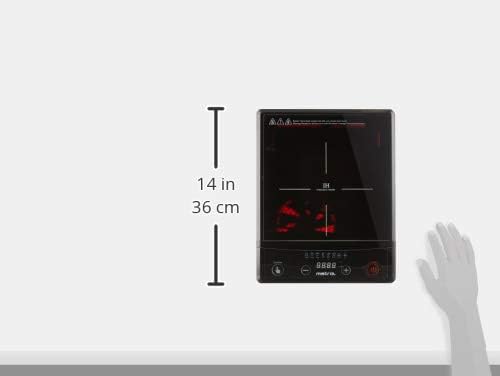
Image: A visual representation of the Mistral Induction Cooker MIC2001's dimensions, indicating a height of 14 inches (36 cm).
8. Гаранција и подршка
8.1 Информације о гаранцији
This Mistral Induction Cooker MIC2001 comes with a 1 година локалне (Сингапур) гаранције од датума куповине. Молимо вас да сачувате доказ о куповини за потребе гаранције.
The warranty covers manufacturing defects under normal household use. It does not cover damage resulting from misuse, accident, unauthorized modification, or failure to follow the instructions in this manual.
8.2 Корисничка подршка
For technical assistance, warranty claims, or general inquiries, please contact Mistral customer support. Refer to the contact information provided on the official Mistral webсајт или вашу документацију о куповини.
За више информација можете посетити званичну страницу MISTRAL Store on Amazon.sg.