
Увод
This manual provides comprehensive instructions for the HUAYU URC1511 Universal Remote Control. This remote is designed for direct use with Sony, Samsung, and LG LCD/LED Smart TVs, offering a convenient solution to control multiple devices with a single remote. No complex setup is required for these compatible brands.
Сетуп
1. Инсталација батерије
Даљински управљач захтева две ААА батерије (нису укључене). Пратите ове кораке да бисте их инсталирали:
- Пронађите одељак за батерије на полеђини даљинског управљача.
- Притисните језичак надоле и скините поклопац батерије.
- Уметните две ААА батерије, водећи рачуна да позитивни (+) и негативни (-) терминали одговарају дијаграмима унутар одељка.
- Slide the battery cover back on until it clicks into place.
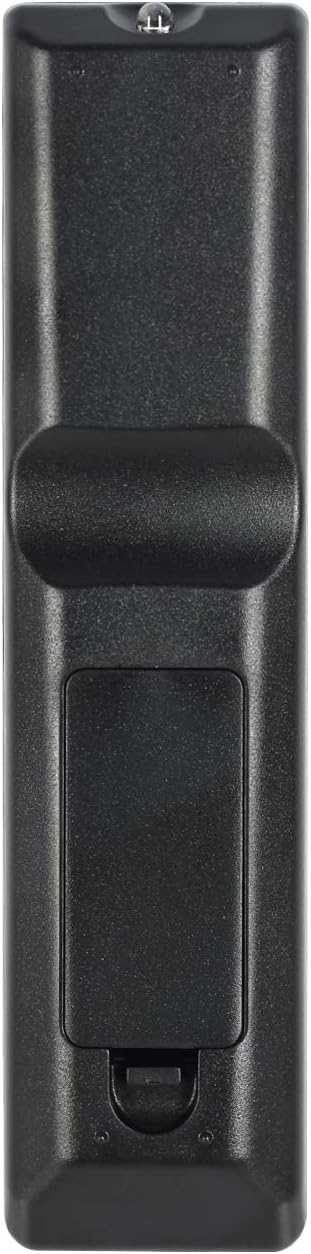
Image: Back of the remote control with battery compartment.
2. Прва употреба
For SAMSUNG, LG, and SONY brand TVs, the HUAYU URC1511 remote control is ready for use immediately after battery installation. No additional programming or setup is required. Simply point the remote at your TV and begin operating it.
Упутство за употребу
Распоред и функције даљинског управљача
The HUAYU URC1511 remote control features a standard layout with dedicated buttons for various TV functions. Refer to the image below for a visual guide to the button layout.
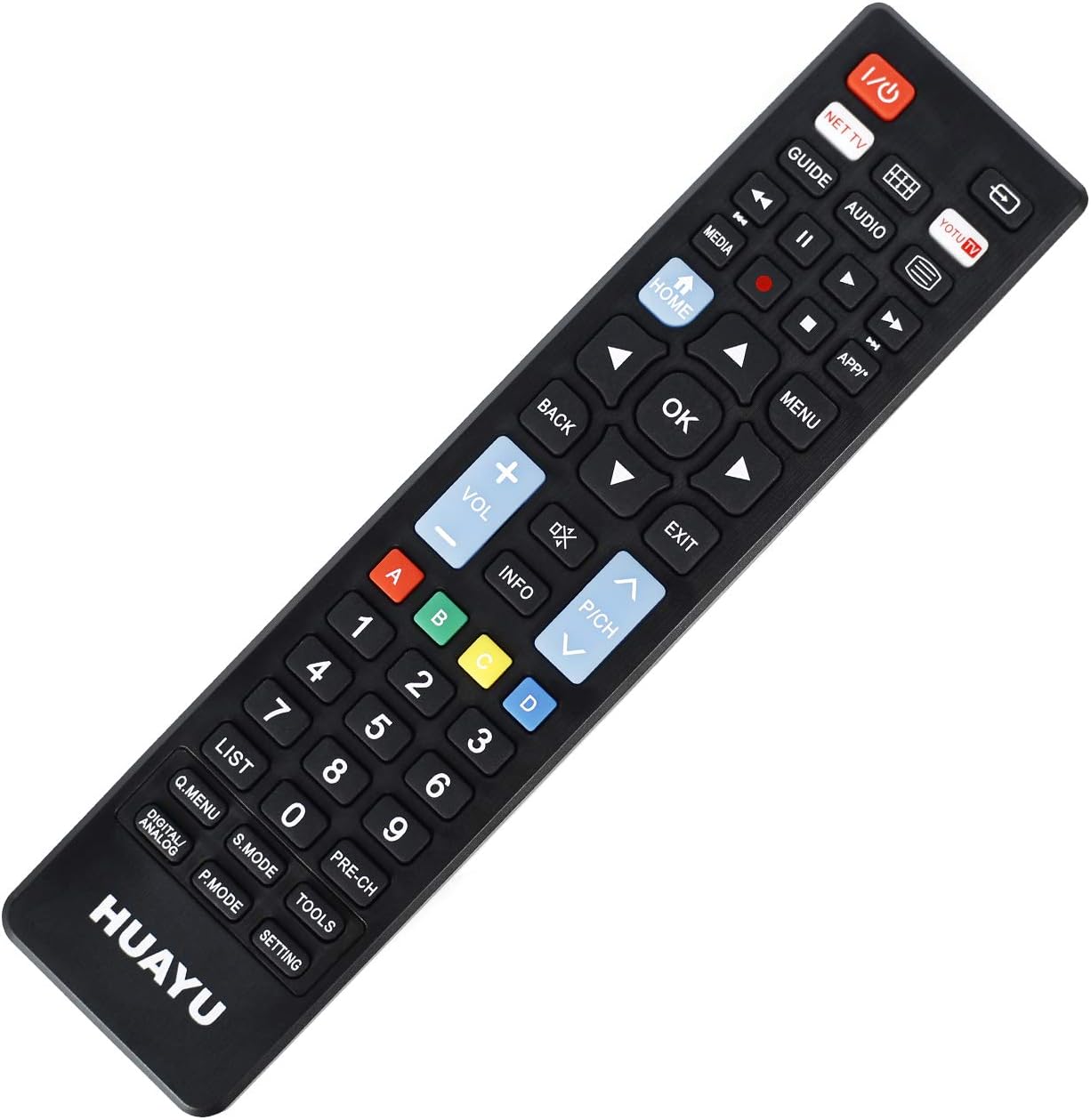
Слика: Фронт view даљинског управљача са распоредом дугмади.
Кључне функције:
- Напајање (црвено дугме): Укључује или искључује ТВ.
- NET TV / YOTU TV: Dedicated buttons for accessing smart TV applications or specific streaming services.
- Водич: Приказује електронски програмски водич.
- Медији: Приступа функцијама репродукције медија.
- Почетна: Returns to the TV's main home screen or smart hub.
- назад: Navigates back in menus or applications.
- У реду (средње дугме): Потврђује изборе.
- Стрелице (горе, доле, лево, десно): Креће кроз меније и опције.
- Појачавање/утишавање (+/-): Подешава јачину звука ТВ-а.
- Channel Up/Down (P/CH +/-): Мења ТВ канале.
- Искључи звук: Искључује или укључује звук ТВ-а.
- Мени: Отвара главни мени телевизора.
- Излаз: Излази из тренутног менија или апликације.
- Нумеричка тастатура (0-9): Директни улаз канала.
- Дугмад у боји (A, B, C, D): Often used for specific functions within smart TV apps or teletext.
- Листа: Displays a list of channels or recordings.
- Q.MENU / DIGITAL ANALOG: Quick menu access or toggling between digital/analog inputs.
- С.МОДЕ: Sound mode selection.
- П.МОДЕ: Picture mode selection.
- АЛАТИ: Accesses TV tools or settings.
- ПРЕ-ЦХ: Враћа се на претходно viewед цханнел.
- ПОДЕШАВАЊЕ: Отвара ТВ подешавања.
Компатибилност
Compatible TV Brands
This universal remote control is designed for direct compatibility with the following television brands:
- САМСУНГ
- LG
- СОНИ
No setup is required for these brands; simply insert batteries and begin use.
Спецификације
Спецификације производа
| Феатуре | Детаљ |
|---|---|
| Број модела | УРЦ1511 |
| Operable Distance | Више од 8 метара |
| Захтеви за напајање | ДЦ 3В |
| Тип батерије | Две ААА батерије (нису укључене) |
| Компатибилни уређаји | Телевизија |
| Максимални број подржаних уређаја | 3 (for specific brands) |
| Боја | Црно |
| Произвођач | HUAYU |
Нега и одржавање
- Keep the remote control dry. Avoid exposure to water or high humidity.
- Не испуштајте даљински управљач и не излажите га јаким ударцима.
- Очистите даљински управљач меком, сувом крпом. Не користите абразивна средства за чишћење или раствараче.
- Ако даљински управљач неће бити коришћен дуже време, извадите батерије да бисте спречили цурење.
- Avoid exposing the remote control to direct sunlight or extreme temperatures.
Решавање проблема
Даљински управљач не реагује:
- Проверите батерије: Уверите се да су батерије правилно уметнуте са одговарајућим поларитетом (+/-). Замените старе или истрошене батерије новим.
- Линија вида: Make sure there is a clear line of sight between the remote control and the TV's infrared receiver. Obstructions can block the signal.
- Удаљеност: Ensure you are within the operable distance (typically within 8 meters).
- ТВ компатибилност: Confirm your TV is one of the directly supported brands (SAMSUNG, LG, SONY).
Buttons Not Working Correctly:
- Чисти даљински: Dust or debris under buttons can cause issues. Gently clean around the buttons.
- Провера батерије: Слабе батерије понекад могу проузроковати повремено функционисање дугмади. Замените батерије.
Гаранција и корисничка подршка
For warranty information or technical support regarding your HUAYU URC1511 Universal Remote Control, please refer to the documentation provided at the point of purchase or contact your retailer. Specific warranty terms may vary.