
1. Увод
This manual provides instructions for the SAFFUN 2.4 GHz Wireless USB Controller, designed for a retro gaming experience. This controller is compatible with various platforms including Windows PC, Mac, Linux, and Raspberry Pi systems. Please read this manual thoroughly before use to ensure proper setup and operation.
2. Производ је готовview
The SAFFUN Wireless USB Controller offers a classic SNES-style design with modern wireless connectivity. It features a 2.4 GHz wireless RF connection, providing a range of up to 10 meters for flexible gameplay.
Кључне карактеристике:
- 2.4 GHz Wireless Connectivity: Offers a stable connection with up to 10 meters range.
- Плуг анд Плаи: Generic USB controller that requires no additional setup for most compatible systems.
- Осетљива дугмад: Designed for precision control.
- Продужено трајање батерије: Up to 3 years battery life with a 240mA capacity.
- Брзо пуњење: Приближно 1 сат за потпуно пуњење.
Компоненте контролера:
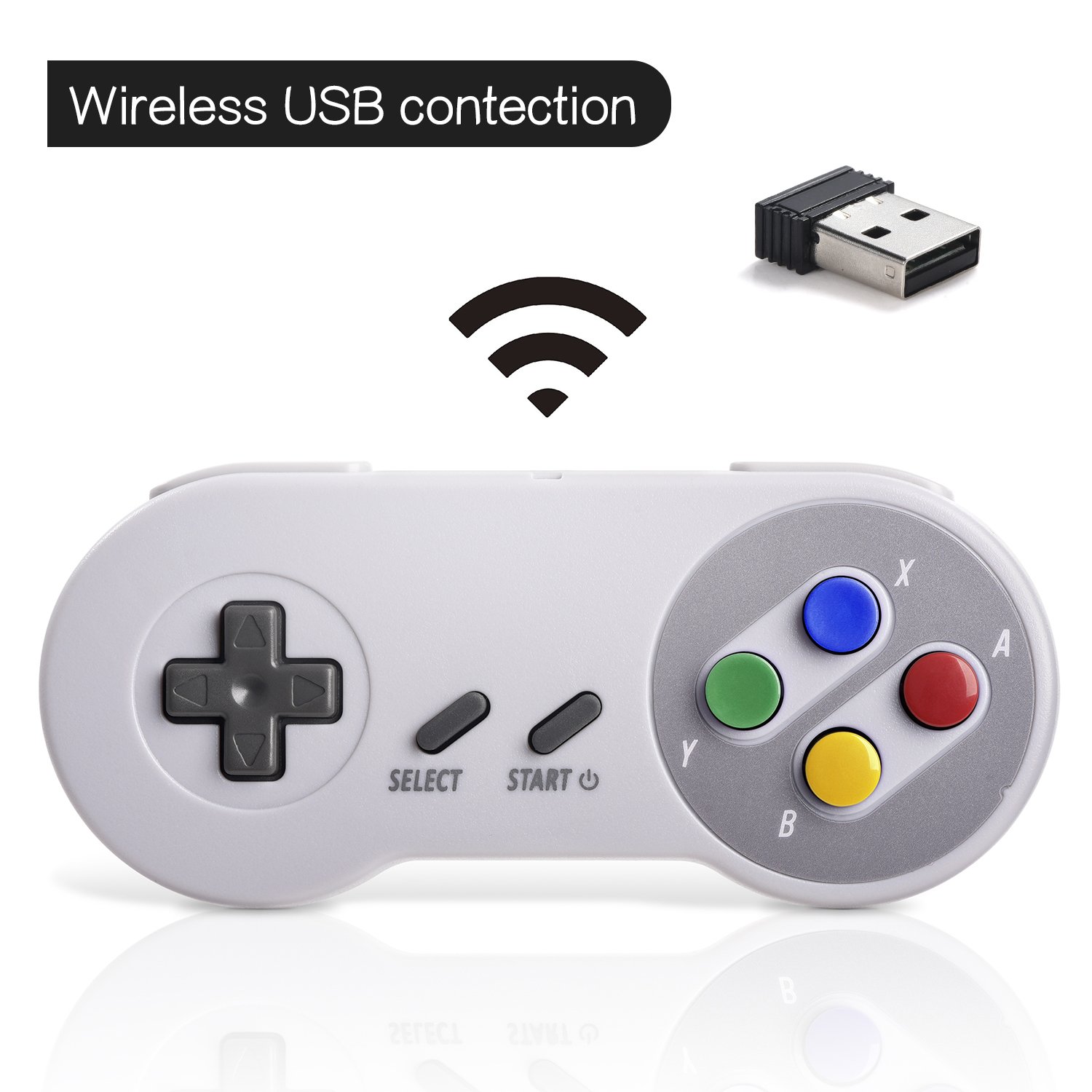

3. Подешавање
Почетна веза:
- Insert the 2.4 GHz USB receiver into an available USB port on your PC, Mac, Linux device, or Raspberry Pi.
- Press the 'START' button on the controller to power it on. The controller should automatically connect to the USB receiver. A red indicator light on the controller will confirm connection status.
- If your program or application accepts USB controller input, the controller should be ready for use.
Pairing and Resetting:
If the controller does not pair automatically or experiences connection issues, you may need to reset it:
- Ensure the USB receiver is securely plugged into your device.
- Притисните и држите СЕЛЕЦТ, СТАРТ, и D-PAD DOWN buttons simultaneously on the controller to initiate a reset and re-pairing sequence.
- The controller should then attempt to re-establish a connection with the USB receiver.

4. Упутство за употребу
The controller functions similarly to a classic SNES controller. The buttons are mapped as follows:
- Д-Пад: Directional control (Up, Down, Left, Right).
- Дугме СЕЛЕЦТ: Typically used for menu selections or secondary functions.
- Старт дугме: Used to pause games, confirm selections, or power on/off the controller.
- Action Buttons (Y, X, A, B): Primary action buttons for gameplay.
- Дугмад за рамена (Л, Д): Located on the top edge of the controller for additional in-game actions.
For specific button assignments within games or emulators, refer to the in-game settings or emulator configuration options.
5. Компатибилност
Подржани оперативни системи:
- Windows (98, ME, 2000, 2003, XP, Vista, 7, 8, 8.1, 10)
- Linux (Ubuntu, Linux Mint, Android Linux via USB OTG cable)
- Mac OS X and beyond
- Retrogaming operating systems (RetroPie, Recalbox, Happi Game Center, Lakka, ChameleonPi, Piplay)
Подржани уређаји:
- PC, Notebook Computer, Laptop Computer
- Android Smartphone (via USB OTG cable)
- Raspberry Pi (RPI, Raspberry pie): Raspberry Pi 1 Model B, Model A, Raspberry Pi 1 Model B+, Raspberry Pi Zero, Raspberry Pi 2, Raspberry Pi 3 Model B, Raspberry Pi 3, Retro Pie

Неподржани уређаји:
- Андроид ТВ Бок
- C64 (Commodore 64)
- Гоогле Цхромебоок
- Фире ТВ
- Стеам
- Тесла
- Nintendo NES Classic Edition Console, NES Mini Console, Nintendo SNES Classic Edition Console, SNES Mini Console

Подржани емулатори игара:
- NES, SNES, Snes9x, ZSNES, Higan
- Handheld GBA emulator
- Sega Genesis emulator
- Sega OpenEmu (Only supports OS X)
- RetroArch (Works well on Android)
- BSNES (Ideal for two-player action)
6. Пуњење и трајање батерије
The controller is equipped with a rechargeable battery. To charge the controller:
- Connect the provided charging cable to the micro USB port on the top edge of the controller.
- Connect the other end of the cable to a standard USB power source (e.g., computer USB port, USB wall adapter).
- The red indicator light on the controller will flash while charging and remain solid when fully charged.
Спецификације батерије:
- Капацитет батерије: 240мА
- Време пуњења: Приближно 1 сат
- Цхаргинг волtagе: 3.7В
- Usage time: Up to 3 hours on a full charge
- Индикатор нивоа батерије: Да
КСНУМКС. Решавање проблема
Проблеми са везом:
- Контролор не реагује: Ensure the USB receiver is properly inserted into a working USB port. Verify the controller is powered on by pressing the 'START' button.
- Повремена веза: Move closer to the USB receiver to ensure you are within the 10-meter range. Check for potential interference from other 2.4 GHz wireless devices.
- Поновно упаривање: If connection is lost or unstable, perform the reset procedure by holding SELECT + START + D-PAD DOWN simultaneously.
Input/Button Mapping Problems:
- Incorrect button functions: Check the in-game or emulator settings to ensure the controller buttons are correctly mapped. Some emulators may require manual configuration.
- Controller not recognized as SNES type: Some systems or games might incorrectly identify the controller. If possible, manually select a generic USB gamepad or SNES controller profile within the software settings.
Проблеми са пуњењем:
- Контролер се не пуни: Ensure the charging cable is securely connected to both the controller and the power source. Try a different USB port or charging adapter. Check if the red indicator light flashes during charging.
8. Спецификације
| Феатуре | Детаљ |
|---|---|
| Број модела | 8541667389 |
| Повезивање | 2.4 GHz Wireless RF |
| Домет | До 10 метара |
| Димензије производа | 5.51 к 2.36 к 0.79 инча |
| Тежина артикла | 8.1 унци |
| Тип батерије | Пуњива (батерија од 1 А укључена) |
| Капацитет батерије | 240мА |
| Време пуњења | 1 сат |
| Цхаргинг Волtage | 3.7В |
| Време употребе | 3 сата |
| Произвођач | САФФУН |
| Датум првог доступног | 8. маја 2018. године |
9. Гаранција и подршка
SAFFUN is registered with the United States Patent and Trademark Office. We are committed to 100% customer satisfaction.
- гаранција: We provide a hassle-free 12-month replacement warranty.
- Служба за кориснике: For any questions or support, please feel free to contact us.
