
1. Увод
Thank you for choosing the CAMRY Digital Bathroom Scale, Model EB9861H. This scale is designed to provide accurate body weight measurements and calculate Body Mass Index (BMI). Featuring an extra-large platform of 33.5 x 31 cm, 6mm tempered glass, and a large LCD display, it offers a safe, stable, and user-friendly experience. This manual will guide you through the setup, operation, maintenance, and troubleshooting of your new scale.

Figure 1: CAMRY Digital Bathroom Scale highlighting its multi-function capabilities including BMI, body weight, precise sensors, 180kg/400lb capacity, auto on/off/calibrate, and error indication.
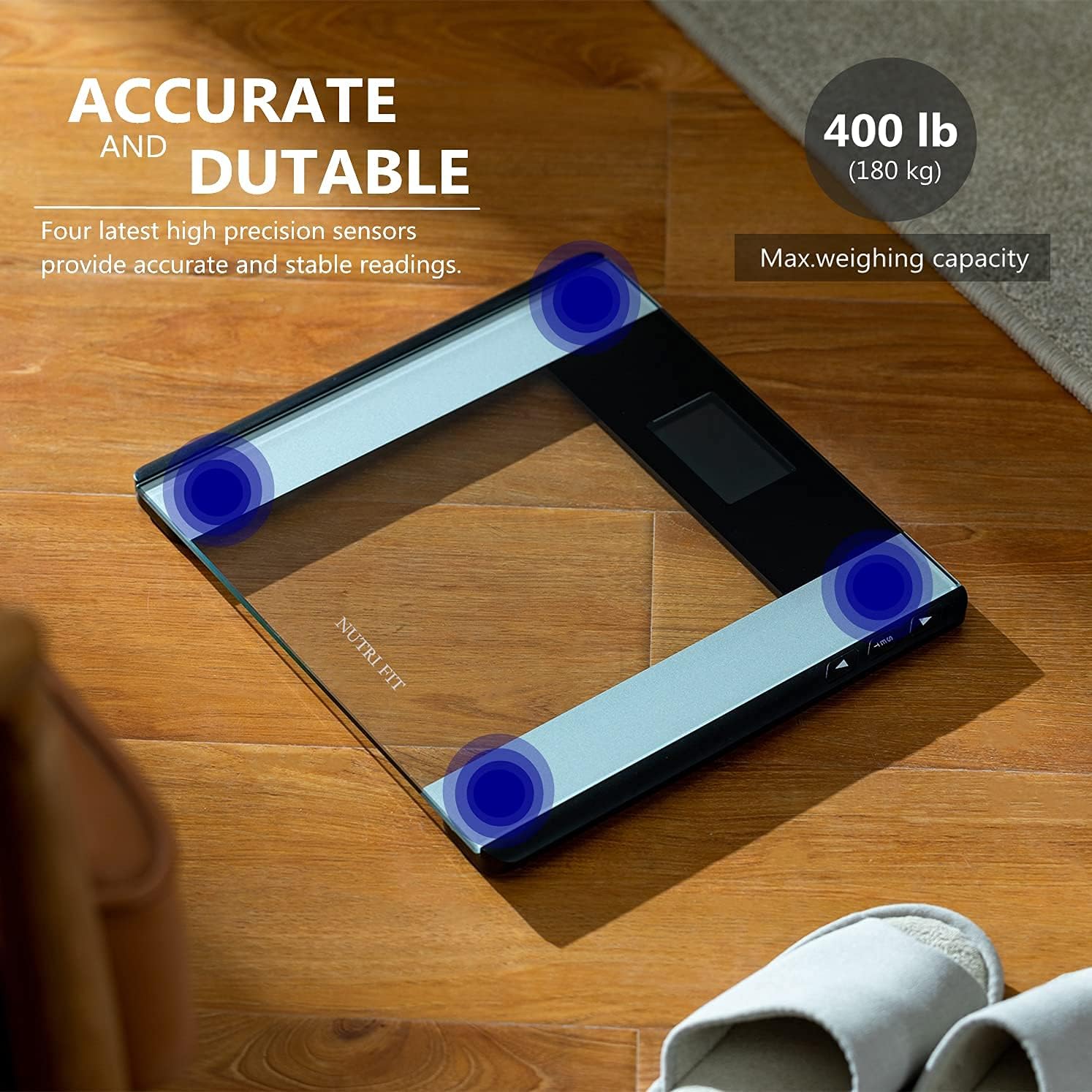
Figure 2: The scale features four high-precision sensors for accurate and stable readings, with a maximum weighing capacity of 180 kg (400 lb).
2. Безбедносне информације
- Увек постављајте вагу на тврду, равну површину. Коришћење на меким површинама попут тепиха може утицати на тачност.
- The scale surface is made of glass. Keep it dry to prevent slipping.
- Do not jump on the scale or drop heavy objects on it, as this may damage the glass platform.
- Не потапајте вагу у воду или користите абразивна средства за чишћење.
- Ова вага је само за личну употребу и није намењена за медицинску дијагнозу или лечење.
- Држите батерије ван домашаја деце. Правилно одложите искоришћене батерије.
3. Производ је готовview
The CAMRY EB9861H Digital Bathroom Scale features a sleek design with essential components for accurate and easy weighing.
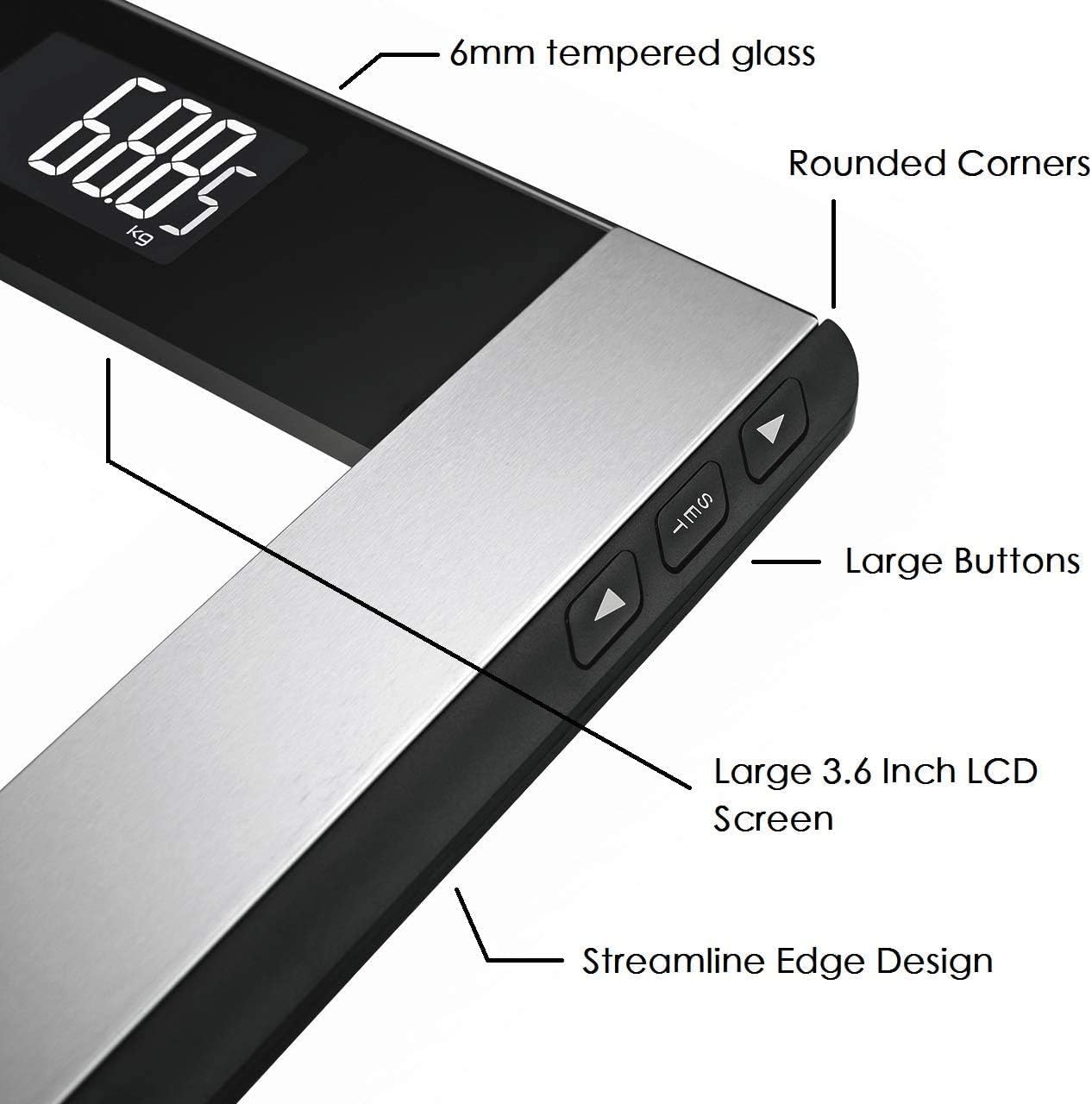
Figure 3: Key components of the scale include the 6mm tempered glass platform, rounded corners, large buttons for settings, a large 3.6-inch LCD screen, and a streamline edge design.

Figure 4: The large LCD backlight display ensures easy readability of weight and BMI values in various lighting conditions.
- Платформа од каљеног стакла: 6mm thick for durability and safety.
- ЛЦД екран: Large 74 x 46 mm screen with white backlight for clear readings.
- Контролна дугмад: Three buttons (SET, Up, Down) located on the side for unit conversion and user profile подешавања.
- Сензори: Four high-precision sensors for accurate measurements.
4. Подешавање
4.1 Инсталација батерије
- Отворите поклопац одељка за батерије на доњој страни ваге.
- Уметните 2 ААА батерије, водећи рачуна о исправном поларитету (+/-).
- Затворите поклопац одељка за батерије.
4.2 Почетно смештање
Place the scale on a hard, flat, and stable surface. Avoid carpets or uneven flooring to ensure accurate readings.
4.3 Конверзија јединица
To change the weight unit (kilograms, pounds, or stones):
- Locate the unit button (often labeled "UNIT" or "MODE") on the underside or side of the scale.
- Press the button to cycle through the available units (kg, lb, st). The selected unit will be displayed on the LCD screen.
5. Операција
5.1 Основно мерење тежине
- Уверите се да је вага на тврдој, равној површини.
- Step onto the scale with bare feet. The scale will automatically turn on.
- Stand still until your weight is displayed and stabilizes. The reading will flash a few times before locking.
- Step off the scale. It will automatically turn off after a few seconds.
5.2 BMI Measurement (Body Mass Index)
To obtain your BMI, you must first set your height. The scale can store up to 12 user profiles.
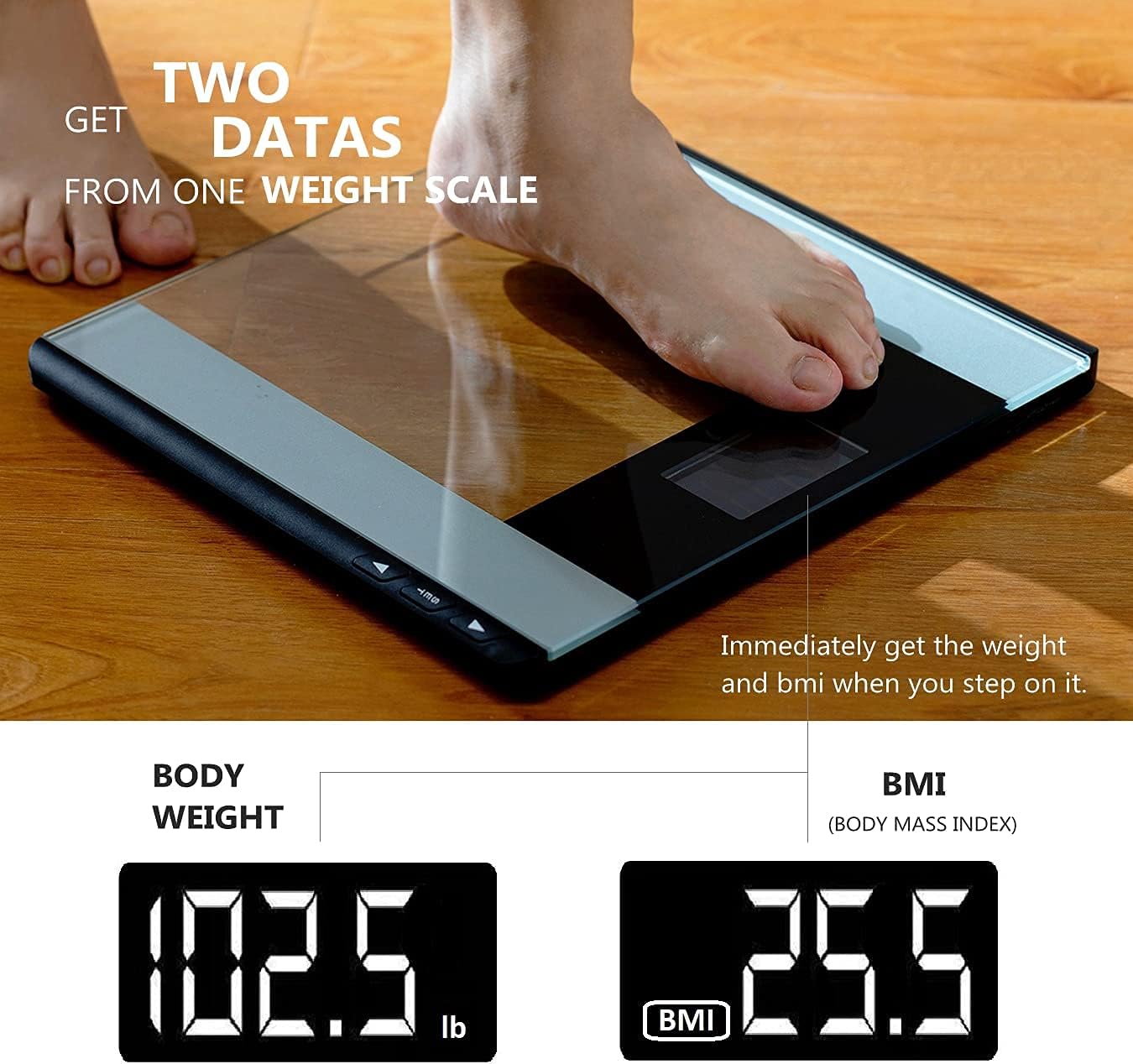
Figure 5: The scale displays both body weight and Body Mass Index (BMI) immediately after stepping on it, provided user height is set.
Подешавање Усер Проfiles and Height:
- Press the "SET" button to enter user profile подешавања.
- Use the "Up" or "Down" buttons to select a user profile (P-01 to P-12).
- Press "SET" again to confirm the user.
- The height setting will flash. Use "Up" or "Down" to adjust your height.
- Press "SET" to save your height. The scale will then return to weighing mode.

Figure 6: The scale supports up to 12 user profiles (P-01 to P-12), allowing multiple users to store their height data for BMI calculation.
Measuring Weight and BMI:
- Изаберите свог корисничког професионалцаfile by pressing "SET" and using "Up"/"Down" buttons.
- Једном ваш професионалацfile is selected, step onto the scale.
- Your weight will be displayed first, followed by your calculated BMI.
6. Одржавање
6.1 Чишћење
- Обришите површину ваге меком крпомamp тканина.
- Do not use chemical cleaning agents or abrasive materials.
- Уверите се да је вага сува пре складиштења или следеће употребе.
6.2 Складиштење
Чувајте вагу на хладном и сувом месту, даље од директне сунчеве светлости и екстремних температура.
6.3 Замена батерије
When the battery indicator appears on the display, replace the 2 AAA batteries as described in Section 4.1.
КСНУМКС. Решавање проблема
| Проблем | Могући узрок | Решење |
|---|---|---|
| „Lo“ или нема приказа | Ниска батерија. | Замените батерије (2 ААА). |
| "Err" or inaccurate readings | Overload, unstable surface, or initial calibration error. |
|
| Недоследна читања | Scale moved, uneven surface, or not standing still. |
|
8. Спецификације
| Број модела | ЕБ9861Х |
| Бранд | ЦАМРИ |
| Максимални капацитет тежине | 180 кг / 400 лб / 28 Ст |
| Димензије платформе | 33.5 к 31 цм |
| Материјал | 6 мм каљено стакло |
| Дисплаи Типе | ЛЦД са позадинским осветљењем |
| Извор напајања | 2 к ААА батерије (укључене) |
| Карактеристике | Step-on Auto-off, BMI Calculation, 4 High-Precision Sensors, 12 User Profiles |
9. Гаранција и подршка
CAMRY offers a one-year warranty for this product. For any questions, technical support, or warranty claims, please contact CAMRY customer service. You can reach us via the Amazon Mail System or our service email address, as indicated in your purchase documentation.
Молимо вас да сачувате доказ о куповини ради гаранције.