
Увод
This user manual provides comprehensive instructions for the setup, operation, maintenance, and troubleshooting of your Alienware M15 Gaming Laptop. Please read this manual thoroughly to ensure optimal performance and longevity of your device. For additional support, refer to the official Alienware support resources.
Производ је завршенview
Кључне карактеристике
- 8th Generation Intel Core i7-8750H (6-Core, 9MB Cache, up to 4.1GHz w/ Turbo Boost)
- 15.6" FHD (1920 x 1080) 60Hz Anti-glare IPS, 300-nits 72% Color gamut, narrow-border Display
- 16GB, 2x8GB, DDR4, 2666MHz RAM
- 128GB PCIe M.2 SSD + 1TB (+8GB SSHD) Hybrid Drive
- Nvidia GeForce GTX 1060 with 6GB GDDR5 Graphics Card
- Оперативни систем Windows 10 за кућну употребу
Физичке компоненте

Слика 1: Фронт view of the Alienware M15 laptop, showcasing the display with the Alienware logo.

Слика 2: Одозго надоле view of the open Alienware M15 laptop, highlighting the keyboard layout and touchpad.

Слика 3: Лева страна view of the Alienware M15 laptop, showing various ports such as USB 3.0.
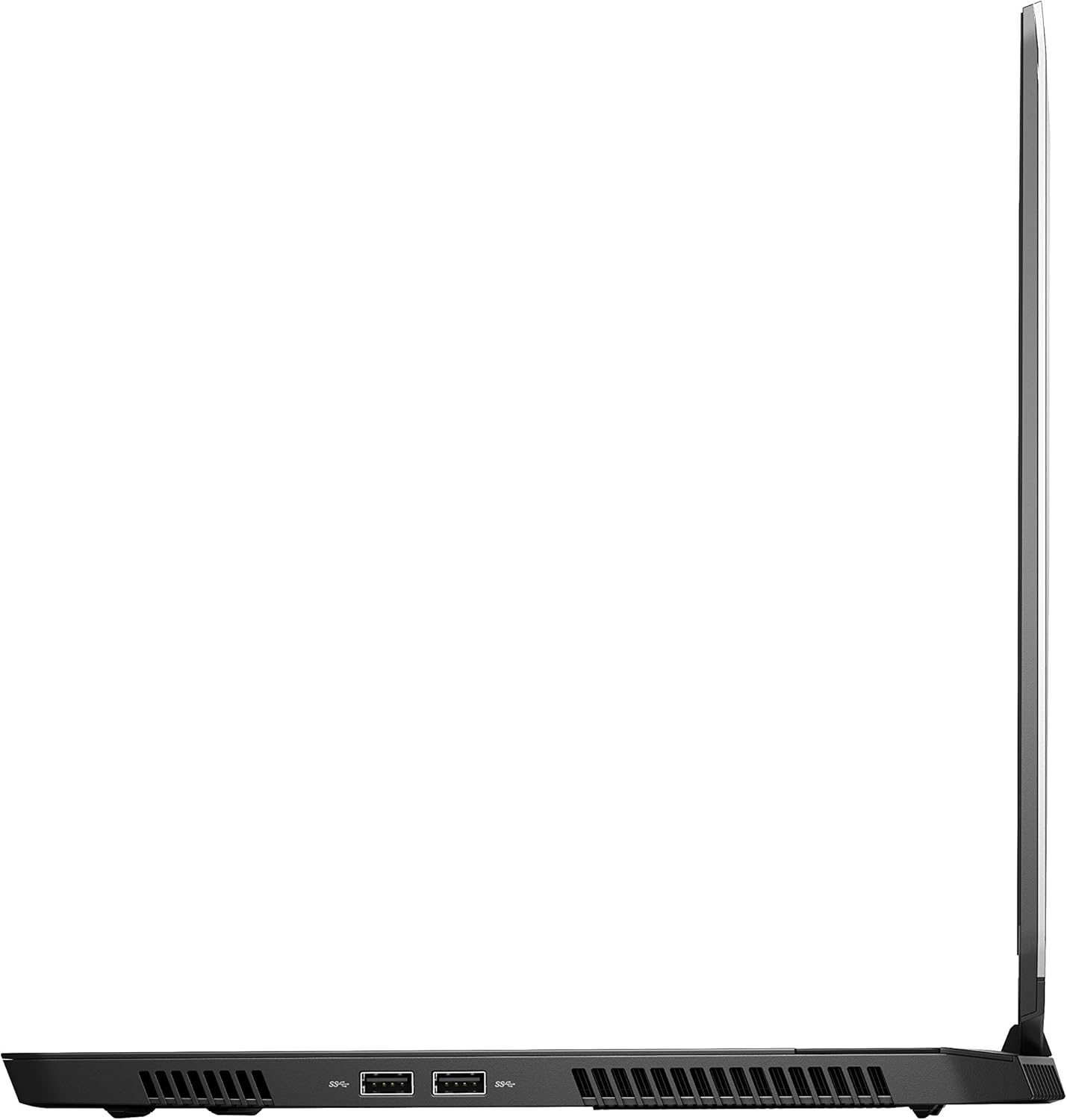
Слика 4: Десна страна view of the Alienware M15 laptop, displaying additional ports and ventilation.

Слика 5: Експлодирао view illustrating the internal cooling system of the Alienware M15 laptop, including fans and heat sinks.
Сетуп
Распакивање
Пажљиво извадите све компоненте из паковања. Уверите се да су присутне следеће ставке:
- Alienware M15 Gaming Laptop
- Повер Цорд
- Адаптер за напајање 180В
Прво укључивање
- Прикључите адаптер за напајање на улазни порт за напајање лаптопа.
- Укључите кабл за напајање у зидну утичницу.
- Open the laptop lid and press the power button, typically located on the top right of the keyboard deck or a dedicated button on the chassis.
- Пратите упутства на екрану да бисте завршили процес подешавања система Windows 10 Home, укључујући избор језика, мрежну везу и креирање корисничког налога.
Упутство за употребу
Основна операција
Your Alienware M15 laptop runs on Windows 10 Home. Familiarize yourself with the operating system's interface. The keyboard features customizable backlighting via Alienware's software. The touchpad supports multi-touch gestures for navigation.
Перформансе у играма
The Alienware M15 is designed for high-performance gaming. For optimal gaming experience, ensure the laptop is connected to the power adapter. This allows the system to utilize its full power capabilities for the CPU and GPU. While gaming, the laptop may generate significant heat; this is normal for high-performance hardware. Consider using a cooling pad for extended gaming sessions to enhance thermal management.
Одржавање
Чишћење
- Екран: Користите меку крпу која не оставља длачицеampводом или средством за чишћење екрана. Избегавајте јаке хемикалије.
- Тастатура и кућиште: Use a soft brush or compressed air to remove dust from keys and vents. Wipe surfaces with a microfiber cloth.
- Портови: Use compressed air to clear dust from USB, HDMI, and other ports.
Ажурирања софтвера
Regularly update your Windows operating system, graphics drivers (NVIDIA GeForce), and Alienware software. Updates often include performance improvements, security patches, and bug fixes. Access Windows updates through Settings > Update & Security. Graphics drivers can be updated via the NVIDIA GeForce Experience application.
Баттери Царе
To maximize battery lifespan, avoid consistently discharging the battery completely. For prolonged use while plugged in, consider using battery management features (if available in Alienware Command Center) to limit charging to 80-90% capacity.
Решавање проблема
This section addresses common issues you might encounter with your Alienware M15 laptop.
| Проблем | Могући узрок / решење |
|---|---|
| Laptop gets excessively hot during use. | High-performance components generate heat. Ensure ventilation vents are clear. Use a cooling pad. Update graphics drivers. |
| "No media present" error or SSD/HDD not detected. | This can sometimes be a temporary software glitch. Try restarting the laptop. If persistent, ensure the power cable is securely connected and try a hard reboot (unplug power, hold power button for 15 seconds, then reconnect and power on). If the issue persists, contact support. |
| Wi-Fi connection drops frequently. | Ensure Wi-Fi drivers are up to date. Check for interference from other devices. Restart your router and the laptop. If the issue persists, consider reinstalling Wi-Fi drivers or contacting support. |
| System performance is slow or lagging. | Ensure the laptop is plugged into power for full performance. Close unnecessary background applications. Check for malware. Ensure sufficient free space on the SSD/HDD. |
Спецификације
Detailed technical specifications for the Alienware M15 Gaming Laptop (Model: AWM15-7830SLV-PUS).
| Феатуре | Детаљ |
|---|---|
| Величина приказа на сталном екрану | 15.6 инча |
| Резолуција екрана | 1920 к 1080 пиксела |
| Максимална резолуција екрана | 1920x1080 пиксела |
| Процесор | 4.1 GHz core_i7_8750h |
| РАМ | 16 ГБ ДДР4 |
| Брзина меморије | 2666 МХз |
| Хард Дриве | 1000 GB 128GB PCIe M.2 SSD + 1TB (+8GB SSHD) Hybrid Drive |
| Грапхицс Цопроцессор | НВИДИА ГеФорце ГТКС 1060 |
| Марка чипса | НВИДИА |
| Опис картице | Посвећено |
| Величина рам графичке картице | 6 ГБ |
| Вирелесс Типе | 802.11а/б/г/н |
| Број УСБ 3.0 портова | 3 |
| Бранд | Алиенваре |
| Сериес | AWm15-7830SLV-PUS |
| Број модела артикла | AWM15-7830SLV-PUS |
| Оперативни систем | Виндовс 10 Хоме |
| Тежина артикла | 4.8 фунти |
| Димензије производа | 10.8 к 14.3 к 0.8 инча |
| Боја | Црно |
| Марка процесора | Интел |
| Број процесора | 6 |
| Тип меморије рачунара | ДДР4 СДРАМ |
| Величина флеш меморије | 16 |
| Интерфејс чврстог диска | Солид Стате |
| Брзина ротације чврстог диска | 5400 РПМ |
| Тип оптичког погона | Нема оптичког уређаја |
| Волtage | 240 Волтс |
| Батерије | Потребне су 1 литијум-металне батерије. (укључено) |
| Датум првог доступног | 5. јануара 2019. године |
| Назив модела | AWm15-7830SLV-PUS |
| Величина екрана | 15.6 инча |
| Величина чврстог диска | 1000 ГБ |
| ЦПУ модел | Цоре и7 8750Х |
| Величина инсталиране РАМ меморије | 16 ГБ |
| Посебна карактеристика | Премаз против одсјаја |
Гаранција и подршка
For detailed warranty information, please refer to the documentation included with your purchase or visit the official Alienware support website. For technical assistance, driver downloads, and further resources, please visit the Alienware support portal.
Званично корисничко упутство (PDF) је такође доступно за преузимање: Преузмите кориснички приручник у ПДФ формату