
Увод
This manual provides instructions for the setup, operation, maintenance, and troubleshooting of your new replacement remote control for Optoma projectors. This remote is designed to be compatible with a wide range of Optoma projector models, offering a convenient and reliable control solution.
Compatible Optoma Projector Models:
- HD26, X412, HD26B, HD26BR, UHD300X
- GT1080, GT1080E, GT1080DARBEE, GT1070X, VDGTGZBZ, GT1070Xe
- HD141X, HD143X, H181X, DH1008, DH1009
- HD37, UHD60, HDF536, HDF537ST, HD200D
- HD39DARBEE, VDHDNBDSE, UHD65, HD27, HD27E, HD27HDR, HD29DARBEE
- EH200ST, EH412ST, GT5600, VDHDNL, HD142X, HD144X, HD152X
- UHD550X, HD28HDR, HD28DSE, UHD40, UHD50, UHZ65, VDUHDLZ, ZH403, HD39HDR, UHD35
Please verify that your original remote control is identical to this replacement model for full functionality. If your original remote differs, some functions may not be fully compatible.
Сетуп
Инсталација батерије
The remote control requires two (2) AA batteries for operation. Batteries are not included with the remote control.
- Пронађите одељак за батерије на полеђини даљинског управљача.
- Померите поклопац одељка за батерију надоле или притисните резу и подигните да бисте га отворили.
- Уметните две АА батерије, водећи рачуна да позитивни (+) и негативни (-) терминали буду правилно поравнати са ознакама унутар одељка.
- Вратите поклопац одељка за батерију тако што ћете га вратити на место док не кликне чврсто.

The remote control's rear panel, with the battery cover removed, revealing the battery compartment and regulatory markings.

The remote control's front, highlighting the requirement for two AA batteries for operation.
Операција
Основне функције
Point the remote control directly at the infrared receiver on your Optoma projector. The maximum effective range is approximately 10 meters (33 feet).
Јасно view of the remote control's front face, displaying all functional buttons including power, menu, volume, and source selection.
- УКЉУЧЕНО/ИСКЉУЧЕНО: Press the 'ON' button to power on the projector. Press the 'OFF' button to power off the projector.
- Мени: Access the projector's on-screen display (OSD) menu.
- Навигациона дугмад (горе, доле, лево, десно, Ентер): Use these buttons to navigate through menu options and confirm selections.
- Волуме +/-: Подесите ниво аудио излаза.
- Извор: Cycle through available input sources (e.g., HDMI1, HDMI2, VGA1, VGA2, Video, YPbPr).
- Искључи звук: Mute or unmute the audio.
- Осветљеност: Adjust the projector's brightness setting.
- Контраст: Adjust the projector's contrast setting.
- Кеистоне: Access keystone correction settings to adjust image geometry.
- Размера: Change the image aspect ratio.
- Режим: Select different display modes.
- КСНУМКСД: Activate or deactivate 3D mode (if supported by projector).
- Мерач спавања: Set a timer for the projector to automatically power off.
- Поново синхронизуј: Re-synchronize the input signal.
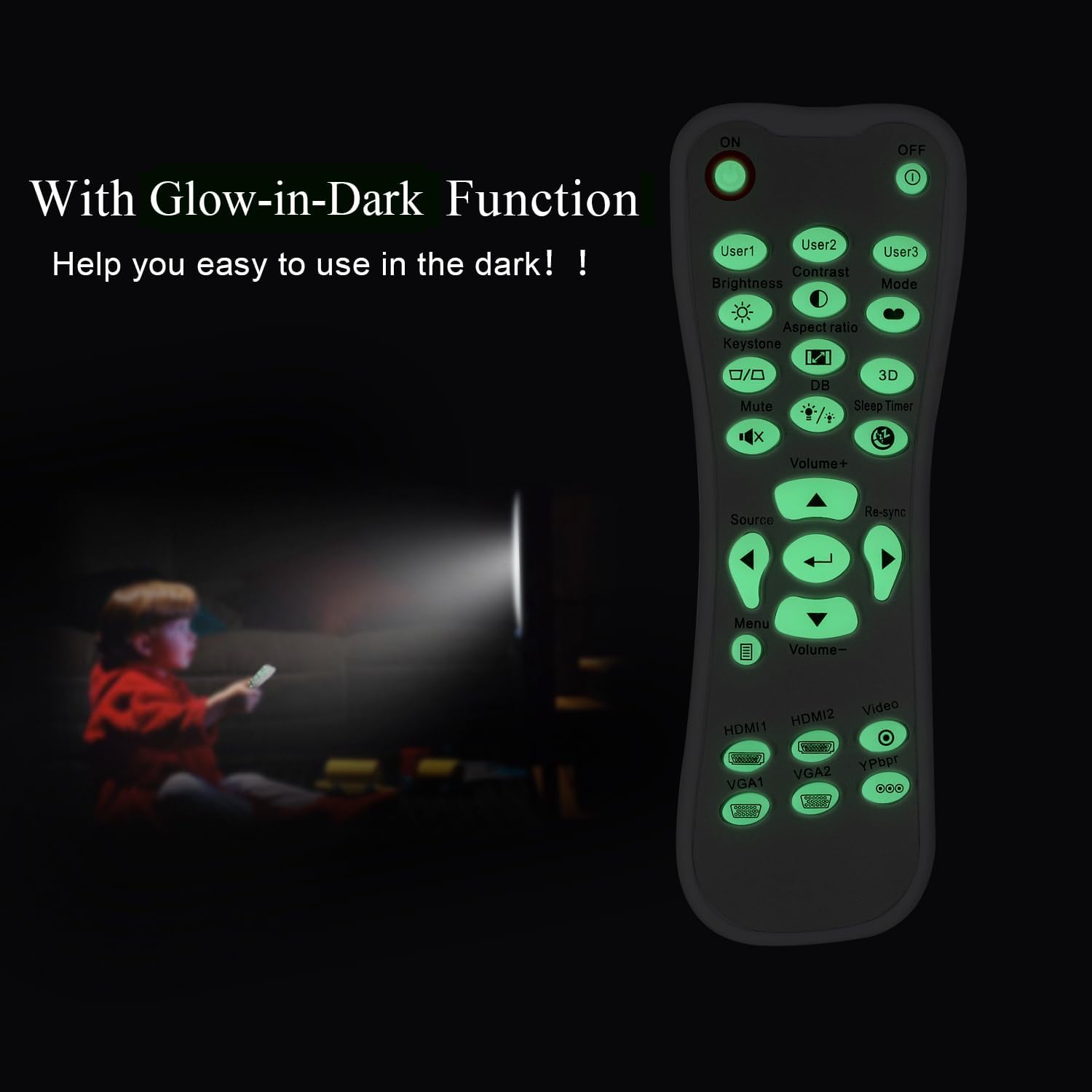
Glow-in-Dark Function
Certain buttons on this remote control are designed to glow in the dark, enhancing visibility and ease of use in low-light conditions. For optimal luminous effect, expose the remote control to bright light for a period before use in the dark.

The remote control features glow-in-the-dark buttons, making it visible and easy to use in low-light environments, such as a darkened room during projector use.
Оперативни опсег
The remote control operates using infrared (IR) technology. Ensure a clear line of sight between the remote control and the projector's IR receiver. The effective operating distance is up to 10 meters (approximately 33 feet).
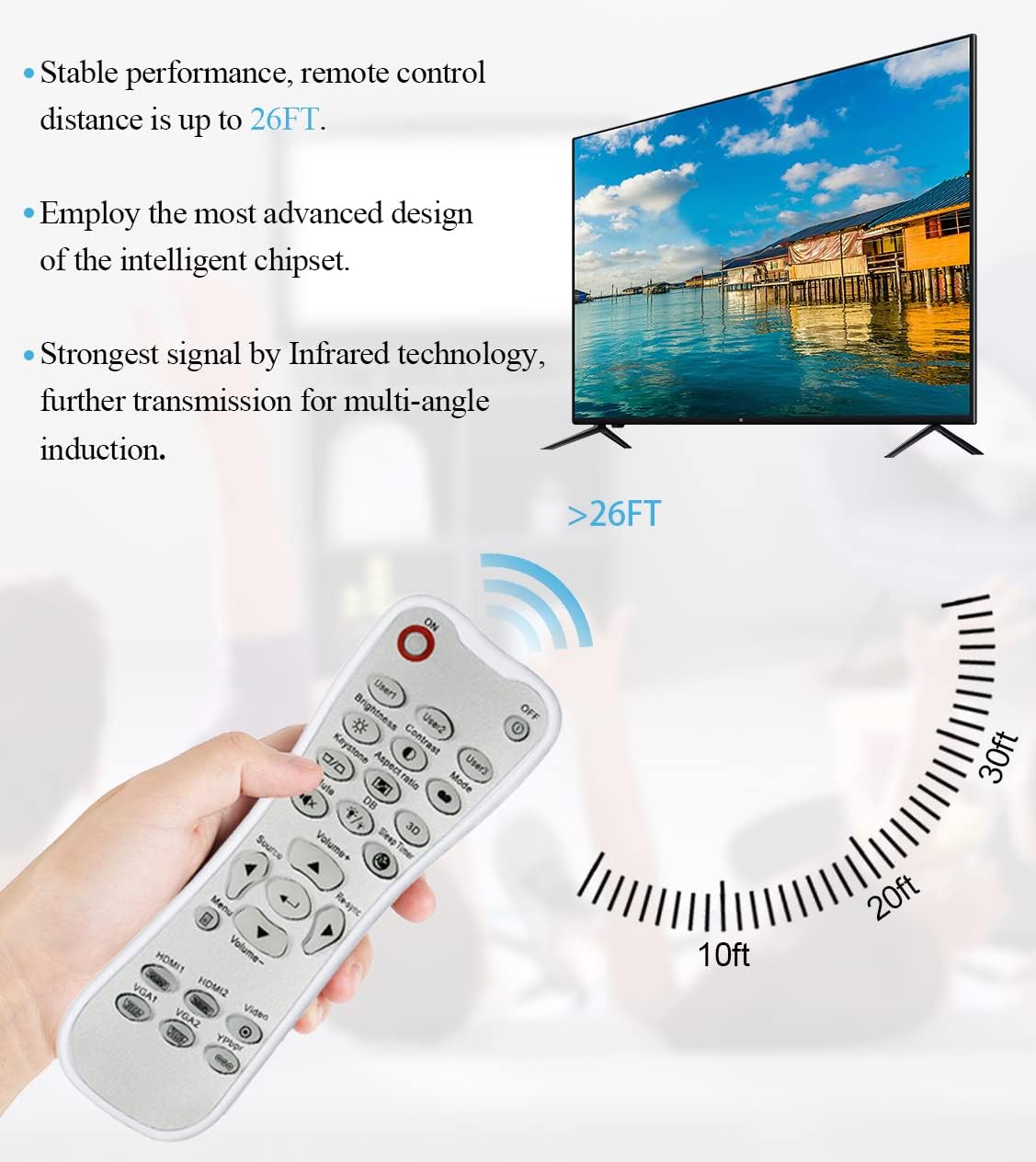
The remote control utilizes infrared technology for signal transmission, offering a reliable operating range of up to 26 feet (approximately 8 meters) for controlling your projector.
Одржавање
Чишћење
To clean the remote control, use a soft, dry cloth. Do not use liquid cleaners, abrasive pads, or chemical solvents, as these may damage the surface or internal components.
Замена батерије
Replace batteries when the remote control's response becomes sluggish or stops working. Always replace both batteries at the same time with new AA batteries. Do not mix old and new batteries, or different types of batteries.
Складиштење
Даљински управљач чувајте на хладном и сувом месту, даље од директне сунчеве светлости и екстремних температура. Ако се даљински управљач неће користити дуже време, препоручује се да извадите батерије како бисте спречили цурење.
Решавање проблема
- Даљински не реагује:
- Ensure batteries are correctly installed with the correct polarity.
- Замените старе батерије новим.
- Check for any obstructions between the remote control and the projector's IR receiver.
- Ensure you are within the effective operating range (up to 10 meters).
- Дугмад су крута или не реагују:
- Ensure the remote control is clean and free from debris that might impede button movement.
- If buttons are consistently stiff, this may indicate a manufacturing issue.
- Glow-in-dark function is weak:
- Expose the remote control to bright light for a longer duration to charge the luminous material.
Спецификације
| Феатуре | Спецификација |
|---|---|
| Назив модела | L-27-5KEY |
| Компатибилност бренда | Оптома пројектори |
| Посебна карактеристика | Universal Replacement, Glow-in-Dark Buttons |
| Боја | Бела |
| Технологија повезивања | Инфрацрвени (ИР) |
| Количина дугмета | 5 (referring to the main function keys, though more buttons are present) |
| Тип контролера | Контрола дугмета |
| Максимални домет | 10 метра (приближно 33 стопа) |
| Тип батерије | 2 к АА батерије (нису укључене) |
| Материјал | Пластика |
| Димензије артикла (Д к Ш к В) | 14.9 цм (5.9 инча) x 5.3 цм (2.1 инча) x 2.5 цм (1 инча) |

A dimensional diagram illustrating the compact size of the remote control, measuring approximately 14.9 cm (5.9 inches) in length, 5.3 cm (2.1 inches) in width, and 2.5 cm (1 inch) in thickness.
Гаранција и подршка
For any issues not covered in this manual, or for warranty inquiries, please contact the seller or manufacturer directly through your purchase platform. Keep your purchase receipt as proof of purchase.