
1. Увод
The TC Helicon GO GUITAR is a portable audio interface designed for connecting electric guitars, bass guitars, and other line-level instruments to mobile devices and computers. This device allows users to record high-quality audio directly to iOS, Android, Mac, and PC platforms, integrating seamlessly with various music applications and software.
2. Безбедносна упутства
- Не излажите уређај киши, влази или екстремним температурама.
- Избегавајте испуштање или излагање уређаја јаким ударима.
- Не покушавајте да растављате или модификујете уређај. Сва сервисирања препустите квалификованом особљу.
- Користите само наведену додатну опрему и каблове.
- Чувати ван домашаја деце.
3. Садржај пакета
Проверите да ли су све ставке присутне у вашем пакету:
- TC Helicon GO GUITAR Portable Guitar Interface
- Водич за брзи почетак (ако је применљиво)

Image: The TC Helicon GO GUITAR unit with its integrated cable, illustrating the compact design and primary connection.
4. Производ је готовview
The GO GUITAR features a simple and intuitive design for ease of use.

Слика: Угаона view of the GO GUITAR, highlighting the 'GAIN' knob on the side and the output jack at the bottom.
Кључне компоненте:
- Integrated TRRS Cable: Connects to your mobile device's headphone/microphone jack or computer's combo jack.
- 1/4" Instrument Input: For connecting your electric guitar, bass, or other line-level instrument.
- Излаз за слушалице 1/8": For monitoring your audio with headphones.
- Гаин Цонтрол: Adjusts the input level of your instrument.
- Копча на каишу: For convenient attachment to clothing or a strap.

Слика: Крупни план view of the bottom of the GO GUITAR, clearly showing the 1/4-inch instrument input and the 1/8-inch headphone output jacks.
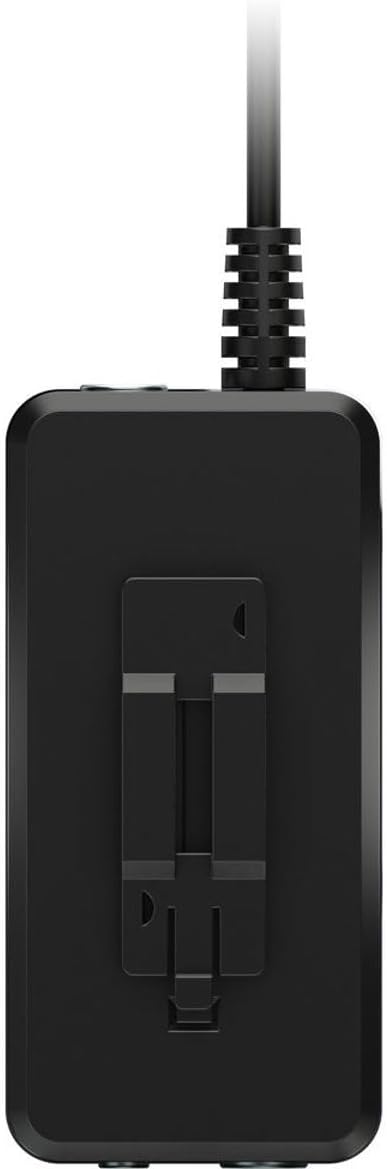
Слика: Са стране view of the GO GUITAR, illustrating the integrated belt clip for portable use.
5. Подешавање
- Повежите се са уређајем: Plug the integrated TRRS cable of the GO GUITAR into the headphone/microphone jack of your iOS/Android device or the combo jack of your Mac/PC.
- Повежите инструмент: Plug your electric guitar, bass, or other line-level instrument into the 1/4" Instrument Input jack on the GO GUITAR.
- Повежите слушалице (опционо): For monitoring your sound, plug your headphones into the 1/8" Headphone Output jack.
- Покрени апликацију: Open your preferred recording or music application on your mobile device or computer. Ensure the application recognizes the GO GUITAR as an audio input.
6. Оперативни
- Подесите појачање: While playing your instrument, slowly turn the 'GAIN' knob on the GO GUITAR until you achieve a strong signal without clipping (distortion). Most applications will have a visual indicator for input level.
- Звук монитора: If headphones are connected, you will hear your instrument's sound through them. Adjust the volume on your connected device or within the application.
- Запис: Use your chosen application's recording functions to capture your performance.
- Experiment with Apps: The GO GUITAR is compatible with a wide range of iOS apps, Android apps, and desktop software. Explore different applications to find the sounds and effects that suit your needs.
Напомена: The GO GUITAR is a passive device and does not require batteries or external power. It draws power directly from the connected mobile device or computer.
7. Одржавање
- Чишћење: Обришите уређај меком, сувом крпом. Не користите течна средства за чишћење или раствараче.
- Складиштење: Store the GO GUITAR in a cool, dry place away from direct sunlight when not in use.
- Нега каблова: Avoid sharp bends or excessive pulling on the integrated cable to prevent damage.
КСНУМКС. Решавање проблема
| Проблем | Могуће решење |
|---|---|
| Нема звука са инструмента. |
|
| Sound is distorted or clipping. |
|
| Нема звука из слушалица. |
|
9. Спецификације
| Бранд | ТЦ Хелицон |
| Модел | ГО ГУИТАР |
| Технологија повезивања | USB (via TRRS jack) |
| Број канала | 1 |
| Компатибилни уређаји | iOS, Android, Mac, PC |
| Подржани софтвер | TC Helicon mobile apps, popular iOS apps, 3rd-party vendors' apps, and software |
| Извор напајања | Bus-powered (from connected device) |
10. Гаранција и подршка
For detailed warranty information and technical support, please refer to the official TC Helicon webсајт или директно контактирајте њихову корисничку службу. Сачувајте рачун за куповину за потребе гаранције.
Онлине ресурси: www.tchelicon.com