
1. Увод
This manual provides comprehensive instructions for the installation, setup, and operation of your Lesim Smart Switch WiFi Wall Light Switch. This device allows you to control your lighting remotely via a smartphone app or voice commands through compatible smart home assistants like Amazon Alexa and Google Home.
Молимо вас да пажљиво прочитате ово упутство пре инсталације и употребе како бисте осигурали правилно функционисање и безбедност.
2. Безбедносне информације
- УПОЗОРЕЊЕ: РИЗИК ОД СТРУЈНОГ УДАРА. Installation should be performed by a qualified electrician or a person with electrical knowledge.
- Искључите напајање на прекидачу пре инсталације.
- This smart switch is designed for single-pole applications only. It is not compatible with 3-way (multi-switch) системи осветљења.
- A neutral wire is required for operation. If your electrical box does not have a neutral wire, this switch is not compatible.
- This is a standard on/off switch, not a dimmer.
- Подршка 2.4GHz Wi-Fi Only (5G Wi-Fi networks are not supported).
- Ensure all wiring connections are secure and insulated.
3. Садржај пакета
Проверите да ли су све ставке присутне у вашем пакету:
- Lesim Smart Switch WiFi Wall Light Switch (1 Pack)
- Зидна плоча
- Жичане матице (4)
- Вијци за монтажу (2)
- Упутство за употребу

Image: Contents of the Lesim Smart Switch package, showing the switch, wire nuts, and mounting screws.
4. Производ је готовview и карактеристике
The Lesim Smart Switch offers convenient control over your home lighting with advanced features:
- Бежични даљински управљач: Turn electronics on or off from anywhere using the Smart Life app on your smartphone.
- Контрола гласом: Компатибилно са Amazon Alexa и Google Assistant за рад без употребе руку.
- Заказивање и тајмери: Set custom schedules to automatically turn lights on and off, enhancing convenience and energy efficiency.
- Smart Sharing: Share control of your smart switch with family members through the Smart Life app.
- Једноставна инсталација: Designed to replace existing single-pole light switches.
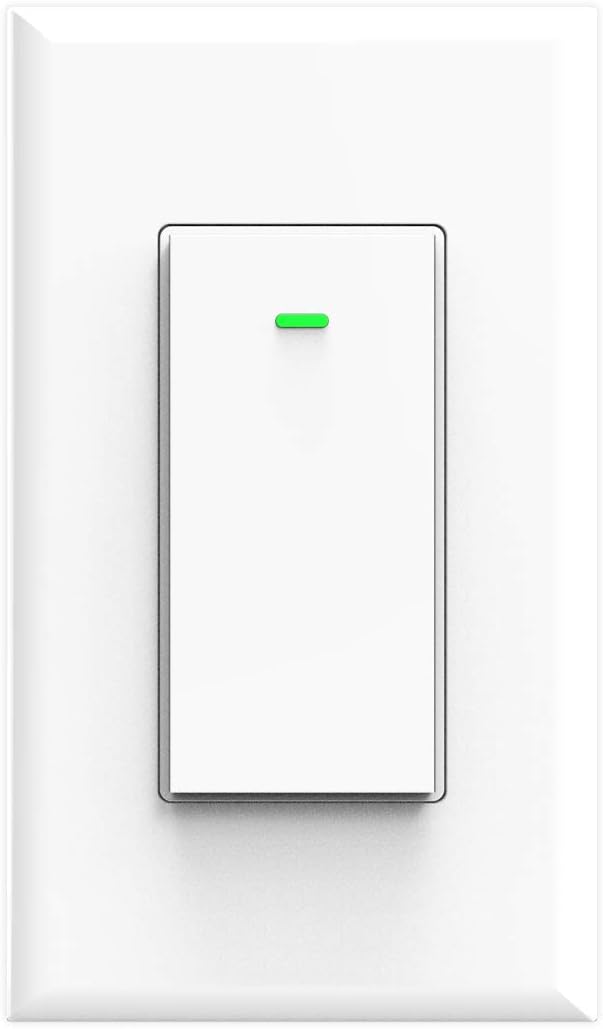
Слика: Фронт view of the Lesim Smart Switch, showing its clean white design.
5. Спецификације
| Феатуре | Спецификација |
|---|---|
| Модел | КС-602С |
| Начин напајања | Неутрална + жица под напоном |
| Називна струја | 15А (Мак) |
| Оператинг Волtage | АЦКСНУМКС-КСНУМКСВ КСНУМКС / КСНУМКСХз |
| Називна снага | 1650В |
| Цоннецтивити Протоцол | Wi-Fi (2.4GHz Only) |
| вирелесс стандард | ИЕЕЕ802.11 б/г/н |
| Контролни метод | Апликација, Глас |
| Компатибилни уређаји | Амазон Алекса, Гугл асистент, IFTTT |
| Димензије | 4.1 к 1.8 к 1.4 инча (приближно) |
| Тежина артикла | 5.6 унци |

Image: Diagram showing the physical dimensions of the smart switch and a basic wiring illustration.
6. Инсталација
Before beginning, ensure you have basic electrical knowledge and the necessary tools (screwdriver, wire strippers, voltagе тестер).
6.1 Контролна листа пре инсталације
- Confirm your existing switch is a single-pole прекидач.
- Verify the presence of a неутрална жица (usually white) in your electrical box.
- Уверите се да је ваша Wi-Fi мрежа 2.4ГХз.
6.2 Упутства за ожичење
- Искључите напајање: Locate your circuit breaker and turn off the power to the light switch you are replacing. Use a voltagе тестер да потврдите да је напајање искључено.
- Уклоните стари прекидач: Unscrew and carefully pull out the old switch from the wall box. Disconnect the wires, noting which wire was connected to which terminal.
- Идентификујте жице:
- Live Wire (Line): Carries power from the circuit breaker (often black).
- Учитавање жице: Carries power to the light fixture (often black).
- Неутрална жица: Completes the circuit (always white).
- Уземљење: Safety wire (bare copper or green).
- Connect Smart Switch: Connect the wires from your wall box to the corresponding terminals on the Lesim Smart Switch using the provided wire nuts:
- Повежите Live Wire (Line) from the wall box to the 'L-IN' terminal on the switch.
- Повежите Лоад Вире from the wall box to the 'OUT' terminal on the switch.
- Повежите Неутрал Вире from the wall box to the 'N-IN' terminal on the switch.
- Повежите Уземљење from the wall box to the 'GROUND' terminal on the switch.
- Прекидач за монтирање: Carefully push the wired switch back into the wall box. Secure it with the mounting screws.
- Инсталирајте зидну плочу: Attach the new wall plate over the switch.
- Врати снагу: Поново укључите напајање на прекидачу.

Image: A detailed wiring diagram illustrating how to connect the Load, Live, Ground, and Neutral wires to the smart switch.
7. Setup (App Pairing & Wi-Fi Connection)
After successful physical installation, proceed with connecting your smart switch to your Wi-Fi network and the Smart Life app.
- Преузмите апликацију: Преузмите Смарт Лифе апликацију из Аппле Апп Сторе-а или Гоогле Плаи продавнице.
- Региструј се/Пријави се: Отворите апликацију и региструјте се за нови налог или се пријавите ако га већ имате.
- Додај уређај: Tap the '+' icon in the top right corner of the app to add a new device. Select 'Electrician' then 'Switch (Wi-Fi)'.
- Повежите се на Ви-Фи: Enter your 2.4GHz Wi-Fi network name and password. Ensure your phone is connected to the 2.4GHz network.
- Ресетуј уређај: Follow the in-app instructions to put the switch into pairing mode. This usually involves pressing and holding the switch button until the indicator light blinks rapidly. Confirm the indicator light is blinking quickly in the app.
- Повежите се: The app will begin connecting to the device. Once connected, you can rename your switch for easier identification.

Image: A visual guide showing the steps to set up the smart switch with the Smart Life mobile application.
8. Упутство за употребу
8.1 Ручна контрола
Press the physical button on the smart switch to manually turn the connected light on or off.
8.2 Контрола апликација
Once connected to the Smart Life app, you can:
- Даљинско укључивање/искључивање: Tap the switch icon in the app to turn lights on or off from anywhere.
- Заказивање: Set specific times for your lights to turn on or off automatically.
- Тајмери: Create countdown timers for lights to switch off after a set duration.
- Креирање сцене: Group multiple smart devices to control them with a single command or schedule.
- Дељење уређаја: Share control of the switch with other Smart Life app users (e.g., family members).

Image: A user demonstrating remote control of the smart switch using the Smart Life app on a smartphone.

Image: Illustration of setting schedules and creating scenes for automated lighting control.

Image: Demonstrates controlling home lights remotely via the app, ensuring you never return to a dark home.
8.3 Управљање гласом
Integrate your Lesim Smart Switch with Amazon Alexa or Google Assistant for voice control:
- Повежи налог: In the Alexa or Google Home app, navigate to the 'Skills' or 'Works with Google' section and search for 'Smart Life'. Link your Smart Life account.
- Откријте уређаје: Once linked, ask Alexa or Google Assistant to 'Discover devices'.
- Гласовне команде: Користите команде као што су:
- "Alexa, turn on [Switch Name]"
- "Hey Google, turn off [Switch Name]"

Image: Demonstrates hands-free voice control using Amazon Alexa and Google Home devices.
9. Одржавање
The Lesim Smart Switch requires minimal maintenance.
- Чишћење: Wipe the switch and wall plate with a soft, dry cloth. Avoid using harsh chemicals or abrasive cleaners.
- Стабилност Wi-Fi мреже: Ensure your Wi-Fi router is functioning correctly and provides a stable 2.4GHz signal to the switch for optimal performance.
- Ажурирања фирмвера: Periodically check the Smart Life app for any available firmware updates for your switch to ensure you have the latest features and security enhancements.
КСНУМКС. Решавање проблема
If you encounter issues with your Lesim Smart Switch, refer to the following common problems and solutions:
| Проблем | Могући узрок / решење |
|---|---|
| Switch is unresponsive (no power) |
|
| Не могу да се повежем са Wi-Fi мрежом / Упаривање апликација не успева |
|
| Voice control (Alexa/Google Home) not working |
|
| Switch works manually but not via app/voice |
|
| Switch is a dimmer or 3-way switch |
|
11. Гаранција и подршка
For warranty information or technical support, please refer to the product packaging or contact Lesim customer service directly. Contact details can typically be found on the manufacturer's webсајту или путем ваше платформе за куповину.