
1. Увод
The GameMax Mirage 120mm PC Cooling Fan is designed to provide efficient cooling for computer components while offering customizable RGB lighting. This fan features a dual-ring Rainbow LED design, a hydraulic bearing for quiet operation, and a 7-blade fan structure. It is compatible with 5V addressable 3-pin Aura Sync systems, allowing for synchronized lighting effects with compatible motherboards or controllers.

Слика 1.1: Предња страна view of the GameMax Mirage fan with active Rainbow LED lighting.
2. Безбедносне информације
- Уверите се да је ваш рачунар искључен из напајања и да је кабл искључен из зидне утичнице пре инсталације или одржавања.
- Handle components with care to avoid damage from static electricity. Consider using an anti-static wrist strap.
- Не силом померајте конекторе. Уверите се у исправну оријентацију пре прикључивања каблова.
- Keep the fan away from liquids and excessive moisture.
- Do not attempt to disassemble the fan unit beyond what is described in this manual.
3. Садржај пакета
Проверите да ли су све ставке присутне у вашем пакету:
- 1 x GameMax Mirage 120mm PC Cooling Fan
- 4 к завртњи за монтажу
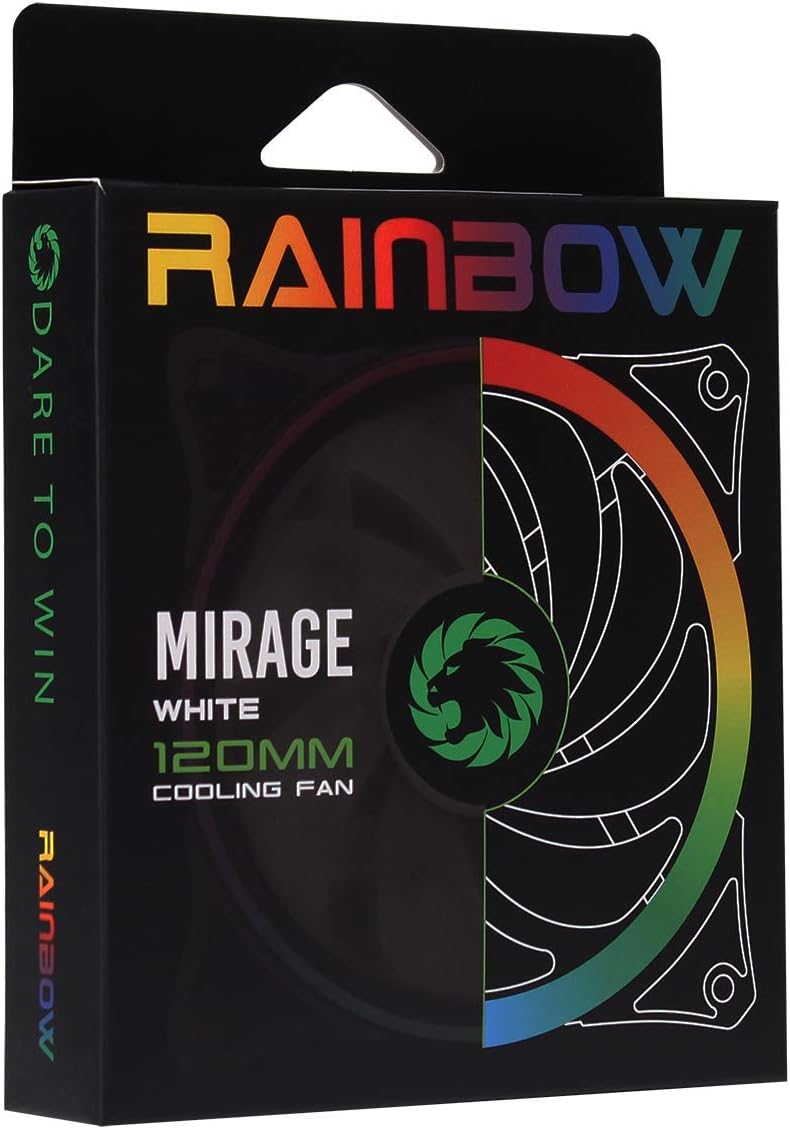
Image 3.1: Retail packaging for the GameMax Mirage fan.
4. Подешавање и инсталација
Follow these steps to install your GameMax Mirage 120mm PC Cooling Fan:
- Припремите свој систем: Power off your computer and unplug it from the power outlet. Open your computer case to access the fan mounting locations.
- Монтирајте вентилатор: Position the fan in your desired location (e.g., case front, rear, top, or radiator). Ensure the airflow direction is correct for your cooling setup. Use the four included mounting screws to secure the fan to the chassis or radiator. The fan features rubber pads on the corners to help reduce vibration.
- Повежите напајање вентилатора: Locate the 3-pin power connector on the fan cable. Connect this cable to an available 3-pin fan header on your motherboard or a fan controller.
- Повежите RGB осветљење: Locate the 5V addressable 3-pin Aura connector on the fan cable. Connect this to a compatible 5V ARGB header on your motherboard (often labeled 'VDG' or 'ARGB') or an external RGB controller/hub. Warning: Do not connect this to a 12V RGB header, as it will damage the LEDs.

Image 4.1: The 3-pin power connector (top) and 5V addressable 3-pin Aura connector (bottom).
The fan cables are braided for improved aesthetics and durability, helping to keep your build neat and tidy.
5. Упутство за употребу
Once installed, the GameMax Mirage fan operates as follows:
- Контрола брзине вентилатора: The fan speed is controlled via the 3-pin power connector. If connected to a motherboard fan header, the speed can typically be adjusted through your motherboard's BIOS/UEFI settings or dedicated software.
- РГБ контрола осветљења: The Rainbow LED lighting is controlled via the 5V addressable 3-pin Aura connector.
- If connected to a compatible motherboard (e.g., ASUS Aura Sync, MSI Mystic Light, Gigabyte RGB Fusion, ASRock Polychrome Sync), you can use the motherboard's software to customize lighting effects, colors, and synchronization with other ARGB components.
- If connected to an external RGB hub/controller, refer to the instructions provided with your specific hub/controller for lighting customization options.

Слика 5.1: Под углом view of the GameMax Mirage fan showcasing its dual-ring Rainbow LED lighting.
6. Одржавање
Regular maintenance helps ensure optimal performance and longevity of your cooling fan:
- Чишћење прашине: Periodically inspect the fan blades and frame for dust accumulation. Use compressed air or a soft brush to gently remove dust. Ensure the fan is powered off and unplugged before cleaning.
- Инспекција каблова: Occasionally check the power and RGB cables for any signs of wear or damage.
КСНУМКС. Решавање проблема
- Вентилатор се не окреће:
- Ensure the 3-pin power connector is securely plugged into a functional fan header on the motherboard or controller.
- Check motherboard BIOS/UEFI settings to ensure the fan header is enabled and configured correctly.
- LEDs Not Lighting Up or Incorrect Colors:
- Verify the 5V addressable 3-pin Aura connector is securely connected to a compatible 5V ARGB header (not 12V RGB).
- Ensure your motherboard's RGB software or external controller is properly installed and configured.
- If using a splitter or hub, ensure it is powered and functioning correctly.
- Прекомерна бука:
- Check for any cables or obstructions interfering with the fan blades.
- Ensure the fan is securely mounted and the rubber pads are properly seated to absorb vibrations.
- Dust accumulation can cause imbalance and noise; clean the fan as described in the Maintenance section.
8. Спецификације
| Феатуре | Спецификација |
|---|---|
| Модел | MIRAGEWHITE FINS |
| Величина вентилатора | 120 мм к 120 мм к 25 мм (0.98 к 4.72 к 4.72 инча) |
| Беаринг Типе | Хидраулични лежај |
| Оштрице вентилатора | 7 Оштрице |
| ЛЕД тип | Addressable Rainbow LED (Dual-Ring) |
| Конектор за напајање вентилатора | 3-Пин |
| РГБ конектор | 5V Addressable 3-Pin Aura Connector |
| Оператинг Волtage | 5 Volts (for RGB) / 12 Volts (for fan motor, typical for 3-pin) |
| Ратед Ватtage | 3 Ваттс |
| Максимална брзина ротације | 1800 РПМ |
| Ниво буке | Приближно 25 дБ(А) |
| Материјал | Rubber (for vibration dampвенинга) |

Слика 8.1: Позади view of the GameMax Mirage fan, displaying the product label with model and electrical specifications.
9. Гаранција и подршка
For warranty information and technical support, please refer to the official GAMEMAX webсајт или контактирајте продавца. Сачувајте доказ о куповини за потребе гаранције.