
1. Увод
This manual provides instructions for the Altec Lansing Mini LifeJacket Jolt Bluetooth Speaker. This portable speaker features Bluetooth connectivity, Qi wireless charging, a built-in USB charging port, and a durable, waterproof design. Please read this manual thoroughly before using the device to ensure proper operation and longevity.

Слика 1: Предња страна view of the Altec Lansing Mini LifeJacket Jolt Bluetooth Speaker.
2. Садржај пакета
Проверите да ли су све ставке присутне у вашем пакету:
- Altec Lansing Mini LifeJacket Jolt Bluetooth Speaker
- Кабл за пуњење (УСБ-Ц на УСБ-А)
- Кратки водич (није укључен у овај дигитални приручник)
3. Производ је готовview
Упознајте се са компонентама и контролама звучника.

Слика 2: Врх view of the speaker, highlighting control buttons and the Qi wireless charging pad.
3.1. Контролна дугмад
- Дугме за напајање: Притисните и држите за укључивање/искључивање.
- Дугме за Блуетоотх упаривање: Покреће режим упаривања путем Bluetooth-а.
- Јачина звука (+): Повећава јачину звука.
- Утишавање (-): Смањује јачину звука.
- Дугме за репродукцију/паузу: Репродукује или паузира звук. Такође одговара/завршава позиве.
- Дугме за гласовни асистент: Activates your device's voice assistant (Siri, Google Assistant).
- House Party Pairing Button: Connects multiple Altec Lansing speakers.
3.2. Портови и индикатори

Слика 3: Страна view of the speaker, showing the protected charging port.
- УСБ-Ц прикључак за пуњење: За пуњење унутрашње батерије звучника.
- УСБ-А излазни порт: За пуњење екстерних уређаја.
- ЛЕД индикатор: Приказује напајање, пуњење и статус Bluetooth-а.
- Подлога за бежично пуњење Ки: Located on the top surface for wireless charging compatible devices.
4. Подешавање
4.1. Пуњење звучника
Before first use, fully charge the speaker. The speaker provides up to 16 hours of playback on a single charge.

Figure 4: The speaker offers up to 16 hours of play time.
- Open the protective flap on the side of the speaker to access the USB-C charging port.
- Повежите приложени USB-C кабл са портом за пуњење звучника.
- Повежите други крај USB-C кабла са USB адаптером за напајање (није укључен) или USB портом рачунара.
- ЛЕД индикатор ће приказивати статус пуњења и искључити се када се потпуно напуни.
4.2. Укључивање/искључивање
- Да бисте укључили, притисните и држите Дугме за напајање until you hear an audible prompt and the LED indicator illuminates.
- За искључивање притисните и држите тастер Дугме за напајање again until you hear an audible prompt and the LED indicator turns off.
4.3. Блуетоотх упаривање
The speaker can connect to your device via Bluetooth 4.2, offering a range of up to 100 feet.
- Ensure the speaker is powered on. The LED indicator will flash, indicating it is in pairing mode.
- На паметном телефону, таблету или другом уређају који подржава Bluetooth, идите на подешавања Bluetooth-а.
- Select "Mini LifeJacket Jolt" from the list of available devices.
- Once paired, the LED indicator will glow solid, and you will hear a confirmation tone.
- Ако упаривање не успе, искључите звучник и Bluetooth на уређају, а затим поновите кораке.
5. Упутство за употребу
5.1. Аудио репродукција
- Пусти/паузирај: Притисните тастер Дугме за репродукцију/паузу једном.
- Контрола јачине звука: Притисните тастер Јачина звука (+) or Смањивање јачине звука (-) дугмад.
- Прескочи стазу: Притисните и држите Јачина звука (+) for next track, or Смањивање јачине звука (-) за претходну нумеру.
5.2. Qi бежично пуњење
The speaker features a Qi wireless charging pad on its top surface to charge compatible devices.
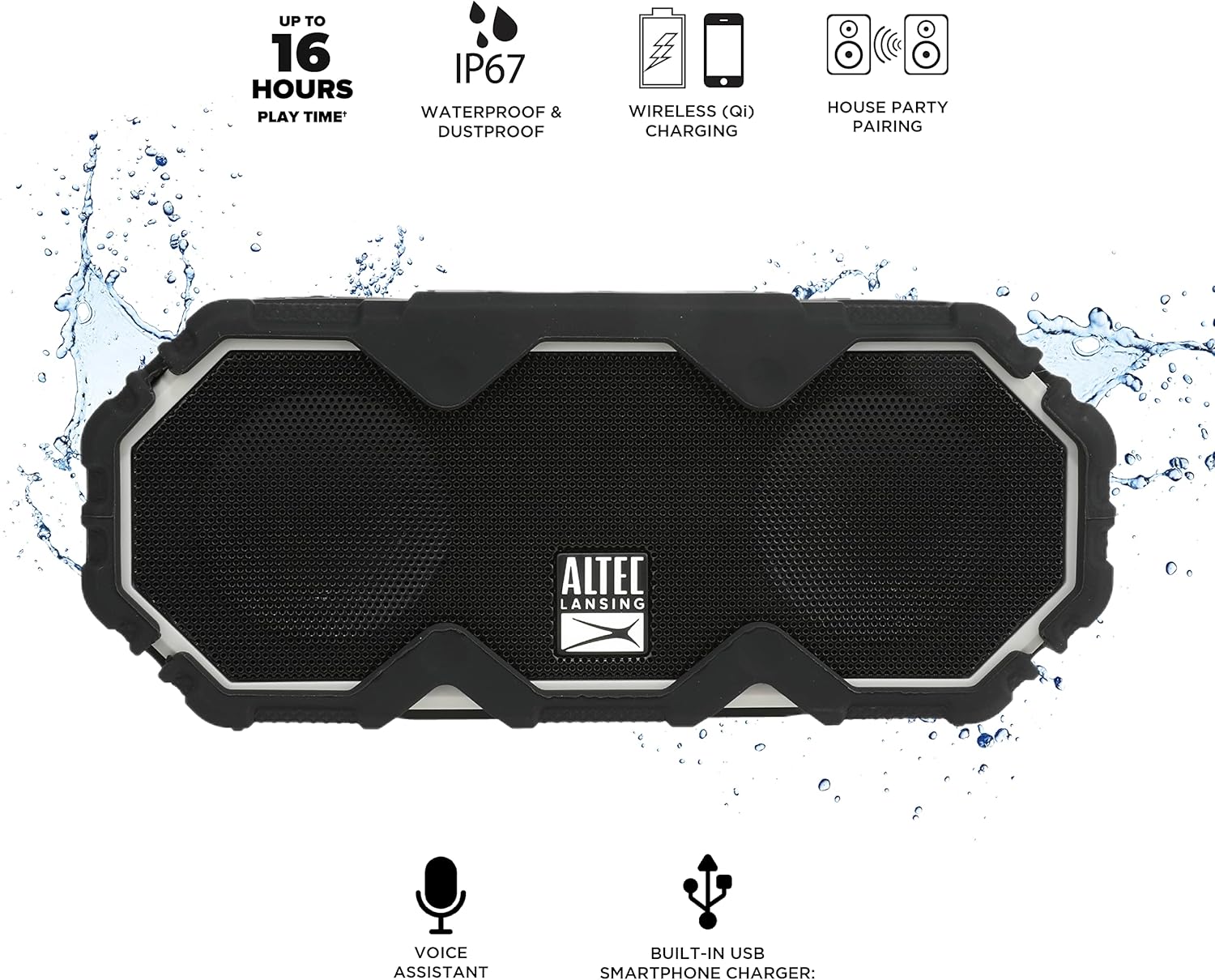
Figure 5: A smartphone being charged wirelessly on the speaker's Qi pad.
- Уверите се да је звучник укључен.
- Place your Qi-enabled device directly on the charging pad located on the top of the speaker.
- The device should begin charging automatically. Adjust its position if charging does not start immediately.
5.3. USB Device Charging
Use the built-in USB-A port to charge other devices via a cable.

Figure 6: The speaker's USB-A port can charge external devices.
- Уверите се да је звучник укључен.
- Отворите заштитни поклопац са стране звучника.
- Connect your device's USB charging cable to the USB-A output port on the speaker.
- Ваш уређај ће почети да се пуни.
5.4. Интеграција гласовног асистента
Access your smartphone's voice assistant directly through the speaker.

Figure 7: The speaker supports voice assistant integration.
- Ensure the speaker is paired with your smartphone.
- Притисните тастер Дугме гласовног асистента на звучнику.
- Speak your command into the speaker's microphone.
5.5. House Party Pairing
Connect multiple Altec Lansing speakers for a synchronized audio experience.

Figure 8: Multiple speakers can be paired for a wider sound experience.
- Уверите се да су оба звучника укључена и да нису повезана ни са једним Bluetooth уређајем.
- On the first speaker, press the House Party Pairing Button. The LED indicator will flash.
- On the second speaker, press the House Party Pairing Button.
- The speakers will connect automatically. Once connected, the LED indicators will glow solid.
- Now, connect your device to one of the paired speakers via Bluetooth. Audio will play through both speakers.
6. Карактеристике издржљивости
The Mini LifeJacket Jolt is designed for rugged use with an IP67 rating, making it waterproof, shockproof, snowproof, and dustproof.

Figure 9: The speaker is designed to withstand water exposure.
- водоотпоран: Can be submerged in water up to 1 meter for 30 minutes. Ensure all port covers are securely closed before exposure to water.
- Отпоран на ударце: Дизајниран да издржи падове и ударце.
- Отпоран на снег: Поуздано ради у снежним условима.
- Отпоран на прашину: Заштићено од уласка прашине.
Important: Always ensure the protective flap covering the charging ports is securely closed when using the speaker near water or in dusty environments.
7. Одржавање
- Чишћење: Користите меку, дamp крпу за чишћење звучника. Избегавајте абразивна средства за чишћење или раствараче.
- Складиштење: Чувајте звучник на хладном и сувом месту, даље од директне сунчеве светлости и екстремних температура.
- Одржавање батерије: Да бисте продужили век трајања батерије, избегавајте често потпуно пражњење батерије. Редовно пуните звучник, чак и ако га не користите дуже време.
КСНУМКС. Решавање проблема
8.1. Speaker Not Powering On or Charging
If your speaker stops working or does not charge, a connection issue or a system freeze might be the cause. This procedure requires careful handling and may void your warranty if not performed correctly. Proceed with caution.
- Remove the Rubber Exterior: Gently pry off the rubberized outer casing. It is designed to snap off at the seams around the speaker mesh.
- Приступ интерним компонентама: Using a small flat-head tool, carefully insert it between the speaker mesh and the main body, particularly on the back of the speaker. Slowly work your way around to loosen the mesh.
- Locate and Remove Screws: You will find six small Phillips head screws deep inside the holes. Use a long, thin Phillips screwdriver to remove them. Keep track of these screws.
- Separate the Casing: Gently pull the front and back sections of the speaker apart along the seam that becomes visible after removing the rubber protector.
- Inspect Internal Connections: Inside, you will see the motherboard, buttons, wires, and the cylindrical battery. Locate the battery holder and remove any screw securing it.
- Reset Battery Connection: Carefully disconnect the battery's wiring connector from the motherboard. Ensure you pull the entire plastic insert, not just the wires, to avoid damage.
- Поново се повежите и тестирајте: Reconnect the battery connector firmly. Press the power button. If you hear the "Welcome to Altec Lansing!" prompt, the issue may be resolved.
- Поново саставите: If the speaker functions, carefully re-adjust any wires to ensure they have sufficient slack and are not pinched. Ensure the battery is centered and not clinging to speaker magnets. Re-secure the battery holder, then carefully align and re-screw the casing. Finally, reattach the speaker mesh and the rubber exterior.
This process can reset the motherboard and address issues caused by loose internal connections. If the problem persists after these steps, contact customer support.
8.2. Проблеми са Bluetooth везом
- Ensure the speaker is within the 100-foot Bluetooth range of your device.
- Verify that the speaker is in pairing mode (flashing LED).
- Forget the speaker from your device's Bluetooth settings and attempt to re-pair.
- Поново покрените и звучник и Bluetooth уређај.
9. Спецификације

Слика 10: Димензије производа.
| Феатуре | Детаљ |
|---|---|
| Назив модела | Mini LifeJacket Jolt |
| Бранд | Алтец Лансинг |
| Технологија повезивања | Блуетоотх, УСБ |
| Бежична комуникација | Блуетоотх 4.2 |
| Блуетоотх домет | До 100 стопа |
| Извор напајања | Напајање батеријама (1 литијум-јонска батерија, укључена) |
| Трајање батерије | До 16 сати |
| Посебне карактеристике | Waterproof (IP67), Shockproof, Snowproof, Dustproof, Qi Wireless Charging, USB Charging Output, Voice Assistant Integration, House Party Pairing |
| Спеакер Типе | Оутдоор |
| Режим аудио излаза | Стерео |
| Димензије производа | 7.2"Д к 3"Ш к 4.3"В |
| Тежина артикла | 1.52 фунти |
| Материјал | Rubber or Silicone |
10. Гаранција и подршка
The Altec Lansing Mini LifeJacket Jolt Bluetooth Speaker comes with a Limited Warranty. For specific warranty terms and conditions, please refer to the documentation included with your product or visit the official Altec Lansing webсајту.
За додатну помоћ или техничку подршку, посетите Altec Lansing Brand Store on Amazon или се консултујте са службеником Упутство за употребу (ПДФ).