
Увод
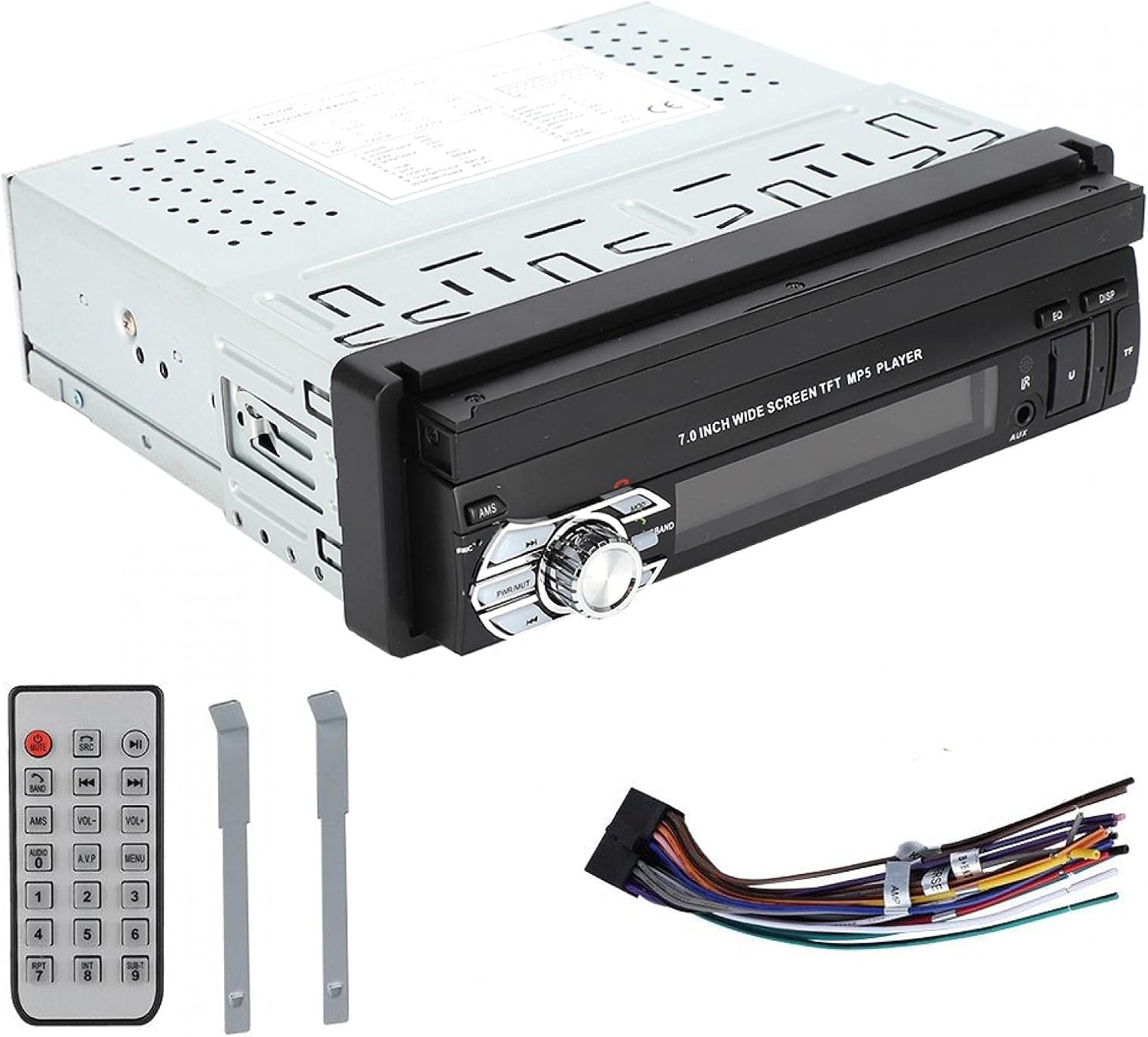
This manual provides detailed instructions for the installation, operation, and maintenance of your ASHATA MP5-SWM9601 Car Stereo. This single-DIN multimedia player features a 7-inch retractable touchscreen, Bluetooth connectivity for calls and music streaming, and supports various audio and video formats via USB, TF card, and AUX input. Please read this manual thoroughly before using the product to ensure proper function and safety.
Карактеристике производа
- 7-inch high-definition retractable touchscreen display.
- Блуетоотх за хандс-фрее позиве и аудио стримовање.
- Supports various audio formats including APE, FLAC, WAV, DIS, MP3, WMA, ACC, OGG, RA, AC3, MP2, AMR.
- Supports various video formats including AVI, MP4, FLV, PMP, RM, RMVB, MPG.
- USB 2.0 and TF card slot for media playback.
- AUX audio input for external devices.
- Подржава задњи део view camera input for parking assistance.
- Electronic sound processing (EQ) with adjustable treble, bass, balance, and sound field.
- Memory playback function for songs.
- Remote control included for convenient operation.
Подешавање и инсталација
Proper installation is crucial for the performance and safety of your car stereo. It is recommended to have this unit installed by a professional technician. Ensure the vehicle's battery is disconnected before starting installation.
Димензије
Before installation, verify that the unit's dimensions are compatible with your car's dashboard opening. The unit is a standard single-DIN size.

Слика 1: Dimensions of the ASHATA MP5-SWM9601 car stereo. The unit measures approximately 18.4 cm (7.2 inches) in width, 6.2 cm (2.4 inches) in height, and 17.8 cm (7.0 inches) in depth.
Дијаграм ожичења
Refer to the following diagram for correct wiring connections. Incorrect wiring can cause damage to the unit or your vehicle's electrical system.
Слика 2: Позади view of the ASHATA MP5-SWM9601 showing the wiring harness connector and RCA outputs for audio and video. The wiring harness typically includes connections for power (ACC, B+, Ground), speakers, antenna, and steering wheel controls (if applicable).
- Прикључци за напајање: Connect the yellow wire to the constant 12V power supply (B+), the red wire to the accessory 12V power supply (ACC), and the black wire to ground.
- Прикључци звучника: Connect the speaker wires to the corresponding positive and negative terminals for each speaker (e.g., front left +, front left -).
- Антена: Connect the car's radio antenna to the antenna input.
- Позади View камера: Connect the video input from your rear view camera to the designated video input on the unit. Ensure the reverse trigger wire is connected to activate the camera display when reversing.
- РЦА излази: Use the RCA outputs for connecting external amplifiers or additional displays.
Упутство за употребу
Укључивање/искључивање и основне контроле

Слика 3: Front panel of the ASHATA MP5-SWM9601 showing the main controls, including the power/volume knob, mode button, band button, and USB/AUX/TF card slots.
- Укључивање/искључивање: Притисните тастер PWR/MUT button to turn the unit on. Press and hold to turn off. A short press will mute/unmute the audio.
- Контрола јачине звука: Rotate the central knob to adjust the volume.
- Избор режима: Притисните тастер МОДЕ button to cycle through available sources (Radio, USB, TF, AUX, Bluetooth).
- Retract/Extend Screen: The screen can be manually or automatically retracted/extended. Refer to the on-screen menu for specific settings.
Блуетоотх повезивање
Pair your mobile phone with the car stereo to enjoy hands-free calling and wireless audio streaming.
- Turn on the unit and select Bluetooth mode using the МОДЕ дугме.
- На мобилном телефону омогућите Bluetooth и потражите доступне уређаје.
- Select "ASHATA" or a similar device name from the list. If prompted for a password, enter "0000" or "1234".
- Once paired, you can make/receive calls and play music through the car stereo.
Media Playback (USB/TF/AUX)
- УСБ репродукција: Insert a USB drive into the USB port. The unit will automatically switch to USB mode and begin playing compatible media files.
- Репродукција ТФ картице: Insert a TF (MicroSD) card into the TF card slot. The unit will automatically switch to TF mode and begin playing compatible media files.
- АУКС улаз: Connect an external audio device (e.g., MP3 player, phone) to the AUX input using a 3.5mm audio cable. Select AUX mode using the МОДЕ дугме.
- Подржани формати:
- Audio: DIS, MP3, WMA, ACC, OGG, WAV, RA, AC3, MP2, AMR, APE, FLAC.
- Video: AVI, MP4, FLV, PMP, RM, RMVB, MPG.
- Image: JPEG.
Подешавања звука
Adjust the audio output to your preference using the electronic sound processing (EQ) features.
- Притисните тастер EQ button to access equalizer presets or custom settings.
- Navigate through the menu to adjust electronic volume, treble, bass, left/right balance, and front/rear sound field.

Слика 4: The display showing sound adjustment options, including electronic volume, treble, bass, left and right balance, and front and rear sound field settings.
Позади View Функција камере
Када задњи део view camera is connected and the vehicle is in reverse gear, the unit will automatically display the camera feed on the screen, providing assistance for parking and maneuvering.
Одржавање
- Чишћење екрана: Use a soft, dry, lint-free cloth to gently wipe the touchscreen. Do not use abrasive cleaners or solvents.
- Чишћење јединице: Wipe the exterior of the unit with a soft, dry cloth. Avoid getting liquids inside the unit.
- температура: Избегавајте излагање уређаја екстремним температурама или директној сунчевој светлости током дужег периода.
Решавање проблема
| Проблем | Могући узрок | Решење |
|---|---|---|
| Нема струје | Неправилно ожичење; Прегорели осигурач; Акумулатор возила слаб. | Check power connections (B+, ACC, Ground). Inspect and replace fuse if necessary. Check vehicle battery. |
| Нема звука | Volume too low; Mute function active; Incorrect speaker wiring; Faulty speakers. | Increase volume. Press PWR/MUT to unmute. Check speaker connections. Test with different speakers if possible. |
| Блуетоотх се не повезује | Bluetooth not enabled on phone/unit; Incorrect pairing procedure; Device out of range. | Ensure Bluetooth is active on both devices. Repeat pairing steps. Move phone closer to the unit. |
| УСБ/ТФ картица не репродукује | Некомпатибилно file формат; оштећен медиј; картица/диск није правилно уметнут. | Осигурати files are in supported formats. Try a different USB drive/TF card. Reinsert the media. |
| Екран се не увлачи/не извлачи | Mechanical obstruction; Software glitch. | Check for any physical obstructions. Try resetting the unit (if a reset button is available, or disconnect power briefly). |
Ако проблем и даље постоји након покушаја ових решења, обратите се корисничкој подршци.
Спецификације
| Феатуре | Детаљ |
|---|---|
| Бранд | АСХАТА |
| Број модела | MP5-SWM9601 (9601G) |
| Технологија повезивања | Блуетоотх |
| Тип контролера | Ремоте Цонтрол |
| Посебна карактеристика | Мултимедиа Плаиер |
| Компатибилни уређаји | MP3 Player, Mobile Phone |
| Тип конектора | УСБ |
| Режим аудио излаза | Стерео |
| Конфигурација канала сурроунд звука | 2.0 |
| Број канала | 2 |
| Контролни метод | Ремоте Цонтрол |
| Тип аудио излаза | AUX, Speaker, USB |
| Компатибилност паметног дома | Not Smart Home Compatible |
| Формат дигиталних медија | AVI, WAV, WMA (also supports DIS, MP3, ACC, OGG, RA, AC3, MP2, AMR, APE, FLAC, MP4, FLV, PMP, RM, RMVB, MPG, JPEG) |
| УПЦ | 783335388899 |
| Земља порекла | Кина |
Гаранција и подршка
For warranty information or technical support, please refer to the documentation provided with your purchase or contact the retailer/manufacturer directly. Keep your proof of purchase for any warranty claims.