
Увод
This manual provides instructions for the safe and effective use of your T&G TG504 Portable Bluetooth Speaker. Please read it thoroughly before use and retain it for future reference. This speaker is designed for portable audio playback with wireless Bluetooth connectivity and water resistance.
Производ је завршенview
The T&G TG504 is a cylindrical, portable Bluetooth speaker featuring a robust design and a built-in microphone for hands-free calling. It offers high-definition sound with bass boost and multiple connectivity options.
Кључне карактеристике:
- Portable and Cylindrical Design
- Water Resistant Construction
- Built-in Microphone for Calls
- Блуетоотх бежична веза
- AUX and USB Port for versatile playback
- Bass Boost and High Definition Sound
- Battery Powered for on-the-go use
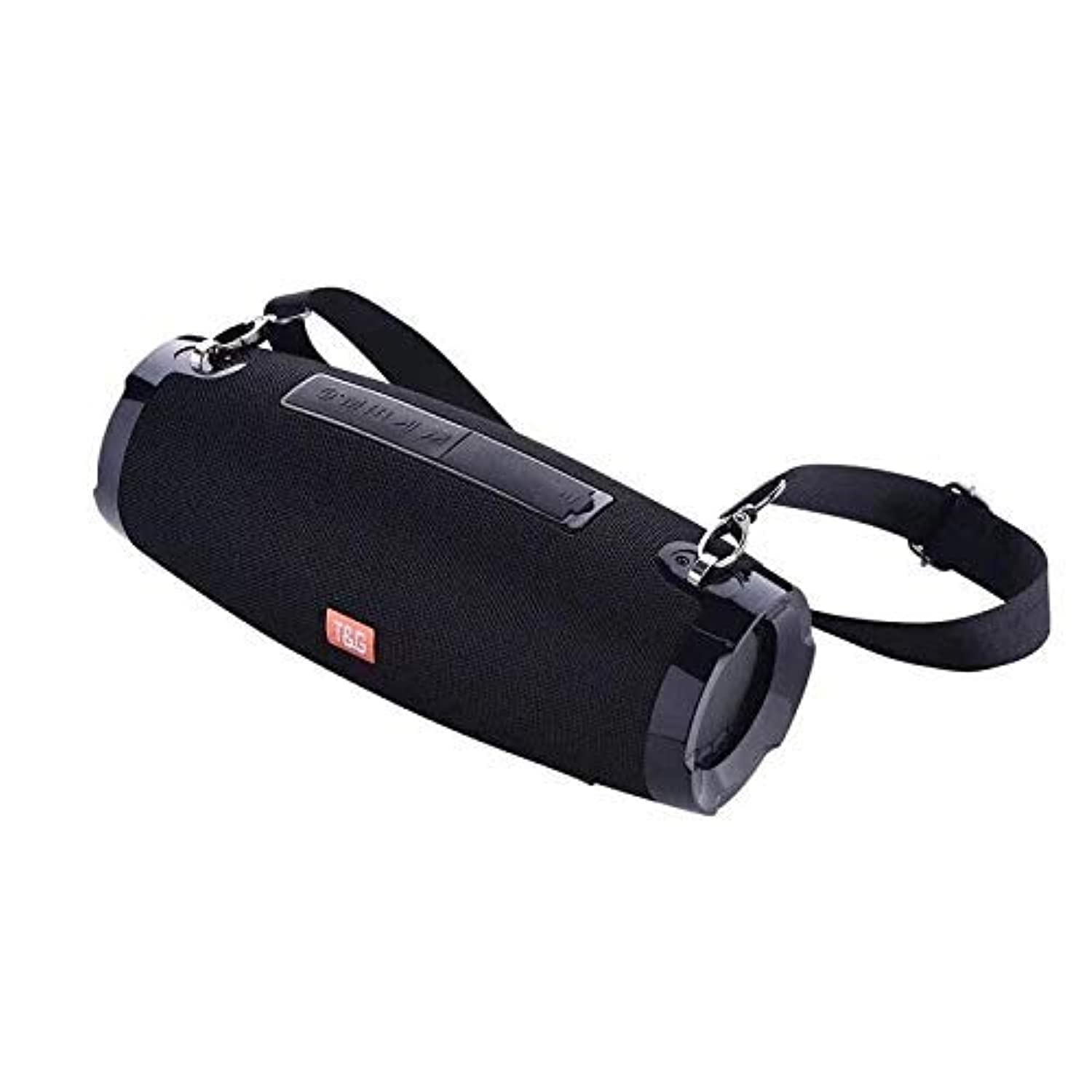
This image shows the T&G TG504 Portable Bluetooth Speaker. It features a black cylindrical design with a mesh grille covering the speaker. The T&G brand logo is visible in orange on the front. The speaker has attachment points on the sides, suggesting portability.
Садржај пакета
- T&G TG504 Portable Bluetooth Speaker
- АУКС Цабле
- УСБ кабл за пуњење
- Упутство за употребу
Контроле и индикатори
Familiarize yourself with the speaker's controls and ports for optimal operation.
- Дугме за напајање: Притисните и држите да бисте укључили или искључили звучник.
- Дугме за репродукцију/паузу: Притисните за репродукцију или паузирање звука.
- Јачина звука (+): Press to increase volume. Hold to skip to the next track.
- Утишавање (-): Press to decrease volume. Hold to go to the previous track.
- Дугме за режим (М): Press to switch between Bluetooth, AUX, and USB modes.
- Тастер за позив: Press to answer or end a phone call. Hold to reject a call.
- АУКС порт: За жично повезивање са аудио уређајима.
- УСБ порт: For playing music from a USB drive or charging other devices (if supported).
- Порт за пуњење: За повезивање УСБ кабла за пуњење.
- ЛЕД индикатор: Приказује статус напајања, статус пуњења и статус Bluetooth упаривања.
Сетуп
1. Пуњење звучника
- Повежите мањи крај УСБ кабла за пуњење са портом за пуњење звучника.
- Повежите већи крај USB кабла за пуњење са USB адаптером за напајање (није укључен) или USB портом рачунара.
- The LED indicator will show charging status (e.g., red while charging, off when fully charged).
- Allow approximately 3-4 hours for a full charge before first use.
2. Укључивање/искључивање
- To power on, press and hold the Power button until the LED indicator lights up and you hear an audible prompt.
- To power off, press and hold the Power button again until the LED indicator turns off and you hear an audible prompt.
3. Блуетоотх упаривање
- Ensure the speaker is powered on and in Bluetooth pairing mode (LED indicator will typically flash blue). If not, press the Mode button to switch to Bluetooth mode.
- На свом мобилном уређају (паметном телефону, таблету, лаптопу) омогућите Блутут.
- Тражи available Bluetooth devices. The speaker will appear as "TG504" or similar.
- Select "TG504" to connect. Once paired, the LED indicator will turn solid blue, and you will hear a confirmation sound.
- Звучник ће се аутоматски поново повезати са последњим упареним уређајем када се укључи, ако је уређај у домету и ако је Bluetooth омогућен.
4. Повезивање преко AUX-а
- Connect one end of the provided AUX cable to the speaker's AUX port.
- Connect the other end of the AUX cable to the headphone jack of your audio device.
- Звучник ће се аутоматски пребацити у AUX режим, или ћете можда морати да притиснете дугме Mode да бисте изабрали AUX.
Упутство за употребу
Пуштање музике
- Блуетоотх режим: Once paired, start playing music on your connected device. Audio will stream through the speaker.
- АУКС режим: Start playing music on your connected audio device.
- УСБ режим: Убаците УСБ флеш диск са МП3 files into the USB port. The speaker will automatically detect and play music. Press the Mode button to switch to USB mode if needed.
- Use the Play/Pause button on the speaker or your device to control playback.
Подешавање јачине звука
- Press the Volume Up (+) button to increase the volume.
- Press the Volume Down (-) button to decrease the volume.
- Volume can also be adjusted from your connected device.
Handling Calls (Bluetooth Mode)
- Одговори на позив: When a call comes in, press the Call button once to answer.
- Заврши позив: During a call, press the Call button once to end the call.
- Одбиј позив: When a call comes in, press and hold the Call button to reject it.
- Поновно бирање последњег броја: In standby mode, double-press the Call button to redial the last number.
Воице Цонтрол
The speaker supports voice control. Depending on your connected device, you may be able to activate your device's voice assistant (e.g., Siri, Google Assistant) by pressing and holding the Play/Pause button (or a dedicated voice button if available) for a few seconds.
Одржавање
Чишћење
- Обришите звучник меком, сувом крпом.
- Не користите абразивна средства за чишћење, алкохол или хемијске раствараче.
Складиштење
- Чувајте звучник на хладном и сувом месту, даље од директне сунчеве светлости и екстремних температура.
- Ако складиштите батерију дуже време, периодично је пуните како бисте продужили њен век трајања.
Нега отпорности на воду
- Уверите се да су сви поклопци портова добро затворени пре него што звучник изложите води.
- Do not submerge the speaker in water. Water resistance protects against splashes and light rain, not full immersion.
- Након излагања води, обришите звучник да се осуши пре пуњења или отварања поклопаца портова.
Решавање проблема
If you encounter issues with your speaker, refer to the following table for common problems and solutions.
| Проблем | Могући узрок | Решење |
|---|---|---|
| Звучник се не укључује | Слаба батерија; Дугме за напајање није правилно притиснуто | Charge the speaker; Press and hold the Power button for 3-5 seconds. |
| Не могу да упарим преко Bluetooth-а | Speaker not in pairing mode; Device Bluetooth off; Speaker too far from device | Ensure speaker LED is flashing blue; Turn on Bluetooth on your device; Move speaker closer to device (within 10 meters). |
| Нема звука | Јачина звука је прениска; изабран је погрешан режим; уређај не репродукује звук | Increase speaker and device volume; Press Mode button to select correct input; Ensure audio is playing on your device. |
| Изобличење звука | Volume too high; Low battery; Interference | Reduce volume; Charge the speaker; Move away from other wireless devices. |
| Микрофон не ради | Not in call mode; Microphone blocked | Ensure you are on a call; Check for obstructions around the microphone. |
Спецификације
| Назив модела | ТГ504 |
| Бранд | Т&Г |
| Боја | Црно |
| Облик | Цилиндричне |
| Тежина артикла | 735 grams (approx. 1 kg / 2.2 pounds) |
| Максимална излазна снага звучника | 10 вати |
| Технологија повезивања | Bluetooth, Auxiliary (AUX) |
| Бежична комуникациона технологија | Блуетоотх |
| Отпоран на воду | Да |
| Извор напајања | Баттери Поверед |
| Контролни метод | Глас |
| Режим аудио излаза | Сурроунд |
| Тип монтаже | Таблетоп |
| Компатибилни уређаји | Tablet, Laptop, Smartphone |
| Посебне карактеристике | Bass Boost, High Definition Sound, Water Resistant, USB Port |
| Укључене компоненте | АУКС кабл |
Безбедносне информације
- Не излажите звучник екстремним температурама, директној сунчевој светлости или високој влажности.
- Избегавајте испуштање или излагање звучника јаким ударима.
- Чувајте звучник даље од деце и кућних љубимаца.
- Не покушавајте сами да растављате, поправљате или модификујете звучник. То ће поништити гаранцију и може проузроковати оштећења или повреде.
- Use only the specified charging cable and a compatible power adapter.
- Do not use the speaker near water sources if port covers are not securely closed.
- Дуготрајно слушање при високим нивоима јачине звука може довести до оштећења слуха.
Гаранција и подршка
Specific warranty details are not provided in the product information. For warranty claims or technical support, please refer to the retailer or manufacturer's official website where you purchased the product. Keep your proof of purchase for any warranty-related inquiries.