
OSITO 09714
OSITO EMS & TENS уређај за циркулацију стопала - упутство за употребу
Модел: 09714
Brand: OSITO
Увод
The OSITO EMS & TENS Foot Circulation Device is designed to provide relief from pain and improve circulation in the feet, legs, and other body parts. Utilizing both Electrical Muscle Stimulation (EMS) and Transcutaneous Electrical Nerve Stimulation (TENS) technologies, this device aims to alleviate discomfort, reduce swelling, and promote overall well-being. It is a non-invasive, drug-free solution for managing various types of pain and improving blood flow.
This manual provides comprehensive instructions for the safe and effective use of your OSITO Foot Circulation Device, including setup, operation, maintenance, and troubleshooting.
Важне информације о безбедности
Пажљиво прочитајте сва упутства пре употребе овог уређаја. Непоштовање безбедносних смерница може довести до повреда или квара уређаја.
- Контраиндикације: The OSITO foot circulator is NOT suitable for people with pacemakers or other implanted electronic medical devices.
- Consult your physician before use if you have any pre-existing medical conditions, including but not limited to: heart conditions, epilepsy, cancer, or if you are pregnant.
- Do not use on open wounds, swollen, infected, or inflamed areas, or skin eruptions.
- Не користити током вожње или рада са тешким машинама.
- Чувати ван домашаја деце.
- Користите само адаптер за напајање који сте добили уз уређај.
- Изјаве у вези са суплементима исхрани нису процењене од стране ФДА и нису намењене за дијагностиковање, лечење, лечење или превенцију било које болести или здравственог стања.

Image: Caution symbol indicating important safety warnings for the device.
Садржај пакета
Upon opening your OSITO EMS & TENS Foot Circulation Device package, please ensure all the following items are present and in good condition:
- OSITO EMS & TENS Foot Circulation Device (Main Unit)
- Ремоте Цонтрол
- Повер Адаптер
- Four (4) Medical-grade Electrode Pads
- Two (2) Electrode Wires
- Упутство за употребу

Слика: Прекоview of all items included in the OSITO Foot Circulation Device package.
Сетуп
- Пласман: Place the main unit on a flat, stable surface, such as the floor, where you can comfortably sit and place your feet on the foot pads.
- Прикључак за напајање: Connect the power adapter to the DC input port on the side of the main unit. Plug the other end of the power adapter into a standard electrical outlet.
- Батерије за даљински управљач: Insert 2 AAA batteries (not included) into the remote control, ensuring correct polarity.
- Optional Body Pad Connection: If you intend to use the additional electrode pads for body pain relief, connect the electrode wires to the output ports on the main unit. Attach the electrode pads to the other end of the wires.

Image: The main unit of the OSITO Foot Circulation Device, ready for use.
Упутство за употребу
The OSITO Foot Circulation Device offers various modes and intensity levels for both foot and body stimulation. A typical session lasts 20 to 30 minutes and should be used regularly for maximum benefit.
Using the Foot Stimulation Function:
- Укључено: Press the power button on the main unit or the remote control to turn on the device. The display will illuminate.
- Положај стопала: Place your bare feet on the foot pads of the device. Ensure full contact for effective stimulation.
- Изаберите режим: Use the "MODE" buttons on the main unit or remote to cycle through the 25 available massage settings. The current mode will be displayed on the screen.
- Подесите интензитет: Use the "SOLE +" and "SOLE -" buttons to adjust the intensity level for foot stimulation (levels 1-99). Start with a low intensity and gradually increase until you feel a comfortable, yet effective, sensation.
- Трајање сесије: The device typically has a default session time. You can adjust the timer if available, or simply allow the session to complete automatically.

Image: The device's display indicating various settings such as modes, timer, and intensity levels.
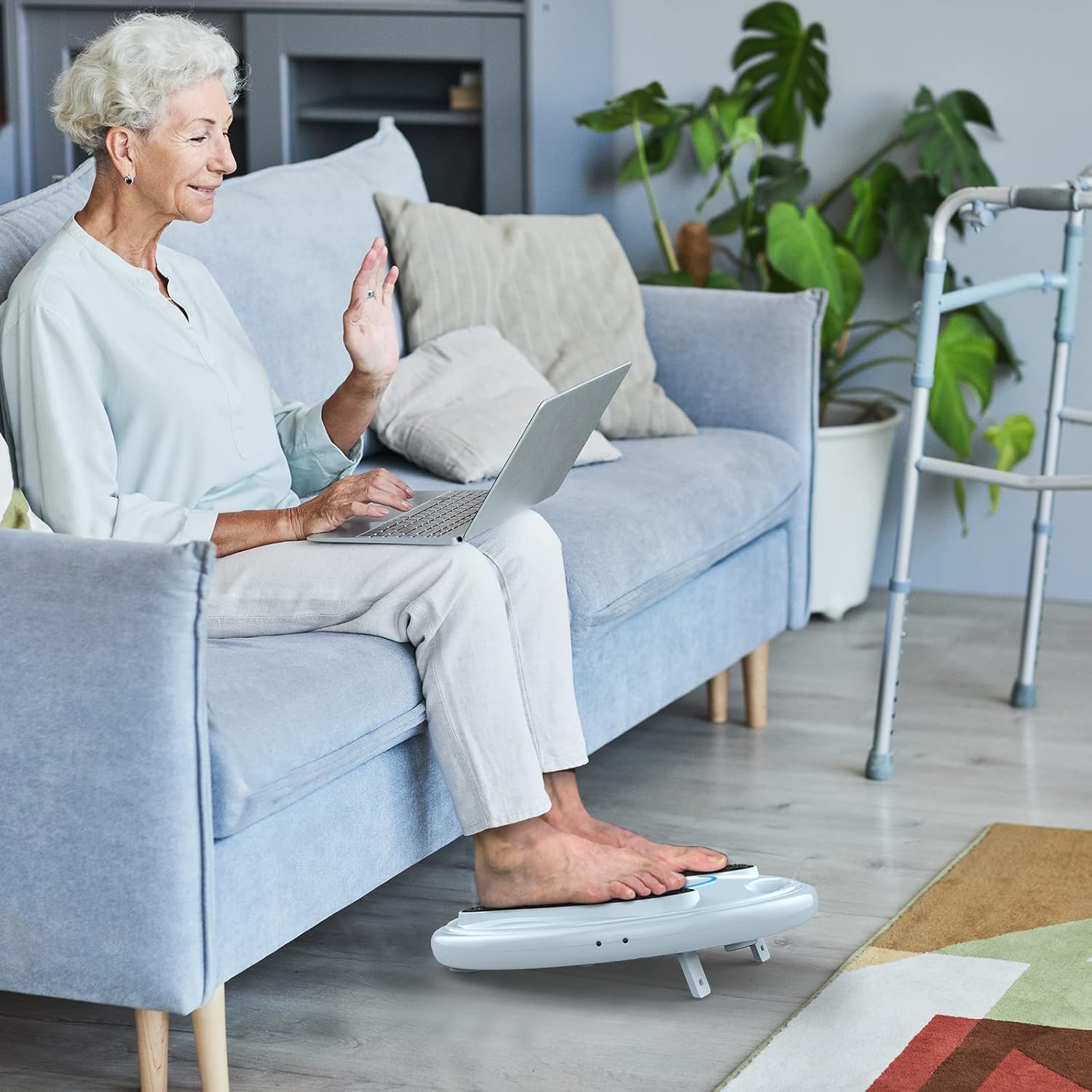
Image: A user demonstrating the proper placement of feet on the device during operation.
Using the Body Pad Stimulation Function:
The four additional medical-grade pads can be used on various hard-to-reach body parts to alleviate pain and improve circulation.
- Attach Pads: Ensure your skin is clean and dry. Peel the protective film from the electrode pads and firmly attach them to the desired body area (e.g., back, waist, thighs, lower back, hips, shoulders).
- Повежите жице: Plug the electrode wires into the output ports on the main unit and connect them to the electrode pads.
- Изаберите режим и интензитет: Use the "MODE" buttons to select a suitable mode. Use the "BODY +" and "BODY -" buttons to adjust the intensity level for body pad stimulation.
- Истовремена употреба: The foot and body stimulation functions can be used together or independently.

Слика: прamples of electrode pad placement for relieving pain in various body areas.

Image: A user demonstrating the use of body pads on the legs while seated.
Understanding EMS and TENS Technology:
This device combines two distinct technologies:
- ЕМС (електрична стимулација мишића): Engages nerve contractions to accelerate strengthening and rehabilitation. It works by activating nerves and muscles, causing them to contract and release, which helps improve blood flow and energize feet and legs.
- ТЕНС (Транскутана електрична стимулација нерава): Provides drug-free pain relief by activating nerves and blocking pain signals to the brain.

Image: Representation of EMS and TENS technology integrated into the device.
Одржавање
- Чишћење: Wipe the main unit and foot pads with a soft, damp тканина. Не користите абразивна средства за чишћење нити урањајте уређај у воду.
- Јастучићи за електроде: The electrode pads are reusable. After each use, reattach the protective film to the adhesive side of the pads to maintain their stickiness and prolong their lifespan. Replace pads when they lose their adhesive quality.
- Складиштење: Store the device in a cool, dry place away from direct sunlight and extreme temperatures. Keep it in its original packaging or a protective case when not in use.
Решавање проблема
If you encounter any issues with your OSITO Foot Circulation Device, please refer to the following common troubleshooting steps:
| Проблем | Могући узрок | Решење |
|---|---|---|
| Уређај се не укључује. | Power adapter not properly connected or faulty. No power from outlet. Remote control batteries dead or incorrectly inserted. | Ensure power adapter is securely plugged into the device and a working electrical outlet. Check remote control batteries and replace if necessary, ensuring correct polarity. |
| No sensation or weak sensation during use. | Intensity level too low. Feet not making full contact with pads. Electrode pads not properly attached or worn out. | Increase intensity gradually. Ensure bare feet are fully on the foot pads. Re-attach electrode pads firmly or replace them if they have lost their adhesive quality. |
| Даљински управљач не ради. | Batteries are dead or incorrectly inserted. Obstruction between remote and device. | Replace remote control batteries, ensuring correct polarity. Ensure there is a clear line of sight between the remote and the device's sensor. |
| Discomfort or irritation. | Intensity level too high. Skin sensitivity. | Reduce the intensity level. Discontinue use if irritation persists and consult a healthcare professional. |
Спецификације
| Феатуре | Детаљ |
|---|---|
| Број модела | 09714 |
| Димензије производа | 15.75 к 15.75 к 5.12 инча |
| Тежина артикла | 82 Grams (main unit) |
| Материјал | Silicone (pads) |
| Извор напајања | Цордед Елецтриц |
| Технологија | EMS (Electrical Muscle Stimulation) & TENS (Transcutaneous Electrical Nerve Stimulation) |
| Нивои интензитета | 99 нивоа |
| Режими масаже | 25 режима |
| Произвођач | Shenzhen OSTO Technology Co.,Ltd. |

Image: Device design features, including sloping angle and textured pads.
Гаранција и подршка
For specific warranty information regarding your OSITO EMS & TENS Foot Circulation Device, please refer to the documentation included with your purchase or contact OSITO customer support directly. Warranty terms may vary based on region and purchase date.
If you require technical assistance, have questions about the device's operation, or need to inquire about replacement parts, please contact OSITO customer service through their official webсајт или контакт информације које су наведене у паковању вашег производа.
You may also visit the official OSITO store on Amazon for additional product information and support resources: OSITO Amazon Store.
Ask a question about this manual
Ask about setup, troubleshooting, compatibility, parts, safety, or missing instructions. Manuals+ will review the question and use this page’s manual context to help answer it.