
Увод
This manual provides instructions for the Calvas USARMT LTV-914 Universal Remote Control, designed for use with various LG TV models, including AKB73715634, AKB73715679, and 3D Smart TV LN577S. This remote operates via infrared (IR) technology and is intended as a direct replacement, requiring no programming for most compatible LG televisions.
Садржај пакета
- 1 x USARMT LTV-914 Universal Remote Control
Спецификације
- Број модела: ЛТВ-914
- Бренд: ћелаве тачке
- Тип: ТВ даљински управљач
- Комуникација: Инфрацрвени (ИР)
- учесталост: 433 МХз
- Канали: 1
- Извор напајања: 2 x AAA алкалне батерије (нису укључене)
- Материјал: АБС
- Компатибилни уређаји: LG Televisions (e.g., AKB73715634, AKB73715679, 3D Smart TV LN577S)
- Посебна карактеристика: Универзална компатибилност
Сетуп
Инсталирање батерија
- Пронађите одељак за батерије на полеђини даљинског управљача.
- Померите поклопац одељка за батерију надоле или притисните резу и подигните да бисте га отворили.
- Insert two (2) AAA alkaline batteries, ensuring the positive (+) and negative (-) terminals align correctly with the markings inside the compartment.
- Вратите поклопац одељка за батерију тако што ћете га вратити на место док не кликне чврсто.

Image: Back of the remote control with the battery compartment open, illustrating battery insertion.
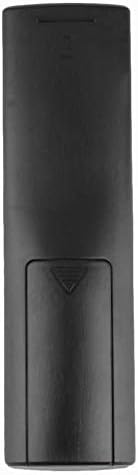
Слика: Позади view даљинског управљача са затвореним поклопцем батерије.
Упутство за употребу
Почетна употреба
The Calvas USARMT LTV-914 remote control is designed to work directly with most compatible LG TV models without requiring any programming. Simply insert the batteries and point the remote towards your television.
Direct Use and Basic Functions
Most functions, such as power on/off, volume control, channel selection, and navigation, should operate immediately upon pointing the remote at your LG TV.

Слика: Фронт view даљинског управљача, приказујући распоред дугмади.
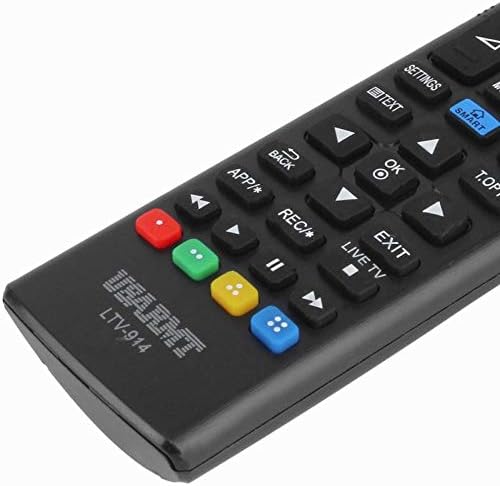
Image: Close-up of the remote's buttons, showing details of the control interface.
Factory Reset / Reconfiguration (If direct use fails)
In rare cases, if the remote does not operate your TV directly, you may need to perform a factory reset or attempt a reconfiguration.
- To reset to factory settings: Press and hold the ПОВЕР button and the number 0 дугме истовремено неколико секунди.
- To attempt re-pairing (if applicable, though typically not required for this universal remote): Press and hold the ПОВЕР button and the number 1 дугме истовремено неколико секунди.
After performing either of these steps, release the buttons and test the remote's functionality with your TV.
Решавање проблема
- Даљински не реагује:
- Проверите да ли су батерије правилно уметнуте са исправним поларитетом.
- Replace old or depleted batteries with new AAA alkaline batteries.
- Ensure there are no obstructions between the remote control and the TV's IR receiver.
- Уверите се да сте унутар ефективног домета ИР пријемника телевизора.
- Неке функције не раде:
- While this is a universal remote, some advanced or specific smart TV functions might not be fully supported on all LG models.
- Try the factory reset/reconfiguration steps mentioned in the "Operating Instructions" section.
- Remote LED indicator not lighting up:
- This usually indicates dead batteries or incorrect battery insertion. Replace batteries.
Одржавање
- Keep the remote control dry. Avoid exposure to liquids.
- Не испуштајте даљински управљач и не излажите га јаким ударцима.
- Очистите даљински управљач меком, сувом крпом. Не користите абразивна средства за чишћење или раствараче.
- Ако даљински управљач неће бити коришћен дуже време, извадите батерије да бисте спречили цурење.
Гаранција и подршка
Specific warranty information for this product is not provided in the available data. For support or warranty inquiries, please contact your retailer or the manufacturer, Calvas.