
1. Увод
This manual provides detailed instructions for the installation, operation, and maintenance of your ANNKE H500 3K 5MP PoE Security Camera System. Please read this manual thoroughly before using the product to ensure proper setup and functionality. This system is designed to provide reliable surveillance with advanced features such as 3K 5MP Super HD video, AI detection, 24/7 audio recording, color night vision, and IP67 weather resistance.

Figure 1: ANNKE H500 3K 5MP PoE Security Camera System components.
2. Шта је у кутији
Проверите да ли су све ставке наведене у наставку укључене у ваш пакет:
- 1x 8-Channel 5MP NVR Recorder with 2TB Hard Drive Disk
- 4x 3K PoE Security Cameras
- 1к 48В адаптер за напајање
- 1к УСБ миш
- 1к ХДМИ кабл
- 2к 100фт Етхернет кабл
- 2к 60фт Етхернет кабл
- 1к упутство за употребу
- 1x Wall Sticker
- 4x Screw Bags

Figure 2: All components included in the ANNKE H500 system package.
Video 1: Unboxing and initial setup overview for the ANNKE 5MP PoE Security Camera System.
3. Карактеристике производа
- 3K 5MP Super HD Clarity: The PoE cameras deliver crystal clear images with 3072x1728 pixels, capturing vivid details even in low-light conditions.
- Уграђени микрофон: Each camera includes a microphone for 24/7 audio recording, capturing clear sound up to 20 feet away.
- IP67 Ultra-Weatherproof: Designed to perform flawlessly in extreme weather, enduring temperatures from -30°C to 60°C (-22°F to 140°F).
- 2.8MM Wide-Angle Lens: Пружа шире поље view, reducing blind spots and sharpening your vision.
- АИ детекција: Advanced AI capabilities for human and vehicle detection, minimizing false alarms.
- Ноћни вид у боји: Enhanced night vision technology provides full-color images in low-light environments.
- Unlimited Remote Access: Use the free ANNKE Vision App (Android/iOS) to view live feeds, record videos, take snapshots, zoom, and receive push notifications with snapshots upon intrusion.
- Снимање 24/7 са 2TB HDD-ом: The built-in 2TB surveillance-grade HDD is optimized for continuous recording from up to 8 channels.
- Effortless Plug & Play: Simple installation by connecting PoE cameras to the NVR with a single network cable for both data and power transmission.
- Алека интеграција: Supports voice commands via Alexa for convenient monitoring.

Figure 3: Demonstration of 3K Turbo Def video quality on a smartphone.

Figure 4: AI-powered human and vehicle detection in action.

Figure 5: Visual comparison of different night vision modes: Day Vision, Starlight Color Night Vision, and Infrared Night Vision.

Figure 6: Illustration of the 2.8mm wide-angle lens and its broad field of view.

Figure 7: The IP67 weatherproof rating ensures camera functionality in extreme temperatures.

Figure 8: Monitoring camera feeds using Alexa-enabled devices.
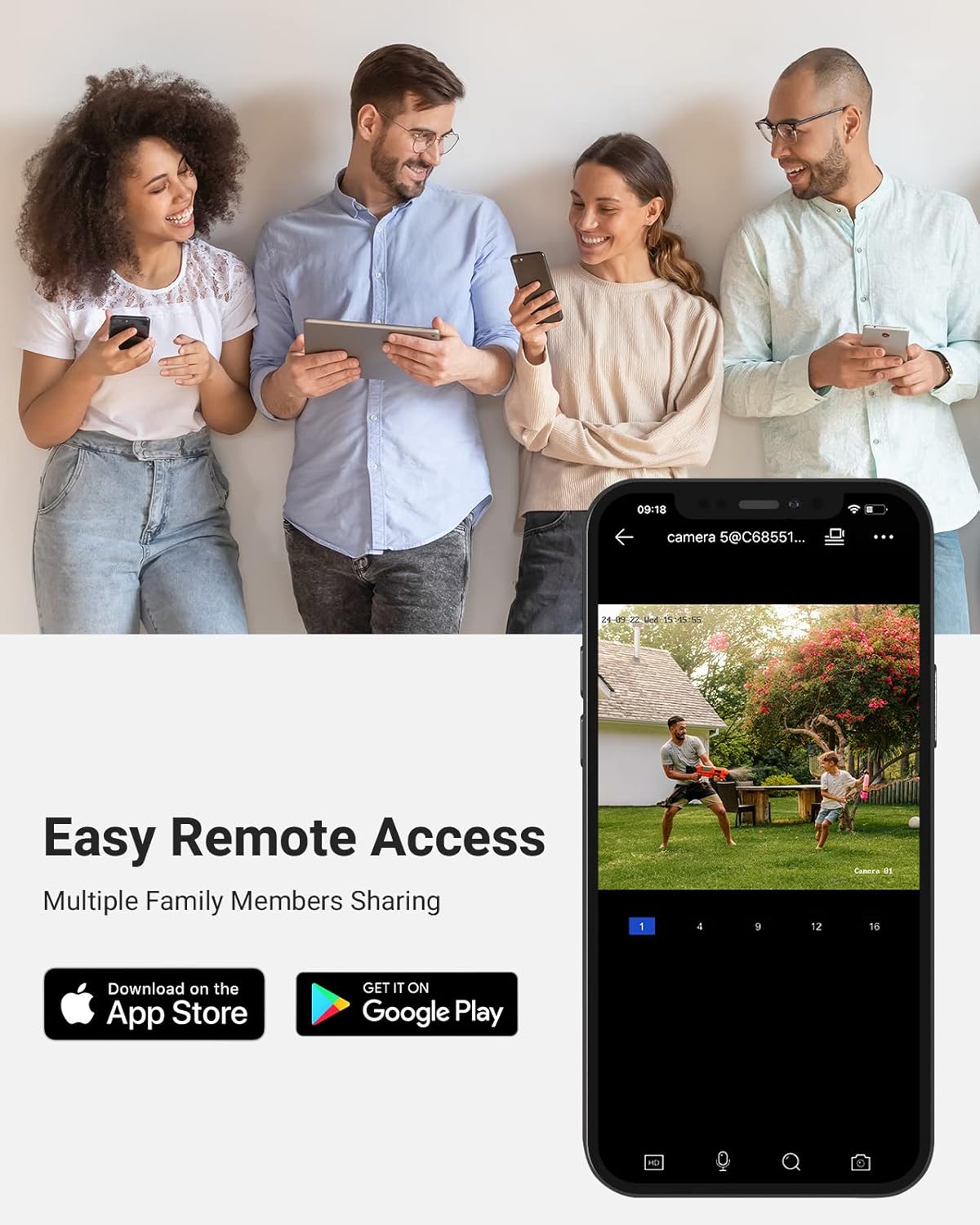
Figure 9: Remote access to the security system via the ANNKE Vision mobile application.
Video 2: Detailed features and capabilities of the ANNKE C500 Security Camera.
4. Упутства за подешавање
The ANNKE H500 system is designed for friendly DIY installation. Follow these steps for a quick setup:
- Повежите камере са NVR-ом: Use the provided Ethernet cables to connect each PoE camera directly to the NVR. These cables transmit both power and video data.
- Повежите НВР са монитором: Connect the NVR to a monitor using the supplied HDMI cable.
- Повежите НВР на напајање: Plug the 48V power adapter into the NVR and a power outlet.
- Повежите НВР са мрежом (опционо за даљински приступ): За даљински viewing and app functionality, connect the NVR to your router using an Ethernet cable.
- Почетна конфигурација: Follow the on-screen prompts on the connected monitor to complete the initial setup, including setting up passwords and network settings.
- Монтирајте камере: Securely mount the cameras in desired outdoor locations using the provided screw bags. Ensure the cameras are positioned to cover critical areas.
Figure 10: Simplified wiring diagram for the PoE system.
5. Упутство за употребу
5.1. Локални Viewинг
Once the system is set up and connected to a monitor, you can view live feeds directly. Use the USB mouse to navigate the NVR interface, access recorded footagе и подесите подешавања.
5.2. Remote Access via ANNKE Vision App
For remote monitoring, download the free ANNKE Vision app from the App Store (iOS) or Google Play Store (Android). Register an account and add your NVR by scanning the QR code or manually entering the device ID. Through the app, you can:
- View live video streams from all connected cameras.
- Репродукујте снимљени фооtage.
- Receive instant push notifications with snapshots when motion is detected.
- Take manual snapshots and record video clips.
- Adjust camera settings and NVR configurations remotely.
5.3. AI Detection
Configure AI detection settings via the NVR interface or the ANNKE Vision app. You can set up specific detection zones and sensitivity levels for human and vehicle detection to reduce false alarms and receive more accurate alerts.
5.4. Интеграција са Алексом
Enable the ANNKE skill in your Alexa app to integrate your security system. You can then use voice commands to view live feeds on compatible Alexa-enabled devices (e.g., "Alexa, show me the backyard camera").
6. Одржавање
- Редовно чишћење: Периодично чистите сочива камере меком крпомamp крпом како бисте осигурали јасан квалитет слике. Избегавајте абразивна средства за чишћење.
- Ажурирања фирмвера: Check the ANNKE website or the ANNKE Vision app for available firmware updates for your NVR and cameras. Keeping your system updated ensures optimal performance and security.
- Инспекција каблова: Regularly inspect all cables for any signs of wear or damage, especially those exposed to outdoor elements. Replace damaged cables promptly.
- Здравље чврстог диска: The 2TB surveillance-grade HDD is designed for continuous use. Monitor its health through the NVR settings to prevent data loss.
КСНУМКС. Решавање проблема
If you encounter issues with your ANNKE H500 system, refer to the following common troubleshooting tips:
- Нема видео фида:
- Ensure all cameras are properly connected to the NVR via Ethernet cables.
- Verify the NVR is powered on and connected to the monitor.
- Check if the camera's power indicator (if any) is on.
- Проблеми са даљинским приступом:
- Confirm the NVR is connected to the internet.
- Проверите интернет везу вашег рутера.
- Ensure the ANNKE Vision app is updated to the latest version.
- Verify NVR device ID and password are correct in the app.
- Лош квалитет слике:
- Clean the camera lens for any dirt or obstructions.
- Adjust camera position to avoid direct glare or reflections.
- Check network cable integrity for potential interference.
- No Audio Recording:
- Ensure audio recording is enabled in the camera settings via the NVR or app.
- Check the microphone for any physical obstructions.
For further assistance, please contact ANNKE customer support.
8. Спецификације
| Бранд | АННКЕ |
| Број модела | C500 (Camera), H500 (System) |
| Технологија повезивања | Жично (PoE) |
| Резолуција снимања видео записа | 3K 5MP (3072x1728 pixels) |
| Посебне карактеристике | AI Detection (Human/Vehicle), 24/7 Audio Recording, Color Night Vision, IP67 Weatherproof, Alexa Support |
| Број канала | 8 |
| Капацитет меморије | 2 TB (Built-in Surveillance-Grade HDD) |
| Извор напајања | Цордед Елецтриц |
| Ноћни вид | До 100 стопа |
| Фраме Рате | 15 фпс |
| Viewинг Англе | 100 степени |
| Ленс Типе | Фиксно 2.8 мм |
| Радна температура | -30°Ц до 60°Ц (-22°Ф до 140°Ф) |
9. Гаранција и подршка
ANNKE provides customer support for its products. For warranty information, technical assistance, or any product-related inquiries, please visit the official ANNKE webсајт или директно контактирајте њихову корисничку службу. Сачувајте рачун за куповину за потребе гаранције.
Службено Webсајт: ввв.аннке.цом