
Увод
Thank you for choosing the RedThunder K50 One-Handed Mechanical Gaming Keyboard. This manual provides detailed instructions for setting up, operating, and maintaining your new gaming keypad. Please read this manual thoroughly before use to ensure optimal performance and longevity of your device.
Видео: Готовоview of the RedThunder K50 One-Handed Mechanical Gaming Keyboard and Mouse Set.
Карактеристике производа
- Механички плави прекидачи: Equipped with reinforced blue switches for medium resistance, an audible click sound, and crisp, precise tactile feedback, enhancing gaming performance.
- RGB позадинско осветљење: Features 9 built-in backlight colors and 5 backlight modes for customizable aesthetics.
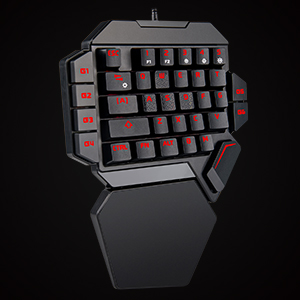
- Macro Recording Keys: G1-G6 keys support macro recording for complex command execution.
- Ергономски дизајн: Compact 35-key layout with a large wrist rest for comfortable and extended gaming sessions.
- Анти-Гхостинг: All keys feature anti-ghosting technology for more accurate and faster response during intense gameplay.
- Плуг & Плаи: Driver-free installation, compatible with Win10/8/7/Vista/ME/Mac/Linux/IBM.
Сетуп
- Повежите тастатуру: Plug the USB-C cable from the RedThunder K50 keyboard into an available USB port on your computer or gaming console (PC/MAC/PS4/XBOX ONE).
- Инсталација драјвера: The keyboard is plug-and-play and does not require any additional driver installation. Your operating system should automatically recognize the device.
- Позиционирање: Place the keyboard on a stable surface. The ergonomic design with the integrated wrist rest is intended for comfortable use.

Image: Proper hand placement on the RedThunder K50 keyboard during use.
Упутство за употребу
RGB контрола позадинског осветљења
The RedThunder K50 keyboard features customizable RGB backlighting with multiple colors and modes.
- To change the backlight color: Press ФН + 5.
- To switch between backlight modes: Press ФН + Таб.
- To increase brightness: Press ФН + 3.
- To decrease brightness: Press ФН + 4.
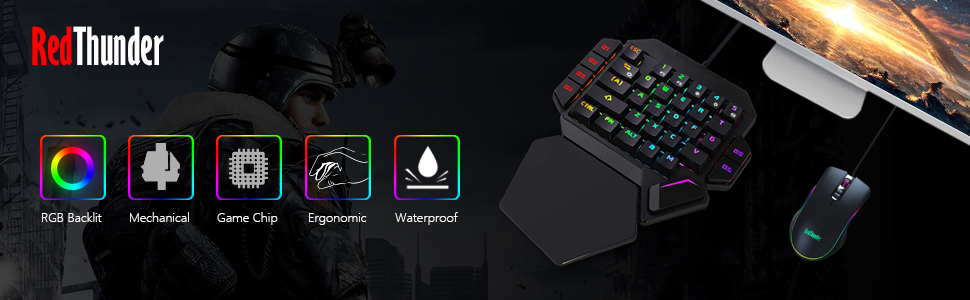
Image: RGB backlight options and control key combinations.
Video: Demonstrates the cool lighting effects of the RedThunder K50 keyboard.
Macro Recording (G1-G6 Keys)
The G1 through G6 keys on your RedThunder K50 keyboard support macro recording, allowing you to program complex sequences of commands.
- Започни снимање: If there is no existing macro recorded on a G-key (e.g., G1), press FN + G1 to enter the recording state. The G1 key's light will flash to indicate recording is active.
- Уносни садржај: Type the desired sequence of keys or commands you wish to record.
- Заврши снимање: After inputting your sequence, press FN + G1 again. The G1 key's light will stop flashing and return to its normal mode, indicating the macro is saved.
- Clear Recording: To clear a recorded macro and restore the G-key to its default F1-F6 function, press FN + G1 (or the corresponding G-key) while in normal mode.

Image: The G1-G6 programmable keys on the RedThunder K50 keyboard.
Mechanical Switches and Anti-Ghosting
The K50 keyboard utilizes durable blue mechanical switches for a responsive typing and gaming experience. All keys are equipped with anti-ghosting technology to ensure every keystroke is registered accurately, even during rapid, simultaneous presses.
Слика: Детаљна view of the dustproof blue mechanical switches.

Image: Illustration of all keys anti-ghosting feature.
Одржавање
- Чишћење: Use a soft, dry cloth to wipe the surface of the keyboard. For deeper cleaning, use compressed air to remove dust and debris from between the keys. Avoid using liquid cleaners directly on the keyboard.
- Складиштење: Чувајте тастатуру на хладном и сувом месту, даље од директне сунчеве светлости и екстремних температура.
- Нега каблова: Избегавајте прекомерно савијање или увијање USB кабла како бисте спречили оштећења.
Решавање проблема
- Тастатура не реагује:
- Ensure the USB cable is securely connected to both the keyboard and your device.
- Покушајте да прикључите тастатуру на други УСБ порт.
- Поново покрените рачунар или играћу конзолу.
- Test the keyboard on another device to rule out a device-specific issue.
- Позадинско осветљење не ради/неисправно:
- Check if the backlight is turned off or set to minimum brightness using ФН + 3 or ФН + 4.
- Cycle through backlight modes and colors using ФН + Таб и ФН + 5.
- Макро тастери не раде:
- Ensure the macro was recorded correctly following the steps in the "Macro Recording" section.
- Verify that the G-key is not in recording mode (flashing light).
Спецификације
| Бранд | РедТхундер |
| Број модела | К50 |
| Технологија повезивања | УСБ-Ц |
| Опис тастатуре | Гаминг |
| Посебна карактеристика | Lighting (RGB) |
| Тип прекидача | Clicky (Blue Switches) |
| Број кључева | 35 |
| Компатибилни уређаји | Gaming Console, PC, MAC |
| Компатибилна породица оперативних система | Линук, Виндовс |
| Материјал | Пластика |
| Тежина артикла | 0.45 килограма |
Информације о гаранцији
RedThunder products are designed for quality and reliability. This product comes with a standard manufacturer's warranty against defects in materials and workmanship. Please retain your proof of purchase for warranty claims. For specific warranty terms and conditions, refer to the documentation included with your purchase or visit the official RedThunder webсајту.
Подршка
If you encounter any issues or have questions regarding your RedThunder K50 One-Handed Mechanical Gaming Keyboard, please contact RedThunder customer support through the following channels:
- Подршка на мрежи: Visit the official RedThunder webсајт за често постављана питања, водиче за решавање проблема и контакт форме.
- Подршка путем е-поште: Refer to your product packaging or the RedThunder webсајт за адресу е-поште корисничке службе.
Please have your product model (K50) and purchase information ready when contacting support.