
1. Увод
Thank you for choosing the Targus W620 Wireless Optical Mouse. This manual provides detailed instructions for setting up, operating, and maintaining your mouse to ensure optimal performance and longevity. The Targus W620 offers reliable 2.4 GHz wireless connectivity, a precise 1600 DPI optical sensor, and a compact design suitable for both office and mobile use.
2. Садржај пакета
Молимо вас да проверите пакет за следеће ставке:
- Targus W620 Wireless Optical Mouse
- УСБ пријемник
- 2 к ААА батерије
3. Производ је готовview
Familiarize yourself with the components of your Targus W620 Wireless Optical Mouse.
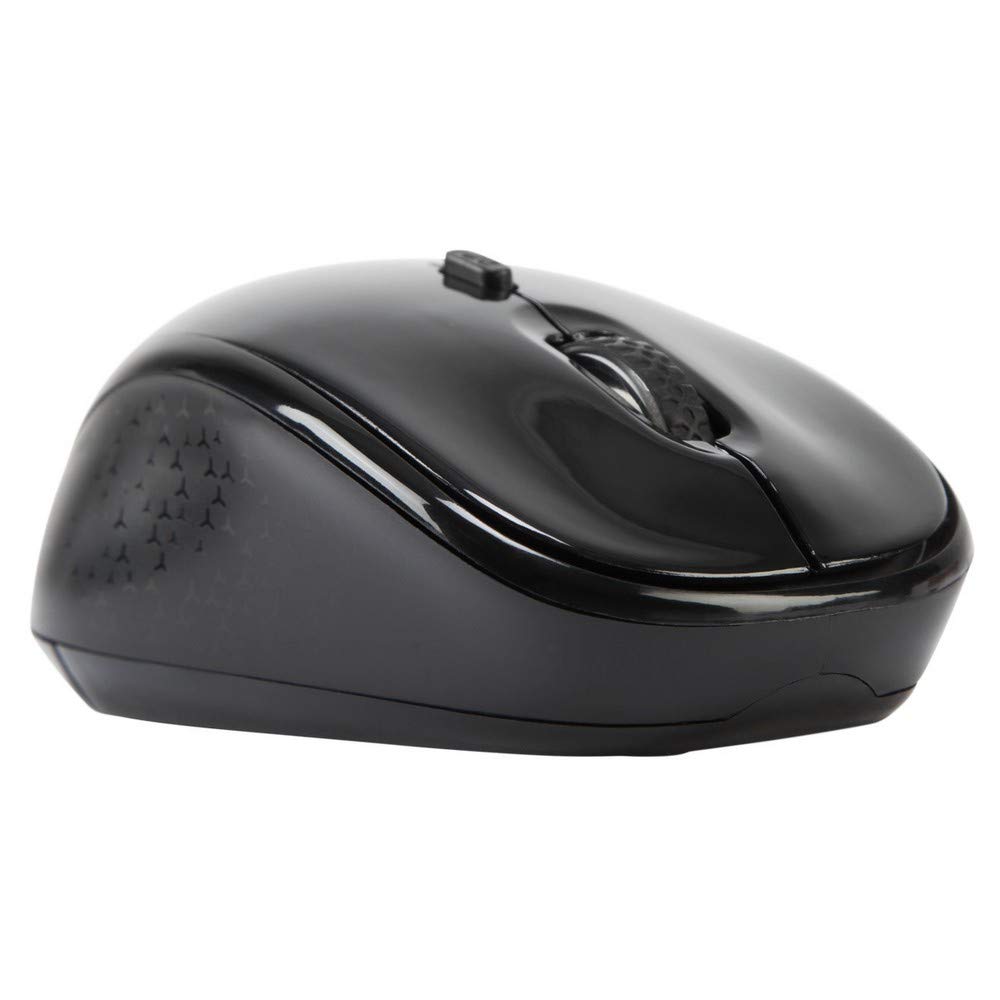
Слика 3.1: Врх view of the Targus W620 Wireless Optical Mouse. This image displays the primary buttons and scroll wheel.
- Леви клик: Стандардна функција примарног клика.
- Десни клик: Стандардна функција секундарног клика.
- Точак за померање: For vertical scrolling and middle-click function.
- Дугме ДПИ: Подешава осетљивост миша (DPI).
- Оптички сензор: Located on the bottom, detects mouse movement.
- Одељак за батерије: Located on the bottom, holds two AAA batteries.
- Меморија USB пријемника: A dedicated slot on the bottom for storing the USB receiver when not in use.

Слика 3.2: Дно view of the mouse, highlighting the battery compartment and optical sensor.
4. Упутства за подешавање
Follow these steps to set up your Targus W620 Wireless Optical Mouse:
- Инсталирајте батерије:
- Locate the battery compartment cover on the bottom of the mouse.
- Отворите поклопац.
- Уметните две ААА батерије, водећи рачуна о исправном поларитету (+/-).
- Добро затворите поклопац одељка за батерије.
- Повежите УСБ пријемник:
- The USB receiver is typically stored in a slot on the bottom of the mouse for transport. Gently remove it.
- Укључите УСБ пријемник у слободан УСБ порт на рачунару.

Слика 4.1: The mouse with its USB receiver, ready for connection.
- Укључено:
- There is no explicit power switch on this model; the mouse activates upon movement and connection.
- Ваш рачунар би требало аутоматски да детектује и инсталира потребне драјвере. Ово може потрајати неколико тренутака.
- Once drivers are installed, the mouse is ready for use.
5. Упутство за употребу
The Targus W620 Wireless Optical Mouse is designed for intuitive use. Here are its primary functions:
- Основна навигација: Померајте миш по равној површини да бисте контролисали курсор на екрану.
- Леви клик: Користи се за одабир предмета, отварање fileс, или активирање функција.
- Десни клик: Користите за приступ контекстним менијима или секундарним функцијама.
- Точак за померање: Rotate the wheel to scroll vertically through documents and web pages. Press the scroll wheel for a middle-click function, often used for opening links in new tabs or auto-scrolling.
- ДПИ подешавање: Press the DPI button (located behind the scroll wheel) to cycle through the available DPI settings (800, 1200, 1600 DPI). This changes the sensitivity of the mouse cursor. A higher DPI means the cursor moves further with less physical mouse movement.
6. Одржавање
Proper maintenance ensures the longevity and performance of your mouse.
- Чишћење: Use a soft, dry, lint-free cloth to clean the exterior of the mouse. For stubborn dirt, slightly dampИсперите крпу водом. Избегавајте употребу јаких хемикалија или абразивних средстава за чишћење.
- Оптички сензор: Keep the optical sensor area on the bottom of the mouse clean and free from dust or debris to ensure accurate tracking.
- Замена батерије: When the mouse performance degrades or stops responding, it is likely time to replace the batteries. Follow the steps in Section 4.1 to replace the two AAA batteries.
- Складиштење: When transporting or storing the mouse, always place the USB receiver back into its dedicated storage slot on the bottom of the mouse to prevent loss.
КСНУМКС. Решавање проблема
If you encounter issues with your Targus W620 mouse, try the following solutions:
| Проблем | Могуће решење |
|---|---|
| Mouse not responding or cursor not moving. |
|
| Кретање курсора је неправилно или скачкасто. |
|
| DPI button not changing sensitivity. |
|
| Проблеми са бежичном везом. |
|
8. Спецификације
| Бранд | Таргус |
| Број модела | AMW620AP |
| Технологија повезивања | 2.4 GHz Wireless (Radio Frequency) |
| Технологија детекције покрета | Optical (BlueTrace Technology) |
| ДПИ Левелс | 800 / 1200 / 1600 DPI (подесиво) |
| Број дугмади | 4 (Left, Right, Scroll Wheel, DPI) |
| Оријентација руке | Right (Comfortable for ambidextrous use) |
| Извор напајања | 2 к ААА батерије (укључене) |
| Тежина артикла | 26 грама |
| Компатибилност оперативног система | Linux, Windows XP (Compatible with modern Windows and macOS) |
| Хардверска платформа | Мак, рачунар |
| Боја | Црно |
9. Гаранција и подршка
Информације о гаранцији: The Targus W620 Wireless Optical Mouse comes with a Двогодишња гаранција произвођача од датума куповине. Ова гаранција покрива недостатке у материјалу и изради при нормалној употреби. Молимо вас да сачувате доказ о куповини за потребе подношења захтева за гаранцију.
Корисничка подршка: For technical assistance, troubleshooting beyond this manual, or warranty inquiries, please visit the official Targus website or contact their customer support service. Refer to the contact information provided with your product packaging or on the Targus official webсајту.