
1. Увод
Хвала вам на куповиниasing the ELEPHAS RD-606 Mini Projector. This compact and portable projector is designed to provide a versatile home theater experience with features like Wi-Fi connectivity, 3D support, and a built-in battery. This manual provides essential information for setting up, operating, and maintaining your projector to ensure optimal performance and longevity.
The RD-606 utilizes advanced DLP technology to deliver clear images with a 1000:1 contrast ratio and up to 1080P resolution. Its lightweight design and integrated battery allow for flexible use in various environments.

Image: High-Definition Display Comparison. The ELEPHAS projector delivers superior image clarity and color reproduction.
2. Безбедносне информације
Пажљиво прочитајте сва безбедносна упутства пре употребе пројектора. Сачувајте ово упутство за будуће потребе.
- Не гледајте директно у сочиво пројектора када је укљученоamp је укључено, јер јако светло може изазвати оштећење ока.
- Обезбедите одговарајућу вентилацију око пројектора. Не блокирајте вентилационе отворе.
- Користите само адаптер за напајање који се испоручује са пројектором.
- Не излажите пројектор киши, влази или екстремним температурама.
- Избегавајте постављање пројектора на нестабилне површине.
- Не покушавајте да растављате или модификујете пројектор. Сво сервисирање препустите квалификованом особљу.
3. Садржај пакета
Проверите да ли су све ставке присутне у вашем пакету:
- ELEPHAS Mini Projector (RD-606) x1
- Адаптер за напајање к1
- Даљински управљач к1
- Micro USB Wire x1
- Free Tripod x1
- Торба за ношење к1
- Упутство за употребу к1
4. Подешавање
4.1 Укључивање/искључивање
- Connect the power adapter to the projector's charging port (DC 5V) and then to a power outlet.
- Slide the Power Switch to the 'ON' position. The projector will power on.
- To power off, slide the Power Switch to the 'OFF' position.
4.2 Подешавање фокуса
Rotate the focus ring on the side of the projector until the projected image appears clear and sharp.
4.3 Ауто Кеистоне Цоррецтион
The RD-606 features an automatic keystone correction function. The projected image will adjust automatically to optimize the angle, correcting distortion up to ±40 degrees. No manual adjustment is typically required for this feature.
4.4 Повезивање
Пројектор подржава различите улазне изворе:
- ДВИ: Connect devices like laptops, gaming consoles (PS4), or streaming sticks (Fire TV, Roku Stick, Apple TV) using an HDMI cable.
- УСБ: Уметните USB флеш диск да бисте репродуковали медије fileс директно.
- Микро УСБ: For charging or connecting compatible devices.
- 3.5 мм аудио: Повежите екстерне звучнике или слушалице.
- Ви-Фи: Connect to your wireless network for online content and screen mirroring.

Image: Projector Ports and Compatible Devices. This image illustrates the various input ports and devices that can be connected to the RD-606 projector.
5. Упутство за употребу
5.1 Основна навигација
Use the included remote control to navigate the projector's on-screen menu. The directional buttons allow you to move through options, and the 'OK' or 'Enter' button confirms selections. 'Back' or 'Return' buttons typically exit menus.
5.2 Ви-Фи веза
- Access the projector's settings menu.
- Изаберите „Мрежа“ или „Подешавања Wi-Fi мреже“.
- Изаберите жељену Wi-Fi мрежу са листе.
- Унесите лозинку за Wi-Fi помоћу тастатуре на екрану.
- Once connected, you can access built-in apps like YouTube and Koala (if available) for online content.
5.3 Wireless Screen Mirroring (Airplay/Miracast)
The projector supports wireless mirroring from compatible smartphones and tablets via Airplay (for iOS devices) or Miracast (for Android devices).
- Ensure your projector and smart device are connected to the same Wi-Fi network.
- On the projector, select the 'Screen Mirroring' or 'Wireless Display' option from the main menu.
- On your smart device, activate its screen mirroring feature (e.g., 'Screen Mirroring', 'Smart View', 'Airplay', 'Cast').
- Select the projector's name from the list of available devices on your smart device.
- The device's screen content will now be projected.

Image: Screen Mirroring with Phone/Tablet. This image demonstrates how to wirelessly share content from mobile devices to the projector.
5.4 3D Mode Operation
The RD-606 Series supports multiple 3D modes. To experience 3D content:
- You will need a pair of active DLP Link 3D glasses (sold separately).
- Play 3D content from a compatible source.
- Turn on your DLP Link 3D glasses. They should automatically synchronize with the projected image.
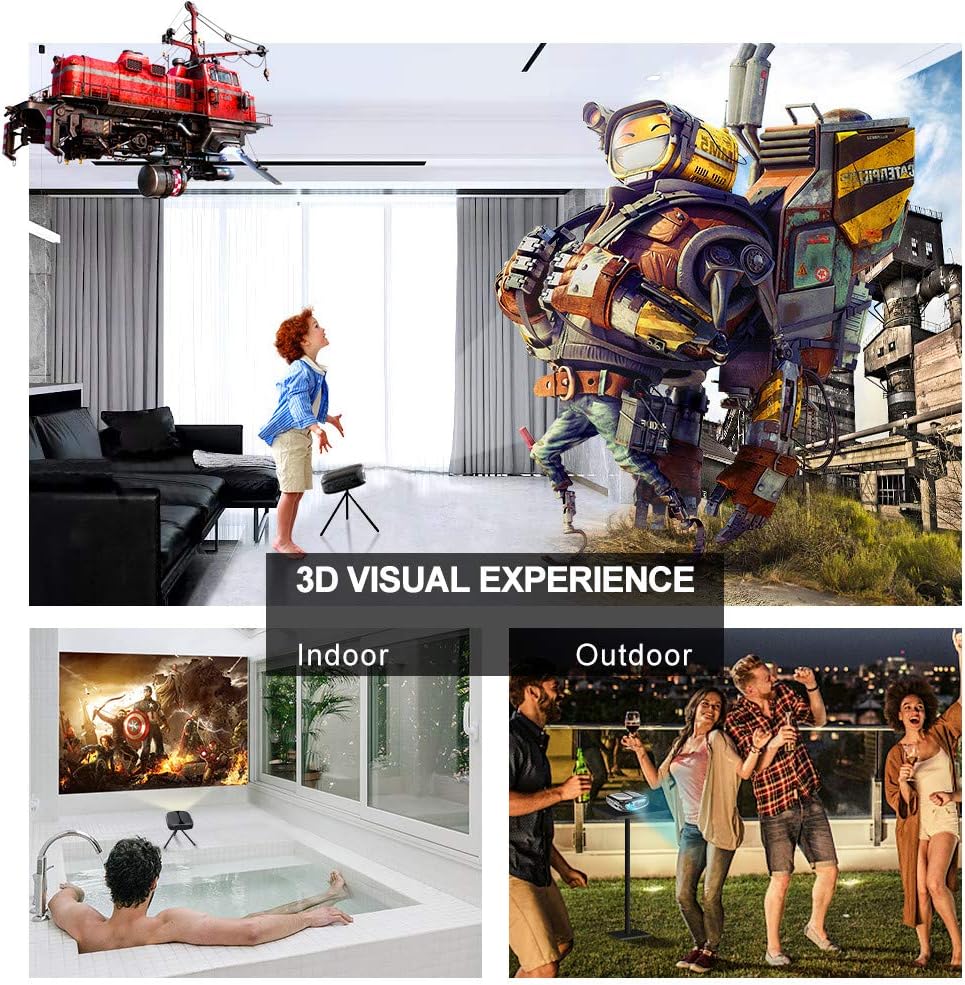
Image: 3D Visual Experience. The projector offers immersive 3D viewing for both indoor and outdoor settings.
5.5 Battery Operation and Portability
The built-in battery provides approximately two hours of continuous video playback, offering flexibility for use without a constant power source. For extended use, the projector can also be charged via a power bank.

Image: Embedded Battery for Portable Use. The projector's battery allows for convenient outdoor entertainment.

Image: Pocket Size and Lightweight Design. The projector's compact form factor makes it highly portable.
6. Одржавање
6.1 Чишћење сочива
Gently wipe the projector lens with a soft, lint-free cloth specifically designed for optical surfaces. Do not use abrasive cleaners or harsh chemicals.
6.2 Генерално чишћење
Use a soft, dry cloth to clean the projector's casing. For stubborn dirt, a slightly damp cloth can be used, followed by a dry cloth. Ensure no liquid enters the device.
6.3 Складиштење
When not in use for extended periods, store the projector in a cool, dry place, away from direct sunlight and extreme temperatures. Use the provided carrying bag for protection against dust and physical damage.
КСНУМКС. Решавање проблема
- Нема напајања:
- Ensure the power adapter is securely connected to both the projector and a working power outlet.
- Проверите да ли је прекидач за напајање у положају „УКЉУЧЕНО“.
- Проверите да ли је утичница функционална.
- Нема слике:
- Check the input source selection on the projector to ensure it matches your connected device (e.g., HDMI, USB).
- Verify that the connected device is powered on and outputting a signal.
- Уверите се да су сви каблови безбедно повезани.
- Замућена слика:
- Adjust the focus ring on the projector until the image is sharp.
- Уверите се да је површина за пројекцију равна и да је пројектор на одговарајућој удаљености.
- Нема звука:
- Проверите подешавања јачине звука и на пројектору и на повезаном изворном уређају.
- Ако користите спољне звучнике, уверите се да су правилно повезани и укључени.
- Проверите да ли су подешавања аудио излаза на вашем изворном уређају исправна.
- Wi-Fi/Screen Mirroring Issues:
- Ensure both the projector and your smart device are connected to the same Wi-Fi network.
- Check for strong Wi-Fi signal strength.
- Restart both the projector and your smart device.
- Ensure your smart device's operating system is up to date.
8. Спецификације
| Феатуре | Спецификација |
|---|---|
| Модел | РД-606 |
| Дисплаи Тецхнологи | ДЛП |
| Осветљеност слике | 2600 лумена |
| Однос контраста слике | 1000:1 |
| Нативе Ресолутион | 1920 x 1080 (Supports 1080P) |
| Посебне карактеристике | Auto Keystone, HDMI Connectivity, Portable, Built-in Wi-Fi, 3D Ready |
| Технологија повезивања | HDMI, USB, Wi-Fi |
| Компатибилни уређаји | Laptops, Smartphones, Media Players |
| Тип батерије | Литијум-јонске батерије (1 укључене) |
| Трајање батерије | Approx. 2 hours video playback |
| Димензије производа | 9.91 к 10.67 к 4.06 цм |
| Тежина артикла | 793.79 г (0.66 лб) |
| Тип монтаже | Таблетоп Моунт |
9. Гаранција и подршка
ELEPHAS provides lifetime professional customer service and technical support for the RD-606 Mini Projector. If you encounter any issues or have questions regarding your product, please do not hesitate to contact our support team.
Контакт информације:
- Емаил: support@elephas.com.hk
Please have your product model number (RD-606) and purchase details ready when contacting support to facilitate a quicker resolution.