
1. Увод
Тхе Халоview CA109 is a wireless 720P high-definition license plate rear view camera designed to assist with vehicle backing maneuvers. This camera provides a clear view of the area behind your vehicle and is compatible with Haloview MC7108 and MC5111 systems. Its compact design and adjustable angle offer versatile installation and optimal viewинг.
2. Компоненте производа
The CA109 package includes the following items:
- CA109 License Plate Camera
- License Plate Mount Bracket
- Кабл за конверзију камере
- Антена за камеру
3. Подешавање и инсталација
The CA109 camera offers straightforward installation with no cutting or drilling required for standard license plate mounting. Ensure your vehicle is turned off before beginning installation.
3.1. Монтажа камере
The camera is designed to mount directly onto a standard US license plate using the provided bracket. Position the camera to ensure it does not obstruct the license plate numbers or tags.

Image: The CA109 camera shown mounted on a standard US license plate.
For vehicles equipped with Furrion pre-wired brackets, the B-F02 Backup Camera Bracket Adapter (sold separately) can be used for an integrated mounting solution.
3.2. Прикључак за напајање
Connect the camera to a 12-volt power source. This typically involves wiring it to your vehicle's reverse lights for activation when backing up, or to a constant power source if continuous monitoring is desired. Use the camera conversion cable for proper connection.
Напомена: For some newer vehicle models, particularly certain GM vehicles, a voltage control module may be required to ensure stable power supply to the camera. Consult your vehicle's manual or a professional if experiencing power-related issues.
3.3. Инсталација антене
Attach the camera antenna securely to the designated port on the camera. Ensure the antenna is positioned for optimal signal transmission. The wireless signal range is up to 984 feet (line of sight).
3.4. Camera Dimensions
Refer to the diagram below for the physical dimensions of the CA109 camera and its mounting bracket.
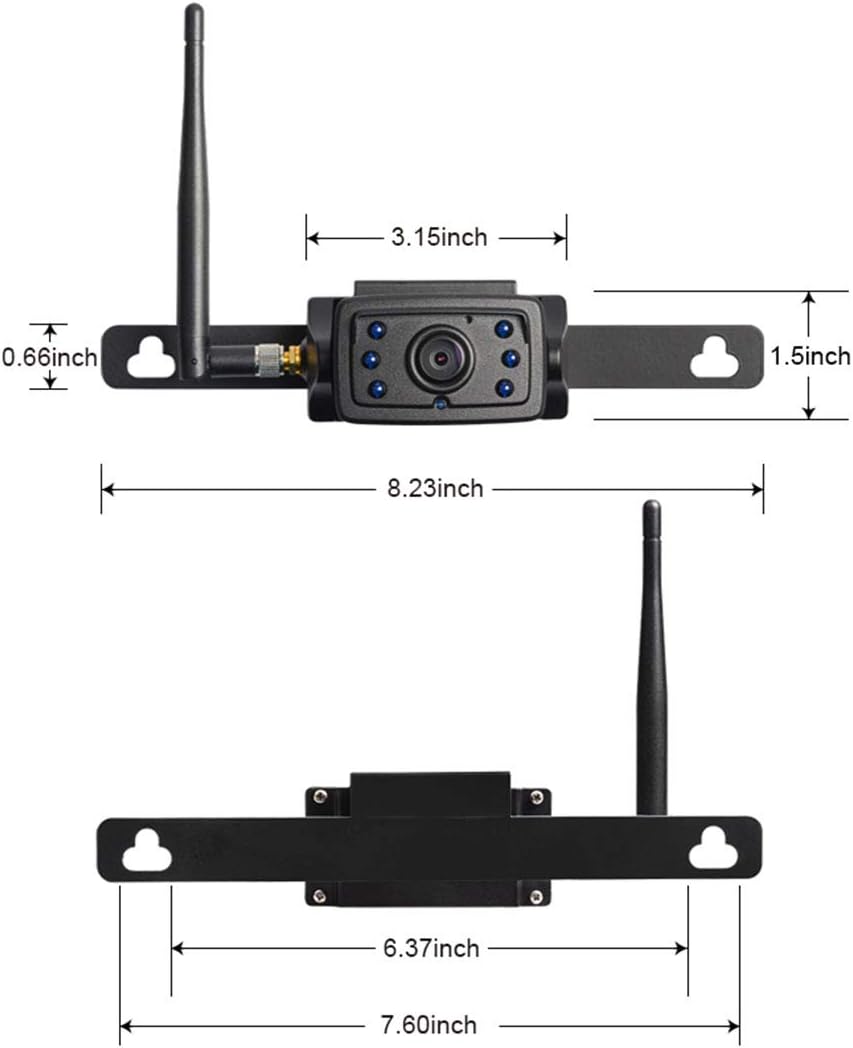
Image: Detailed dimensions of the CA109 camera and its mounting components.

Image: The CA109 camera installed on a vehicle's tailgate, showing the camera and a monitor displaying its view.
4. Упутство за употребу
Once installed and powered, the CA109 camera transmits video wirelessly to a compatible Haloview monitor (MC7108 or MC5111 system).
4.1. Подешавање угла камере
The camera lens can be adjusted by up to 70 degrees vertically to achieve the optimal viewing angle for your specific vehicle and application. Loosen the adjustment screws, set the desired angle, and then tighten the screws to secure the position.

Image: The CA109 camera illustrating its 70-degree adjustable viewугао уласка.
4.2. Viewинг Ареа
The camera features a 120-degree wide-angle lens, capturing a broad view of the area behind your vehicle. This wide field of view is particularly useful for backing up and hitching trailers.
4.3. Ноћни вид
Equipped with 6 infrared (IR) LED lights, the CA109 provides night vision capabilities, allowing for clear visibility in low-light conditions.
5. Одржавање
Тхе Халоview CA109 camera is designed for durability and minimal maintenance.
5.1. Чишћење
Периодично чистите сочиво и кућиште камере меком крпомamp cloth to remove dirt, dust, or debris that may obstruct the view. Избегавајте употребу јаких хемикалија или абразивних материјала.
5.2. Отпорност на воду
The camera boasts an IP69K rating, indicating high resistance to dust and high-pressure, high-temperature water jets. This ensures reliable operation in various weather conditions.
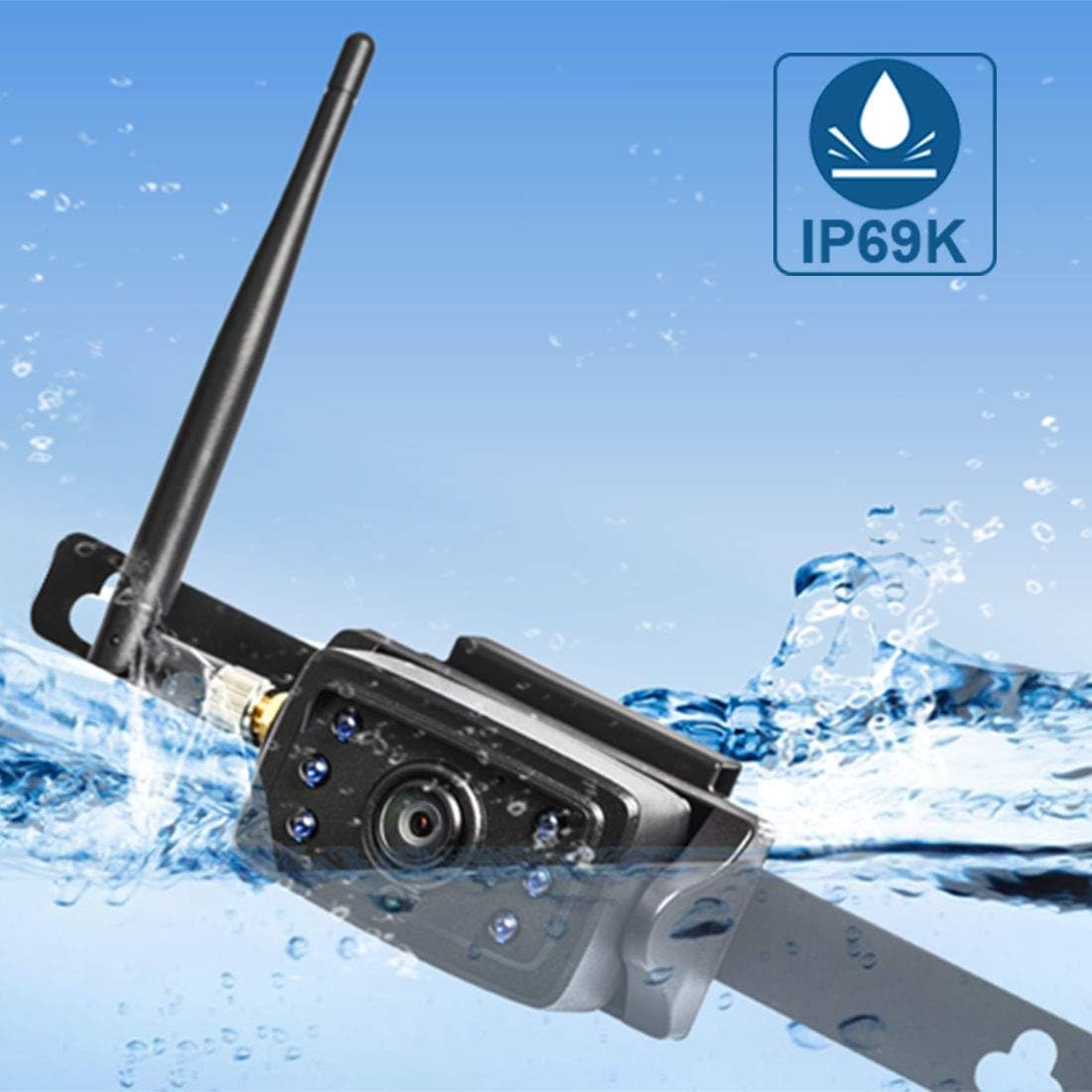
Image: The CA109 camera demonstrating its IP69K water resistance rating.
КСНУМКС. Решавање проблема
If you encounter issues with your CA109 camera, refer to the following common troubleshooting steps:
- Нема слике на монитору:
- Ensure the camera is receiving power. Check all cable connections.
- Verify the camera is properly paired with your Haloview monitor. Refer to your monitor's manual for pairing instructions.
- Check the antenna connection on the camera and ensure it is not obstructed.
- Лош квалитет слике:
- Очистите сочиво камере.
- Ensure there are no obstructions between the camera and the monitor that could interfere with the wireless signal.
- Проверите да ли у близини постоје јаки извори електромагнетних сметњи.
- Испрекидани сигнал:
- Reposition the camera antenna for better line of sight.
- Ensure the camera is within the effective wireless range (up to 984ft line of sight).
- Проверите стабилност прикључака за напајање.
- Камера се не укључује:
- Confirm the 12V power source is active.
- Проверите да ли кабл за напајање има оштећења.
- If installing on a newer vehicle, consider if a voltage control module is necessary.
7. Спецификације
Key technical specifications for the Haloview CA109 camera:
| Феатуре | Спецификација |
|---|---|
| Бранд | Халоview |
| Број модела | ЦА109 |
| Резолуција снимања видео записа | 720п |
| Ефективна резолуција мировања | 720 Пикелс |
| Поље View | 120 степени |
| Реал Англе оф View | 170 степени |
| Ленс Типе | Широки угао |
| Технологија оптичког сензора | CMOS Infrared |
| Величина оптичког сензора | 1/4 инча |
| Волtage | 12 Волтс |
| Тип конектора | Бежични |
| Врста инсталације | Сурфаце Моунт |
| Компатибилни уређаји | Monitor (MC7108, MC5111 systems) |
| Лукс рејтинг | 0.2 Лук |
| Тежина артикла | 421 грама |
8. Гаранција и подршка
For warranty information, please refer to the documentation included with your purchase or visit the official Haloview webсајт. Услови гаранције могу да се разликују.
For technical support, product inquiries, or further assistance, please contact Haloview customer service through their official webсајт: