
Увод
This manual provides detailed instructions for the safe and efficient operation, maintenance, and troubleshooting of your Amazon Basics 18-Sheet Cross-Cut Paper, CD, and Credit Card Shredder. Please read this manual thoroughly before using the shredder and retain it for future reference.
The Amazon Basics 18-Sheet Cross-Cut Shredder is designed to shred paper, CDs, DVDs, and credit cards, providing a secure way to dispose of sensitive information. It features a cross-cut mechanism for enhanced security, turning documents into small confetti-like pieces.
Безбедносне информације
To reduce the risk of fire, electric shock, or injury, always follow basic safety precautions when using this product.
- Чувати ван домашаја деце и кућних љубимаца.
- Keep loose clothing, jewelry, hair, and other small items away from the shredder opening.
- Не стављајте руке или прсте у отвор сецкалице.
- Always unplug the shredder when not in use or before moving, cleaning, or emptying the waste bin.
- Do not operate the shredder with a damaged power cord or plug.
- Do not shred adhesive labels, continuous forms, or plastic other than credit cards.
- Do not spray any flammable products onto the shredder or use near flammable materials.
- Овај производ садржи хемикалије за које је у држави Калифорнија познато да изазивају рак и урођене дефекте или другу репродуктивну штету.
Сетуп
Распакивање
- Пажљиво извадите сецкалицу из паковања.
- Remove all packing materials, including any protective films or inserts.
- Inspect the shredder for any signs of damage. If damaged, do not operate and contact customer support.
Пласман
- Поставите сецкалицу на равну, стабилну површину.
- Ensure there is adequate space around the shredder for ventilation and access to the waste bin.
- The shredder is equipped with casters for easy mobility. Lock the casters once the shredder is in its desired position.

Свеукупно view of the Amazon Basics 18-Sheet Cross-Cut Shredder, showing its compact design and casters.
Повер Цоннецтион
- Ensure the shredder is in the 'OFF' position (or unplugged) before connecting to power.
- Укључите кабл за напајање у стандардну електричну утичницу.
Упутство за употребу
Контроле и индикатори
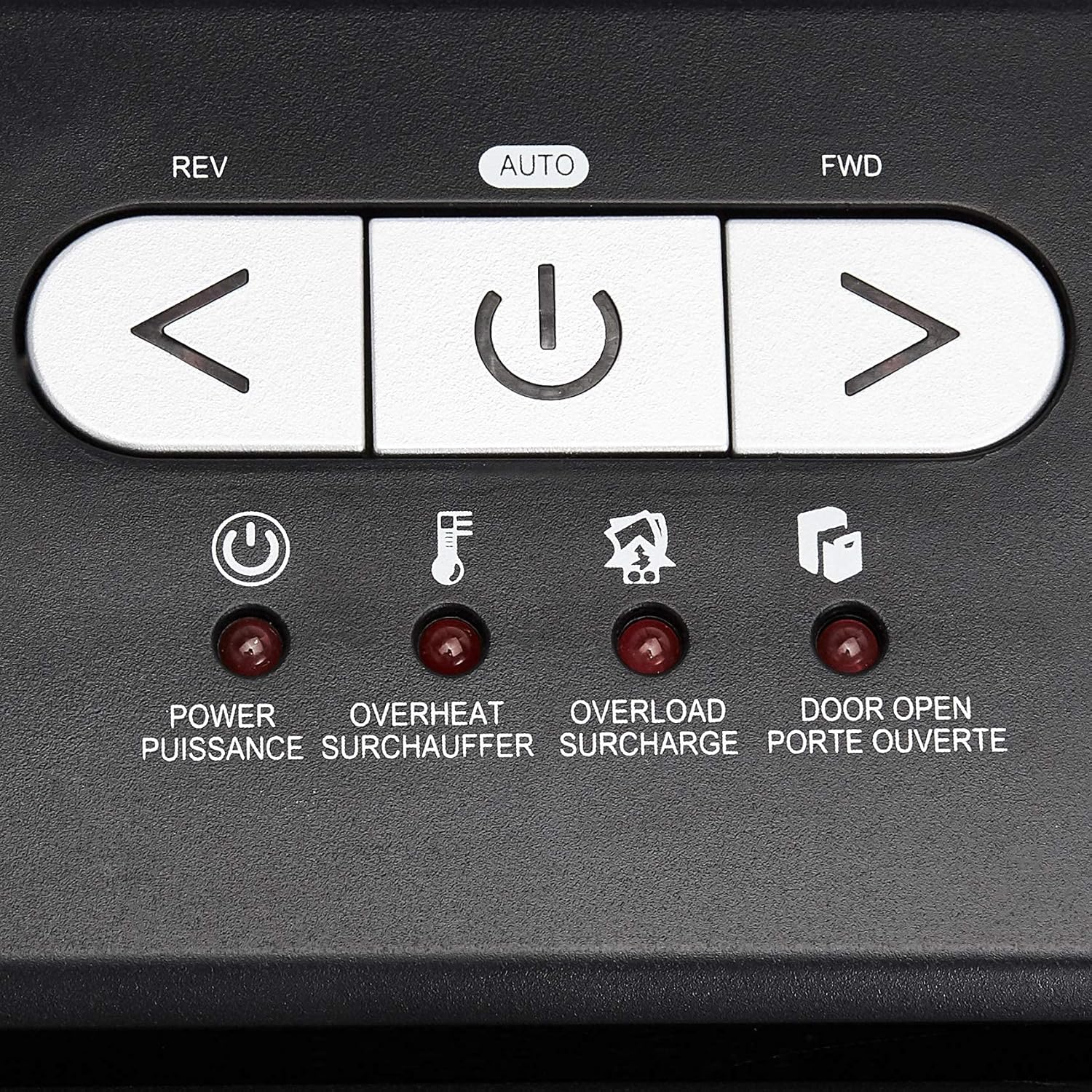
Цлосе-уп view of the shredder's control panel, showing the REV, AUTO, FWD buttons and LED indicators.
| Контрола/Индикатор | Опис |
|---|---|
| REV (Reverse) Button | Moves the shredder blades in reverse to clear paper jams. |
| AUTO (Power/Auto) Button | Activates the shredder's automatic shredding function. The shredder will start when paper is inserted. |
| FWD (Forward) Button | Moves the shredder blades forward continuously. Useful for clearing small debris. |
| ЛЕД за напајање | Indicates the shredder is powered on. |
| ЛЕД за прегревање | Illuminates when the shredder has exceeded its maximum continuous run time and needs to cool down. |
| ЛЕД за преоптерећење | Illuminates when too much material is inserted, causing the motor to strain. |
| Door Open LED | Indicates that the shredder head is not properly seated on the waste bin, or the bin is not fully closed. |
Основна операција уситњавања
- Ensure the shredder is plugged in and the power switch on the back (if present) is ON.
- Притисните тастер АУТО button on the control panel. The Power LED will illuminate.
- За папир: Insert up to 18 sheets of 20-pound bond paper into the paper entry slot. The shredder will automatically start and stop once the paper has passed through. Staples and small paper clips do not need to be removed.
- For CDs/DVDs: Insert one CD or DVD into the dedicated CD/DVD slot. The shredder will process the disc.
- За кредитне картице: Insert one credit card into the dedicated credit card slot. The shredder will process the card.
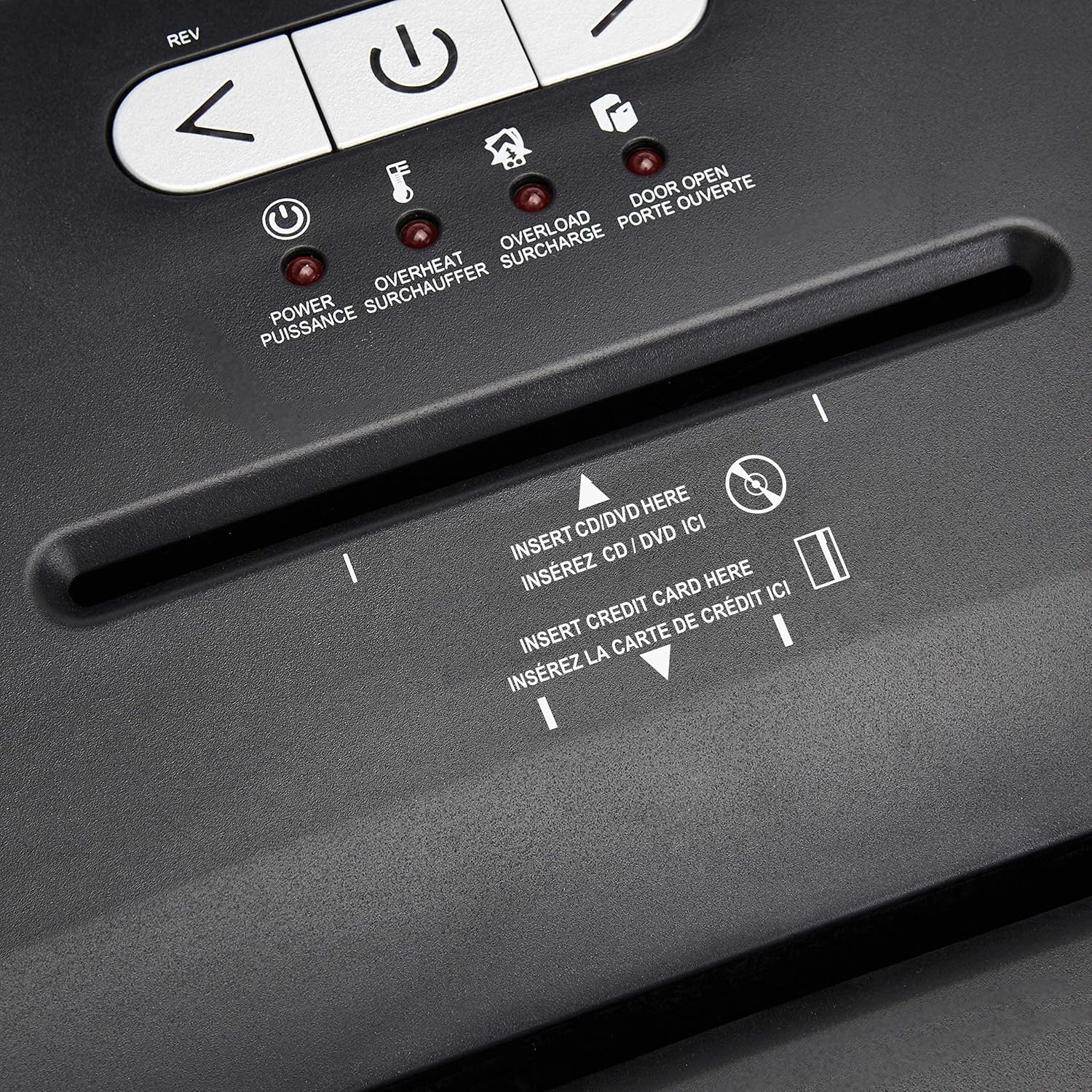
Детаљно view of the dedicated slots for shredding CDs/DVDs and credit cards.
Continuous Run Time and Overheat Protection
The shredder is designed for a continuous run time of 30 minutes, followed by a 10-minute cool-down period. If the shredder operates continuously beyond its maximum run time, it will automatically shut off to protect the motor from overheating. The Overheat LED will illuminate. Allow the shredder to cool down for at least 10 minutes before resuming operation. The shredder will automatically reset once cooled.
Заштита од преоптерећења
If too many sheets of paper or an item too thick is inserted, the shredder may jam and the Overload LED will illuminate. To clear an overload, press the РЕВ button to reverse the blades and remove the excess material. Reduce the amount of material and re-insert.
Одржавање
Emptying the Shredder Bin
- Always unplug the shredder before emptying the waste bin.
- The 6-gallon bin has a window to monitor the fill level.
- Carefully pull out the waste bin from the front of the shredder.
- Empty the shredded material into a suitable recycling or waste container.
- Slide the waste bin back into place, ensuring it is fully seated. The Door Open LED should turn off.
Чишћење
- Unplug the shredder before cleaning.
- Обришите спољашњост сецкалице меком, сувом крпом. Не користите абразивна средства за чишћење или раствараче.
- Periodically clean the shredder blades by running a shredder lubricant sheet or applying shredder oil to a sheet of paper and shredding it. This helps maintain optimal performance and extends the life of the blades.
Решавање проблема
| Проблем | Могући узрок | Решење |
|---|---|---|
| Шредер се не укључује. | Not plugged in; Power switch OFF; Waste bin not properly seated; Overheated. | Ensure power cord is securely plugged in. Turn the power switch ON. Push the waste bin firmly into place. Allow shredder to cool down if Overheat LED is on. |
| Застој папира. | Too much paper inserted; Paper not inserted straight. | Притисните тастер РЕВ button to clear the jam. Remove excess paper. Reduce the amount of paper per pass. |
| Shredder stops during operation and Overheat LED is on. | Exceeded continuous run time. | Allow the shredder to cool down for at least 10 minutes. The shredder will automatically reset. |
| Shredder stops and Overload LED is on. | Too much material inserted. | Притисните тастер РЕВ button to remove the material. Reduce the amount of material and re-insert. |
| Door Open LED is on. | Waste bin not fully inserted or shredder head not properly seated. | Ensure the waste bin is pushed all the way in and the shredder head is correctly positioned on top. |
Спецификације
| Феатуре | Детаљ |
|---|---|
| Број модела | Ц218-А |
| Схред Типе | Цросс-Цут |
| Схред Сизе | 4 к 35 мм |
| Сигурносни ниво | П-3 |
| Капацитет листа | Up to 18 sheets (20-pound bond paper) |
| Схредс | Paper, CDs, DVDs, Credit Cards |
| Бин Цапацити | 6 галона |
| Непрекидно време рада | КСНУМКС минута |
| Време хлађења | КСНУМКС минута |
| Димензије (Д к Ш к В) | 10.35 к 14.45 к 20.47 инча |
| Тежина артикла | 24.4 фунти |
| Боја | Црно |
| Врста материјала | Легирани челик, метал, пластика |
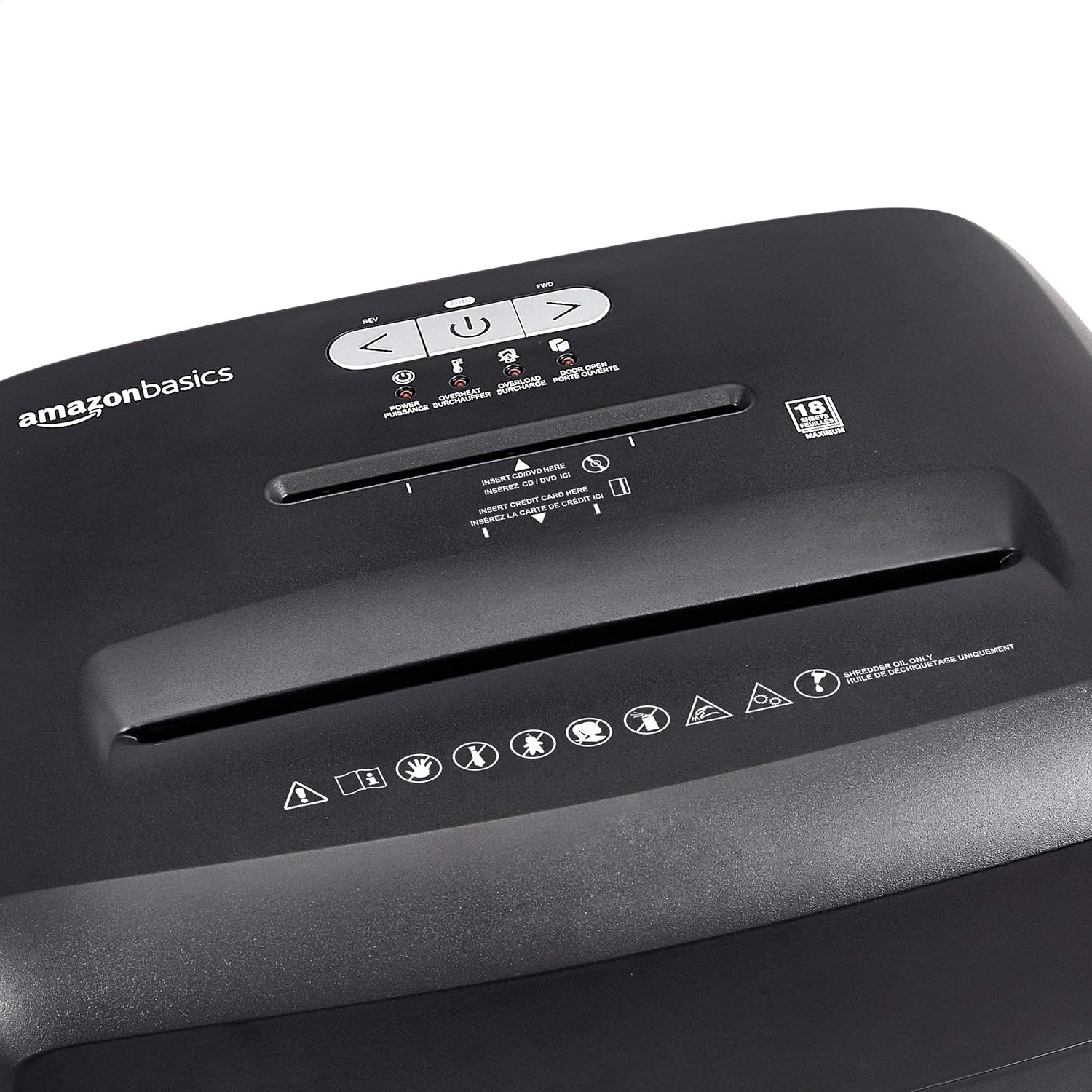
Diagram illustrating the dimensions of the shredder: 20.47 inches (51.51 cm) in height.
Информације о гаранцији
This Amazon Basics product is backed by a limited warranty. For specific details regarding warranty coverage, duration, and terms, please refer to the warranty document included with your purchase or visit the official Amazon Basics webсајт. Сачувајте доказ о куповини за потребе гаранције.
Корисничка подршка
For any questions, assistance, or troubleshooting not covered in this manual, please contact Amazon Basics Customer Service. You can typically find contact information on the Amazon website under the 'Help' or 'Customer Service' sections, or by visiting the Amazon Basics Store.