
Увод
The Rapoo 1680 Silent Wireless Mouse offers a comfortable and quiet computing experience. Featuring a reliable 2.4GHz wireless connection, 1000 DPI optical tracking, and a silent click design, it is suitable for various environments, including offices and libraries. Its ergonomic and ambidextrous design ensures comfortable use for extended periods, and a long battery life provides convenience.

Image: The Rapoo 1680 Silent Wireless Mouse, showcasing its sleek, ambidextrous design in white.
Шта је у кутији
Молимо вас да проверите да ли су све ставке присутне у пакету:
- 1 x Wireless Mouse (Rapoo 1680)
- КСНУМКС к УСБ пријемник
- 1 к АА батерија
- 1 к Упутство за употребу

Image: The underside of the Rapoo 1680 mouse with the battery compartment open, showing the included AA battery and the USB nano receiver.
Упутства за подешавање
- Уметните батерију: Open the battery compartment located on the underside of the mouse. Insert the provided AA battery, ensuring correct polarity. Close the compartment securely.
- Уметните УСБ пријемник: Locate the USB nano receiver, typically stored within the battery compartment or packaged separately. Plug the USB receiver into an available USB port on your computer (PC, laptop, or tablet).
- Укључивање миша: Slide the ON/OFF switch on the bottom of the mouse to the "ON" position. The mouse should now be powered on and ready for use.
- Аутоматско повезивање: The mouse is designed for plug-and-play functionality. Your computer should automatically detect and connect to the mouse within a few seconds. No additional drivers are typically required.
The Rapoo 1680 mouse is compatible with various operating systems, including Windows, Mac OS, Linux, and Chrome OS.
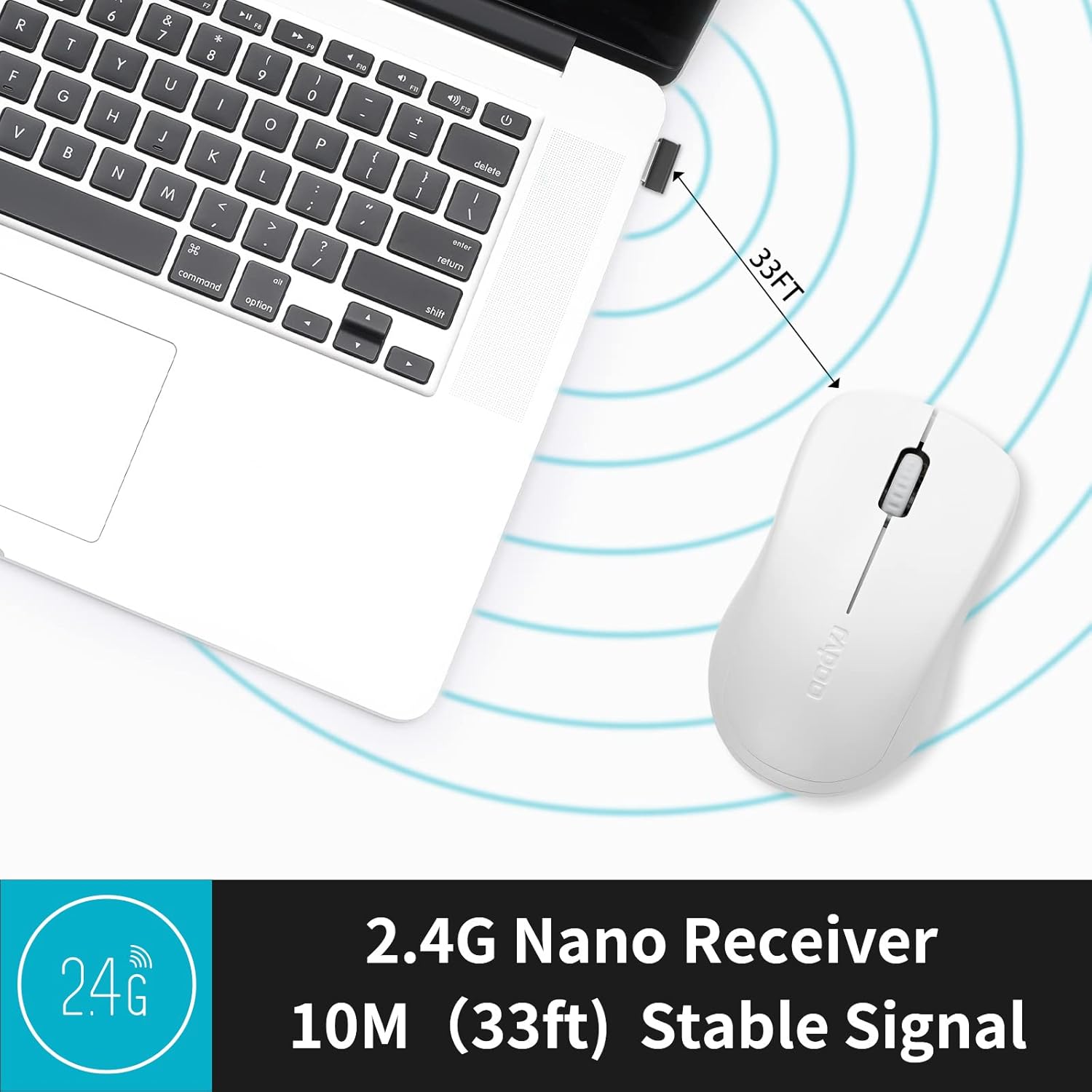
Image: A close-up of the 2.4G Nano Receiver plugged into a laptop, demonstrating the 10-meter (33ft) stable wireless signal range.

Image: The Rapoo 1680 mouse highlighting its wide compatibility with Windows, Mac OS, Linux, and Chrome operating systems.
Упутство за употребу
The Rapoo 1680 mouse features a standard 3-button layout for intuitive control.
- Леви клик: Главно дугме за избор ставки, отварање fileс, и интеракција са софтвером.
- Десни клик: Секундарно дугме за приступ контекстним менијима и додатним опцијама.
- Точак за померање: Користи се за листање кроз документе и web странице. Точкић за скроловање такође функционише као средњи тастер миша.
Дизајн тихог клика: This mouse is engineered to reduce click sounds by up to 90%, providing a quiet environment without compromising the tactile click feel. This feature is particularly beneficial in quiet settings such as libraries or shared workspaces.
1000 DPI Optical Tracking: The high-definition 1000 DPI optical tracking engine ensures responsive and smooth cursor control on most surfaces.

Image: The Rapoo 1680 mouse demonstrating its silent click feature, ideal for quiet environments.

Image: A user operating the Rapoo 1680 mouse in a library, emphasizing its quiet operation for undisturbed work.
Одржавање
- Замена батерије: When the mouse performance degrades or stops responding, it may be time to replace the AA battery. Open the battery compartment, remove the old battery, and insert a new AA battery with the correct polarity.
- Чишћење: Користите меку, суву крпу за чишћење спољашњости миша. За оптички сензор, користите памучни штапић лагано обрисанampened with rubbing alcohol, ensuring no liquid enters the mouse's internal components.
- Складиштење: When not in use for an extended period, slide the ON/OFF switch to the "OFF" position to conserve battery life. The USB receiver can be stored inside the mouse's battery compartment for safekeeping.
Решавање проблема
- Миш не реагује:
- Ensure the mouse is switched "ON" using the ON/OFF switch on the bottom.
- Check if the AA battery is correctly inserted and has sufficient charge. Replace if necessary.
- Проверите да ли је USB пријемник безбедно прикључен на исправан USB порт на рачунару. Покушајте са другим USB портом.
- Неправилно кретање курсора:
- Очистите оптички сензор на дну миша.
- Уверите се да користите миш на одговарајућој површини. Избегавајте јако рефлектујуће или провидне површине.
- Проблеми са везом:
- Remove and re-insert the USB receiver.
- Move the mouse closer to the USB receiver to rule out range issues (maximum 10 meters).
Спецификације
| Феатуре | Детаљ |
|---|---|
| Бранд | Рапоо |
| Назив модела | 1680 |
| Технологија повезивања | USB (2.4GHz Wireless) |
| Технологија детекције покрета | Оптицал |
| Mouse Maximum Sensitivity | 1000 ДПИ |
| Количина дугмета | 3 |
| Оријентација руке | Амбидектроус |
| Извор напајања | Напајање батеријама (1 x AA батерија укључена) |
| Просечан век трајања батерије | До 12 месеци |
| Домет | 10 метара (33 стопа) |
| Тежина артикла | 58 грама |
| Димензије артикла (Д к Ш) | 4.33 cm D x 2.56 cm Š |
| Компатибилни уређаји | Персонал Цомпутер |
| Оперативни систем | Виндовс, Мац ОС, Линук, Цхроме ОС |
| Материјал кућишта | Пластика |
| Заврши | Мат |

Image: Detailed dimensions of the Rapoo 1680 mouse, showing its length and width.
Званични видео производа
Video: An official product video from RAPOO showcasing the features and benefits of the Rapoo 1680 Silent Wireless Mouse, including its silent clicks, ergonomic design, and ease of use.
Гаранција и подршка
The Rapoo 1680 Silent Wireless Mouse comes with a 1 година гаранције од датума куповине. Ова гаранција покрива производне недостатке и обезбеђује поуздан рад у нормалним условима употребе.
For technical support, warranty claims, or any product-related inquiries, please contact Rapoo customer service. Refer to the Rapoo official webсајт или паковање производа за најновије контакт информације.
RAPOO is committed to providing high-performance and high-quality peripheral products. If you have any questions or require assistance, please do not hesitate to reach out to their support team.