
1. Увод
Thank you for choosing the HYCHIKA 3.6V Cordless Screwdriver. This manual provides essential information for the safe and efficient operation, maintenance, and troubleshooting of your new tool. Please read these instructions carefully before use and retain them for future reference.
2. Безбедносна упутства
Увек се придржавајте основних мера безбедности како бисте смањили ризик од пожара, струјног удара и телесних повреда.
Општа безбедност електричних алата
- Безбедност на радном месту: Одржавајте свој радни простор чистим и добро осветљеним. Претрпане или мрачне области изазивају несреће.
- електрична безбедност: Не излажите електричне алате киши или влажним условима. Улазак воде у електрични алат повећава ризик од струјног удара.
- Лична безбедност: Always wear appropriate personal protective equipment, such as safety glasses. Dress properly; avoid loose clothing or jewelry that can get caught in moving parts.
- Употреба и одржавање алата: Не форсирајте електрични алат. Користите одговарајући електрични алат за вашу примену. Искључите утикач из извора напајања и/или извадите батерију из електричног алата пре него што извршите било каква подешавања, промените додатну опрему или складиштите електрични алат.
Баттери Сафети
- Only charge the battery with the charger specified by the manufacturer.
- Do not incinerate the battery pack even if it is severely damaged. Batteries can explode in a fire.
- Немојте кратко спајати полове батерије.
3. Садржај пакета
Проверите да ли су сви предмети присутни приликом распакивања:
- 1 x HYCHIKA 3.6V Cordless Screwdriver
- 36 x Accessories (various screwdriver bits, sockets, HSS drill bit, extension bar)
- 1 к адаптер за пуњење
- 1 к УСБ кабл за пуњење
- 1 к Упутство за употребу
- 1 к кутија за складиштење

Слика 3.1: Included accessories, featuring various bit types and sizes, sockets, an HSS drill bit, and an extension bar for diverse applications.
4. Производ је готовview
Familiarize yourself with the components of your HYCHIKA Cordless Screwdriver.

Слика 4.1: This diagram identifies key components: Self-locking chuck, Rotating button, Front LED light, Forward/Reverse buttons, On/Off switch, USB port, Charging indicator, Rear flashlight.
Кључне карактеристике:
- 6 Nm Max Torque: Provides sufficient power for various screwing and light drilling tasks.
- 2.0Ah Lithium-ion Battery: Offers long-lasting power and durability.
- Ротирајућа ручка: Allows adjustment from a straight to a pistol grip for versatility and access in tight spaces.
- Front LED Light & Rear Flashlight: Illuminates the work area and provides general utility lighting.
- Quick-Release Chuck: Enables fast and easy bit changes.

Слика 4.2: The screwdriver's handle can rotate for different working angles, enhancing usability in various situations.
5. Подешавање
Inserting Screwdriver Bits/Sockets
- Ensure the screwdriver is turned off and the forward/reverse switch is in the neutral (locked) position.
- Pull the quick-release chuck forward.
- Insert the desired 6.35mm hex shank bit or socket firmly into the chuck.
- Release the chuck to lock the bit in place. Gently pull on the bit to ensure it is securely fastened.
- For longer reach, attach the extension bar first, then insert the bit into the extension bar.
6. Упутство за употребу
Powering On/Off and Direction Control
- To turn the screwdriver ON, press the On/Off switch. The tool will operate as long as the switch is pressed.
- To select the rotation direction (forward for tightening, reverse for loosening), slide the forward/reverse switch. The middle position locks the tool and prevents accidental activation.
Коришћење ЛЕД светла
- Тхе front LED light automatically illuminates when the On/Off switch is pressed, providing visibility to your work area.
- Тхе rear flashlight can be activated independently by pressing the dedicated flashlight switch located at the base of the handle. This is useful for general illumination in dark spaces.

Слика 6.1: The integrated front LED light illuminates the work area for improved visibility during operation.
Adjusting the Rotating Handle
- To change the handle position, press the 'LOCK' button (rotating button) located near the pivot point of the handle.
- Rotate the handle to the desired position (straight or pistol grip).
- Release the 'LOCK' button to secure the handle in place.
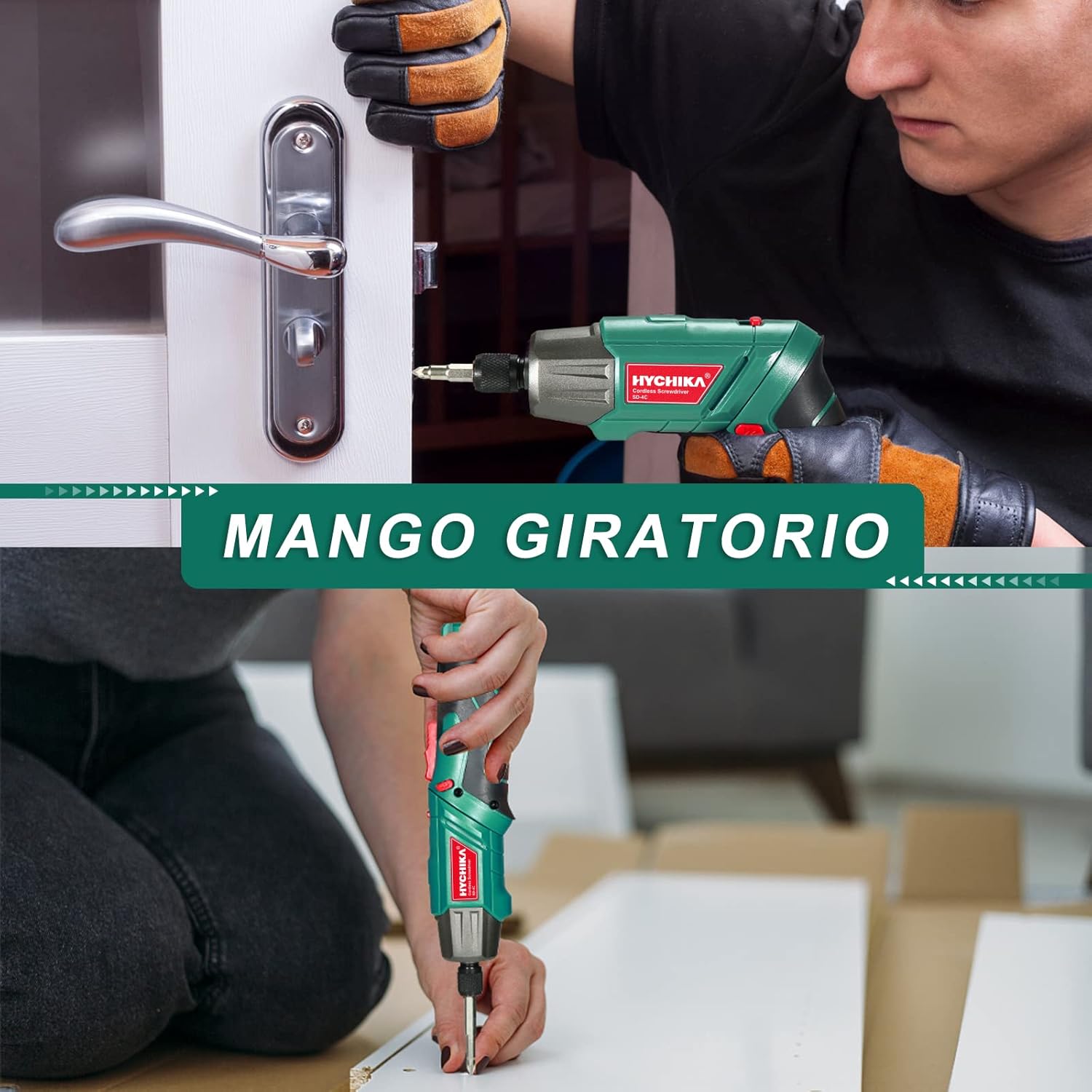
Слика 6.2: The rotating handle allows the screwdriver to be used in a straight or pistol grip configuration, adapting to various working conditions.
Општи савети за употребу
- Always select the correct bit for the screw head to prevent stripping.
- Apply firm, steady pressure to the screwdriver to prevent cam-out.
- For delicate materials or small screws, start with a lower torque setting if available (this model has fixed torque, so apply less pressure).

Слика 6.3: The versatile design supports multiple uses, from assembling furniture to minor household repairs.
7. Пуњење
The screwdriver is equipped with a rechargeable 2.0Ah Lithium-ion battery.
- Connect the USB charging cable to the screwdriver's USB port.
- Connect the other end of the USB cable to the provided charging adapter, a computer USB port, or a power bank.
- The charging indicator light will show the charging status. Refer to the product overview diagram for its location.
- Disconnect the charger once the battery is fully charged. Avoid overcharging to prolong battery life.

Слика 7.1: The screwdriver can be charged via USB from various sources like computers, power banks, or wall chargers.
8. Одржавање
Чишћење
- Keep the tool's ventilation slots clean to prevent overheating.
- Обришите алат меком крпомamp тканина. Немојте користити јаке хемикалије или абразивна средства за чишћење.
Складиштење
- Store the screwdriver and accessories in the provided storage box in a dry, cool place, away from direct sunlight and moisture.
- Чувати ван домашаја деце.
Баттери Царе
- For optimal battery life, charge the battery fully before storing for extended periods.
- Recharge the battery every 3-6 months if not in regular use.
КСНУМКС. Решавање проблема
If you encounter issues with your screwdriver, refer to the following table:
| Проблем | Могући узрок | Решење |
|---|---|---|
| Одвијач се не укључује. | Батерија је празна. | Напуните батерију до краја. |
| Forward/reverse switch is in the neutral (locked) position. | Slide the switch to forward or reverse. | |
| Одвијач нема снаге. | Батерија је празна. | Напуните батерију. |
| Бит клиза или скида главу завртња. | Нетачна величина или тип бита. | Користите одговарајући бит за вијак. |
| Insufficient pressure or improper angle. | Apply firm, steady pressure and keep the bit straight. | |
| Батерија се не пуни. | Кабл за пуњење или адаптер је неисправан. | Try a different USB cable or adapter. Ensure connections are secure. |
Ако проблем и даље постоји након што сте испробали ова решења, обратите се корисничкој подршци.
10. Спецификације
| Феатуре | Спецификација |
|---|---|
| Број модела | СД-4Ц |
| Волtage | 3.6 Волтс |
| Тип батерије | Литијум-јонски |
| Капацитет батерије | 2.0 Ах |
| Максимални обртни момент | 6 Њутн-метра (Nm) |
| Брзина без оптерећења | 180 рпм |
| Цхуцк Сизе | 6.35 mm (1/4 inch) Hex |
| Извор напајања | Баттери Поверед |
| Димензије производа (Д к Ш к В) | 23.2 к 19.7 к 7.1 цм |
| Тежина | 375 грама |
| Материјал | Метал |
11. Гаранција и подршка
HYCHIKA products are manufactured to high-quality standards and are warranted against defects in materials and workmanship. For specific warranty details, including duration and coverage, please refer to the warranty card included with your purchase or visit the official HYCHIKA webсајту.
For technical assistance, troubleshooting beyond this manual, or to inquire about replacement parts, please contact HYCHIKA customer support through the contact information provided on your warranty card or the official HYCHIKA webсајту.