
SHHHMOUSE SHHH2659Black
SHHHMOUSE Silent Wireless Mouse User Manual
Model: SHHH2659Black | Brand: SHHHMOUSE
1. Увод
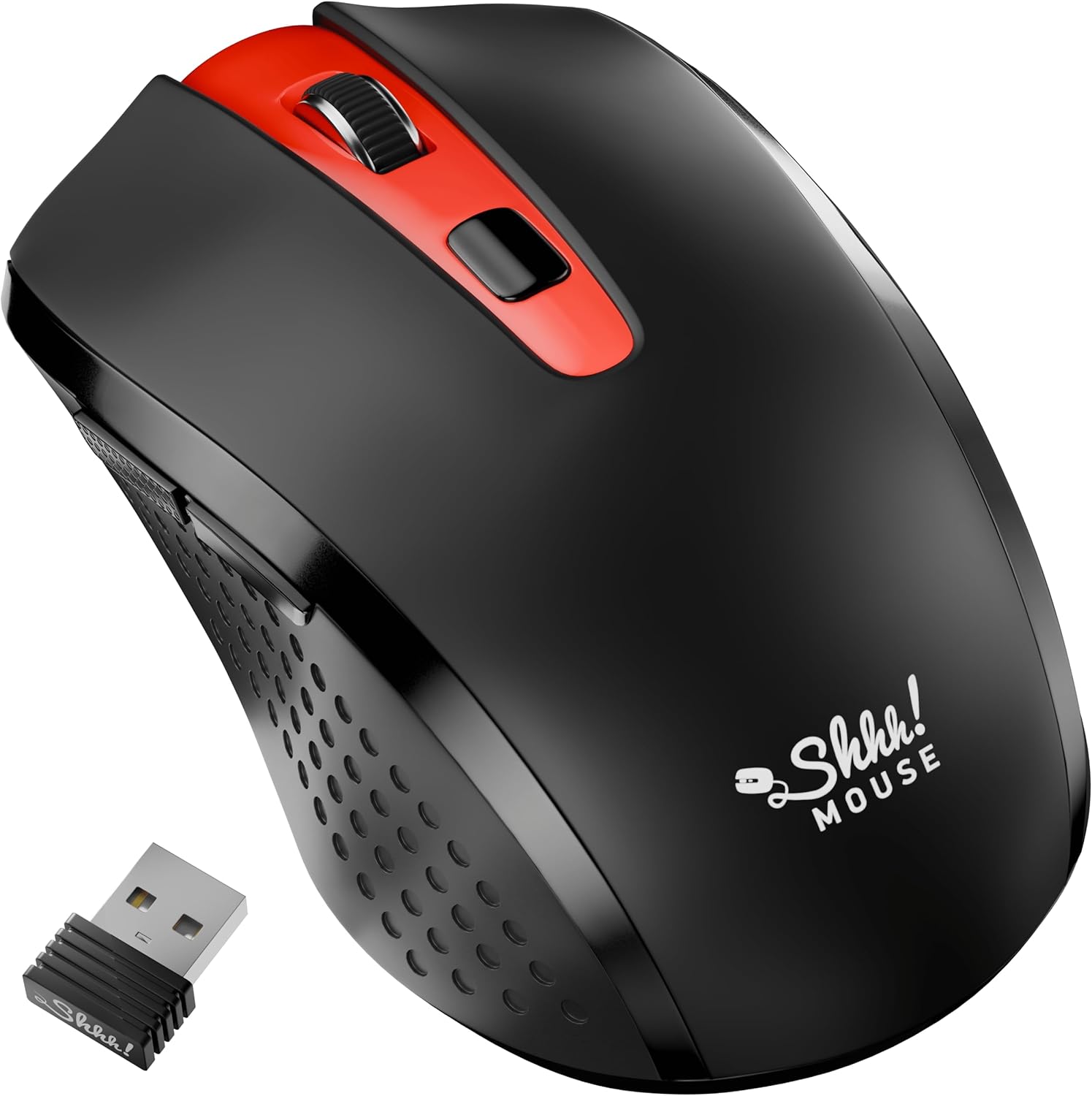
Thank you for choosing the SHHHMOUSE Silent Wireless Mouse. This manual provides essential information for setting up, operating, and maintaining your new mouse. Designed for quiet operation and ergonomic comfort, this mouse enhances your productivity without disturbing those around you.
Кључне карактеристике:
- Quiet Mouse Wireless: Enjoy silent clicks with a noiseless clicking mechanism for a peaceful working environment.
- Ергономска удобност: Experience a comfortable grip that reduces strain during extended work sessions.
- Precision Elevated: Advanced optical sensor for high-precision cursor control.
- Плуг & Плаи: Seamless connection via USB receiver, no extra software or drivers required.
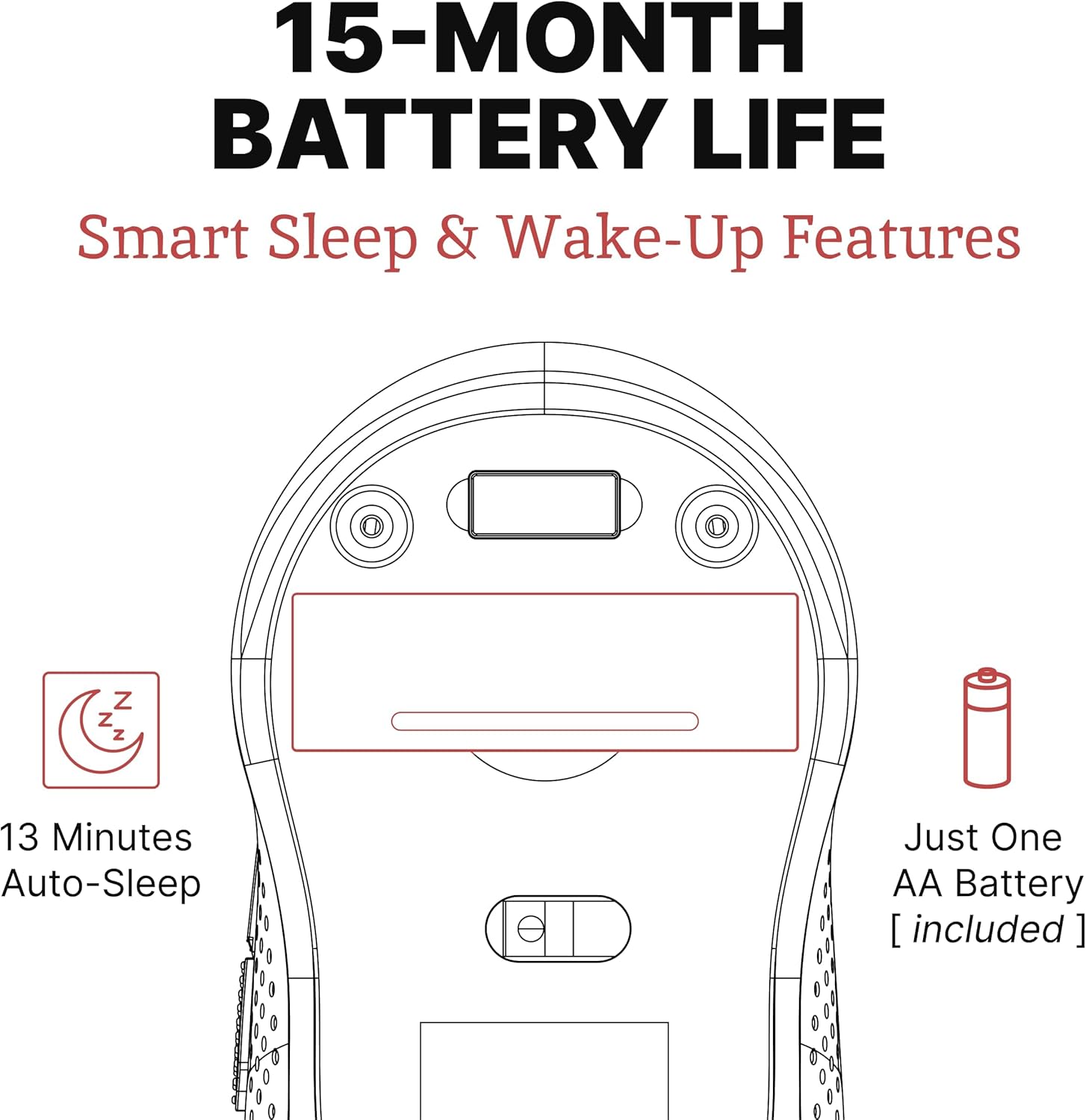
- Продужено време употребе: Up to 18 months of battery life for prolonged use.
2. Шта је у кутији
Проверите да ли су све ставке присутне у пакету:
- 1 x SHHHMOUSE Silent Wireless Mouse
- КСНУМКС к УСБ пријемник
- 1 к АА батерија
3. Водич за подешавање
Follow these steps to set up your SHHHMOUSE Silent Wireless Mouse:
- Уметните батерију: Open the battery compartment on the underside of the mouse. Insert the provided AA battery, ensuring correct polarity.
- Пронађите УСБ пријемник: The tiny USB receiver is typically stored inside the battery compartment for safe keeping during transport. Remove it.
- Повежите пријемник: Plug the USB receiver into an available USB port on your laptop, desktop, or Chromebook.
- Укључено: Укључите миш помоћу прекидача за напајање који се налази на доњој страни.
- Аутоматско повезивање: Миш би требало аутоматски да се повеже са вашим уређајем. Обично нису потребни додатни драјвери.


Видео за подешавање:
Video 1: "New Silent Portable Wireless Shhhmouse i440" - This video demonstrates the unboxing and initial setup of the mouse, including battery insertion and USB receiver connection.
4. Управљање мишем
Функције дугмета:
- Леви/десни клик: Standard mouse functions for selection and context menus. These are ultra-silent buttons.
- Точак за померање: Used for vertical scrolling. Also functions as a middle click button. Features an anti-slip design.
- ДПИ прекидач: Located near the scroll wheel, this button allows you to adjust the mouse sensitivity (DPI).
- Бочна дугмад: Typically configured for 'Page Up' and 'Page Down' functions, useful for web browsing and document navigation.

Подешавање DPI (осетљивости):
Press the DPI switch button to cycle through different sensitivity levels (e.g., 800, 1200, 1600 DPI). Choose the setting that best suits your task and preference for cursor speed.

Smart Sleep & Wake-Up Features:
To conserve battery life, the mouse will enter a smart sleep mode after 13 minutes of inactivity. To wake it up, simply click any button or move the mouse.
5. Одржавање
Замена батерије:
When the mouse's performance degrades or the low power indicator (if present) illuminates, it's time to replace the battery. Open the battery compartment on the underside, remove the old AA battery, and insert a new one, observing polarity.
Чишћење:
Да бисте одржали оптималне перформансе, редовно чистите миш. Користите меку, суву крпу за брисање спољашњости. За оптички сензор користите памучни штапић лагано обрисанampened with rubbing alcohol, ensuring no liquid enters the mouse's interior.
КСНУМКС. Решавање проблема
| Проблем | Могући узрок | Решење |
|---|---|---|
| Миш не реагује | Low battery; USB receiver disconnected; Mouse power off. | Replace battery; Re-insert USB receiver; Turn on mouse power switch. |
| Неправилно кретање курсора | Прљав оптички сензор; Неодговарајућа површина; Сметње. | Clean optical sensor; Use on a smooth, opaque surface; Move mouse closer to receiver or away from other wireless devices. |
| Кратко трајање батерије | Frequent use; Battery type. | Ensure mouse enters sleep mode when idle; Use high-quality alkaline batteries. |
7. Спецификације
| Феатуре | Детаљ |
|---|---|
| Бранд | SHHHMOUSE |
| Број модела | SHHH2659Black |
| Технологија повезивања | USB Wireless (2.4G) |
| Технологија детекције покрета | Оптицал |
| Посебна карактеристика | Soundless Clicks |
| ДПИ Левелс | Подесиво (нпр. 800, 1200, 1600) |
| Тип батерије | 1 к АА батерија (укључена) |
| Просечно трајање батерије | До 15 месеци |
| Тежина артикла | 2.29 унци |
| Димензије производа (ДкШкВ) | 4.22 к 2.5 к 0.04 инча |
| Компатибилност хардверске платформе | Windows XP/Vista/Win7, Mac 10.x, Chromebook, PC, Laptop |
| Боја | Црно и црвено |
8. Гаранција и подршка
SHHHMOUSE products are designed for durability and reliability. For specific warranty information, please refer to the warranty card included with your product or visit the official SHHHMOUSE webсајту.
For further assistance or technical support, please contact SHHHMOUSE customer service through the contact information provided on the product packaging or the brand's official webсајту.
A detailed User Guide (PDF) is also available for download: Преузмите упутство за употребу
Ask a question about this manual
Ask about setup, troubleshooting, compatibility, parts, safety, or missing instructions. Manuals+ will review the question and use this page’s manual context to help answer it.