
LAUNCH CRP123X V2.0
LAUNCH OBD2 Scanner CRP123X V2.0 User Manual
Model: CRP123X V2.0
1. Производ је готовview
The LAUNCH CRP123X V2.0 is an advanced OBD2 diagnostic scan tool designed for comprehensive vehicle system analysis. It provides robust diagnostic capabilities for Engine, ABS, SRS, and Transmission systems, along with various reset functions and full OBD2 modes. This manual provides detailed instructions for its proper use and maintenance.
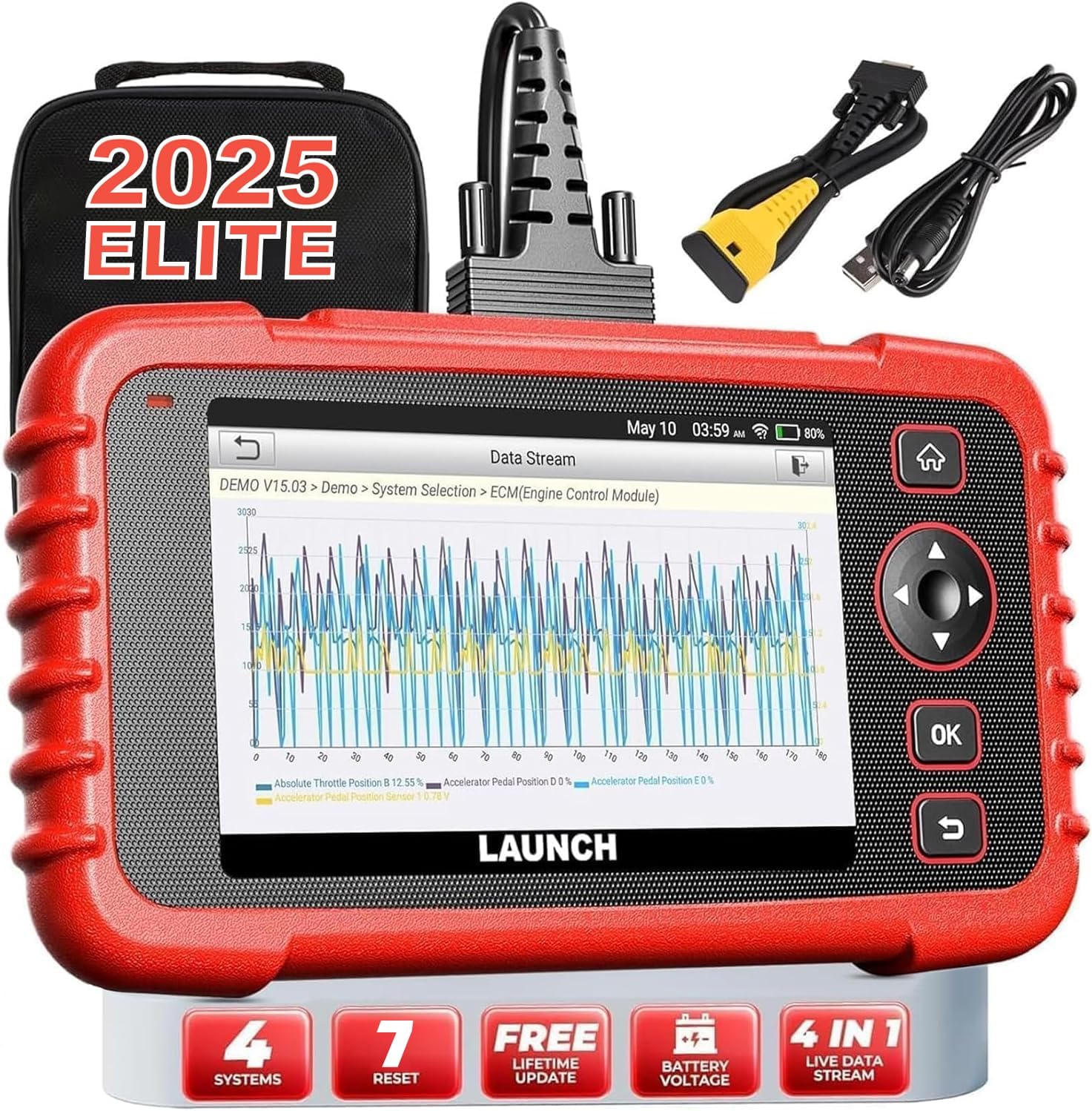
Image: The LAUNCH CRP123X V2.0 diagnostic tool, showcasing its compact design, touchscreen display, and included accessories like the carrying case and diagnostic cables.
2. Подешавање
2.1 Садржај пакета
Пре него што почнете, проверите да ли су све ставке присутне у пакету:
- LAUNCH CRP123X V2.0 Diagnostic Scanner
- ОБД ИИ дијагностички кабл
- Кабл за пуњење (USB)
- Кориснички приручник (овај документ)
- Торба за ношење

Image: A visual representation of the LAUNCH CRP123X V2.0 package contents, including the diagnostic tool, cables, and carrying bag.
2.2 Почетно подешавање
Follow these steps to prepare your scanner for first use:
- Напуните уређај: Connect the scanner to a power source using the provided charging cable. Ensure the device is fully charged before initial use.
- Укључено: Притисните и држите дугме за напајање да бисте укључили уређај.
- Подешавања језика и времена: Пратите упутства на екрану да бисте изабрали жељени језик, временску зону и друга почетна подешавања.
- Повежите се на Ви-Фи: Navigate to the 'Settings' menu, select 'Network', and connect to an available Wi-Fi network. This is crucial for software updates.
- Ажурирање софтвера: After connecting to Wi-Fi, go to the 'Upgrade' section and download any available software updates. Regular updates ensure compatibility with the latest vehicle models and diagnostic features.

Image: A step-by-step guide illustrating how to connect the scanner to the OBD2 port, start the engine, and begin diagnosis.
3. Упутство за употребу
3.1 Повезивање са возилом
To begin diagnostics, locate your vehicle's OBD2 port (typically under the dashboard on the driver's side). Plug the diagnostic cable into the OBD2 port and then connect the other end to the LAUNCH CRP123X V2.0 scanner. Turn the vehicle's ignition to the ON position (engine off or running, depending on the test).
3.2 System Diagnostics (Engine, ABS, SRS, Transmission)
The CRP123X V2.0 specializes in diagnosing four core vehicle systems:
- Систем мотора: Reads and clears engine fault codes, turns off the Check Engine Light (MIL), views live data, and performs O2 sensor tests.
- Anti-lock Braking System (ABS): Diagnoses ABS system issues, reads and clears ABS fault codes, and views live data streams related to braking.
- Supplemental Restraint System (SRS/Airbag): Detects and clears fault codes related to the airbag system, ensuring proper functionality of safety components.
- Систем преноса: Accesses transmission control module information, reads and clears transmission fault codes, and displays live data for transmission performance.

Image: An illustration highlighting the four main systems (ABS, Engine, SRS, Transmission) that the CRP123X V2.0 can diagnose, showing its ability to read and clear fault codes quickly.
3.3 Full OBD2 Functions
The tool supports all 10 modes of OBD2 testing for comprehensive emissions-related diagnostics:
- Прочитајте кодове
- Обришите кодове
- И/М Реадинесс
- Ток података
- View Фреезе Фраме
- Тест О2 сензора
- Тест монитора на возилу
- Тест ЕВАП система
- Информације о возилу
- ДТЦ Лоокуп

Image: Icons representing the complete suite of OBD2 functions available on the scanner, designed to assist in self-diagnosis.
3.4 Hot Reset Functions
The CRP123X V2.0 includes several commonly used reset functions:
- Ресетовање уља
- Ресетовање SAS-а (сензора угла управљања)
- Ресетовање ETC-а (електронске контроле гаса)
- АБС Блеединг
- Ресет кочнице
- D.P.F (Diesel Particulate Filter) Regeneration
- Ресетовање BMS-а (система за управљање батеријом)

Image: Visuals depicting the seven hot reset functions, such as ABS Bleeding, BMS Reset, Brake Reset, ETC Reset, D.P.F Regeneration, Oil Reset, and SAS Reset.
4. Одржавање и њега
- Чишћење: Користите меку, дamp cloth to clean the scanner's exterior. Avoid abrasive cleaners or solvents.
- Складиштење: Store the device in its original carrying bag in a dry, cool environment, away from direct sunlight and extreme temperatures.
- Ажурирања софтвера: Regularly check for and install software updates via Wi-Fi to ensure optimal performance and compatibility with new vehicle models and diagnostic protocols.
- Одржавање батерије: For prolonged storage, ensure the battery is charged to approximately 50-70% to maintain battery health.
5. Решавање уобичајених проблема
| Проблем | Могући узрок | Решење |
|---|---|---|
| Уређај се не укључује | Low battery; Loose connection to OBD2 port; Device malfunction | Charge the device; Ensure secure connection; Contact support |
| Није могуће повезати се са возилом | Faulty OBD2 cable; Incorrect vehicle ignition status; Vehicle not OBD2 compliant | Check cable integrity; Turn ignition to ON; Verify vehicle compatibility |
| Diagnostic report shows no codes | No active fault codes present; Incorrect system selected | This indicates no current issues; Ensure correct system is chosen for diagnosis |
| Проблеми са Ви-Фи везом | Incorrect password; Weak signal; Network interference | Re-enter password; Move closer to router; Check network settings |
6. Техничке спецификације
| Феатуре | Детаљ |
|---|---|
| Бранд | ЛАУНЦХ |
| Модел | CRP123X V2.0 |
| Димензије производа | 11.72 cm D x 8.15 cm Š x 3.54 cm V |
| Оперативни систем | Андроид |
| Аутомотиве Фит Типе | Универсал Фит |
| Тежина артикла | 2.33 фунти |
| Батерије | Потребне су 1 литијум-јонске батерије |
7. Гаранција и подршка
The LAUNCH CRP123X V2.0 comes with a lifetime free software update policy, ensuring your device remains current with the latest vehicle data and diagnostic capabilities without additional costs.
For further assistance, detailed information, or troubleshooting not covered in this manual, please refer to the official PDF documents:
You may also visit the official LAUNCH webсајт или контактирајте њихову корисничку подршку за директну помоћ.