
1. Увод
This manual provides essential instructions for the installation, operation, and maintenance of the Sensor Switch NADR-L400 nLIGHT Demand Response Client Interface. Please read this manual thoroughly before attempting to install or operate the device to ensure proper function and safety.
2. Производ је готовview
The Sensor Switch NADR-L400 is an nLIGHT Demand Response Client Interface designed for integration with nLIGHT Systems. It facilitates communication and control within a networked lighting environment, operating at 5 VDC with a current rating of 1500 mA. The device features a Micro USB power connector and an RJ45 connection for nLIGHT system integration.
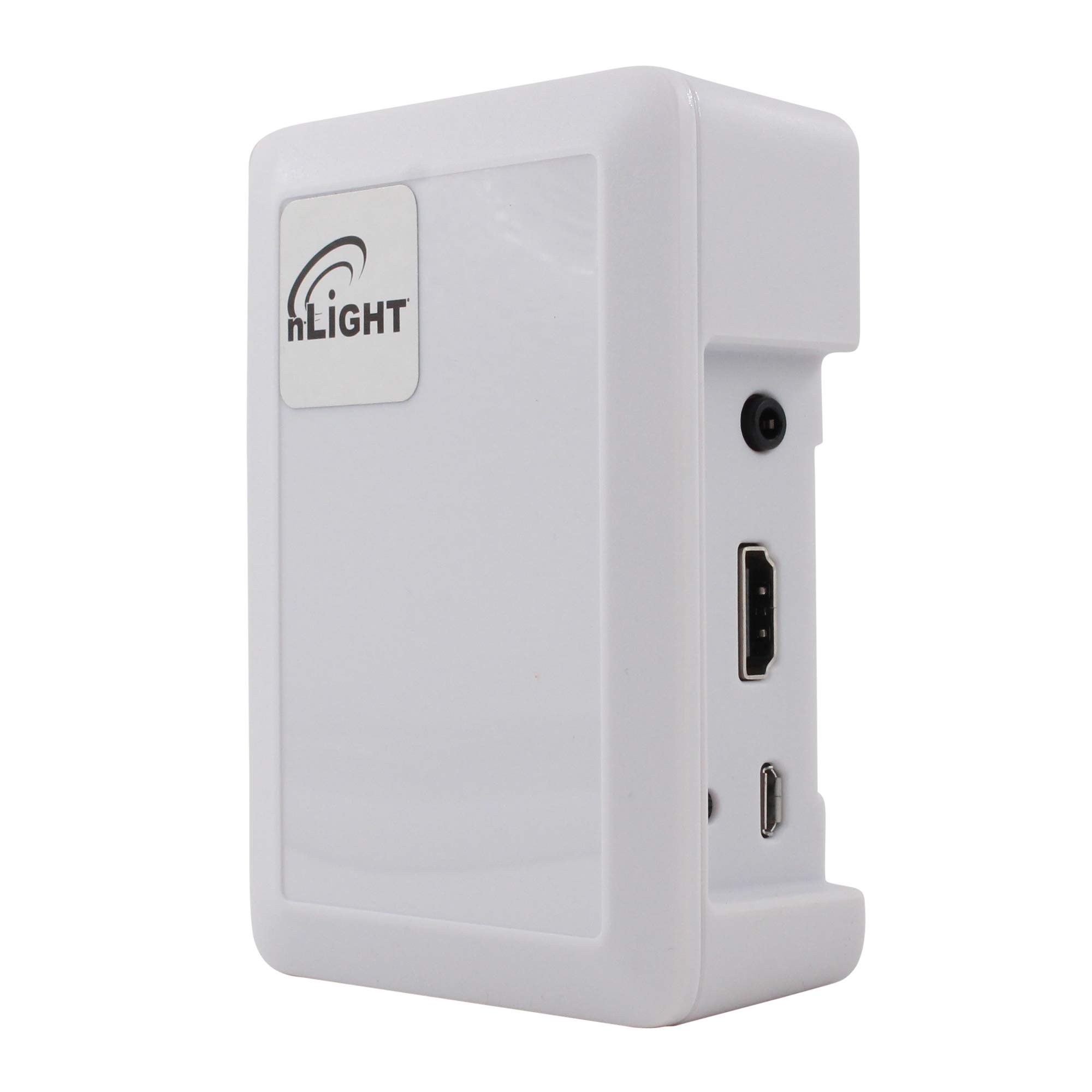
Слика 1: Sensor Switch NADR-L400 nLIGHT Demand Response Client Interface. This image displays the front view of the white interface unit, highlighting its compact design and connection ports.
Кључне карактеристике:
- 5 VDC, 1500 mA power input.
- Specifically designed for nLIGHT Systems.
- RJ45 connection for nLIGHT network integration.
- Micro USB power connection.
3. Безбедносне информације
Молимо придржавајте се следећих мера предострожности:
- електрична безбедност: Ensure all power connections are made correctly and securely. Use only the specified 5 VDC power source.
- Инсталација: Инсталацију треба да изврши квалификовано особље у складу са свим локалним и националним електричним прописима.
- Окружење: Не излажите уређај влази, екстремним температурама или корозивним срединама.
- Сервисирање: Унутра нема делова које корисник може сервисирати. Све сервисирање препустите квалификованом сервисном особљу.
4. Подешавање
Follow these steps to set up your NADR-L400 client interface:
- Монтажа: Choose a suitable location for the device, ensuring it is protected from environmental hazards and allows for proper cable routing.
- Connect to nLIGHT System: Connect an RJ45 cable from the NADR-L400 to an available nLIGHT network port. Ensure the connection is secure.
- Прикључак за напајање: Connect a 5 VDC power supply to the Micro USB power connector on the NADR-L400. Use a power supply that meets the 1500 mA requirement.
- Верификација: Once powered, observe any indicator lights on the device to confirm it is receiving power and communicating with the nLIGHT system. Refer to your nLIGHT system documentation for specific indicator light behaviors.
5. Упутство за употребу
The NADR-L400 functions as an interface within an nLIGHT Demand Response system. Its operation is primarily managed by the central nLIGHT control system. Once properly installed and connected, the device will automatically communicate with the nLIGHT network to facilitate demand response commands.
- Системска интеграција: The NADR-L400 acts as a bridge, allowing the nLIGHT system to send and receive demand response signals.
- Праћење статуса: Monitor the status of the device through the nLIGHT system's management interface.
- No Direct User Control: This device does not feature direct user controls. All operational parameters are configured and managed via the connected nLIGHT system.
6. Одржавање
The Sensor Switch NADR-L400 requires minimal maintenance to ensure continued reliable operation.
- Чишћење: Periodically clean the exterior of the device with a soft, dry cloth. Do not use liquid cleaners or abrasive materials.
- Инспекције: Regularly inspect all cable connections (RJ45 and Micro USB) to ensure they are secure and free from damage.
- Ажурирања фирмвера: Any firmware updates for the device would typically be managed through the nLIGHT system. Consult your nLIGHT system documentation or support for information on firmware management.
КСНУМКС. Решавање проблема
If you encounter issues with your NADR-L400, refer to the following common problems and solutions:
| Проблем | Могући узрок | Решење |
|---|---|---|
| Уређај се не укључује | No power to Micro USB port; faulty power supply; loose connection. | Verify power supply is connected and functional. Check Micro USB cable for damage and ensure it is securely plugged in. |
| No communication with nLIGHT system | Faulty RJ45 cable; incorrect RJ45 connection; nLIGHT system issue. | Ensure RJ45 cable is securely connected at both ends. Try a different RJ45 cable. Verify the nLIGHT system is operational. |
| Рад са прекидима | Loose connections; power fluctuations. | Check all power and network connections for tightness. Ensure a stable power source. |
If the problem persists after attempting these solutions, contact Sensor Switch technical support.
8. Спецификације
| Атрибут | Валуе |
|---|---|
| Број модела | NADR-L400 |
| Произвођач | Прекидач сензора |
| Извор напајања | Плуг-ин Елецтриц |
| Волtage | 5 волти ДЦ |
| Цуррент | 1500 мА |
| Повезивање | RJ45 (nLIGHT System), Micro USB (Power) |
| Боја | Бела |
| Димензије производа | 4 к 4 к 3 инча |
| Тежина артикла | 1 фунта |
9. Гаранција и подршка
For warranty information and technical support, please refer to the official Sensor Switch webсајт или контактирајте овлашћеног дистрибутера. Сачувајте рачун за куповину за потребе гаранције.