
2BOOM BX390
2BOOM BX390 Bass King бежични Bluetooth Boombox стерео звучник - упутство за употребу
Модел: БКС390
1. Увод
Хвала вам на куповиниasing the 2BOOM BX390 Bass King Wireless Bluetooth Boombox Stereo Speaker. This manual provides essential information for setting up, operating, and maintaining your speaker to ensure optimal performance and longevity. Please read this manual thoroughly before using the product.

Image 1.1: The 2BOOM BX390 Bass King Wireless Bluetooth Boombox Stereo Speaker.
This image shows the 2BOOM BX390 Bass King speaker in blue, featuring a cylindrical design with a handle/strap attached. The front panel displays the control interface and speaker grille.
2. Садржај пакета
Молимо вас да проверите пакет за следеће ставке:
- 1 x 2BOOM BX390 Bass King Speaker
- 1 к 3.5 мм Аук кабл
- 1 к УСБ кабл за пуњење
- 1 x Упутство за употребу (овај документ)
- 1 x Attachable Shoulder Strap

Image 2.1: The 2BOOM BX390 speaker shown with its detachable shoulder strap, 3.5mm Aux cable, and USB charging cable.
This image displays the blue 2BOOM BX390 speaker from an angled perspective, highlighting the included shoulder strap attached to its side rings. The USB charging cable and 3.5mm Aux cable are visible in the foreground.
3. Карактеристике производа
- Powerful Bass Sound: Equipped with 4-inch subwoofers and vibrating disks for crisp, clear, loud sound, booming low tones, and dynamic sound effects.
- Блуетоотх повезивање: Connects wirelessly to smartphones, tablets, and other Bluetooth-enabled devices up to 33 ft.
- Уграђени микрофон: Supports hands-free calls.
- Издржљив и преносив дизајн: Features a rugged, rubberized exterior and an attachable strap for easy carrying.
- Више опција уноса: Includes FM Radio, Aux-in Line, USB port, and SD Card slot.
- Интегрисана контролна табла: Direct control over volume, bass, and sound equalizer.

Image 3.1: The 2BOOM BX390 speaker with visual callouts for Deep Digital Bass, FM Radio, Long-Lasting Battery, and Straps Included.
This image shows the blue 2BOOM BX390 speaker from the front, with graphic overlays pointing out its key features: deep digital bass, FM radio capability, long-lasting battery, and the inclusion of straps for portability.
4. Контроле и портови
Familiarize yourself with the control panel and input ports of your BX390 speaker:

Image 4.1: Detailed diagram of the 2BOOM BX390 control panel and input ports.
Ова слика пружа крупни план view of the speaker's front panel, clearly labeling each button, port, and indicator. Labels include USB, DC 5V (charging), AUX, Previous, Play/Pause, Next, Mode, EQ, SD card slot, LED display, Power ON/OFF switch, Volume controls, and Bass controls.
- УСБ порт: За репродукцију са УСБ диска.
- DC 5V (Charging Port): Connect the USB charging cable here to charge the speaker.
- АУКС улаз: 3.5mm jack for connecting external audio devices via an Aux cable.
- Previous / Volume -: Short press for previous track; long press to decrease volume.
- Пусти/паузирај: Press to play or pause audio. In FM mode, short press to auto-scan.
- Next / Volume +: Short press for next track; long press to increase volume.
- Режим: Press to switch between Bluetooth, FM Radio, USB, SD Card, and AUX modes.
- ЕК (еквилајзер): Press to cycle through different equalizer presets.
- Слот за СД картицу: Insert an SD card for audio playback.
- ЛЕД дисплеј: Приказује тренутни режим, број нумере или ФМ фреквенцију.
- Прекидач за укључивање / искључивање напајања: Slide to turn the speaker on or off.
- Волуме +/-: Дугмад за повећање или смањење укупне јачине звука.
- Бас +/-: Buttons to increase or decrease the bass level.
5. Подешавање
5.1 Пуњење звучника
Before first use, fully charge the speaker. Connect the supplied USB charging cable to the DC 5V port on the speaker and the other end to a USB power adapter (not included) or a computer's USB port. The LED display may indicate charging status.
- Време пуњења може да варира.
- Disconnect the charger once fully charged to preserve battery life.
5.2 Укључивање/искључивање
Да бисте укључили звучник ON, slide the Power ON/OFF switch to the 'ON' position. You will hear an audible prompt, and the LED display will light up.
Да бисте укључили звучник ОФФ, slide the Power ON/OFF switch to the 'OFF' position.
6. Упутство за употребу
6.1 Блуетоотх режим
The speaker automatically enters Bluetooth pairing mode when powered on if no other input source is connected, or after pressing the МОДЕ button until "Bluetooth" is indicated.
- Уверите се да је звучник укључен.
- На уређају који подржава Bluetooth (паметни телефон, таблет итд.) омогућите Bluetooth и потражите доступне уређаје.
- Изаберите „2BOOM BX390" or similar from the list.
- Once paired, the speaker will confirm with an audible prompt.
- Сада можете да репродукујете звук са свог уређаја преко звучника.
Напомена: The speaker will automatically reconnect to the last paired device if it's within range and Bluetooth is enabled.
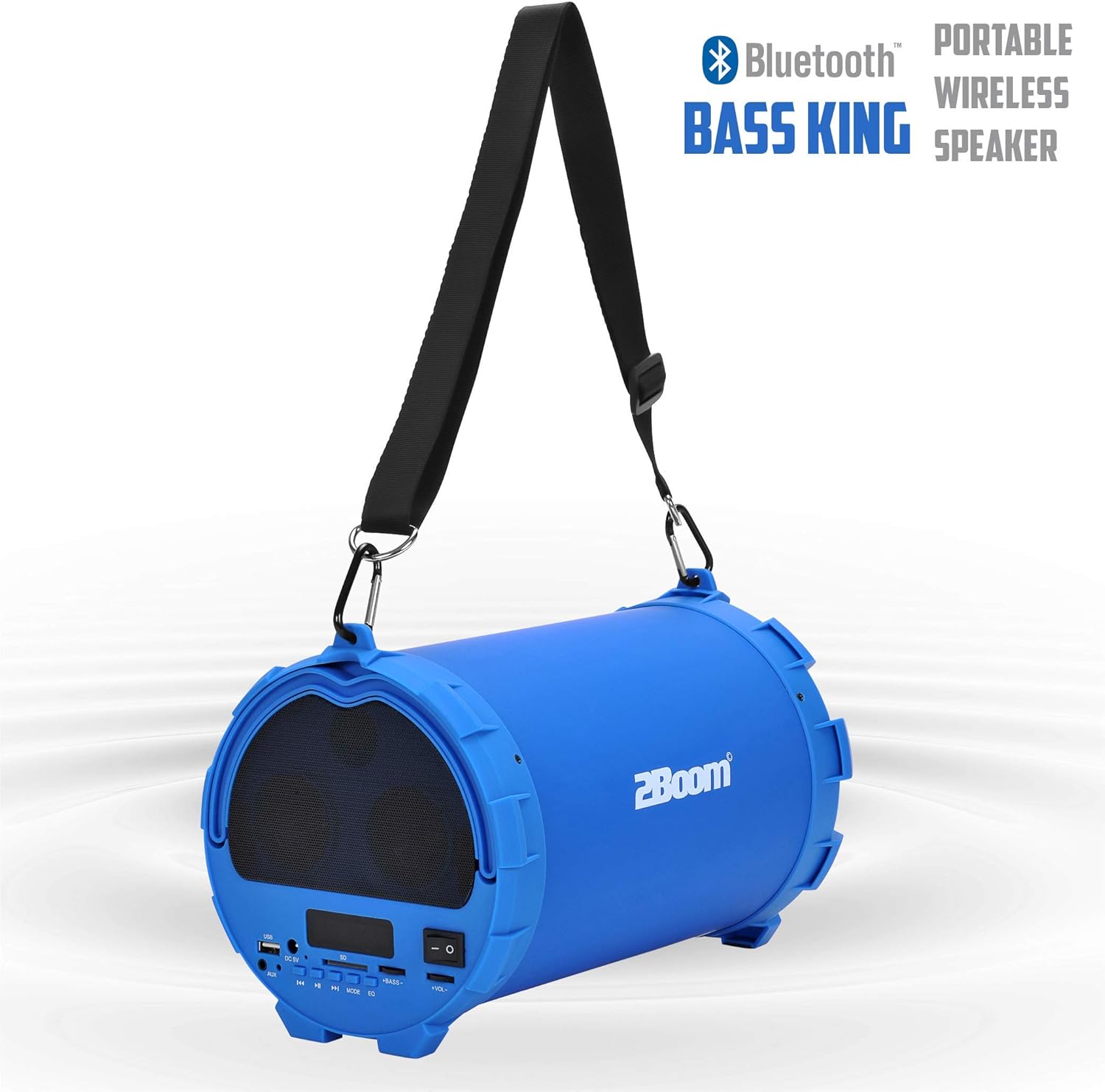
Image 6.1: The 2BOOM BX390 speaker highlighting its Bluetooth connectivity.
This image shows the blue 2BOOM BX390 speaker with a prominent "Bluetooth" logo and "PORTABLE WIRELESS BASS KING SPEAKER" text, emphasizing its wireless audio capabilities.
6.2 Режим ФМ радија
To switch to FM Radio mode, press the МОДЕ button until "FM" or the radio frequency is displayed.
- У FM режиму, кратко притисните Пусти/Паузирај дугме за аутоматско скенирање и чување доступних ФМ станица. Звучник ће циклично прелазити кроз фреквенције и чувати их.
- Користите Претходни и Следеће дугмад за навигацију између сачуваних станица.
- For better reception, extend the antenna (if applicable, or reposition the speaker).
6.3 USB / SD Card Mode
The speaker supports audio playback from USB flash drives and SD cards.
- Уметните УСБ флеш диск у УСБ порт or an SD card into the Слот за СД картицу.
- The speaker will automatically switch to the corresponding mode (USB or SD) and begin playing audio fileс. Ако не, притисните МОДЕ дугме за избор.
- Користите Претходни, Пусти/Паузирај, и Следеће дугмад за контролу репродукције.
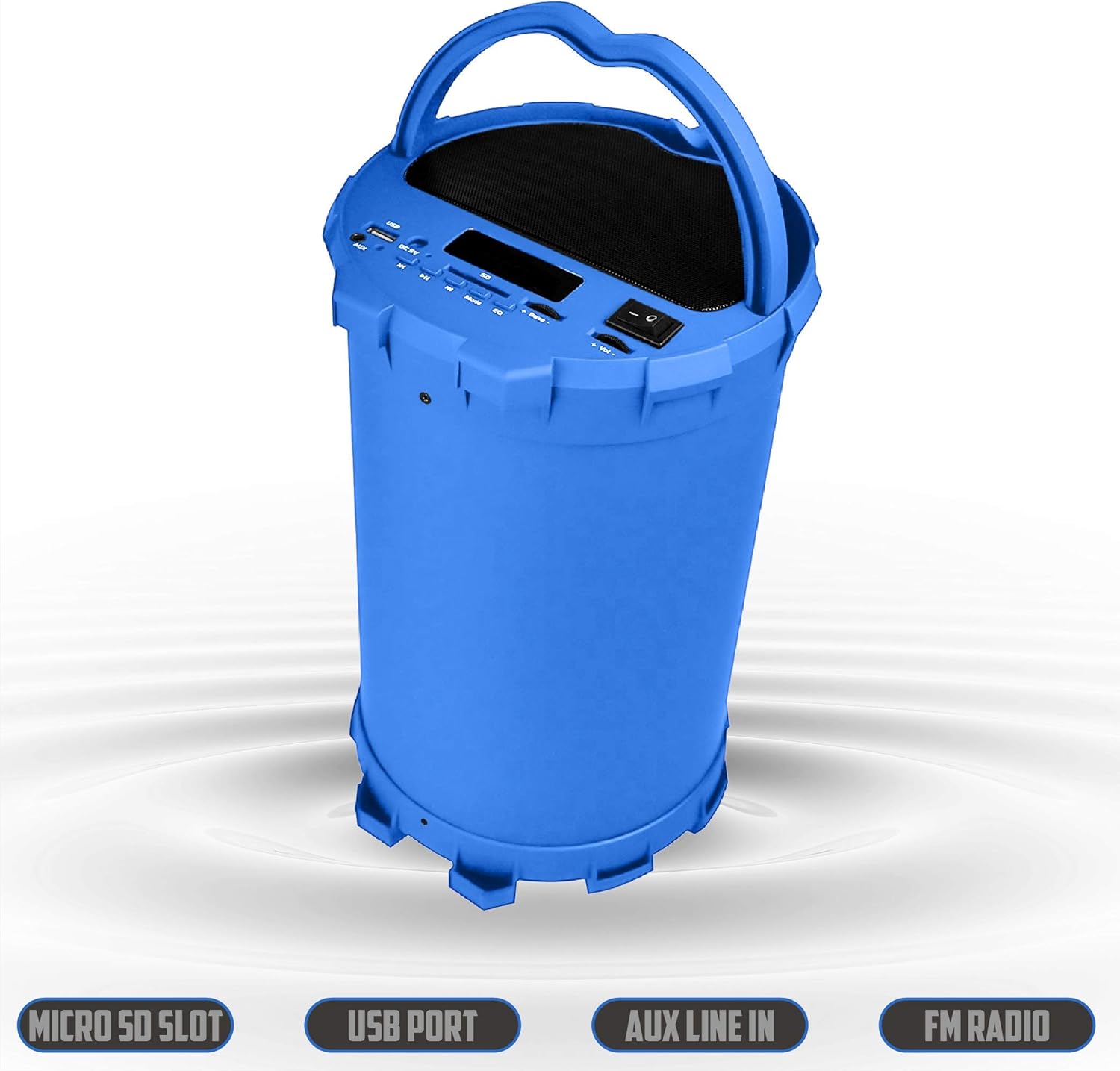
Image 6.2: The 2BOOM BX390 speaker shown upright, emphasizing the Micro SD Slot, USB Port, Aux Line In, and FM Radio capabilities.
This image displays the blue 2BOOM BX390 speaker in an upright position, with graphic overlays highlighting the Micro SD Slot, USB Port, Aux Line In, and FM Radio features on its control panel.
6.4 Режим AUX улаза
Connect external audio devices (e.g., MP3 players, computers) using the supplied 3.5mm Aux cable.
- Connect one end of the 3.5mm Aux cable to the АУКС улаз порт на звучнику.
- Connect the other end to the audio output jack of your external device.
- Звучник ће се аутоматски пребацити у AUX режим. Ако не, притисните МОДЕ дугме за избор.
- Контролишите репродукцију са свог спољног уређаја.
6.5 Adjusting Volume, Bass, and Equalizer
- Волумен: Користите Волуме +/- buttons (long press Previous/Next) to increase or decrease the overall volume.
- бас: Користите бас +/- buttons to adjust the bass level to your preference.
- Еквилајзер (ЕК): Притисните тастер EQ button to cycle through various preset equalizer modes (e.g., Pop, Rock, Jazz, Classical, Normal) to optimize sound for different music genres.
7. Одржавање
- Чишћење: Користите меку, суву крпу за чишћење спољашњости звучника. Не користите абразивна средства за чишћење или раствараче.
- Складиштење: Чувајте звучник на хладном и сувом месту, даље од директне сунчеве светлости и екстремних температура када се не користи дуже време.
- Одржавање батерије: Да бисте продужили век трајања батерије, избегавајте често потпуно пражњење батерије. Редовно пуните звучник, чак и ако га не користите.
- Отпорност на воду: Овај звучник није водоотпоран. Избегавајте излагање води или прекомерној влази.
КСНУМКС. Решавање проблема
| Проблем | Могући узрок | Решење |
|---|---|---|
| Нема струје | Батерија је празна или је празна. | Charge the speaker fully using the supplied USB cable. |
| Нема звука | Јачина звука је прениска; изабран је погрешан режим; уређај није правилно повезан. | Increase volume on speaker and connected device. Press МОДЕ to select correct input. Reconnect Bluetooth or Aux cable. |
| Блуетоотх упаривање није успело | Звучник није у режиму упаривања; уређај је предалеко; сметње. | Ensure speaker is in Bluetooth mode. Move device closer to speaker. Turn off other Bluetooth devices. Forget "2BOOM BX390" on your device and re-pair. |
| Лош ФМ пријем | Weak signal; speaker position. | Reposition the speaker. Try auto-scanning again. |
| USB/SD картица не репродукује | Неподржано file формат; картица/диск није правилно уметнут; оштећен files. | Осигурати files are in a supported format (e.g., MP3). Reinsert the USB drive/SD card. Try a different drive/card. |
9. Спецификације
| Феатуре | Детаљ |
|---|---|
| Бранд | 2BOOM |
| Модел | BX390 Bass King |
| Технологија повезивања | Помоћни, Блутут, УСБ |
| Спеакер Типе | Стерео |
| Компатибилни уређаји | Лаптоп, паметни телефон, таблет |
| Сабвуфери | 4-inch (Quantity not specified, but implied by "subwoofers" and "dual subwoofers" in image) |
| Блуетоотх домет | До 33 стопа (10 метара) |
| Улазни портови | USB, SD Card, 3.5mm AUX |
| Радио | ФМ Радио |
10. Гаранција и подршка
The 2BOOM BX390 Bass King speaker comes with an UNLIMITED 2BOOM WARRANTY.
For warranty claims or technical support, please contact 2BOOM customer service. Refer to the product packaging or 2BOOM's official webсајт за контакт информације.
Молимо вас да сачувате доказ о куповини ради гаранције.