
Увод
Хвала вам на куповиниasing the Retro-Bit Official SEGA Mega Drive USB 6-Button Controller. This controller is designed to provide an authentic classic gaming experience with modern compatibility. It features a classic 6-button layout, a durable 3-meter cable, and is officially licensed by SEGA.
This manual provides essential information for setting up, operating, maintaining, and troubleshooting your controller. Please read it thoroughly before use.

Слика: Под углом view of the Retro-Bit Official SEGA Mega Drive USB 6-Button Controller in clear blue.
Сетуп
Садржај пакета
- 1 x Retro-Bit Official SEGA Mega Drive USB 6-Button Controller
Повезивање контролера
- Locate an available USB port on your compatible device (SEGA Mega Drive Mini, PC, Mac, Steam, PS3, or Nintendo Switch).
- Insert the USB connector of the controller firmly into the USB port.
- For most systems (e.g., Windows 10), the controller will be automatically detected as a 'USB Gamepad' without requiring additional drivers.
- Once detected, the controller is ready for use.

Image: Close-up of the USB connector for the controller.
Компатибилност
The Retro-Bit Official SEGA Mega Drive USB 6-Button Controller is compatible with the following platforms:
- SEGA Mega Drive Mini
- ПЦ (Виндовс)
- Мац
- Стеам
- Плејстејшн 3 (ПС3)
- Нинтендо Свитцх
- RetroPie
- Распберри Пи
Упутство за употребу
Распоред контролера

Слика: Врх view of the controller, highlighting the D-pad, Start button, and six action buttons.
- Смерни тастер (D-Pad): Located on the left, used for movement and menu navigation.
- Старт дугме: Red button in the center, typically used to pause games or confirm selections.
- Action Buttons (A, B, C, X, Y, Z): Six buttons on the right side for in-game actions.
- Дугме МОДЕ: Located on the top right edge of the controller. This button is specifically designed for the SEGA Mega Drive Mini to return to the system menu.
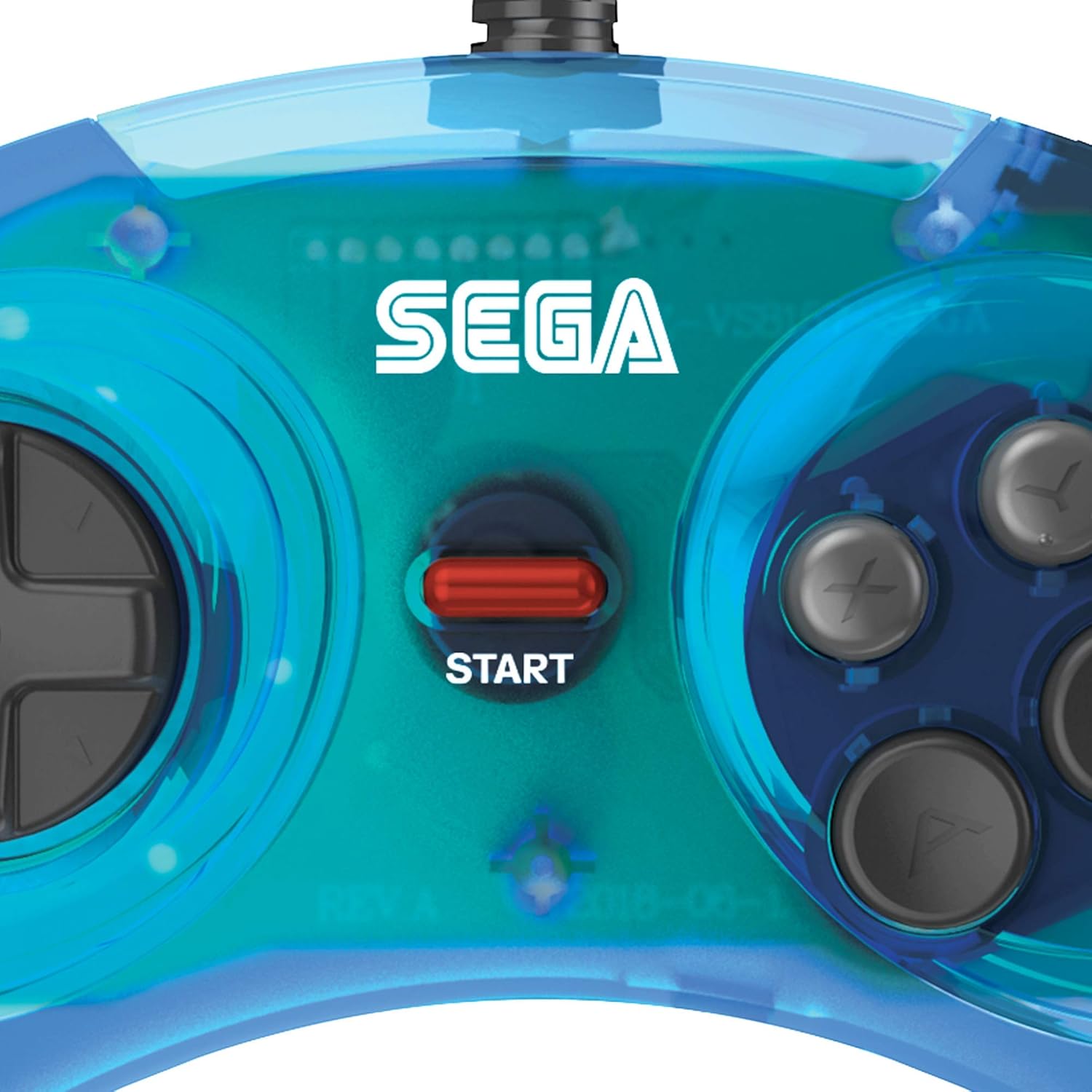
Image: Close-up of the SEGA logo and the red Start button.

Image: Close-up of the directional pad (D-pad).

Image: Close-up of the six action buttons (A, B, C, X, Y, Z).
Општа употреба
- Ensure the controller is securely connected to your device's USB port.
- For PC and Mac, you may need to configure controller settings within your game or emulator software.
- The controller is designed for optimal performance with classic 2D games that utilize a 6-button layout.
- The 3-meter cable provides ample length for comfortable gaming distances.
Одржавање
Чишћење
- To clean the controller, use a soft, dry cloth.
- За тврдокорну прљавштину, благо дampИсперите крпу водом. Избегавајте употребу јаких хемикалија или абразивних средстава за чишћење.
- Ensure no liquid enters the controller's internal components.
Складиштење
- Чувајте контролер на хладном и сувом месту, даље од директне сунчеве светлости и екстремних температура.
- Avoid wrapping the cable too tightly around the controller to prevent damage.
Решавање проблема
Controller Not Recognized
- Проверите УСБ везу: Ensure the USB cable is fully inserted into the port on both the controller and the device. Try a different USB port.
- Поново покрените уређај: Sometimes, restarting your PC, Mac, or console can resolve recognition issues.
- Тестирајте на другом уређају: Ако је могуће, тестирајте контролер на другом компатибилном уређају да бисте утврдили да ли је проблем у контролеру или у оригиналном уређају.
- Check Device Manager (PC): On Windows, open Device Manager and look under 'Human Interface Devices' or 'Game Controllers' to see if the controller is listed. If there's a yellow exclamation mark, try updating or reinstalling the driver (though typically not required for this plug-and-play device).
Buttons Not Responding Correctly
- Подешавања у игри: Verify that the controller is properly configured within the game or emulator settings. Some games may require manual button mapping.
- калибрација: On PC, you can often calibrate game controllers through the operating system's control panel or settings.
- Физички преглед: Check for any visible debris or damage around the buttons.
Issues with Specific Game Platforms (e.g., Steam)
- Steam Big Picture Mode: For Steam, try launching games through Big Picture Mode and ensure controller support is enabled and configured.
- Emulator Configuration: When using emulators like Kega Fusion, ensure the controller's buttons are correctly mapped within the emulator's input settings.
Спецификације
| Број модела | РЕТ00158 |
| Тип контролера | Гамепад |
| Технологија повезивања | УСБ |
| Количина дугмета | 6 |
| Цабле Ленгтх | 3 метара (приближно 9.8 стопе) |
| Компатибилни уређаји | SEGA Mega Drive Mini, PC, Mac, Steam, PS3, Nintendo Switch, RetroPie, Raspberry Pi |
| Тежина артикла | 200 грама |
| Димензије артикла (Д к Ш к В) | 6.18 к 3.86 к 1.57 инча |
Гаранција и подршка
Информације о гаранцији
Retro-Bit products typically come with a limited warranty. For specific details regarding the warranty period and terms for your controller, please refer to the warranty card included with your product or visit the official Retro-Bit webсајту.
Корисничка подршка
If you encounter any issues or have questions not covered in this manual, please contact Retro-Bit customer support. You can find contact information and additional resources on the official Retro-Bit webсајт: