
1. Увод
The TP-Link TL-SG108 is an 8-Port Gigabit Desktop Switch designed to expand your network capacity with minimal effort. This unmanaged switch offers a simple, plug-and-play solution for connecting multiple wired devices, such as computers, gaming consoles, printers, and smart TVs, to your network. Its sturdy metal casing ensures durability, and its fanless design provides quiet operation. This manual provides essential information for setting up, operating, and maintaining your TL-SG108 switch.
2. Садржај пакета
Проверите да ли ваш пакет садржи следеће ставке:
- TP-Link 8-Port Gigabit Desktop Switch (TL-SG108)
- Повер Адаптер
- Гумене ножице (за постављање на радну површину)

Image: The retail packaging for the TP-Link TL-SG108 switch, showing the device and its accessories.
3. Карактеристике производа
- 8 Гигабит Етхернет портова: Provides 8 10/100/1000 Mbps auto-negotiation RJ45 ports for high-speed wired connections.
- Плуг-анд-Плаи: Requires no configuration or software installation for immediate use.
- Чврсто метално кућиште: Durable metal housing with a fanless design for quiet operation.
- Traffic Optimization (QoS): Supports 802.1p and DSCP QoS for smooth handling of latency-sensitive traffic like voice and video.
- Поуздан пренос података: IEEE 802.3x flow control ensures dependable data transmission.
- Енергетска ефикасност: Features Green Technology for up to 80% power saving by automatically adjusting power consumption based on link status and cable length.
- Аутоматско преговарање: Подржава Auto-MDI/MDIX, елиминишући потребу за укрштеним кабловима.
- Разноврстан пласман: Designed for desktop use or wall-mounting.

Image: Diagram illustrating the advanced functions of the TL-SG108 switch, including QoS for fluent online experience and IGMP Snooping for traffic optimization in IPTV.

Image: The TP-Link TL-SG108 switch with icons representing its energy-saving 'Green Tech' and 'Energy Conversion' features.
4. Подешавање
The TL-SG108 switch is designed for easy installation. Follow these steps to set up your device:
- Place the Switch: Choose a stable, flat surface for the switch, or mount it to a wall using appropriate hardware (not included). Ensure adequate ventilation around the device.
- Причврстите гумене ножице: If placing on a desktop, attach the included rubber feet to the bottom of the switch to prevent scratching and provide stability.
- Прикључите напајање: Plug the power adapter into the switch's power port and then into a standard electrical outlet. The Power LED on the switch should illuminate.
- Повежите уређаје: Connect your network devices (e.g., router, computer, gaming console, printer, smart TV) to any of the 8 RJ45 ports on the switch using Ethernet cables. The Link/Act LEDs for connected ports will light up, indicating an active connection.
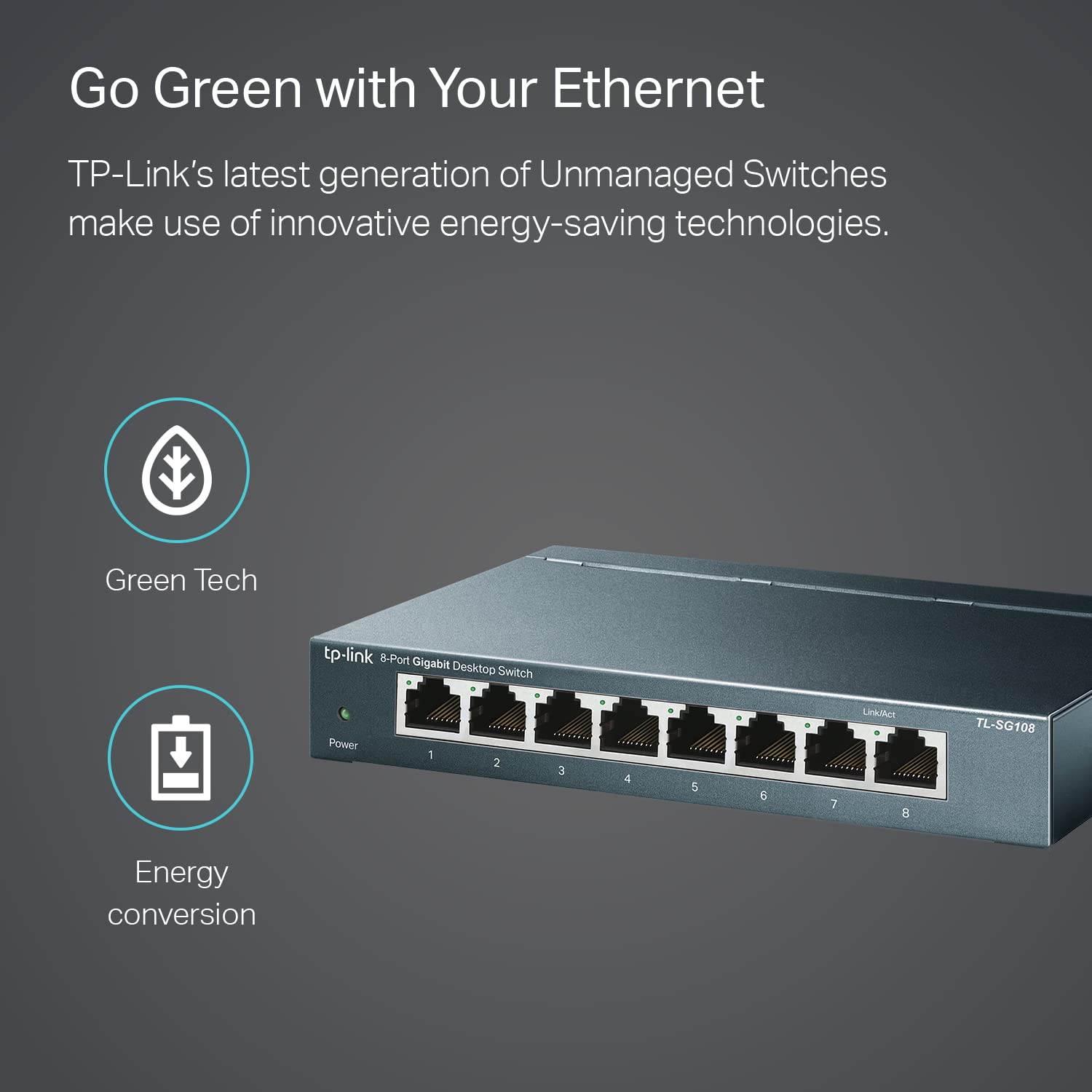
Image: The TP-Link TL-SG108 switch demonstrating its role in expanding network connectivity, showing connections to a computer, gaming console, printer, and smart TV.

Image: Visual representation of the TP-Link TL-SG108 switch's versatility in different environments: home, gaming setups, and business offices.
5. Упутство за употребу
The TL-SG108 is an unmanaged switch, meaning it operates automatically without requiring user configuration. Once powered on and connected, it will begin forwarding data between connected devices.
- ЛЕД за напајање: A green LED indicates the switch is powered on. If this LED is off, check the power connection.
- ЛЕД диоде за везу/активност (по порту): Each RJ45 port has an associated LED. A solid green light indicates a stable link, while a blinking green light indicates data activity (transmitting or receiving data).

Слика: Предњи угао view of the TP-Link TL-SG108 8-Port Gigabit Desktop Switch, showing its power indicator and eight RJ45 ports with their respective Link/Act LEDs.
6. Одржавање
To ensure optimal performance and longevity of your TL-SG108 switch, follow these maintenance guidelines:
- Чишћење: Користите меку, суву крпу за чишћење спољашњости прекидача. Не користите течна или аеросолна средства за чишћење.
- вентилација: Ensure the switch is placed in a well-ventilated area to prevent overheating. Do not block the ventilation holes.
- Услови животне средине: Operate the switch within the specified temperature range of 0°C to 40°C (32°F to 104°F) and avoid environments with high humidity.
- Циклус напајања: If the switch experiences issues, try power cycling it by unplugging the power adapter, waiting a few seconds, and then plugging it back in.
КСНУМКС. Решавање проблема
If you encounter problems with your TL-SG108 switch, refer to the following common issues and solutions:
- Нема напајања:
- Уверите се да је адаптер за напајање безбедно повезан са прекидачем и исправном електричном утичницом.
- Проверите да ли је утичница функционална тако што ћете укључити други уређај.
- Нема везе/активности на порту:
- Check that the Ethernet cable is securely connected to both the switch port and the device.
- Пробајте други Етернет кабл да бисте искључили могућност неисправног кабла.
- Уверите се да је повезани уређај укључен и да његов мрежни адаптер исправно функционише.
- Покушајте да повежете уређај са другим портом на прекидачу.
- Мала брзина мреже:
- Уверите се да сви повезани уређаји и каблови подржавају гигабитни етернет (за гигабитне брзине препоручују се каблови Cat5e или новији).
- Проверите да ли на вашој мрежи ради прекомерни мрежни саобраћај или апликације које захтевају велики пропусни опсег.
- Проверите да ли ваш интернет провајдер (ИСП) пружа очекиване брзине вашем рутеру.
8. Спецификације
| Феатуре | Опис |
|---|---|
| Модел | ТЛ-СГ108 |
| Број портова | 8 x 10/100/1000 Mbps RJ45 портова |
| Брзина преноса података | 1000 мегабита у секунди (Mbps) |
| Тип интерфејса | РЈ45 |
| Материјал кућишта | Метал |
| Димензије (Д к Ш к В) | 5.91 к 3.15 к 5.91 инча |
| Тежина артикла | 13.8 унци (0.86 лбс) |
| Радна температура | 0°Ц до 40°Ц (32°Ф до 104°Ф) |
| Температура складиштења | -40°Ц до 70°Ц (-40°Ф до 158°Ф) |
| Волtage | 220 Volts (Input for Power Adapter) |
| Потрошња енергије | Максимум: 3.97 В (220 В/50 Хз) |
9. Гаранција и подршка
TP-Link provides a limited lifetime warranty for this product. For technical assistance, unlimited 24/7 technical support is available free of charge. Please refer to the TP-Link official website for detailed warranty terms and contact information for support services.