
Глобе Елецтриц 50000
Упутство за употребу паметног Wi-Fi утикача Globe Electric
Модел: 50000
Увод
The Globe Electric Wi-Fi Smart Plug (Model 50000) allows you to control your plugged-in devices from anywhere using your smartphone or voice commands. This smart plug connects directly to your home Wi-Fi network, eliminating the need for a separate hub. It is designed for indoor use and offers convenient features such as scheduling and remote access.

Image: The Globe Electric Wi-Fi Smart Plug, a compact white device, shown alongside its retail packaging. The packaging highlights features like "easy setup" and "Wi-Fi" connectivity, along with icons for app stores.
Безбедносне информације
- Само за унутрашњу употребу: This smart plug is designed exclusively for indoor environments. Do not use it outdoors or in damp/влажни услови.
- електрична безбедност: Ensure the plug is fully inserted into the outlet. Do not overload the outlet. Refer to the specifications for maximum wattagе и тренутне оцене.
- Чишћење: Disconnect the smart plug from the power outlet before cleaning. Use a dry, soft cloth for cleaning. Do not use liquid cleaners.
- Растављање: Do not attempt to disassemble or modify the smart plug. This may void the warranty and pose safety risks.
- Деца и кућни љубимци: Keep the device out of reach of children and pets to prevent accidental misuse or damage.
Садржај пакета
Your Globe Electric Wi-Fi Smart Plug package should contain the following:
- 1 x Globe Electric Wi-Fi Smart Plug (Model 50000)
- 1 x Упутство за употребу (овај документ)
Сетуп
Follow these steps to set up your Globe Electric Wi-Fi Smart Plug:
- Download the Globe Suite App: Тражи "Globe Suite" in your smartphone's app store (available on iOS and Android) and download the application.
- Креирајте налог: Open the Globe Suite app and follow the on-screen instructions to create a new user account or log in if you already have one.
- Укључите паметни утикач: Insert the Globe Electric Wi-Fi Smart Plug into a standard grounded electrical outlet. The indicator light on the plug should begin to blink, indicating it's in pairing mode.
- Додај уређај у апликацији: In the Globe Suite app, tap the "+" icon (usually in the top right corner) to add a new device. Select "Electrical Outlet" or "Smart Plug" from the device list.
- Повежите се на Ви-Фи: Follow the app's prompts to connect the smart plug to your 2.4 GHz Wi-Fi network. Ensure your phone is also connected to the same 2.4 GHz network during setup. Enter your Wi-Fi password when prompted.
- Потврда упаривања: Once successfully paired, the indicator light on the smart plug will stop blinking and remain solid. You can then rename your smart plug within the app for easier identification (e.g., "Living Room Lamp").
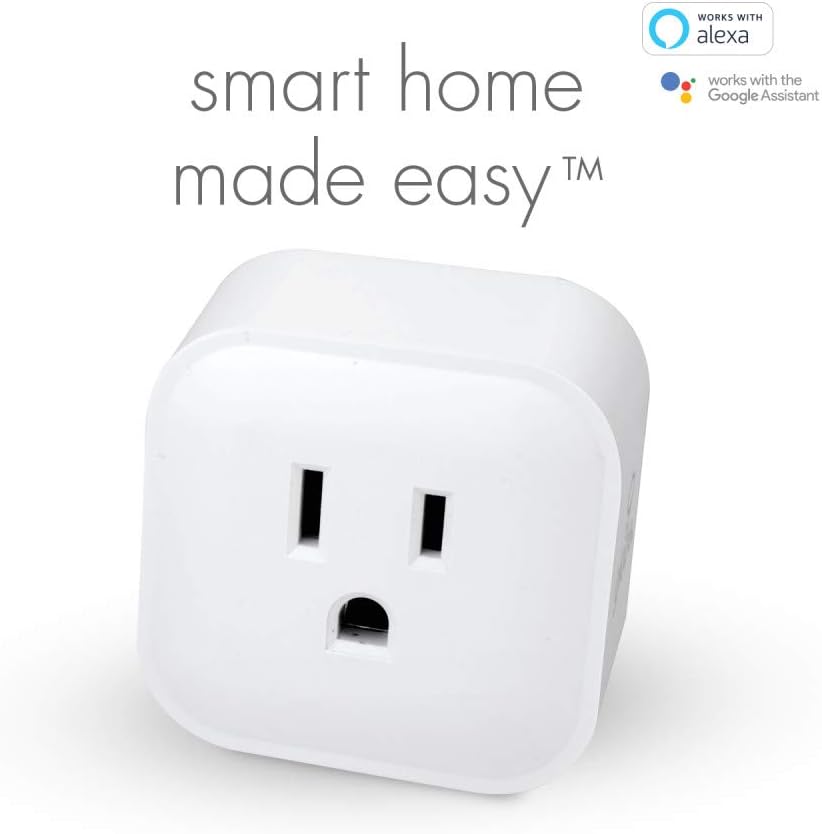
Image: A close-up of the Globe Electric Smart Plug, emphasizing its compatibility with Amazon Alexa and Google Assistant, indicating ease of integration into a smart home system.

Image: A smartphone displaying the Globe Suite app interface, showing a green power button for controlling a smart plug and options for scheduling and timers. This illustrates the app's control capabilities.
Упутство за употребу
Controlling via Globe Suite App:
- Ручно укључивање/искључивање: Open the Globe Suite app, select your smart plug from the device list, and tap the power icon to turn it on or off.
- даљински управљач: As long as your smart plug is connected to Wi-Fi and your smartphone has internet access, you can control your devices from anywhere in the world.
- Заказивање: Use the scheduling feature within the app to set specific times for your smart plug to turn on or off automatically. This is useful for lights, coffee makers, or other appliances.
- Тајмери: Set countdown timers for your smart plug to turn off after a specified duration.
- сцене: Create custom scenes to control multiple Globe smart products simultaneously with a single tap or voice command.

Image: A person sitting and looking at a smartphone, which displays the Globe Suite app with a list of smart devices like "Bedroom Lights" and "TV," illustrating the ability to control outlets remotely.

Image: A hand opening a door into a room with a lamp, visually representing the convenience of scheduling the smart plug to turn devices on or off automatically, such as lights when arriving home.
Контрола гласом:
The Globe Electric Wi-Fi Smart Plug is compatible with Amazon Alexa and Google Assistant. To enable voice control:
- Ensure your smart plug is successfully set up in the Globe Suite app.
- Open the Amazon Alexa app or Google Home app.
- Link the "Globe Suite" skill/service within your voice assistant app.
- Discover devices. Once linked, you can use voice commands such as:
- "Alexa, turn on [Smart Plug Name]"
- "Hey Google, turn off [Smart Plug Name]"
Одржавање
The Globe Electric Wi-Fi Smart Plug requires minimal maintenance. Follow these guidelines to ensure its longevity:
- Чишћење: Disconnect the smart plug from the power outlet before cleaning. Use a dry, soft cloth to wipe the surface. Do not use abrasive cleaners, solvents, or harsh chemicals.
- Окружење: Keep the smart plug in a dry environment, away from excessive heat, humidity, and direct sunlight.
- Складиштење: If storing the device for an extended period, unplug it and store it in a cool, dry place.
Решавање проблема
If you encounter issues with your Globe Electric Wi-Fi Smart Plug, refer to the following common problems and solutions:
| Проблем | Могући узрок | Решење |
|---|---|---|
| Smart plug not connecting to Wi-Fi. | Incorrect Wi-Fi password; Plug too far from router; Only 5 GHz Wi-Fi network available; Router firewall settings. | Double-check Wi-Fi password. Move the plug closer to your Wi-Fi router. Ensure you are connecting to a 2.4 GHz Wi-Fi network. Temporarily disable firewall or consult router manual. |
| Device not responding in app. | No internet connection; Smart plug is offline; App issue. | Check your home internet connection. Unplug the smart plug for 10 seconds and plug it back in. Restart the Globe Suite app. |
| Гласовна контрола не ради. | Skill/service not linked; Device name not recognized; Voice assistant device offline. | Ensure the "Globe Suite" skill/service is correctly linked in your Alexa/Google Home app. Try renaming the smart plug to something simpler. Check if your voice assistant device (e.g., Echo, Google Home) is online. |
| Plug is warm to the touch. | Normal operation; Overloaded circuit. | A slight warmth is normal. If it's excessively hot, unplug immediately and ensure the connected appliance does not exceed the plug's maximum wattagе/тренутни рејтинг. |
Спецификације
| Атрибут | Детаљ |
|---|---|
| Број модела | 50000 |
| Бранд | Глобе Елецтриц |
| Боја | Бела |
| Материјал | Пластика |
| Димензије производа (Д к Ш к В) | 4.98 x 4.98 x 4.98 cm (approx. 50 x 50 x 50 millimeters) |
| Тежина артикла | 49.9 г |
| Извор напајања | АЦ/ДЦ |
| Волtage | 125 Волтс |
| Ватtage | 1875.0 Ваттс |
| Цуррент Ратинг | 15 Amps |
| Свитцх Стиле | Електронски прекидач |
| Употреба | Само за унутрашњу употребу |
| Повезивање | Ви-Фи (КСНУМКС ГХз) |
| Компатибилност | Амазон Алека, Гоогле помоћник |
Гаранција и подршка
гаранција: The Globe Electric Wi-Fi Smart Plug (Model 50000) comes with a 2-year manufacturer's limited warranty. Please retain your proof of purchase for warranty claims. The warranty covers defects in materials and workmanship under normal use.
Корисничка подршка: For technical assistance, troubleshooting beyond this manual, or warranty inquiries, please contact Globe Electric customer support. Refer to the product packaging or the Globe Electric webсајт за најновије контакт информације.
You can often find support resources, FAQs, and contact details on the official Globe Electric webсајт: ввв.глобе-елецтриц.цом
Ask a question about this manual
Ask about setup, troubleshooting, compatibility, parts, safety, or missing instructions. Manuals+ will review the question and use this page’s manual context to help answer it.