
1. Увод
This manual provides essential information for setting up, operating, and maintaining your NEBULA by Anker Capsule Max Mini Projector. Please read it thoroughly before using the device to ensure optimal performance and longevity.
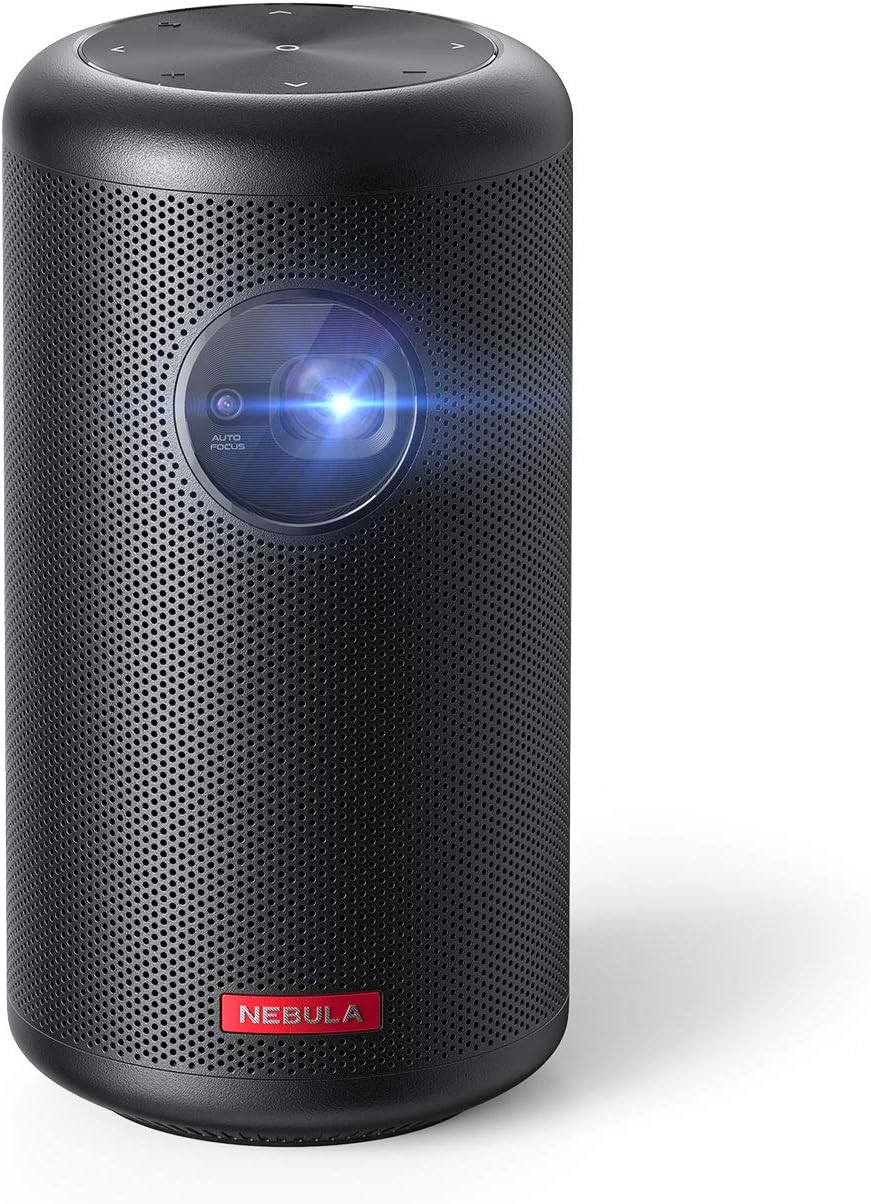
Image 1.1: NEBULA by Anker Capsule Max Mini Projector. This image displays the compact, cylindrical black projector with its lens visible on the front, highlighting its portable design.
2. Шта је у кутији
Након распакивања, уверите се да су присутне све следеће ставке:
- НЕБУЛА Цапсуле Мак Мини пројектор
- Ремоте Цонтрол
- Водич за брзи почетак
- DC-in Charger (15V/3A)
3. Производ је готовview
3.1 Изглед уређаја

Слика 3.1: Позади view of the NEBULA Capsule Max showing the input/output ports. From left to right, the ports include AUX, HDMI, USB Type-A, and DC-in.
- Фронт: Projection Lens, Autofocus Sensor
- Врх: Touch Buttons (D-pad, Volume ±, Back)
- позади: AUX Out, HDMI Input, USB Type-A Port, DC-in Port
- дно: Tripod Mount Thread
4. Подешавање
4.1 Укључивање/искључивање
- To power on, press and hold the Power button on the device or remote control.
- Да бисте искључили напајање, поново притисните и држите дугме за напајање.
4.2 Пуњење
Connect the provided DC-in charger (15V/3A) to the DC-in port on the projector. The device supports approximately 4 hours of local video playtime on a full charge, with a charging time of 2.5 hours.
4.3 Почетно подешавање
The Capsule Max runs on Android 8.1 with Nebula UI. Follow the on-screen instructions for initial setup, including language selection and network connection.
4.4 Мрежна веза
Дођите до Подешавања > Мрежа to connect to a Wi-Fi network. The device supports 802.11b/g/n/ac dual frequency (2.4/5GHz).
4.5 Блуетоотх веза
For connecting external Bluetooth devices, go to Подешавања > Блуетоотх. The projector supports BT4.2 Dual Mode/A2DP.
5. Руковање пројектором
5.1 Навигација и контрола
- Physical/Touch Buttons: Use the D-pad, Volume ±, and Back buttons on the device for basic navigation.
- ИР даљински: The included remote control offers Power, D-pad, Volume ±, Mouse Mode, Home, Back, and Menu (for autofocus) functions.
- Bluetooth Remote App: Download the 'Nebula Connect' app for Android and iOS devices for enhanced control, especially for apps like Netflix.
5.2 Подешавање слике

Image 5.1: Diagram illustrating optimal projection distances for various screen sizes (40, 80, 100 inches) with the NEBULA Capsule Max.
- Аутоматско фокусирање: The projector features 1-second autofocus. You can also trigger it by slightly moving the device or long-pressing the 'Menu' button on the remote.
- Кеистоне Цоррецтион: Automatic vertical keystone correction (±40°) is available. Manual horizontal (±40°) and quadrilateral keystone correction can be adjusted via Settings > Projector.
- Режим слике: Select between 'Auto', 'Standard Mode' (for maximum brightness), and 'Battery Mode' (for extended battery life) in Settings > Projector > Image Mode.
- Режим пројекције: Adjust the projection orientation (Front, Rear, Front Ceiling, Rear Ceiling) based on your setup in Settings > Projector > Projector Mode.
5.3 Репродукција садржаја

Image 5.2: The Android 8.1 user interface of the NEBULA Capsule Max, displaying various streaming app icons like Amazon, YouTube, and Netflix.
- Уграђене апликације: The projector comes with Android 8.1 and Nebula UI, allowing you to download and stream apps like YouTube, Netflix, and Amazon from the Nebula Manager Store.
- Important Note on Copyrighted Content: Copyrighted content from services like Netflix cannot be mirrored or screencast. Download and use the apps directly through the Capsule Max to view such content. Chromecast is not supported.
- ХДМИ улаз: Connect external devices such as gaming consoles, Blu-ray players, or other media players via the HDMI 1.4 input (supports up to 1080p).
- УСБ репродукција: Insert USB flash drives into the USB Type-A port to play local video and audio files.
- Аудио излаз: The projector features an 8W speaker. For external audio, use the AUX Out port to connect to a sound system.
6. Одржавање
To ensure the longevity and optimal performance of your Capsule Max, follow these maintenance guidelines:
- Чишћење: Use a soft, dry cloth to clean the exterior of the projector. Avoid using liquid cleaners or abrasive materials.
- Нега сочива: Gently clean the projection lens with a lens cleaning cloth. Do not touch the lens directly with your fingers.
- Ажурирања фирмвера: For peak performance and access to the latest features, regularly check for and install firmware updates via the device's settings.
- Складиштење: Када није у употреби, чувајте пројектор на хладном и сувом месту даље од директне сунчеве светлости и екстремних температура.
КСНУМКС. Решавање проблема
If you encounter any issues with your Capsule Max, refer to the following common solutions:
- Нема слике/лош квалитет слике:
- Ensure the projector is powered on and fully charged or connected to power.
- Adjust focus using the autofocus feature or manually.
- Check keystone correction settings if the image is distorted.
- Ensure the projection surface is suitable and the room lighting is appropriate (ideal in low-light environments).
- Нема звука:
- Check the volume level on the projector and any connected external audio devices.
- If using external speakers, ensure they are correctly connected via AUX or Bluetooth.
- Не могу да се повежем са Wi-Fi/Bluetooth мрежом:
- Поново покрените пројектор и рутер/Блутут уређај.
- Уверите се да је лозинка за Ви-Фи исправна.
- Keep the projector within range of the Wi-Fi router or Bluetooth device.
- App Issues (e.g., Netflix not playing):
- Уверите се да је апликација ажурирана на најновију верзију.
- Remember that copyrighted content from certain services cannot be mirrored; use the apps directly on the projector.
- Update the projector's firmware to the latest version for optimal compatibility.
8. Спецификације
| Феатуре | Спецификација |
|---|---|
| Број модела | Д2423 |
| Дисплаи Тецхнологи | 0.3-in HD DLP |
| Нативе Ресолутион | 1280 к 720 (720п) |
| Осветљеност | КСНУМКС АНСИ Луменс |
| Lamp Живот | 30,000 сата |
| Аспецт Ратио | 16:9 |
| Тхров Ратио | 100 in@2.87m; 80 in@2.29m; 60 in@1.72m; 40 in@1.14m |
| Оффсет | 100% |
| Подешавање фокуса | 1-second autofocus |
| Кеистоне Цоррецтион | Auto (Vertical ±40°), Manual (Horizontal ±40°) |
| ХДМИ улаз | HDMI 1.4 (up to 1080p) |
| УСБ порт | USB Type-A (for Flash Drives) |
| ДЦ улаз | 15В/3А |
| АУКС излаз | Да |
| Спеакер | 8W |
| Ви-Фи | 802.11б/г/н/ац (2.4/5ГХз) |
| Блуетоотх | BT4.2 Dual Mode/A2DP |
| OS | Android 8.1 with Nebula UI |
| РАМ | 2ГБ ДДР3 |
| РОМ | 16ГБ еММЦ |
| Батерија | КСНУМКСмАх КСНУМКСВ |
| Video Playtime | 4 Hours (Local Video Playtime) |
| Време пуњења | 2.5 Hours (with DC-in 15V/3A) |
| Димензије производа | 3.15 к 3.15 к 5.91 инча |
| Тежина артикла | 1.6 фунти |
9. Гаранција и подршка
The NEBULA by Anker Capsule Max comes with a 12-month warranty. For any product inquiries, technical assistance, or warranty claims, please contact our friendly customer service.