
1. Увод
This manual provides instructions for the Sound Oasis Bluetooth Tinnitus Sound Therapy System, model BST-80-25T. This device is designed to assist in managing tinnitus and improving sleep quality through sound therapy. Please read this manual thoroughly before using the product to ensure proper operation and to maximize its benefits.
2. Безбедносне информације
- Само за унутрашњу употребу.
- Не покушавајте да отворите или модификујете уређај. Унутра нема делова које корисник може сам да поправи.
- Овај производ није играчка; држати ван домашаја деце.
- Intended for adult use only.
- Prolonged exposure to loud sounds may cause hearing damage. Adjust volume to a comfortable level.
- Unplug the device from the power outlet when not in use for extended periods.
- Refer to the product manual for any specific warnings not listed here.
3. Производ је готовview и карактеристике
The Sound Oasis BST-80-25T is a compact sound therapy system featuring 25 built-in sounds specifically designed for tinnitus relief and sleep enhancement. It also includes Bluetooth connectivity for streaming audio from your devices.
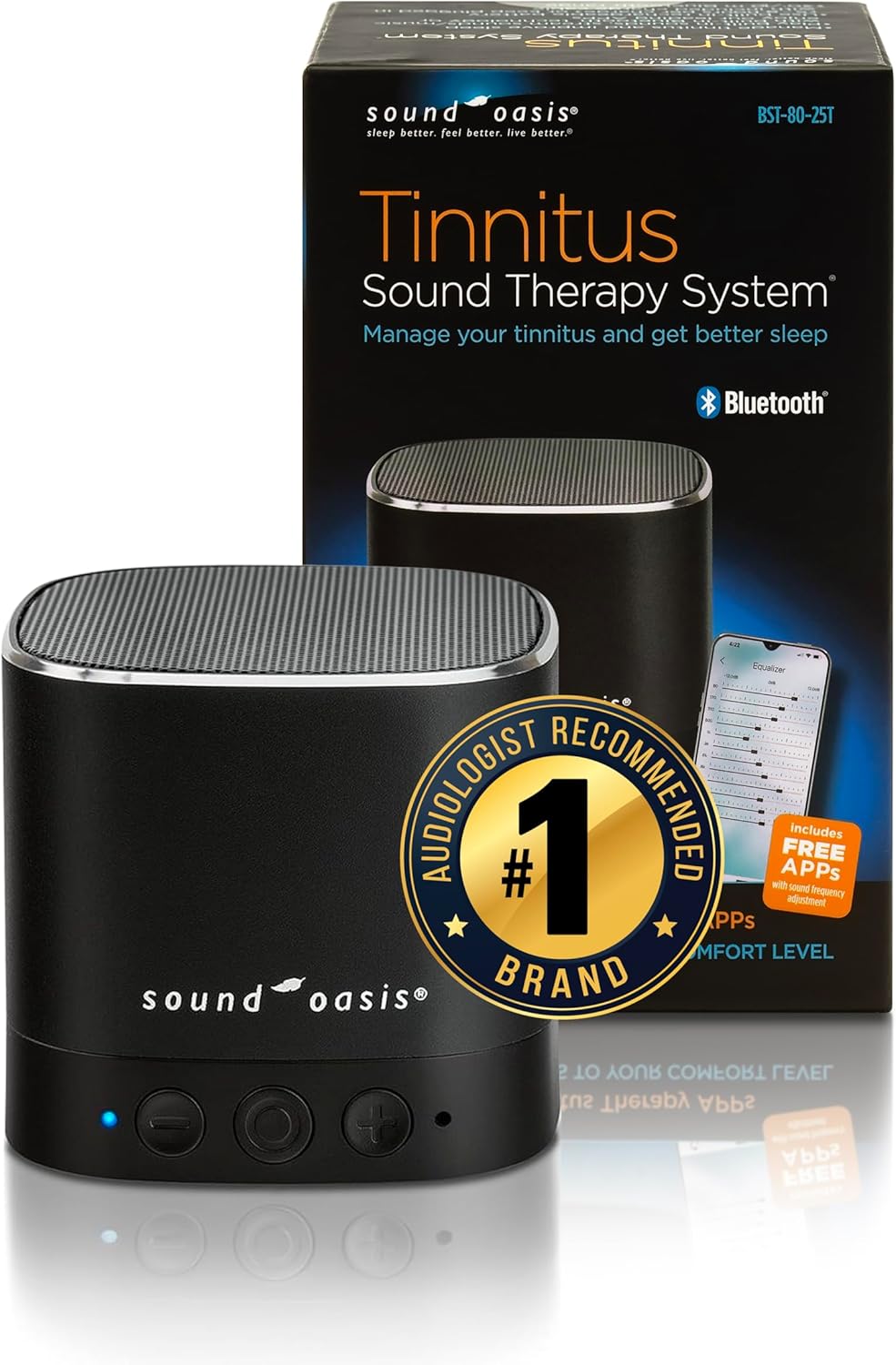
Figure 1: Sound Oasis BST-80-25T Tinnitus Sound Therapy System and its retail packaging.
Кључне карактеристике:
- 25 Built-in Sounds: A variety of sounds optimized for tinnitus relief and sleep, recommended by audiologists.
- Блуетоотх стриминг: Seamlessly stream music or sounds from your Bluetooth-enabled devices within a 30-foot (10-meter) range.
- Sound Oasis App Compatibility: Access the included Sound Oasis Professional Tinnitus Frequency App for additional sounds and customization.
- Флексибилне опције напајања: Operates on a built-in rechargeable battery (5-8 hours run time) or continuously when plugged in via the included charging cable.
- Свеобухватна подршка: Includes a 'Living with Tinnitus' booklet for additional guidance.
- Компактан и издржљив дизајн: Features metal construction for superior acoustics and durability, making it suitable for home or travel.
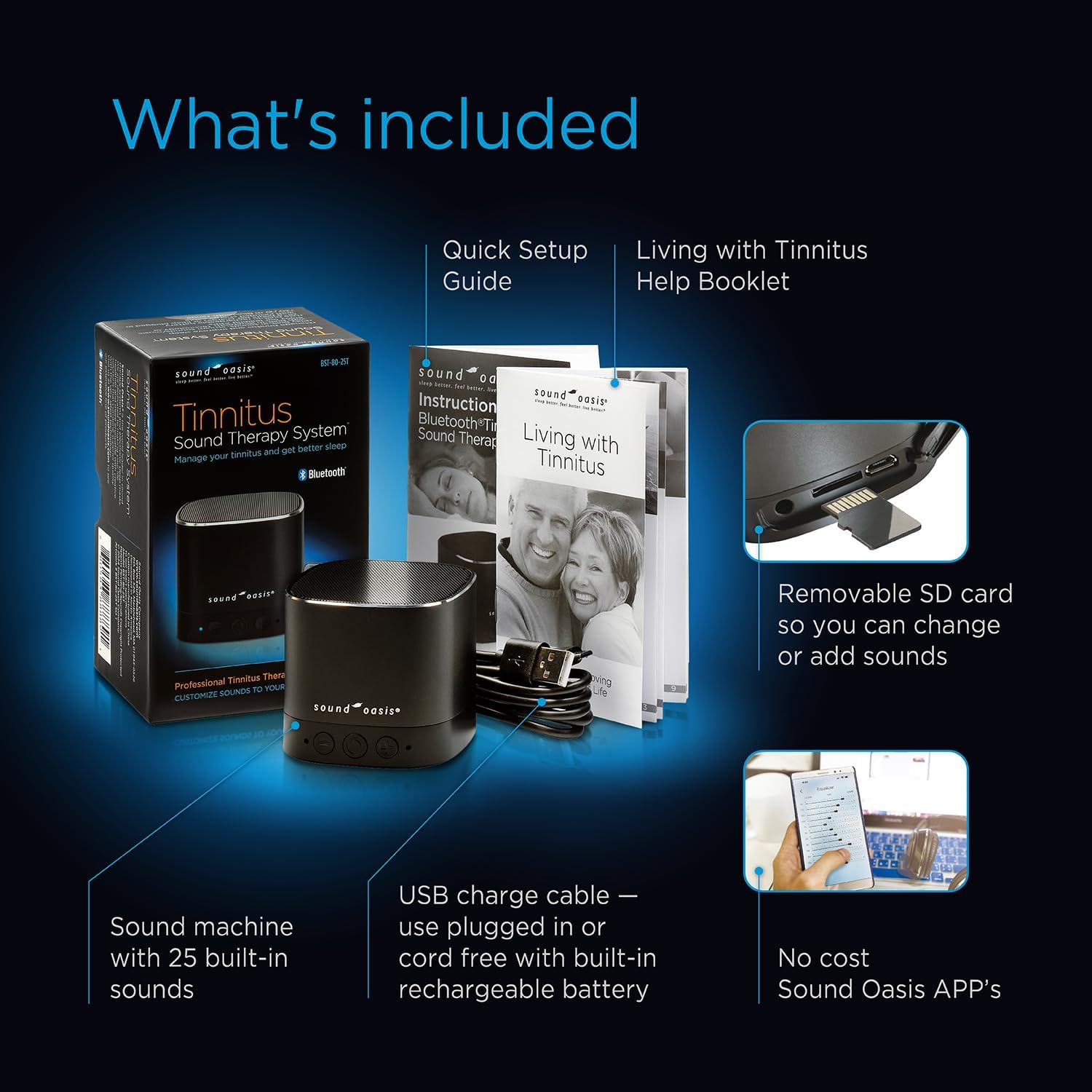
Figure 2: Package contents including the sound machine, USB charge cable, Quick Setup Guide, 'Living with Tinnitus' booklet, and information on the Sound Oasis Apps.

Слика 3: Унутрашњи view highlighting the deep bass speaker system, aircraft aluminum housing, Bluetooth technology, headphone jack, removable sound card, and rechargeable battery.
4. Упутства за подешавање
Follow these steps to set up your Sound Oasis Tinnitus Sound Therapy System:
- Unbox the System: Пажљиво уклоните све компоненте из паковања.
- Инсталирајте батерије: The device requires LR44 batteries (included). Ensure they are installed correctly according to polarity markings.
- Напуните уређај: Connect the included USB charging cable to the device's micro USB port and plug the other end into a USB power adapter (not included) or a computer's USB port. The charge/Bluetooth indicator light will show charging status.
- Укључено: Press and hold the power button (center button on the front) for a few seconds to turn the unit on.

Figure 4: Quick startup directions showing the device's buttons (On/Off, Volume Up/Next Sound, Volume Down/Last Sound, Charge/Bluetooth Indicator, Microphone) and ports (Micro USB Charging Cable, Micro USB Jack, Micro SD Card Slot, Micro SD Card, Headphone Jack).
5. Упутство за употребу
5.1 Основни рад
- Укључивање/искључивање: Press and hold the center button for approximately 3 seconds.
- Подесите јачину звука: Briefly press the '+' button to increase volume or the '-' button to decrease volume.
- Change Sound: Press and hold the '+' button to go to the next sound, or the '-' button to go to the previous sound. The device cycles through its 25 built-in sounds.
5.2 Блуетоотх упаривање
To stream audio from your smartphone or other Bluetooth-enabled device:
- Ensure the Sound Oasis device is powered on.
- Press the 'M' (Mode) button located on the bottom of the unit to switch to Bluetooth mode. The blue indicator light will flash, indicating it's ready for pairing.
- On your smartphone or device, go to Bluetooth settings and search for available devices.
- Select 'Sound Oasis' from the list. Once paired, the blue indicator light will stop flashing and remain solid.
- You can now play audio from your device through the Sound Oasis speaker.

Figure 5: The device can function as a Bluetooth speaker for personal audio or as a dedicated sleep sound machine.
5.3 Using the Sound Oasis Apps
Enhance your experience with the Sound Oasis Professional Tinnitus Frequency App:
- Download the official Sound Oasis apps from your device's app store.
- Connect your Sound Oasis device via Bluetooth as described above.
- Use the app to access additional sounds, customize sound frequencies with an equalizer, and set auto-shutoff timers.

Figure 6: The Sound Oasis Tinnitus Therapy Apps offer playback frequency control and an equalizer for personalized sound therapy.
5.4 Micro SD Card Functionality
The device features a removable micro SD card containing the built-in sounds. This allows for customization:
- You can replace the existing micro SD card with another containing different MP3 sound files.
- To do this, carefully remove the current micro SD card from its slot (refer to Figure 4 for location).
- Insert a new micro SD card with your desired sounds. The device will play sounds sequentially from the card.
6. Одржавање
- Чишћење: Обришите уређај меком, сувом крпом. Не користите течна средства за чишћење или абразивне материјале.
- Складиштење: Уређај чувајте на хладном и сувом месту, даље од директне сунчеве светлости и екстремних температура.
- Одржавање батерије: If the device will not be used for an extended period, fully charge the battery before storage and recharge it every few months to maintain battery health.
КСНУМКС. Решавање проблема
| Проблем | Могући узрок | Решење |
|---|---|---|
| Уређај се не укључује. | Слаба батерија или нема прикључка на напајање. | Charge the device using the USB cable. Ensure batteries are correctly installed. |
| Нема звука или је јачина звука ниска. | Volume too low, incorrect sound selected, or device in Bluetooth mode without audio playing. | Increase volume using the '+' button. Change sound using the '+' or '-' buttons (hold). Ensure audio is playing from the connected Bluetooth device. |
| Блутут се не повезује. | Device not in pairing mode, out of range, or previously paired with another device. | Press the 'M' button to enter Bluetooth pairing mode (flashing blue light). Ensure your device is within 30 feet (10 meters). Forget the device from your phone's Bluetooth list and try pairing again. |
| Трајање батерије је краће од очекиваног. | High volume usage, aging battery, or frequent Bluetooth streaming. | Reduce volume. Ensure the device is fully charged before use. Battery performance may degrade over time. |
8. Спецификације
- Модел: БСТ-80-25Т
- Димензије производа: 2.5 к 2.25 к 2.5 инча
- Тежина: 8 унци
- Извор напајања: Battery Powered (Rechargeable) / USB Cable
- батерије: LR44 batteries (included)
- Материјал: Plastic, Aircraft Aluminum Housing
- Боја: Црно
- Блуетоотх опсег: До 30 стопе (10 метара)
- Произвођач: Соунд Оасис®
9. Гаранција и подршка
For warranty information or technical support, please contact Sound Oasis directly. You can often find contact details on the manufacturer's webсајту или преко продавца где је производ купљен.
An official User Manual in PDF format may also be available for download from the Sound Oasis webсајту или преко овог линка: Sound Oasis BST-80-25T User Manual (PDF)