
Robomow RS630
Robomow RS630 Robotic Lawn Mower User Manual
Model: RS630 | Brand: Robomow
1. Увод
The Robomow RS630 Robotic Lawn Mower is designed to automate lawn maintenance for areas up to 3/4 acre (32,760 square feet). This battery-powered unit features dual blades and a 22-inch cutting width for efficient operation. It is capable of navigating inclines up to 20 degrees and can be programmed to manage multiple zones within your yard. The RS630 integrates with smart home systems and offers app-based control for convenient management.
Кључне карактеристике укључују:
- Large Yard Cutting Path: Dual blade, 22" cutting width for areas up to 3/4 acre and inclines up to 20 degrees.
- Multi-Zone Mowing: Can be wired to automatically travel to different zones and return to the base station.
- Персонализовано Web апликација: Bluetooth connectivity for managing the mower via the My Robomow app.
- Интеграција паметне куће: Compatible with Alexa for voice command operation.
- Fast & Easy Setup: Simple perimeter wire installation and weekly schedule setting.
- Integrated Rain Sensor: Mower returns to base station in rain and resumes when conditions improve.
- Тих рад: Reduced noise level for flexible mowing times.
- Anti-Theft & Safety System: Requires a valid code for operation and automatically shuts off if tilted or picked up.
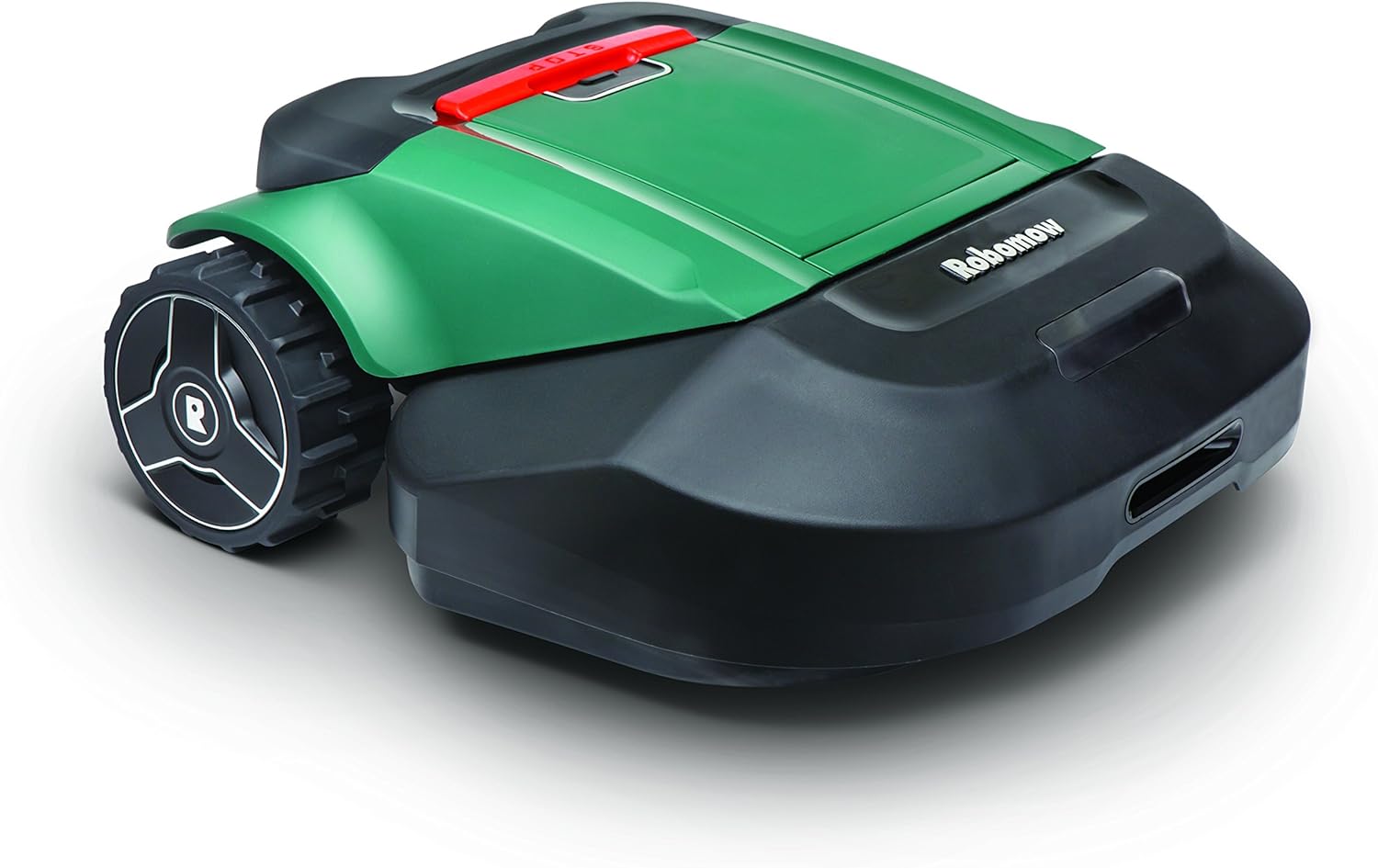
Figure 1.1: The Robomow RS630 Robotic Lawn Mower, showcasinг његов зелено-црни дизајн.
2. Подешавање и инсталација
Proper installation is crucial for optimal performance of your Robomow RS630.
2.1 Perimeter Wire Installation
The Robomow operates within a defined area established by a perimeter wire.
- Планирајте свој изглед: Map out the mowing area, identifying obstacles, narrow passages, and areas requiring exclusion.
- Install Perimeter Wire: Lay the boundary wire around the perimeter of the mowing area. Ensure the wire is securely pegged to the ground or buried slightly below the surface. Maintain recommended distances from edges and obstacles as specified in the full installation guide.
- Connect to Base Station: Connect the ends of the perimeter wire to the designated terminals on the base station.
2.2 Постављање базне станице
The base station serves as the charging point and signal emitter for the perimeter wire.
- Place the base station on a flat, level surface in an area with access to a power outlet.
- Ensure the base station is positioned within the mowing area and has clear access for the mower to dock.
- Avoid placing the base station in direct sunlight or areas prone to excessive moisture.

Figure 2.1: The Robomow RS630 docked on its charging station.
3. Operating the Robomow RS630
The Robomow RS630 offers various methods for operation, including manual control, scheduled mowing, and smart app integration.
3.1 Initial Start-up and Scheduling
- Укључено: Ensure the mower is charged and powered on.
- Set Weekly Schedule: Use the mower's control panel or the My Robomow app to set your desired mowing schedule. This includes start times, days of the week, and specific zones to be mowed.
- Activate Mowing: The mower will automatically begin mowing according to the set schedule.
3.2 Using the My Robomow App
The My Robomow app provides remote control and monitoring capabilities via Bluetooth.
- Download the "My Robomow" app from your device's app store.
- Pair your smartphone with the Robomow RS630 via Bluetooth.
- From the app, you can start/stop mowing, adjust settings, view mowing history, and manage zones.

Figure 3.1: The My Robomow app interface on a smartphone, used for controlling the mower.
3.3 Smart Home Integration (Alexa)
The Robomow RS630 can be integrated with Amazon Alexa for voice-activated commands.
- Enable the Robomow skill in your Alexa app.
- Link your Robomow account with Alexa.
- Use voice commands such as "Alexa, tell Robomow to start mowing" or "Alexa, ask Robomow to return to base."
3.4 Сигурносне карактеристике
The RS630 is equipped with safety mechanisms to protect users and the unit.
- Брава за децу: Prevents unauthorized operation.
- Сензори подизања и нагиба: The blades immediately pause if the unit is lifted from the ground or tilted.
- Систем против крађе: Requires a valid code for operation.
- Сензор за кишу: Automatically returns the mower to the base station during rain and resumes operation when conditions improve.
4. Одржавање
Regular maintenance ensures the longevity and optimal performance of your Robomow RS630.
4.1 Нега сечива
- инспекција: Regularly inspect the blades for sharpness and damage. Dull or damaged blades can affect cutting quality.
- Sharpening/Replacement: Sharpen blades as needed or replace them if they are bent, chipped, or excessively worn. Always use genuine Robomow replacement parts.
- Чишћење: Before inspecting or replacing blades, ensure the mower is powered off and the safety key is removed. Clean grass clippings from around the blade area.
4.2 Генерално чишћење
- Periodically clean the exterior of the mower with a damp тканина.
- Remove any accumulated grass, dirt, or debris from the wheels, chassis, and sensors.
- Do not use high-pressure washers or immerse the mower in water.
4.3 Одржавање батерије
- The Robomow RS630 uses high-performance lithium ferrum batteries.
- Ensure the mower is regularly charged by allowing it to return to its base station.
- For long-term storage, ensure the battery is fully charged and store the mower in a cool, dry place.
КСНУМКС. Решавање проблема
This section provides solutions to common issues you might encounter with your Robomow RS630.
5.1 Mower Not Starting or Stopping Unexpectedly
- Проверите батерију: Ensure the battery is sufficiently charged. Allow the mower to fully charge at the base station.
- Сигурносни кључ: Verify the safety key is fully inserted.
- Поруке о грешци: Check the mower's display or the My Robomow app for any error codes or messages. Refer to the full manual for specific error code explanations.
- Perimeter Wire Signal: Ensure the perimeter wire is intact and properly connected to the base station. A broken wire or signal interference can cause the mower to stop.
5.2 Poor Mowing Performance
- Тупе оштрице: Inspect and sharpen or replace the cutting blades.
- Висина траве: Ensure the grass is not excessively long. For very tall grass, it may be necessary to raise the cutting height or perform multiple mowing passes.
- Распоред кошења: Adjust the mowing frequency and duration to match your lawn's growth rate.
- Препреке: Clear any debris or obstacles from the mowing area that might impede the mower's movement.
5.3 Mower Not Returning to Base Station
- Base Station Signal: Confirm the base station is powered on and emitting a signal.
- Perimeter Wire: Check for breaks or disconnections in the perimeter wire, especially near the base station.
- Препреке: Ensure the path to the base station is clear of obstructions.
5.4 Проблеми са повезивањем апликација
- Блуетоотх опсег: Ensure your device is within Bluetooth range of the mower.
- Поновно покретање апликације: Close and restart the My Robomow app.
- Блутут уређаја: Toggle your device's Bluetooth off and on.
- Mower Restart: If issues persist, try restarting the mower by removing and reinserting the safety key.
6. Спецификације
| Феатуре | Спецификација |
|---|---|
| Бранд | Робомов |
| Број модела | РС630 |
| Извор напајања | Напајање батеријом (26V литијум) |
| Материјал | Пластика |
| Боја | Зелена |
| Препоручена величина травњака | Up to 3/4 acre (32,760 sq. ft) |
| Тежина артикла | 87 фунти |
| Ширина сечења | 22 инча |
| Оперативни режим | Аутоматски |
| Димензије производа (Д к Ш к В) | 29 к 26 к 12 инча |
| Време пуњења | 90 - 110 мин |
| Mowing Time | 80 - 100 мин |
| Мак Инцлине | 20 степени |
| УПЦ | 043033589531 |
7. Гаранција и подршка
The Robomow RS630 is backed by a 1 година гаранције provided upon registration within 30 days from first use.
For technical assistance, troubleshooting, or warranty claims, please contact Robomow Customer Support.
- Refer to the official Robomow webсајт за најновије контакт информације и ресурсе за подршку.
- Have your model number (RS630) and purchase details ready when contacting support.