
1. Производ је готовview
The TP-Link Deco M4 is a Whole Home Mesh Wi-Fi System designed to provide fast and stable internet coverage throughout your home. A single Deco M4 unit offers coverage up to 2,000 sq. ft. For larger homes or extended coverage, additional Deco units can be added to form a unified mesh network. This system utilizes TP-Link Mesh Technology to ensure seamless roaming, allowing your devices to automatically switch between Deco units as you move, maintaining the fastest possible speeds.
The Deco M4 operates as a Dual Band Gigabit Wireless Router, supporting AC1200 high-speed internet (300Mbps on 2.4GHz + 867Mbps on 5GHz). It incorporates advanced features such as Beamforming and MU-MIMO technology for efficient data transmission to multiple devices simultaneously. The system also includes IPv6 support and robust Parental Controls, enabling users to manage online time and block inappropriate websites for family members.

Image 1.1: A single TP-Link Deco M4 unit.

Image 1.2: Coverage area of a single Deco M4 unit.
2. Водич за подешавање
Setting up your TP-Link Deco M4 system is designed to be straightforward using the dedicated Deco app. Follow these steps for initial installation:
- Connect Deco: Connect one Deco unit to your cable modem using the provided Ethernet cable. Ensure both the Deco unit and the modem are powered on.
- Преузмите апликацију Deco: Download and install the TP-Link Deco app on your Android or iOS device. The app is available on the Google Play Store and Apple App Store.
- Пратите упутства у апликацији: Launch the Deco app and follow the step-by-step instructions to configure your Deco system. The app will guide you through creating your Wi-Fi network name (SSID) and password.
For multi-pack systems, the app will also guide you on how to add additional Deco units to expand your mesh network. Once configured, devices will automatically switch between Deco units for optimal performance.

Image 2.1: Simplified setup process using the Deco app.
3. Руковање вашим Deco M4 системом
The Deco M4 system creates a unified network with a single Wi-Fi name, simplifying connectivity. Your devices will automatically connect to the Deco unit providing the strongest signal as you move around your home, ensuring seamless roaming without interruptions.
Кључне карактеристике:
- Беспрекорни роминг: Devices automatically switch between Deco units for continuous, fast Wi-Fi.
- МУ-МИМО технологија: Allows the router to communicate with multiple devices simultaneously, improving network efficiency and speed for all connected devices.
- Родитељски надзор: Manage internet access for family members. You can set time limits, block specific websites, and create profiles for each user directly from the Deco app.
- Мрежа гостију: Easily create a separate Wi-Fi network for guests to ensure the security of your main network. This can be turned on/off using the Deco app or via Alexa voice commands.
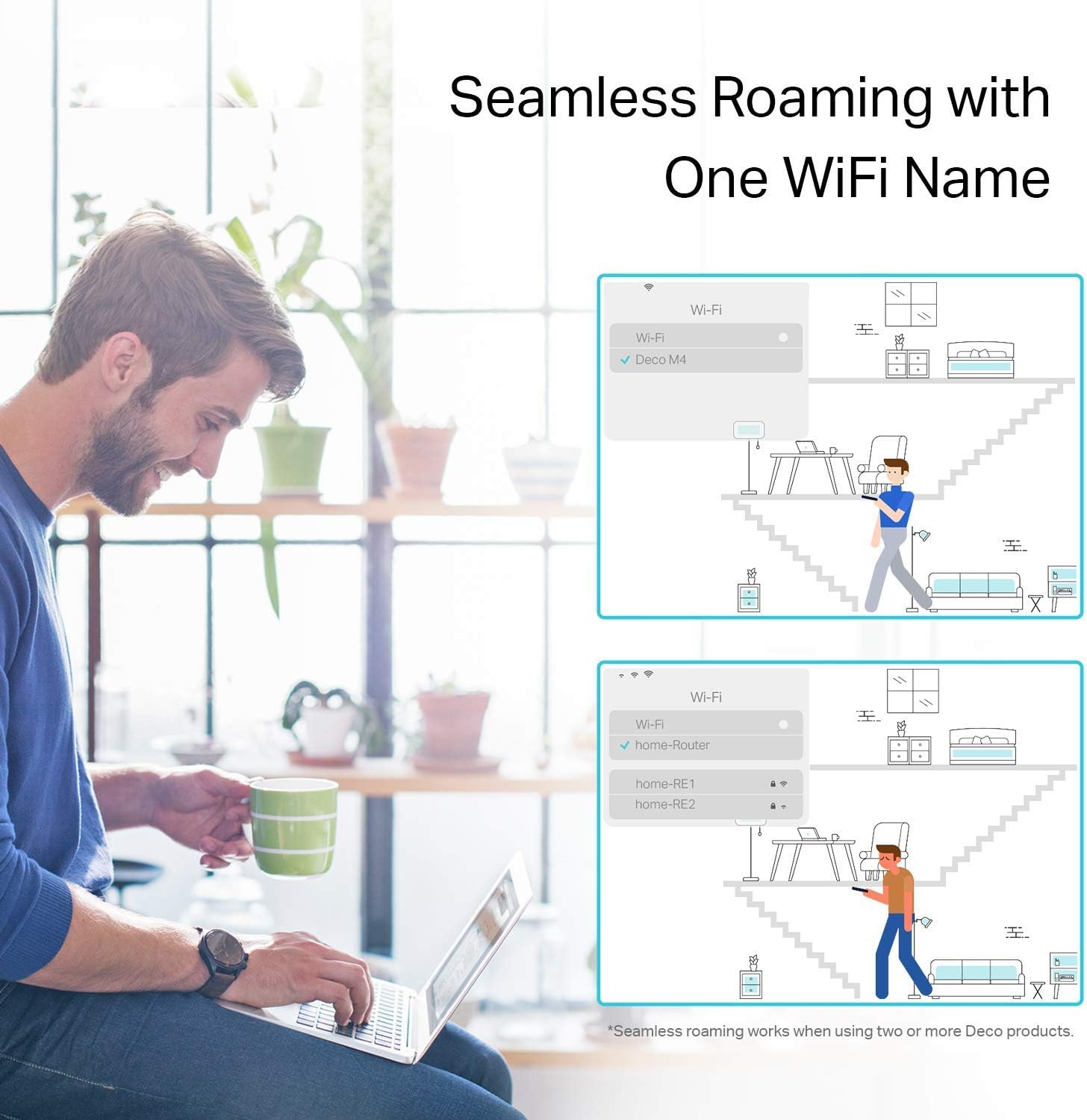
Image 3.1: Seamless roaming experience with one Wi-Fi name.

Image 3.2: Multiple Deco units working together to form a mesh network.
4. Одржавање
Да бисте осигурали оптималне перформансе и дуговечност вашег TP-Link Deco M4 система, размотрите следеће савете за одржавање:
- Ажурирања фирмвера: Редовно проверавајте и инсталирајте ажурирања фирмвера путем апликације Deco. Ажурирања често укључују побољшања перформанси, безбедносне закрпе и нове функције.
- Пласман: Ensure Deco units are placed in open areas, away from obstructions like large metal objects, thick walls, or other electronic devices that may cause interference.
- Чишћење: Keep the Deco units clean and free from dust. Use a soft, dry cloth to wipe the exterior. Avoid using liquid cleaners or abrasive materials.
- Поновно покретање: If you experience network issues, try restarting your Deco units and modem. This can often resolve minor connectivity problems.
КСНУМКС. Решавање проблема
Ако наиђете на проблеме са вашим Deco M4 системом, погледајте следеће уобичајене кораке за решавање проблема:
- Нема интернет везе:
- Проверите да ли ваш модем исправно ради и да ли има активну интернет везу.
- Уверите се да је Етернет кабл који повезује главну Деко јединицу са модемом чврсто прикључен.
- Restart both your modem and the main Deco unit.
- Слаб Wi-Fi сигнал:
- Relocate Deco units to minimize physical obstructions and maximize coverage.
- Add more Deco units if your coverage area is larger than the current system can handle.
- Check for sources of interference (e.g., microwaves, cordless phones) and move Deco units away from them.
- Деко јединица се не повезује:
- Ensure the Deco unit is powered on and within range of another active Deco unit.
- Use the Deco app to re-add the unit if it was previously removed or reset.
- Perform a factory reset on the problematic Deco unit (refer to the app for instructions) and try setting it up again.
- Проблеми са повезивањем апликација:
- Уверите се да је ваш паметни телефон повезан са Deco Wi-Fi мрежом.
- Update the Deco app to the latest version.
- Поново покрените паметни телефон.
For more detailed troubleshooting or persistent issues, please contact TP-Link customer support.
6. Спецификације
| Бранд | ТП-Линк |
| Назив модела | AC1200 Gigabit Ethernet (Deco M4) |
| Вирелесс Типе | 802.11ац, 802.11н |
| Класа фреквенцијског опсега | Двопојасни (2.4 GHz и 5 GHz) |
| Технологија повезивања | Етхернет, Ви-Фи |
| Димензије артикла (ДкШкВ) | 3.57 к 3.57 к 7.48 инча |
| Тежина артикла | 1.76 фунти |
| Боја | Бела |
| Оперативни систем | Android (for app control) |
| Посебна карактеристика | ВПС (Ви-Фи заштићено подешавање) |
| Укључене компоненте | Product body, Power Supply, Network Cable, Quick Installation Guide (QIG) |
7. Гаранција и подршка
The TP-Link Deco M4 system comes with an industry-leading 2-year warranty. For any technical assistance or support inquiries, TP-Link offers 24/7 technical support. Please refer to the official TP-Link website or the Deco app for contact information and further details regarding your warranty and support options.