
1. Увод
This manual provides detailed instructions for the installation, operation, and maintenance of your COOAU 4MP Wireless Security Camera, Model 827S-400. Designed for indoor use, this camera offers advanced features such as 4MP Ultra HD video, Pan/Tilt/Zoom (PTZ) functionality, two-way audio, and intelligent detection capabilities to enhance your home monitoring experience.
2. Производ је готовview
The COOAU 4MP Wireless Security Camera is a versatile indoor monitoring device. Familiarize yourself with its components and key features:
2.1 Компоненте
- COOAU 4MP Wireless Security Camera Unit
- Повер Адаптер
- УСБ кабл за напајање
- Mounting Accessories (screws, wall anchors)
- Кориснички приручник (овај документ)
2.2 Кључне карактеристике
- 4MP Ultra HD Video: Снима јасне и детаљне снимке хранеtage.
- Померање/Нагињање/Зумирање (PTZ): Нуди ротацију од 360° хоризонтално и 120° вертикално за свеобухватну покривеност.
- Двосмерни аудио: Уграђени микрофон и звучник за комуникацију.
- Интелигентна детекција: Features sound detection, motion detection, and motion tracking with alerts.
- Побољшани ноћни вид: Provides clear monitoring in low-light conditions.
- Флексибилно складиштење: Supports local storage via Micro SD card (up to 128GB, not included) and cloud storage options.
- Алека компатибилност: Интегрише се са Амазон Алексом за гласовну контролу.

Image: The COOAU 4MP Wireless Security Camera, highlighting its compact design and key functionalities like 360-degree coverage and 4MP HD view.
3. Подешавање
Follow these steps to set up your COOAU Wireless Security Camera:
3.1 Инсталација апликације
- Scan the QR code provided in the camera's packaging or search for "MIPC" in your device's app store (Apple App Store for iOS or Google Play Store for Android).
- Преузмите и инсталирајте МИПЦ апликацију.
- Отворите апликацију и креирајте нови кориснички налог или се пријавите ако га већ имате.
3.2 Прикључак за напајање
- Прикључите УСБ кабл за напајање на порт за напајање камере.
- Укључите адаптер за напајање у стандардну електричну утичницу.
- The camera will power on and initiate its startup sequence. Wait for a voice prompt indicating it's ready for connection.
3.3 Network Configuration (Wi-Fi)
- In the MIPC app, tap the '+' icon to add a new device.
- Select the camera type (e.g., "Wireless IP Camera").
- Choose "Wi-Fi connection" as the network connection method.
- Follow the on-screen instructions to enter your Wi-Fi network details (SSID and password).
- The app may instruct you to scan a QR code displayed on your phone with the camera, or to place your phone near the camera for sound pairing.
- Once connected, you will hear a confirmation sound from the camera, and the app will indicate successful addition.
- Set a new password for the camera for security purposes.
Video: Demonstrates the indoor camera connection steps, including app installation, power connection, and Wi-Fi setup.
3.4 Монтирање камере
The camera can be placed on a flat surface or mounted to a ceiling. Use the provided mounting accessories for ceiling installation. Ensure the camera is positioned to cover the desired monitoring area.
4. Упутство за употребу
Learn how to utilize the various features of your COOAU camera:
4.1 Уживо View и PTZ контрола
- Open the MIPC app and select your camera from the device list to access the live video feed.
- Use the on-screen controls to pan (rotate horizontally up to 355°), tilt (move vertically up to 120°), and digitally zoom the camera view.
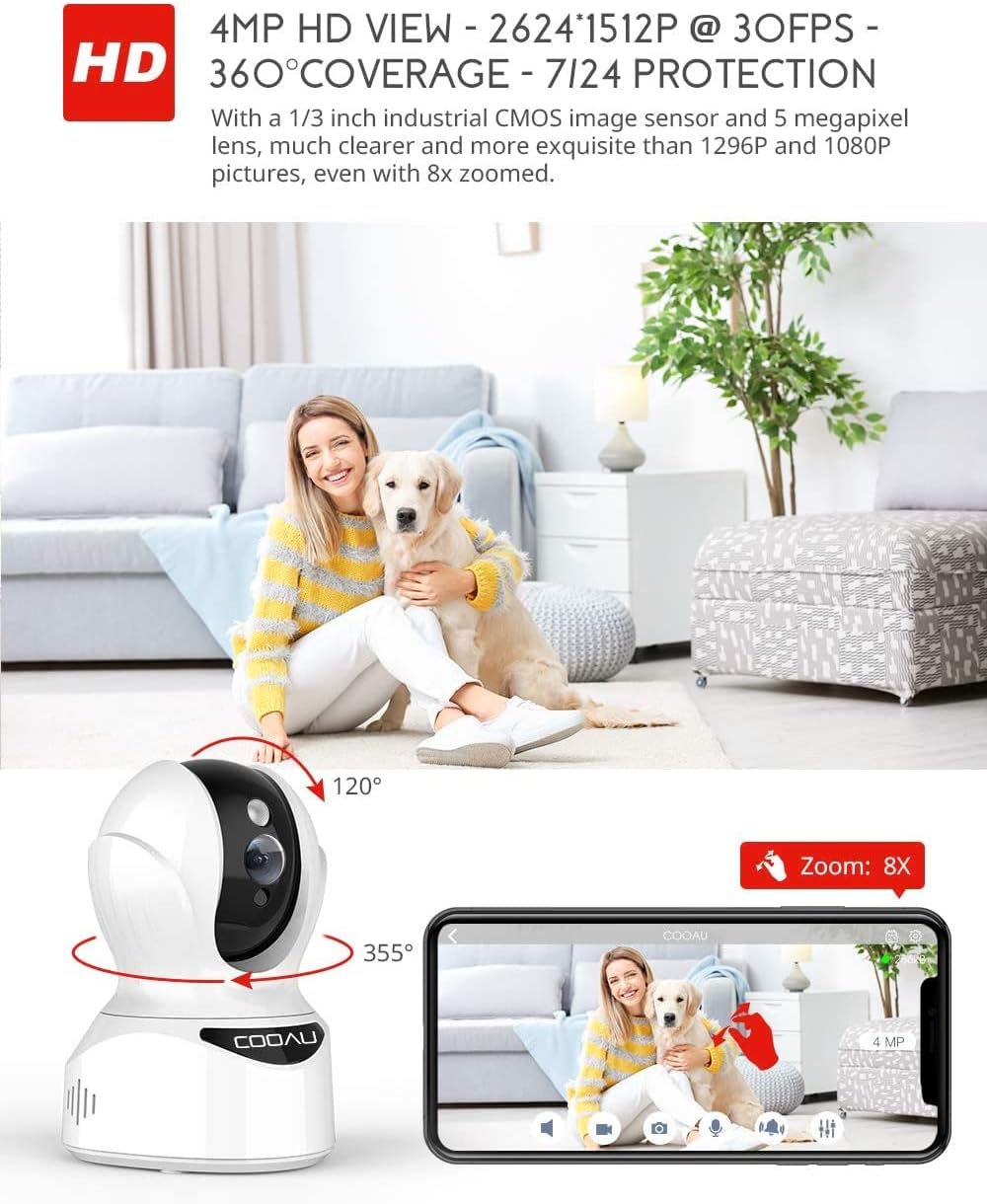
Image: Illustrates the camera's Pan/Tilt capabilities, offering 355° horizontal and 120° vertical rotation for comprehensive room coverage.
4.2 Двосмерни аудио
- Док је у живо view, tap the microphone icon in the app to speak through the camera's speaker.
- The camera's built-in microphone allows you to hear audio from the camera's location.

Image: Depicts the two-way audio feature, enabling clear communication through the camera's built-in anti-noise and echo cancellation microphone and speaker.
4.3 Intelligent Detection and Alerts
- Access the camera settings in the MIPC app to configure motion detection, sound detection, and motion tracking.
- Enable push notifications to receive alerts on your smartphone when activity is detected.
- Motion tracking allows the camera to automatically follow moving objects within its field of view.
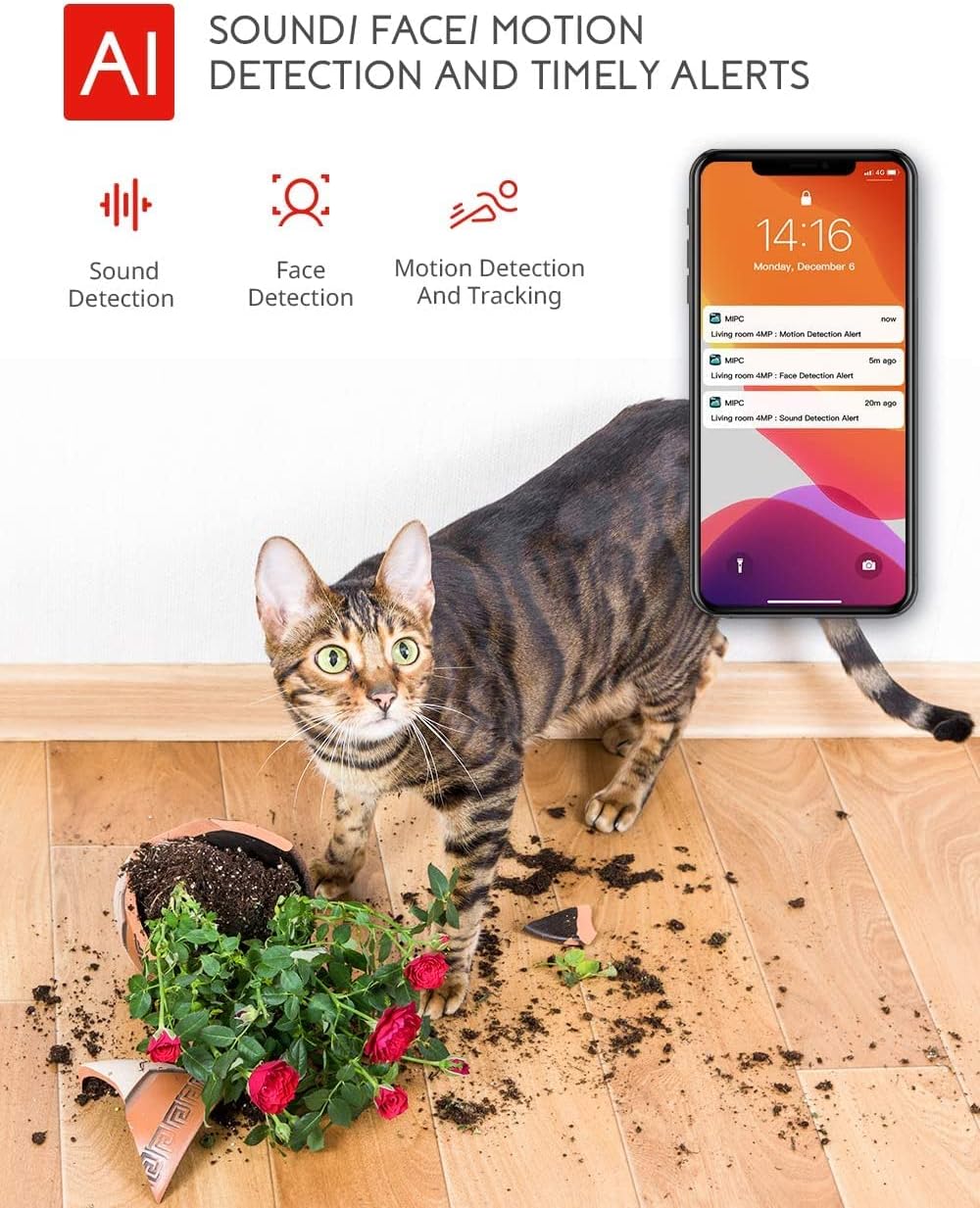
Image: Highlights the AI-powered sound, face, and motion detection features, with timely alerts sent to your smartphone.
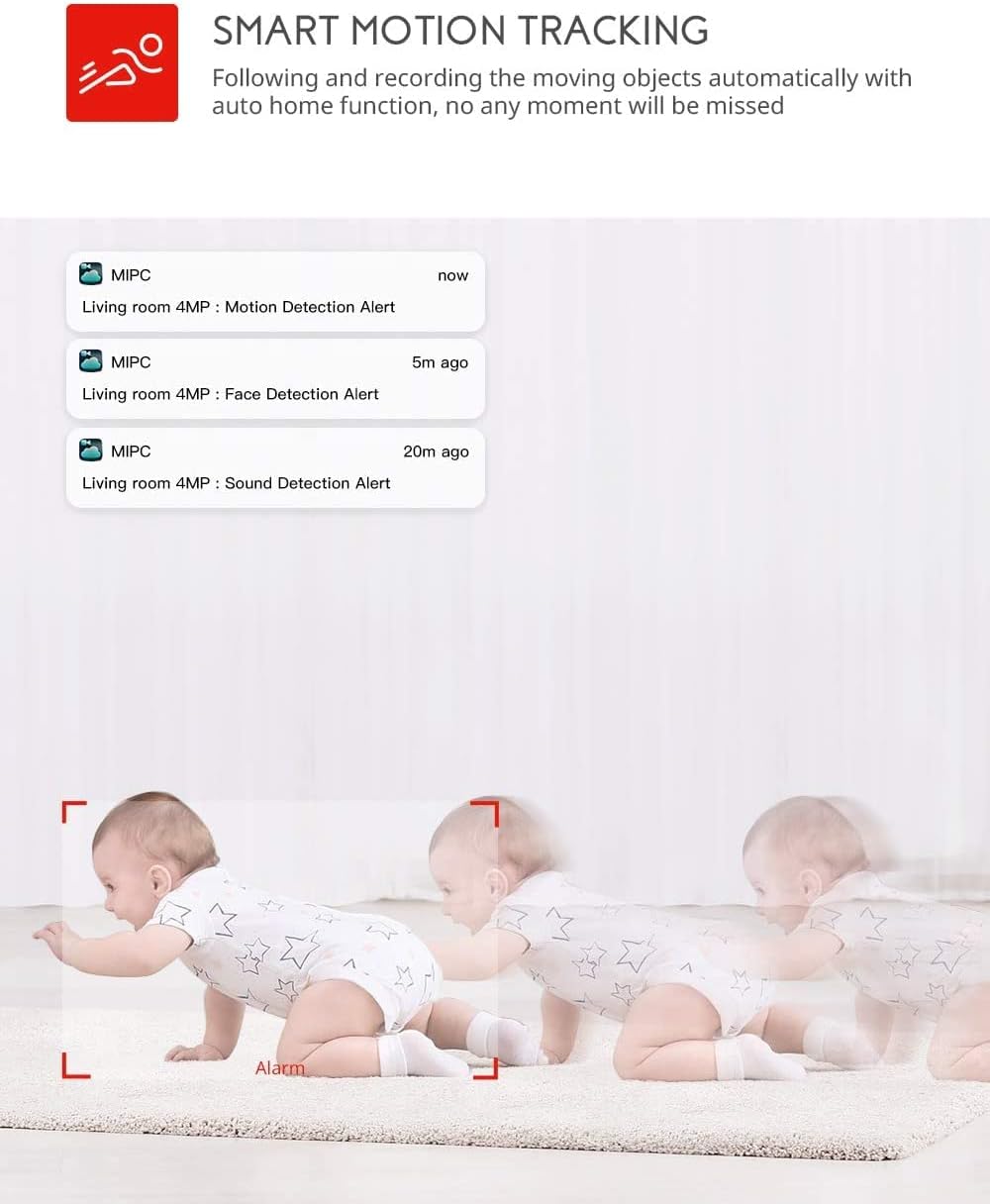
Image: Illustrates the smart motion tracking feature, where the camera automatically follows and records moving objects.
4.4 Ноћни вид
- Камера се аутоматски пребацује у режим ноћног вида у условима слабог осветљења.
- This feature provides clear black and white video footage without additional light sources.
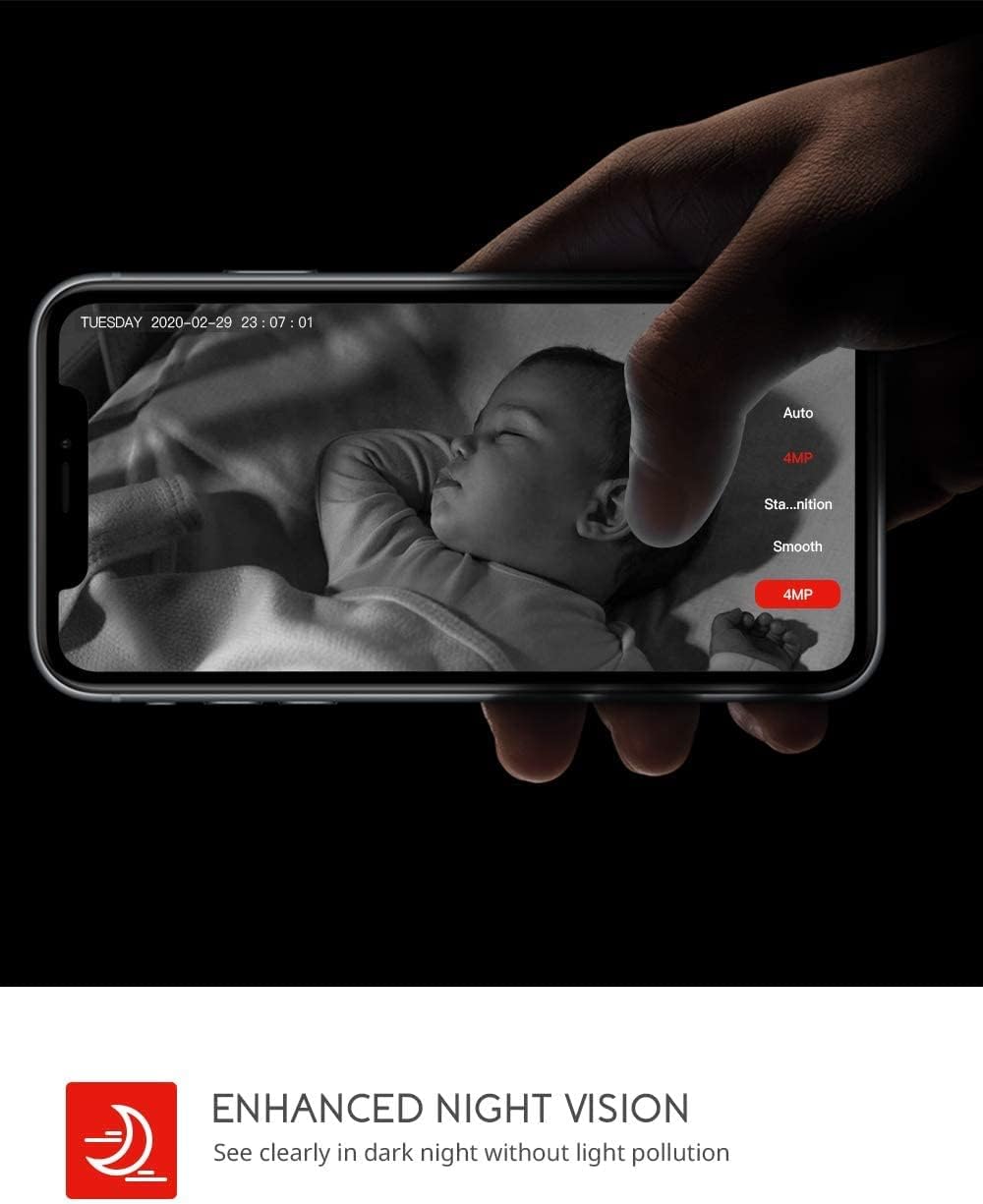
Image: Demonstrates the enhanced night vision capability, providing clear visibility in dark environments.
4.5 Опције складиштења
- Мицро СД картица: Insert a Micro SD card (up to 128GB, Class 10 or higher recommended) into the designated slot for local video recording.
- Цлоуд Стораге: The MIPC app offers optional cloud storage services for secure off-site backup of your recordings.
4.6 Multi-User Support
- Share camera access with family members or trusted individuals through the MIPC app.
- This allows multiple users to view the live feed and receive alerts simultaneously.

Image: Illustrates the camera's support for multiple devices and users, allowing footage sharing across various platforms.
5. Одржавање
Правилно одржавање осигурава дуготрајност и оптималне перформансе вашег фотоапарата:
- Чишћење: Користите меку, суву крпу за чишћење објектива и кућишта камере. Избегавајте абразивна средства за чишћење или раствараче.
- Пласман: Уверите се да је камера постављена на стабилно место, даље од директне сунчеве светлости, извора топлоте и прекомерне влаге.
- Ажурирања софтвера: Regularly check the MIPC app for firmware updates to ensure your camera has the latest features and security enhancements.
- Напајање: Користите само оригинални адаптер за напајање који сте добили уз камеру.
КСНУМКС. Решавање проблема
Ако наиђете на проблеме са камером, погледајте следеће уобичајене проблеме и решења:
| Проблем | Решење |
|---|---|
| Камера не успева да се повеже са Wi-Fi мрежом. | Ensure your Wi-Fi password is correct. Check if the camera is within range of your Wi-Fi router. Reset the camera by pressing the reset button for 1 second and try connecting again. Ensure your router is 2.4GHz compatible. |
| Лош квалитет видеа. | Check your internet connection speed. Ensure the camera lens is clean. Adjust the video resolution settings in the MIPC app. |
| Детекција покрета не ради. | Verify that motion detection is enabled in the app settings. Adjust the sensitivity level. Ensure there are no obstructions blocking the camera's view. |
| Двосмерни звук је нејасан. | Ensure your phone's volume is up. Check for any interference or background noise near the camera or your phone. |
| Камера је офлајн. | Check the power connection to the camera. Verify your Wi-Fi network is active and stable. Restart the camera and your router. |
7. Спецификације
Detailed technical specifications for the COOAU 4MP Wireless Security Camera (Model 827S-400):
| Феатуре | Спецификација |
|---|---|
| Број модела | КСНУМКСС-КСНУМКС |
| Ефективна резолуција мировања | 4 МП |
| Ефективна видео резолуција | 4 МП |
| Технологија повезивања | бежични (Ви-Фи) |
| Унутрашња/спољна употреба | Индоор |
| Посебне карактеристике | Motion Sensor, Sound Detection, Motion Tracking, 2-Way Audio, Night Vision |
| Тип контролера | Амазон Алека |
| Моунт Типе | Плафонски носач |
| Опције складиштења | Cloud/SD Storage (up to 128GB) |
| Фраме Рате | 30 фпс |
| Димензије артикла | 3.35 к 3.35 к 4.72 инча |
| Извор напајања | АЦ/ДЦ |
| GTIN / UPC | 889328768553 |
8. Гаранција и подршка
For warranty information or technical support, please contact COOAU customer service. You can reach us via:
- Службено поштанско сандуче: info@cooau.net
- Званични Фејсбук: COOAU Official